bootstraptabel 固定高度_bootstrap 表格的头部如何固定
bootstrap表格头部的固定方法:首先引入jquery和bootstrap;然后添加固定列代码为“ $("#table").bootstrapTable('destroy').bootstrapTable({...})”即可。

推荐:《bootstrap教程》
bootstrap-table固定表头固定列
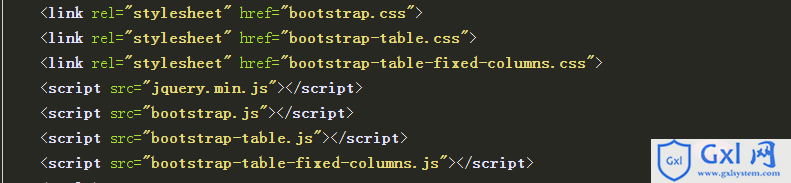
1.引入
bootstrap依赖于jquery
bootstrap-table依赖于bootstrap,所以都需要引入
2. bootstrap-table有两种方式,html、js
data-toggle="table" //启用bootstrap表格
data-classes="table table-hover"
data-show-columns="true" //是否显示内容列下拉框。
data-striped="true" //设置为 true 会有隔行变色效果
data-show-toggle="true" //是否显示切换视图(table/card)按钮。
data-search="true" //是否显示搜索框
data-show-refresh="true" //是否显示刷新按钮
data-toolbar="#toolbar" //工具栏
data-height="500"> //设置表格高度-固定表头生效
表格 ID表格 Name表格 Price表格 Price表格 Price表格 Price表格 Price表格 Price表格 Price表格 Price表格 Price
1Item 1$1Item 1$1Item 1$1Item 1$1Item 1$12Item 2$2Item 1$1Item 1$1Item 1$1Item 1$1js方式
固定列代码$("#table").bootstrapTable('destroy').bootstrapTable({
fixedColumns: true,
fixedNumber: 1 //固定列数
}
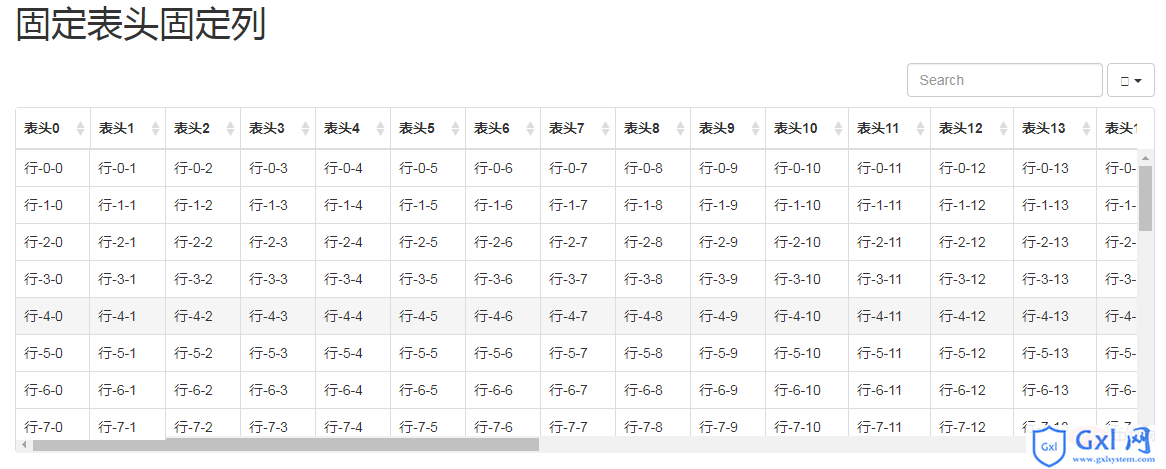
效果展示:
3.问题解决
固定表头展示错位
解决办法:给 th 添加宽度 data-width="60px"
固定列也会错位
解决办法:所有内容不折行,展示在一行(感觉应该是line-height导致的差异)
固定表头固定列重叠的表头部分左右滚动的时候 没有固定
解决办法:重叠部分手动加了层级
当浏览器窗口变化是,表头与表格不对齐,应该怎么办?$('#tableId').bootstrapTable(); // init via javascript
$(window).resize(function () {
$('#tableId').bootstrapTable('resetView');
});
4.下载地址
bootstrap-table:http://bootstrap-table.wenzhixin.net.cn/zh-cn/
bootstrap-table-fixed-columns:https://github.com/wenzhixin/bootstrap-table-fixed-columns
本文来自互联网用户投稿,文章观点仅代表作者本人,不代表本站立场,不承担相关法律责任。如若转载,请注明出处。 如若内容造成侵权/违法违规/事实不符,请点击【内容举报】进行投诉反馈!