uniapp 自定义导航栏 如何跟右上角胶囊对齐 安卓 iOS
uniapp 自定义导航栏 如何跟右上角胶囊对齐 安卓 iOS
具体实现效果
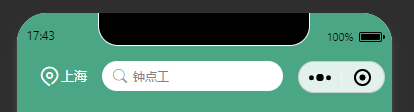
我看了很多博文 比如这篇
https://blog.csdn.net/mgf_yzy/article/details/115836359
把胶囊的高度算出来 但是我搞过来搞过去发现还是不兼容(ps: 可能是我没理解) 而且我发现 小程序的胶囊高度是写死的48px 没必要去获取
于是乎
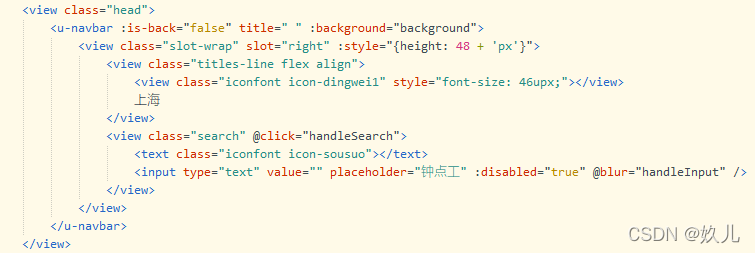
这样写了之后我发现他只兼容了苹果
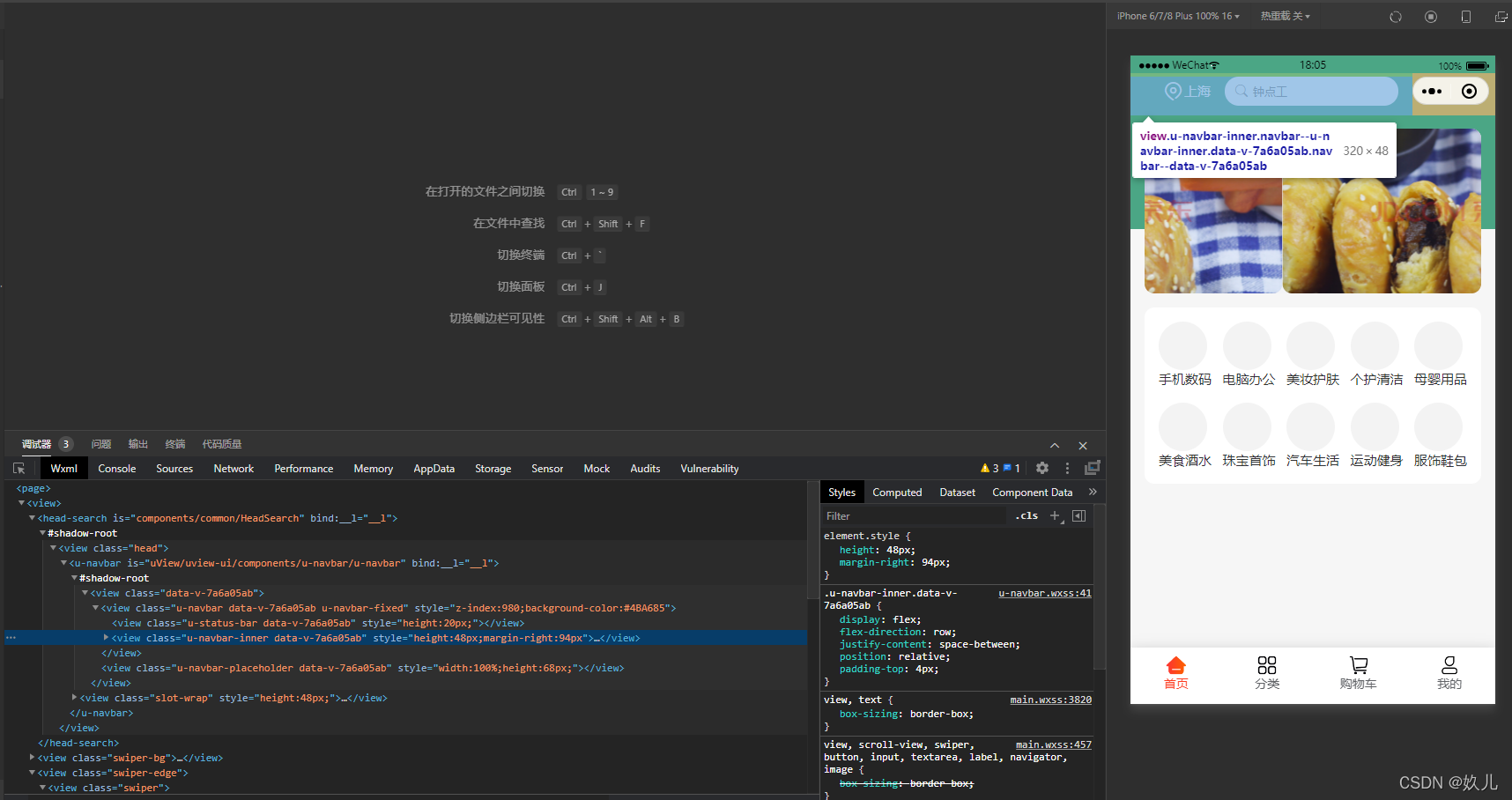
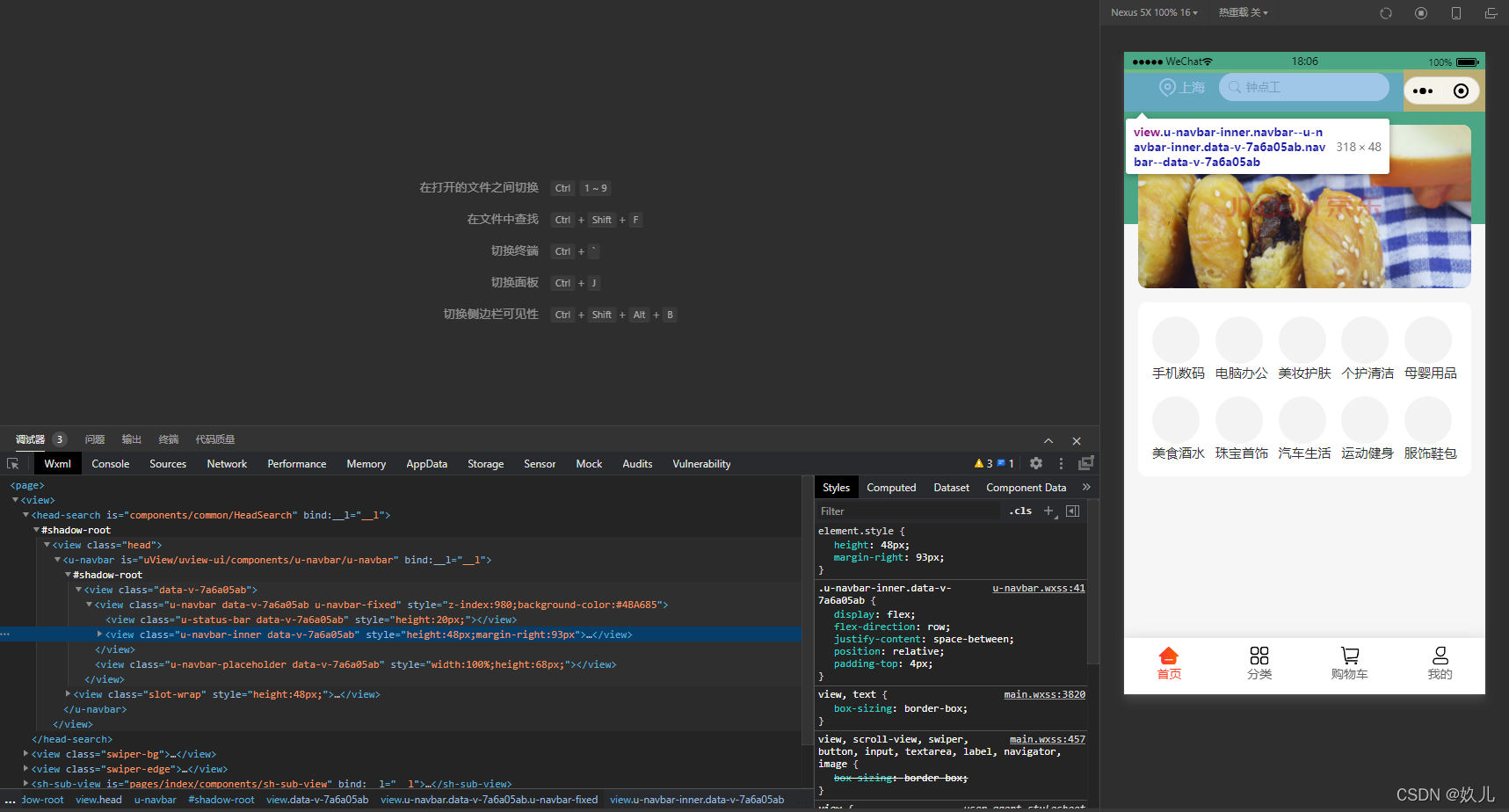
安卓跟苹果之间就总有写奇奇怪怪的问题 我看了控制台wxml的代码 明明一样的代码 安卓就是比苹果少那么一截的位置
苹果
安卓
无奈只好写成这样
<template><view class="head"><u-navbar :is-back="false" title=" " :background="background"><view class="slot-wrap" slot="right" :style="{height: 48 + 'px',alignItems: align}"><view class="titles-line flex align"><view class="iconfont icon-dingwei1" style="font-size: 46upx;">view>上海view><view class="search" @click="handleSearch"><text class="iconfont icon-sousuo">text><input type="text" value="" placeholder="钟点工" :disabled="true" @blur="handleInput" />view>view>u-navbar>view>
template><script>export default {data() {return {align: 'flex-start',navHeight: 48,background: {backgroundColor: '#4BA685'}}},created() {uni.getSystemInfo({success: (res) => {let height = res.statusBarHeightif (res.system.split(' ')[0] == 'Android') {this.align = 'center'this.navHeight -= 8}else {this.align = 'flex-start'}}});},methods: {handleSearch() {this.$Router.push({path: '/pages/public/search'})}}}
script><style lang="scss">.head {.slot-wrap {display: flex;.titles-line {font-size: 28upx;color: #fff;height: 60upx;}}.search {background-color: #FFFFFF;border-radius: 30upx;height: 60upx;line-height: 60upx;padding: 0 20upx;display: flex;margin: 0 30upx;text {display: inline-block;margin-right: 10upx;color: $font-phColor;}.cuIcon-search {color: $font-phColor;margin-right: 12upx;}input {font-size: 24upx;height: 60upx;width: 280upx;}}}
style>
本文来自互联网用户投稿,文章观点仅代表作者本人,不代表本站立场,不承担相关法律责任。如若转载,请注明出处。 如若内容造成侵权/违法违规/事实不符,请点击【内容举报】进行投诉反馈!