基于IO、NIO、Netty的Java网络程序简单示例
一、基于IO的java网络程序
1.循环输出多条数据
创建服务器端和客户端
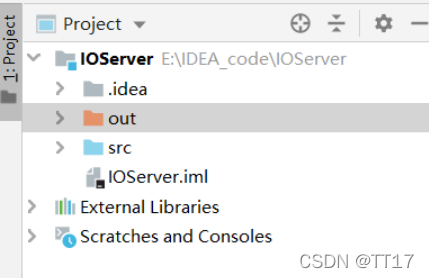

2.服务器代码
import java.io.IOException;
import java.io.InputStream;
import java.net.ServerSocket;
import java.net.Socket;public class IOServer {public static void main(String[] args) throws Exception {ServerSocket serverSocket = new ServerSocket(8000);// (1) 接收新连接线程new Thread(() -> {while (true) {try {// (1) 阻塞方法获取新的连接Socket socket = serverSocket.accept();// (2) 每一个新的连接都创建一个线程,负责读取数据new Thread(() -> {try {byte[] data = new byte[1024];InputStream inputStream = socket.getInputStream();while (true) {int len;// (3) 按字节流方式读取数据while ((len = inputStream.read(data)) != -1) {System.out.println(new String(data, 0, len));}}} catch (IOException e) {}}).start();} catch (IOException e) {}}}).start();}
}
3.客户端代码:
import java.io.IOException;
import java.net.Socket;
import java.util.Date;
public class IOClient {public static void main(String[] args) {new Thread(() -> {try {Socket socket = new Socket("127.0.0.1", 8000);while (true) {try {socket.getOutputStream().write((new Date() + ": hello 死妖阿!").getBytes());socket.getOutputStream().flush();Thread.sleep(2000);} catch (Exception e) {}}} catch (IOException e) {}}).start();}}
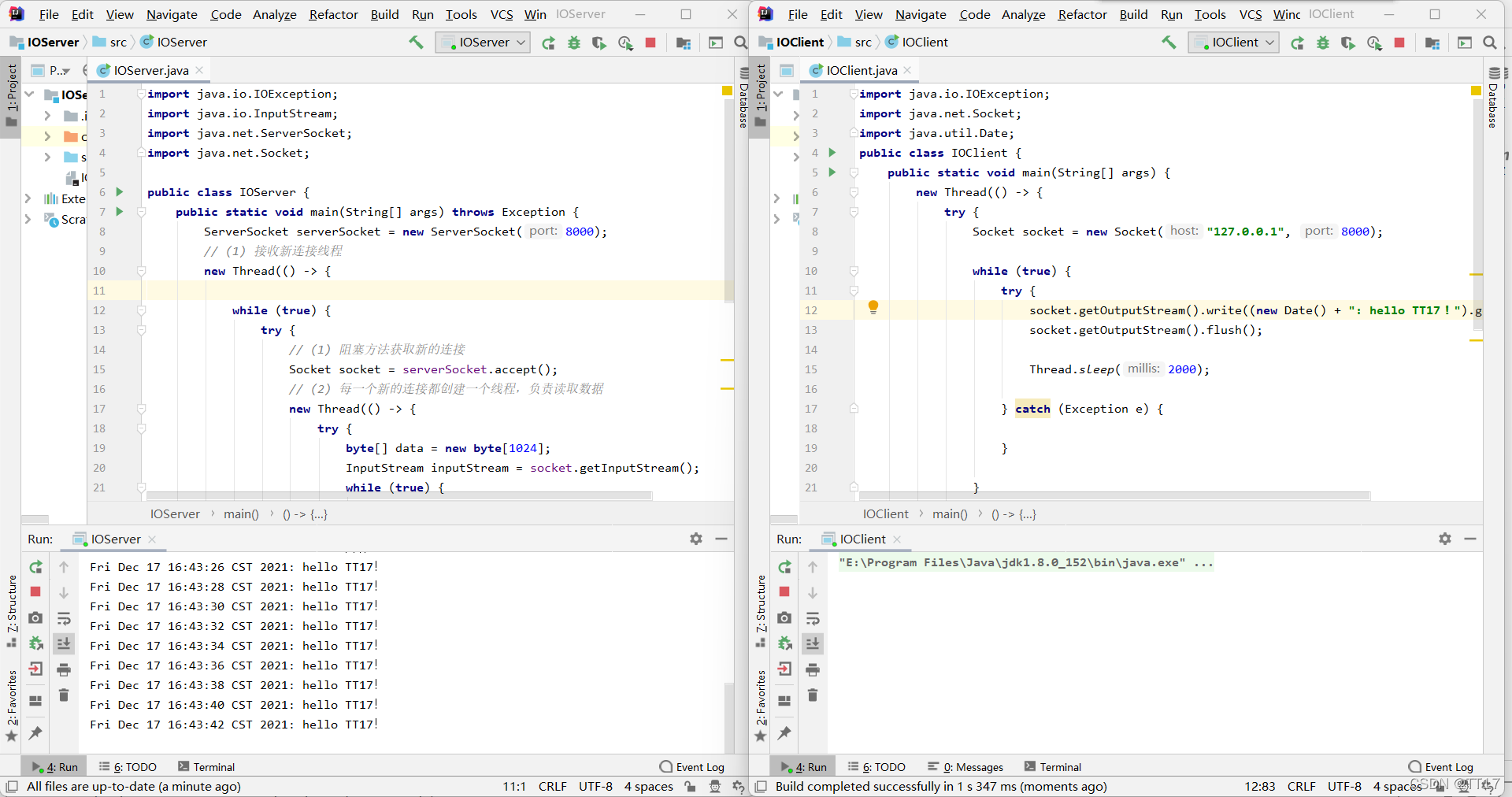
4.运行结果
二、基于NIO的java网络程序
1.同样也是一个服务器端一个客户端,创建步骤与上面相同
2.服务器端代码:
import java.net.InetSocketAddress;
import java.nio.ByteBuffer;
import java.nio.channels.SelectionKey;
import java.nio.channels.Selector;
import java.nio.channels.ServerSocketChannel;
import java.nio.channels.SocketChannel;
import java.util.Iterator;
import java.util.Set;public class NIOServer {//网络通信IO操作,TCP协议,针对面向流的监听套接字的可选择通道(一般用于服务端)private ServerSocketChannel serverSocketChannel;private Selector selector;/**开启服务端*/public void start(Integer port) throws Exception {serverSocketChannel = ServerSocketChannel.open();selector = Selector.open();//绑定监听端口serverSocketChannel.socket().bind(new InetSocketAddress(port));//设置为非阻塞模式serverSocketChannel.configureBlocking(false);//注册到Selector上serverSocketChannel.register(selector, SelectionKey.OP_ACCEPT);startListener();}private void startListener() throws Exception {while (true) {// 如果客户端有请求select的方法返回值将不为零if (selector.select(1000) == 0) {System.out.println("当前没有任务!!!");continue;}// 如果有事件集合中就存在对应通道的keySet selectionKeys = selector.selectedKeys();Iterator iterator = selectionKeys.iterator();// 遍历所有的key找到其中事件类型为Accept的keywhile (iterator.hasNext()) {SelectionKey key = iterator.next();if (key.isAcceptable())handleConnection();if (key.isReadable())handleMsg(key);iterator.remove();}}}/*** 处理建立连接*/private void handleConnection() throws Exception {SocketChannel socketChannel = serverSocketChannel.accept();socketChannel.configureBlocking(false);socketChannel.register(selector, SelectionKey.OP_READ, ByteBuffer.allocate(1024));}/** 接收信息*/private void handleMsg(SelectionKey key) throws Exception {SocketChannel channel = (SocketChannel) key.channel();ByteBuffer attachment = (ByteBuffer) key.attachment();channel.read(attachment);System.out.println("当前信息: " + new String(attachment.array()));}public static void main(String[] args) throws Exception {NIOServer myServer = new NIOServer();myServer.start(8887);}
}
3.客户端代码:
import java.net.InetSocketAddress;
import java.nio.ByteBuffer;
import java.nio.channels.SocketChannel;public class NIOClient {public static void main(String[] args) throws Exception {SocketChannel socketChannel = SocketChannel.open();socketChannel.configureBlocking(false);// 连接服务器if (!socketChannel.connect(new InetSocketAddress("127.0.0.1", 8887))) {while (!socketChannel.finishConnect()) {System.out.println("connecting...");}}//发送数据String str = "hello  死妖阿";ByteBuffer byteBuffer = ByteBuffer.wrap(str.getBytes());socketChannel.write(byteBuffer);System.in.read();}}
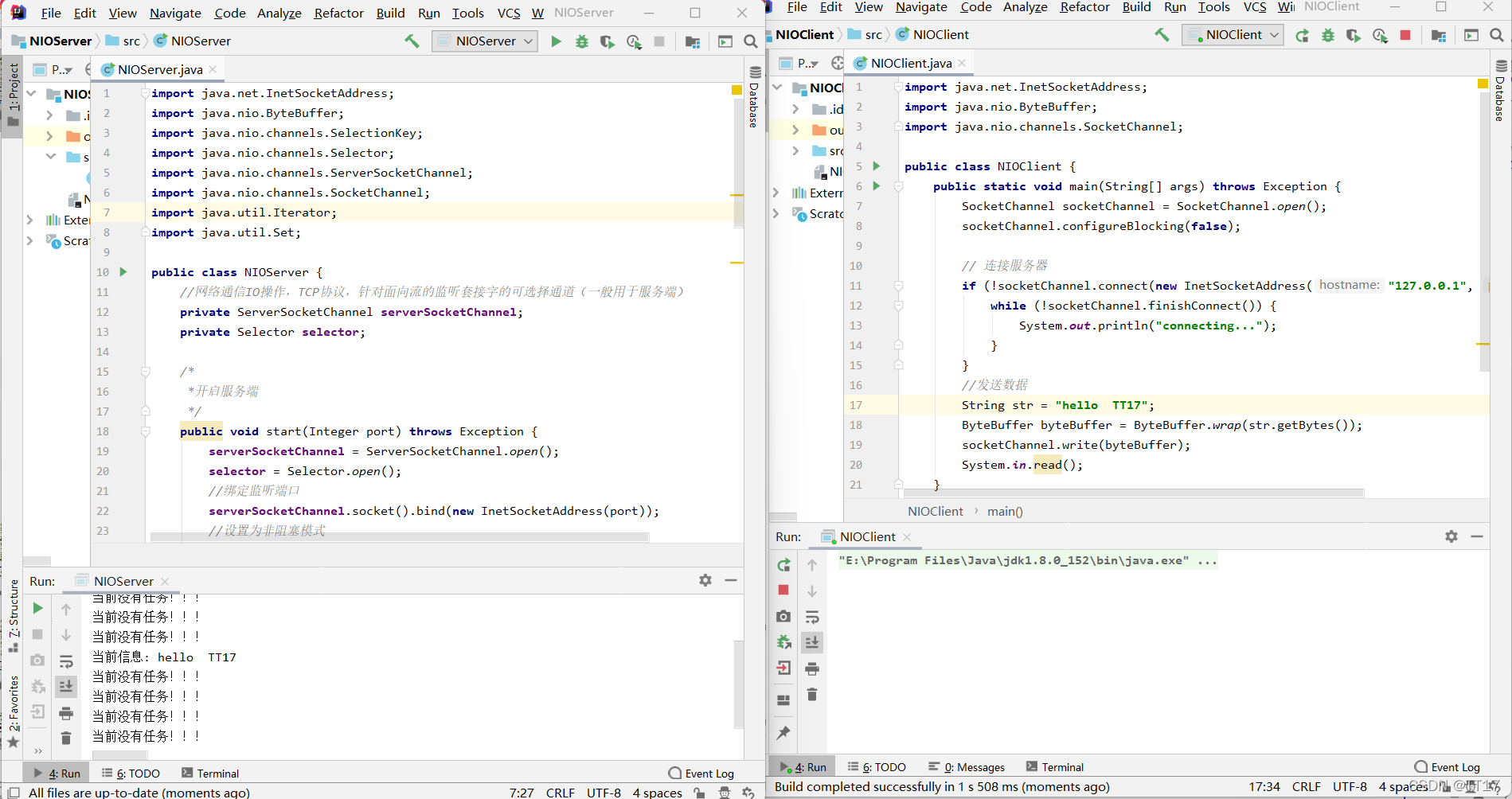
4.运行结果
三、基于Netty的java网络程序
1.创建项目导入包
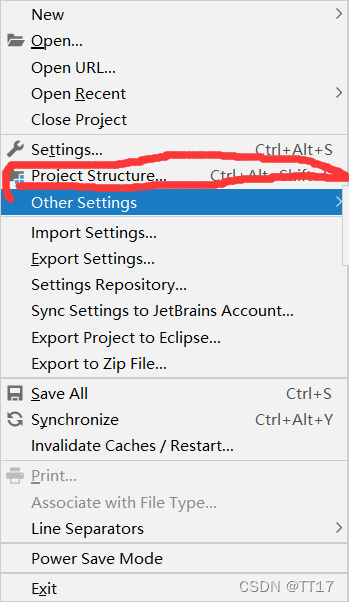
2.步骤如下,点击Kotlin/js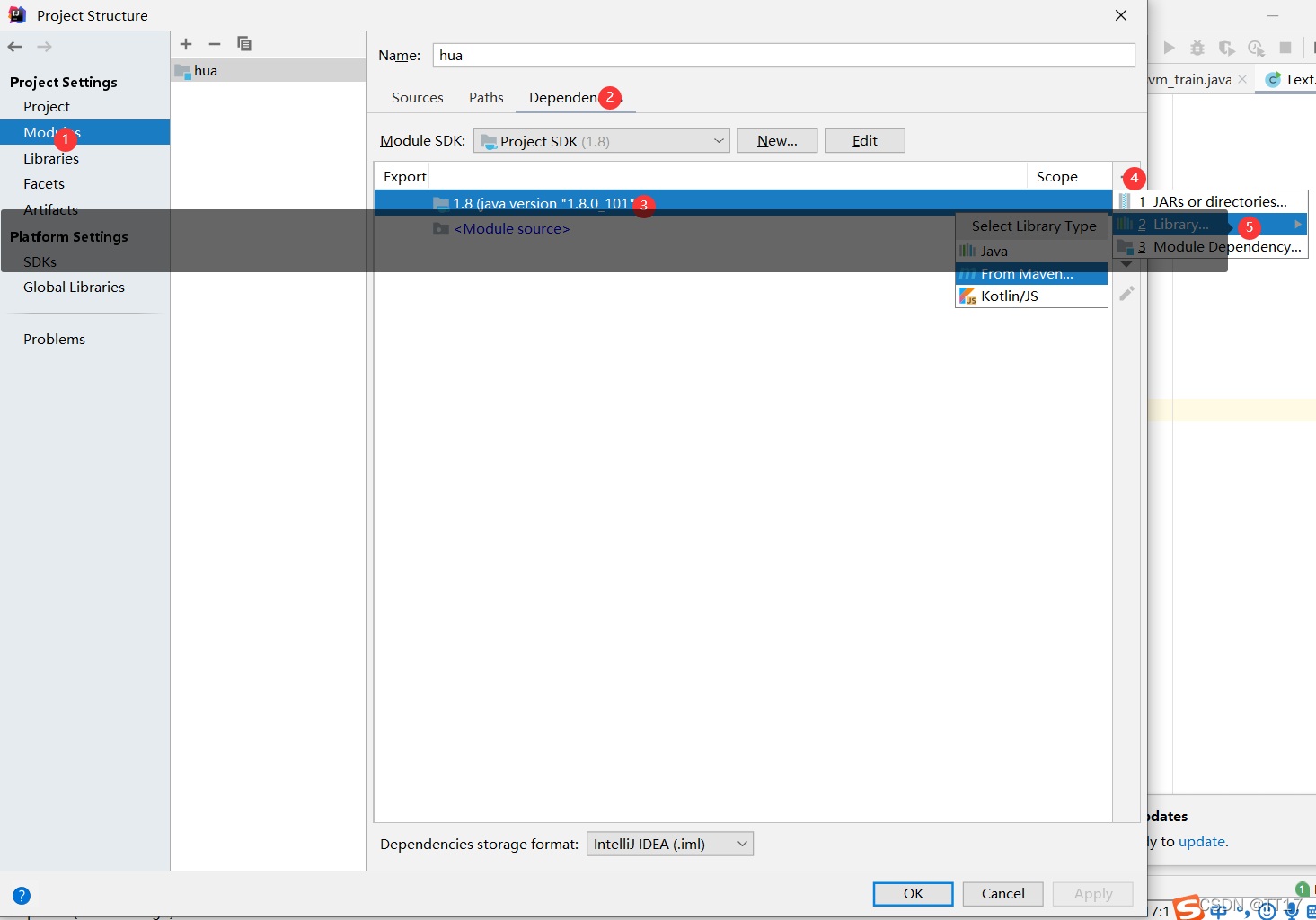
3.下载netty的包
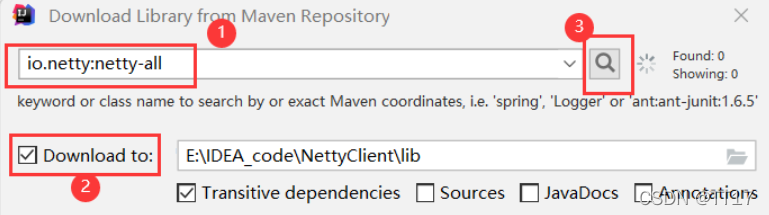
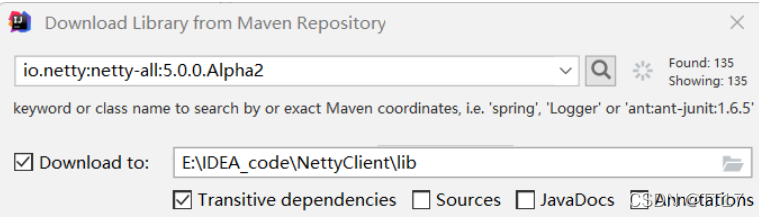
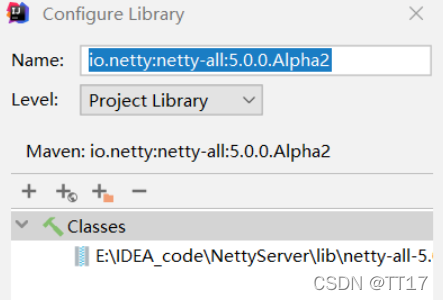
出现以下界面,直接OK,就完事了
4.服务器端代码
import io.netty.bootstrap.ServerBootstrap;
import io.netty.channel.ChannelFuture;
import io.netty.channel.ChannelInitializer;
import io.netty.channel.ChannelOption;
import io.netty.channel.nio.NioEventLoopGroup;
import io.netty.channel.socket.SocketChannel;
import io.netty.channel.socket.nio.NioServerSocketChannel;public class NettyServer {public static void main(String[] args) throws Exception {//用于处理服务器端接受客户端连接的线程组NioEventLoopGroup bossGroup = new NioEventLoopGroup();//用于进行网络通讯(读写)的线程组NioEventLoopGroup workGroup = new NioEventLoopGroup();//创建辅助工具类,用于服务器通道的一系列的配置ServerBootstrap sb = new ServerBootstrap();sb.group(bossGroup,workGroup)//绑定两个线程组.channel(NioServerSocketChannel.class)//指定NIO的网络传输模式为TCP,UDP:NioDatagramChannel.option(ChannelOption.SO_BACKLOG,1024)//设置tcp缓冲.option(ChannelOption.SO_SNDBUF,32*1024)//设置发送缓冲大小.option(ChannelOption.SO_RCVBUF,32*1024)//设置接收缓冲大小.option(ChannelOption.SO_KEEPALIVE,true)//保持连接.childHandler(new ChannelInitializer() {protected void initChannel(SocketChannel socketChannel) throws Exception {socketChannel.pipeline().addLast(new ServerHandler());//这里配置具体数据接收方法的处理}});ChannelFuture cf1 = sb.bind(8787).sync();//异步的绑定指定的端口ChannelFuture cf2 = sb.bind(8686).sync();//netty可以绑定多个端口cf1.channel().closeFuture().sync();//等待关闭,相当于Thread.sleep(Integer.MAX_VALUE)cf2.channel().closeFuture().sync();//关闭线程组bossGroup.shutdownGracefully();workGroup.shutdownGracefully();}
}
5.ServerHandler.java
import io.netty.buffer.ByteBuf;
import io.netty.buffer.Unpooled;
import io.netty.channel.ChannelHandlerAdapter;
import io.netty.channel.ChannelHandlerContext;public class ServerHandler extends ChannelHandlerAdapter {/*** 重写读数据时处理的方法* @param ctx* @param msg* @throws Exception*/@Overridepublic void channelRead(ChannelHandlerContext ctx, Object msg) throws Exception {ByteBuf buf = (ByteBuf) msg;//声明字节数组,buf.readableBytes()返回的是buf缓冲中可读的字节数byte[] req = new byte[buf.readableBytes()];//将buf缓冲区中的字节读取到字节数组req中buf.readBytes(req);String body = new String(req, "utf-8");System.out.println("Server打印接收到的信息:" + body);String response = "Server返回给Client的响应信息:" + body;//1.ctx.writeAndFlush()方法相当于连续调用了write()和flush()方法,因为write()方法只是将buf写到了渠道的缓冲区中,flush()方法会将缓冲区中的数据传给客户端//2.这里Unpooled工具类的作用就是讲字节数组转成netty的ByteBuf对象//3.这里使用了writeAndFlush()方法会自动释放buf缓冲区所以不需要想ClientHandler中那样finally中手动释放buf缓冲区了//4.addListener()方法:当监听到服务器将数据写给客户端,并且确认客户端已经收到信息后,// 服务器端就会主动去关闭跟客户端的连接,因为客户端调用了cf1.channel().closeFuture().sync()方法,所以客户端这里的阻塞就会打开,继续向后执行代码ctx.writeAndFlush(Unpooled.copiedBuffer(response.getBytes()));
//                .addListener(ChannelFutureListener.CLOSE);}/*** 重写读数据出现异常处理的方法* @param ctx* @param cause* @throws Exception*/@Overridepublic void exceptionCaught(ChannelHandlerContext ctx, Throwable cause) throws Exception {ctx.close();}}
6.客户端(NettyClient.java)
import io.netty.bootstrap.Bootstrap;
import io.netty.buffer.Unpooled;
import io.netty.channel.ChannelFuture;
import io.netty.channel.ChannelInitializer;
import io.netty.channel.nio.NioEventLoopGroup;
import io.netty.channel.socket.SocketChannel;
import io.netty.channel.socket.nio.NioSocketChannel;public class NettyClient {public static void main(String[] args) throws Exception{NioEventLoopGroup group = new NioEventLoopGroup();//用于处理网络通信(读写)的线程组Bootstrap b = new Bootstrap();//创建客户端辅助类工具b.group(group)//绑定线程组.channel(NioSocketChannel.class)//设置通信渠道为TCP协议.handler(new ChannelInitializer() {protected void initChannel(SocketChannel socketChannel) throws Exception {socketChannel.pipeline().addLast(new ClientHandler());//这里配置具体数据接收方法的处理}});/*与8787端口通讯*/ChannelFuture cf1 = b.connect("127.0.0.1", 8787).sync();//异步建立连接cf1.channel().write(Unpooled.copiedBuffer("hello 死妖阿".getBytes()));//将“hello world”写到buf缓冲区cf1.channel().flush();//这里必须使用flush(),只用冲刷才能将buf缓冲区中的数据传给服务器端/*与8686端口通讯*/ChannelFuture cf2 = b.connect("127.0.0.1", 8686).sync();cf2.channel().writeAndFlush(Unpooled.copiedBuffer("hello netty".getBytes()));cf1.channel().closeFuture().sync();//等待关闭,相当于Thread.sleep(Integer.MAX_VALUE)cf2.channel().closeFuture().sync();group.shutdownGracefully();//关闭线程组}
}
7.ClientHandler.java
import io.netty.buffer.ByteBuf;
import io.netty.channel.ChannelHandlerAdapter;
import io.netty.channel.ChannelHandlerContext;
import io.netty.util.ReferenceCountUtil;public class ClientHandler extends ChannelHandlerAdapter {/*** 重写读数据时处理的方法* @param ctx* @param msg* @throws Exception*/@Overridepublic void channelRead(ChannelHandlerContext ctx, Object msg) throws Exception {try {ByteBuf buf = (ByteBuf) msg;//声明字节数组,buf.readableBytes()返回的是buf缓冲中可读的字节数byte[] req = new byte[buf.readableBytes()];buf.readBytes(req);String body = new String(req, "utf-8");System.out.println("Client打印接收到的信息:" + body);}finally {ReferenceCountUtil.release(msg);//buf缓冲区使用完了,必须释放}}/*** 重写读数据出现异常处理的方法* @param ctx* @param cause* @throws Exception*/@Overridepublic void exceptionCaught(ChannelHandlerContext ctx, Throwable cause) throws Exception {ctx.close();}
}
8.输出结果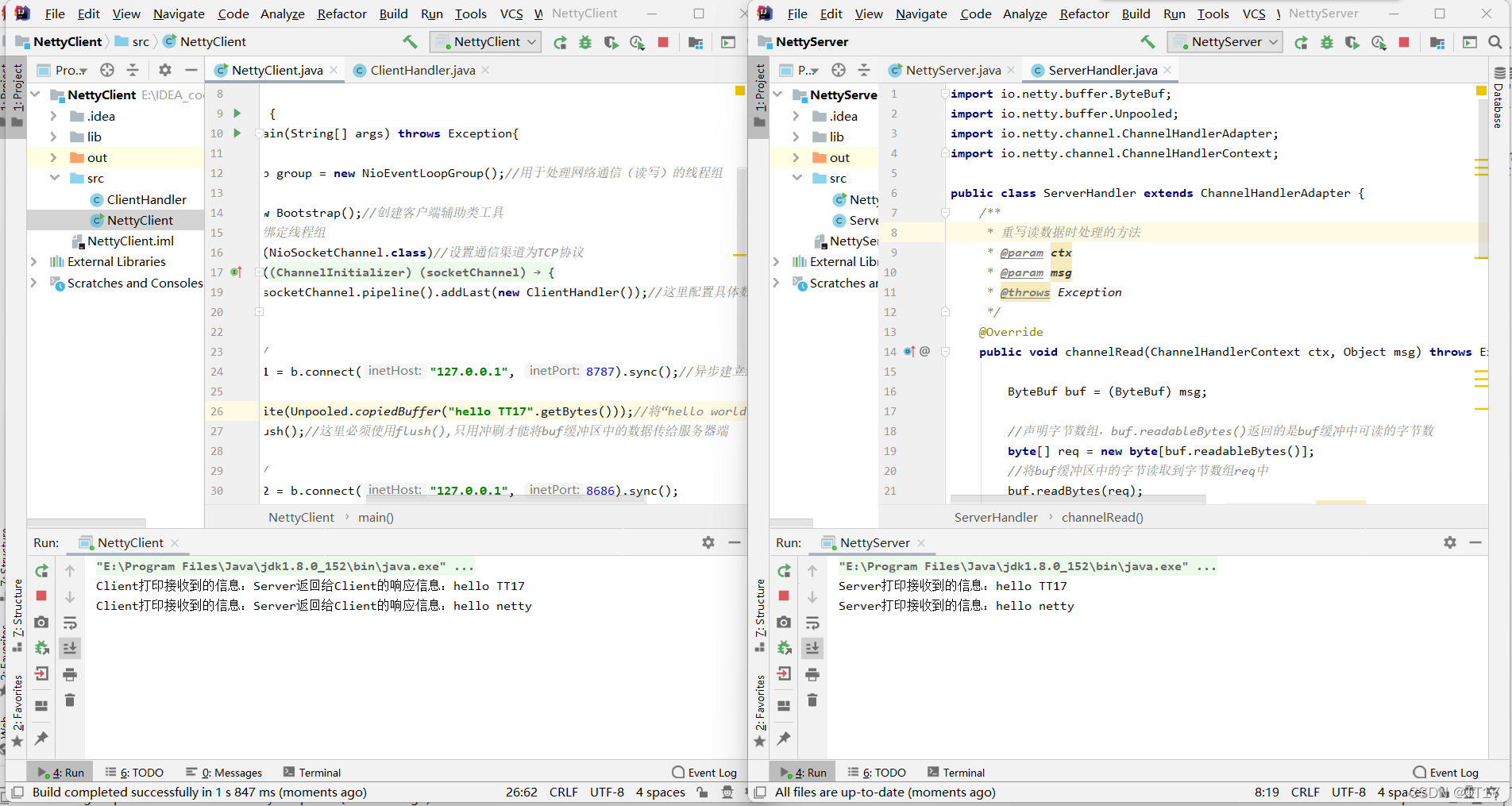
四、总结
本次实验学习了IO、NIO、Netty三者的原理和特点,三种编程方式性能方面,NIO优于IO。
五、参考
基于IO、NIO、Netty的Java网络程序简单示例
本文来自互联网用户投稿,文章观点仅代表作者本人,不代表本站立场,不承担相关法律责任。如若转载,请注明出处。 如若内容造成侵权/违法违规/事实不符,请点击【内容举报】进行投诉反馈!