互动大屏,unity透明视频的实现方法
参考链接:https://blog.csdn.net/qwe161819/article/details/76412555 谢谢该老兄
我的其它跟这篇有关的博客:https://blog.csdn.net/qq_39097425/article/details/93202365
测试视频下载链接:https://pan.baidu.com/s/1993JJlOxRb0rdMGkQ7ArrQ
提取码:520z
1. 视频如图所示:
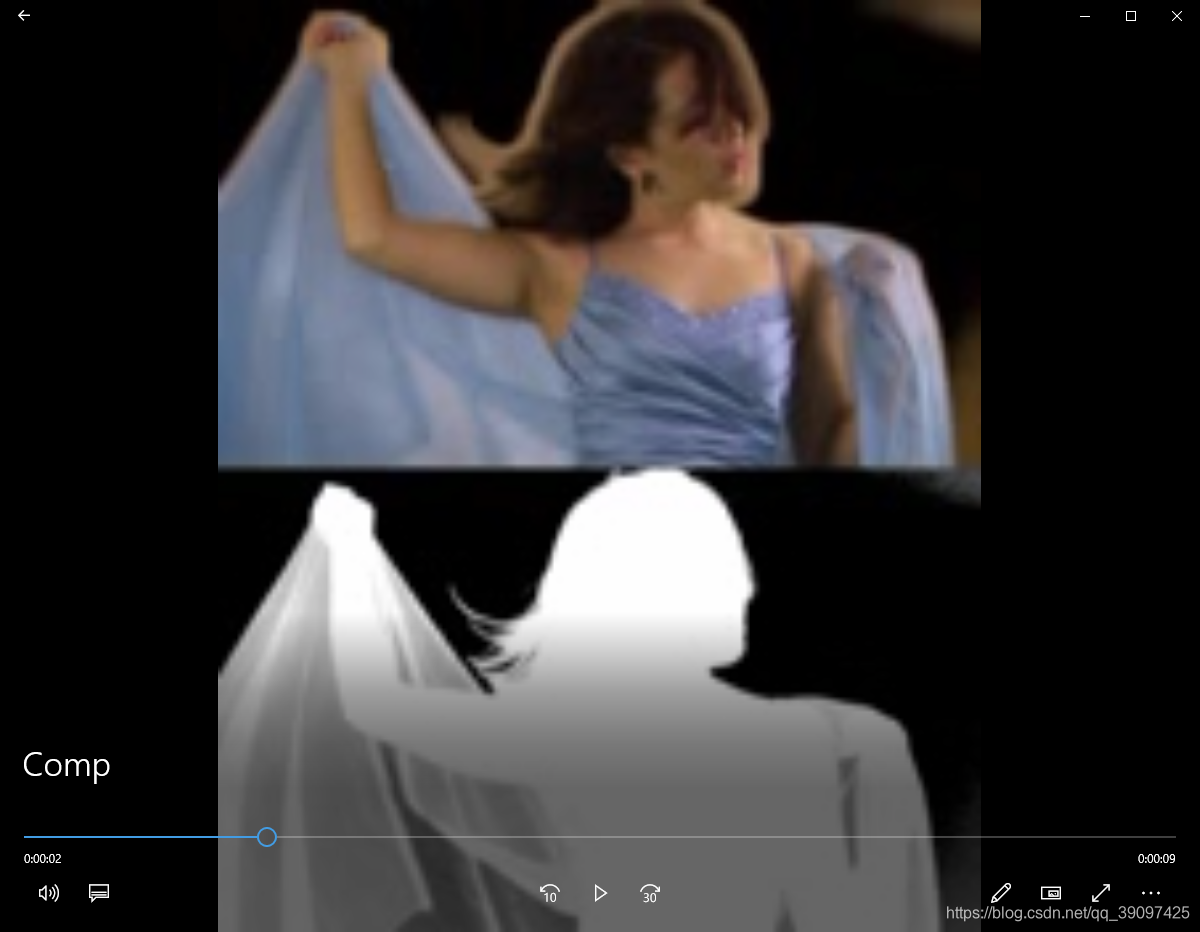
2.Shader
Shader "Custom/NewSurfaceShader 1" {Properties {_Color ("Color", Color) = (1,1,1,1)_MainTex ("Albedo (RGB)", 2D) = "white" {}_Glossiness ("Smoothness", Range(0,1)) = 0.5_Metallic ("Metallic", Range(0,1)) = 0.0//原始代码保留_Num("Num",float) = 0.5 //方便调试的参数设置}SubShader {Tags { "Queue" = "Transparent"  "RenderType" = "Transparent"}LOD 200CGPROGRAM// Physically based Standard lighting model, and enable shadows on all light types// surface surf Standard fullforwardshadows//#pragma surface surf NoLight vertex:vert alpha noforwardadd#pragma surface surf NoLighting alpha:auto// Use shader model 3.0 target, to get nicer looking lighting#pragma target 3.0sampler2D _MainTex;struct Input {float2 uv_MainTex;};//添加
//Alpha决定了贴图的透明度fixed4 LightingNoLighting(SurfaceOutput s, fixed3 lightDir, fixed atten){fixed4 c;c.rgb = s.Albedo;c.a = s.Alpha;return c;}half _Glossiness;half _Metallic;fixed4 _Color;//别忘了声明一下_Numfloat _Num;// Add instancing support for this shader. You need to check 'Enable Instancing' on materials that use the shader.// See https://docs.unity3d.com/Manual/GPUInstancing.html for more information about instancing.// #pragma instancing_options assumeuniformscalingUNITY_INSTANCING_BUFFER_START(Props)// put more per-instance properties hereUNITY_INSTANCING_BUFFER_END(Props)void surf (Input IN, inout SurfaceOutput o) {o.Emission = tex2D(_MainTex, IN.uv_MainTex).rgb;//这里给输出的Alpha赋值//由于我的视频没处理好,不是很对称。。。//对称的话应该是0.5//这里和0.43比较的是UV贴图的x轴的坐标(0~1,0.5就表示横坐标的一半)//右半边视频不显示,所以赋值alpha=0if (IN.uv_MainTex.y <= 0.5){o.Alpha = 0;}else{//左半边视频的Alpha值和右半边黑白视频的RGB的值一样//因为我这边处理的A黑白视频不是很好,所以获得了右半边UV的RGB后得比较一下//再给Alpha赋值o.Alpha = tex2D(_MainTex, float2(IN.uv_MainTex.x, IN.uv_MainTex.y-0.5)).rgb * _Num;}}ENDCG}FallBack "Diffuse"
}
3.效果如图所示:
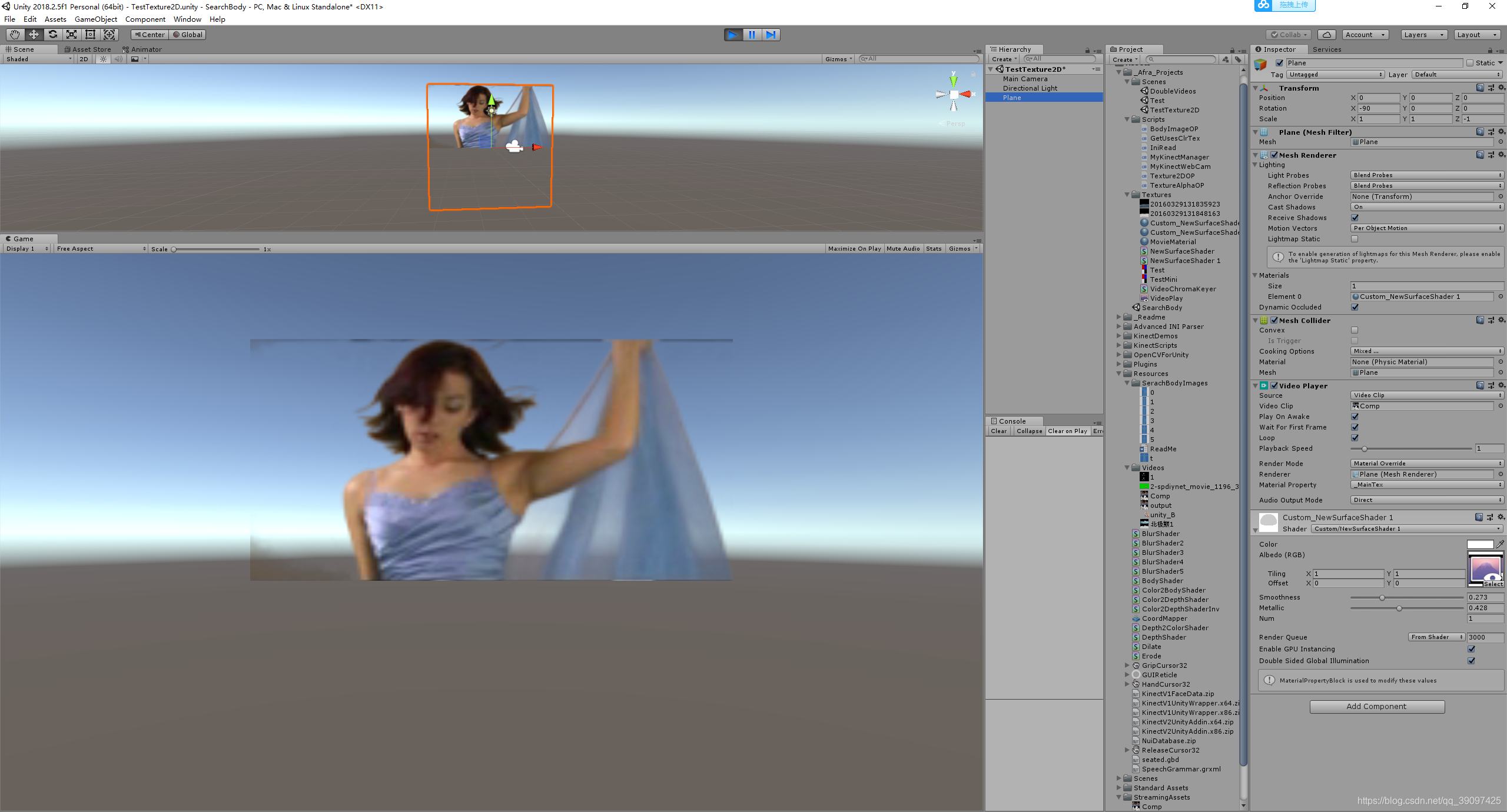
本文来自互联网用户投稿,文章观点仅代表作者本人,不代表本站立场,不承担相关法律责任。如若转载,请注明出处。 如若内容造成侵权/违法违规/事实不符,请点击【内容举报】进行投诉反馈!