Python爬取豆瓣读书
一、需求
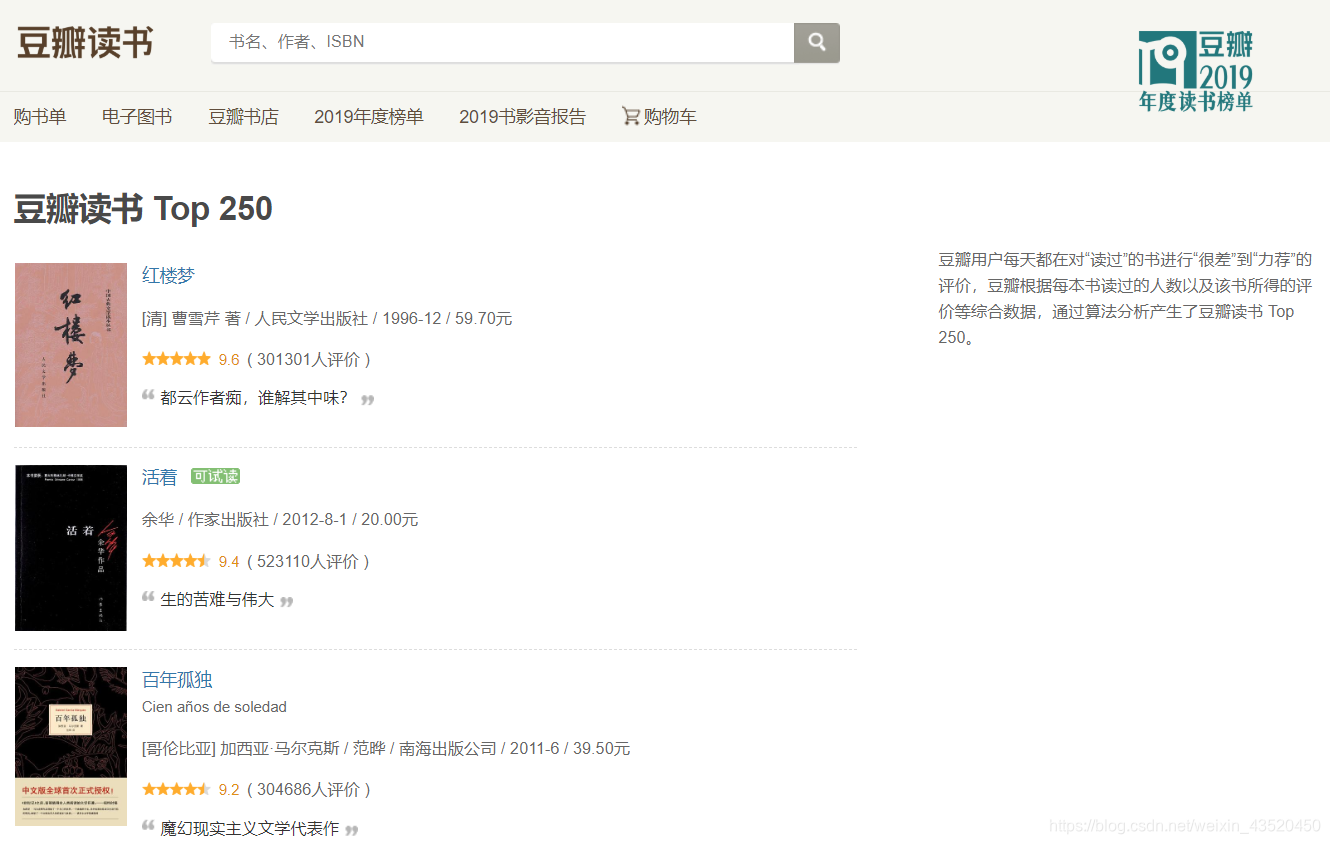
爬取豆瓣读书Top250(csv存取数据)
豆瓣读书网址:https://book.douban.com/top250?start=0
二、代码实现
import requests
import csv
from lxml import etreeheaders = {'User-Agent': 'Mozilla/5.0 (Windows NT 10.0; Win64; x64) AppleWebKit/537.36''(KHTML, like Gecko) Chrome/81.0.4044.122 Safari/537.36'
}book_file = open('豆瓣读书.csv', mode='a', newline='', encoding='utf8')
writer = csv.writer(book_file)
writer.writerow(['书名', '作者', '出版社', '出版时间', '价格', '评分', '评论', '链接'])# 列表解析,构建url列表
urls = ['https://book.douban.com/top250?start={}'.format(i * 25) for i in range(10)]# 创建空列表,用于存放数据
douban = []
books = []i = 0for url in urls:res = requests.get(url, headers=headers)res.encoding = 'utf8'html = etree.HTML(res.text)tds = html.xpath('//tr[@class="item"]')for td in tds:# 获取书名book_name = td.xpath('.//a/@title')[0]# 获取作者author = td.xpath('.//p[@class="pl"]/text()')[0].split('/')[0]# 获取出版商publisher = td.xpath('.//p[@class="pl"]/text()')[0].split('/')[-3].strip()# 获取出版时间time = td.xpath('.//p[@class="pl"]/text()')[0].split('/')[-2].strip()# 获取价格price = td.xpath('.//p[@class="pl"]/text()')[0].split('/')[-1].strip()# 获取评分degree = td.xpath('.//span[@class="rating_nums"]/text()')[0]# 获取评论comments = td.xpath('.//span[@class="inq"]/text()')comment = comments[0] if len(comments) != 0 else '空'# 获取链接href = td.xpath('.//div[@class="pl2"]/a/@href')[0]# 写入csv文件writer.writerow([book_name, author, publisher, time, price, degree, comment, href])book = {'name': book_name,'author': author,'publisher': publisher,'time': time,'price': price,'degree': degree,'comment': comment}books.append(book)douban.append(books)i += 1print('第{}页爬取完毕'.format(i))# 关闭文件
book_file.close()
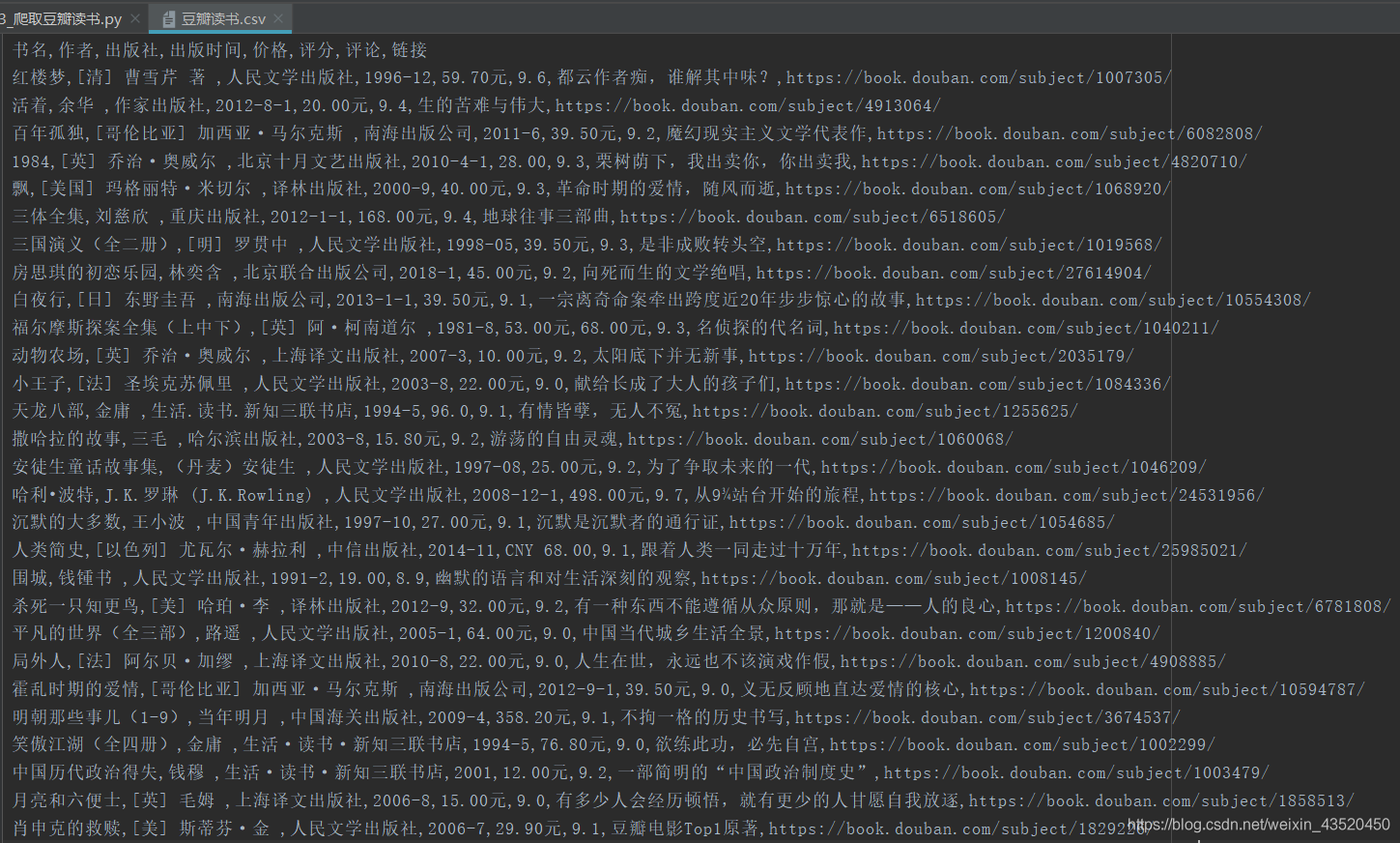
三、运行结果
本文来自互联网用户投稿,文章观点仅代表作者本人,不代表本站立场,不承担相关法律责任。如若转载,请注明出处。 如若内容造成侵权/违法违规/事实不符,请点击【内容举报】进行投诉反馈!