Android 中获取LocationProvider的三种方法和获取定位信息
博主前些天发现了一个巨牛的人工智能学习网站,通俗易懂,风趣幽默,忍不住也分享一下给大家,
👉点击跳转到网站
前言:
LocationProvider是位置源的意思,用于提供定位信息。
常用的LocationProvider主要有三种:
- GPS:通过手机里面的GPS芯片,来利用卫星定位信息的。
- network:通过网络来获取位置信息的,主要利用手机的基站,和WiFi节点的位置来大致定位。
- passive:是一种被动定位方式,它自己不能获取定位信息,而是利用被系统保存的其他程序所更新的定位信息。
下面我们通过三种方法获取LocationProvider
一、首先是activity_location_provider.xml布局文件,代码如下
<?xml version="1.0" encoding="utf-8"?>
<LinearLayout xmlns:android="http://schemas.android.com/apk/res/android"xmlns:app="http://schemas.android.com/apk/res-auto"xmlns:tools="http://schemas.android.com/tools"android:layout_width="match_parent"android:layout_height="match_parent"android:orientation="vertical"tools:context=".LocationProviderActivity"><TextViewandroid:id="@+id/textView"android:layout_width="match_parent"android:layout_height="50dp"android:gravity="center"android:text="可用的LocationProvider(位置提供者)"android:textColor="@color/black"android:textSize="20sp" /><TextViewandroid:id="@+id/text_locationProvider"android:layout_width="match_parent"android:layout_height="50dp"android:gravity="center"android:textSize="20sp" />
</LinearLayout>
二、接着在LocationProviderActivity类中获取LocationProvider,具体讲解已经在代码中给出
public class LocationProviderActivity extends AppCompatActivity {private TextView text_locationProvider;@Overrideprotected void onCreate(Bundle savedInstanceState) {super.onCreate(savedInstanceState);setContentView(R.layout.activity_location_provider);text_locationProvider = findViewById(R.id.text_locationProvider);if (Build.VERSION.SDK_INT>Build.VERSION_CODES.M){if (ContextCompat.checkSelfPermission(this, Manifest.permission.ACCESS_FINE_LOCATION)!= PackageManager.PERMISSION_GRANTED){ActivityCompat.requestPermissions(this,new String[]{Manifest.permission.ACCESS_FINE_LOCATION},1);}}LocationManager locationManager = (LocationManager) getSystemService(LOCATION_SERVICE);//第一种方式:获取所有的LocationProvider名称,通过LocationManager对象的getAllProviders()来实现
//        List<String> providerNames= locationManager.getAllProviders();
//        StringBuilder stringBuilder = new StringBuilder();
//        Iterator<String> iterator = providerNames.iterator();
//        while (iterator.hasNext()){
//            stringBuilder.append(iterator.next()+"\n");
//        }
//        //显示获取的locationProvider名称
//        text_locationProvider.setText(stringBuilder.toString());//第二种方法:通过名称获得LocationProvider//获取基于PASSIVE的locationProvider
//        LocationProvider locationProvider = locationManager.getProvider(LocationManager.PASSIVE_PROVIDER);
//        //获取LocationProvider名称
//        text_locationProvider.setText(locationProvider.getName());//三、通过Criteria类获得LocationProvider//获取最佳的LocationProvider//创建一个过滤条件对象Criteria criteria = new Criteria();//使用不收费的criteria.setCostAllowed(false);//使用精度最准确的criteria.setAccuracy(Criteria.ACCURACY_FINE);//使用耗电量最低的criteria.setPowerRequirement(Criteria.POWER_LOW);//获取最佳的LocationProvider名称 第二个参数 表示是可用的String provider = locationManager.getBestProvider(criteria,true);text_locationProvider.setText(provider);}
}
效果如图:

我这是虚拟机运行,所以只有这一种方式,正常真机运行便是三种方式。
下面通过LocationProvider获取定位信息,分别为经度和纬度,通过经度和纬度便可得到所在的位置信息。
首先是布局activity_location.xml,一个文本框显示经度和纬度的这里就不再给出代码
主要看LocationActivity类中实现的代码,具体讲解也已经给出了注释:
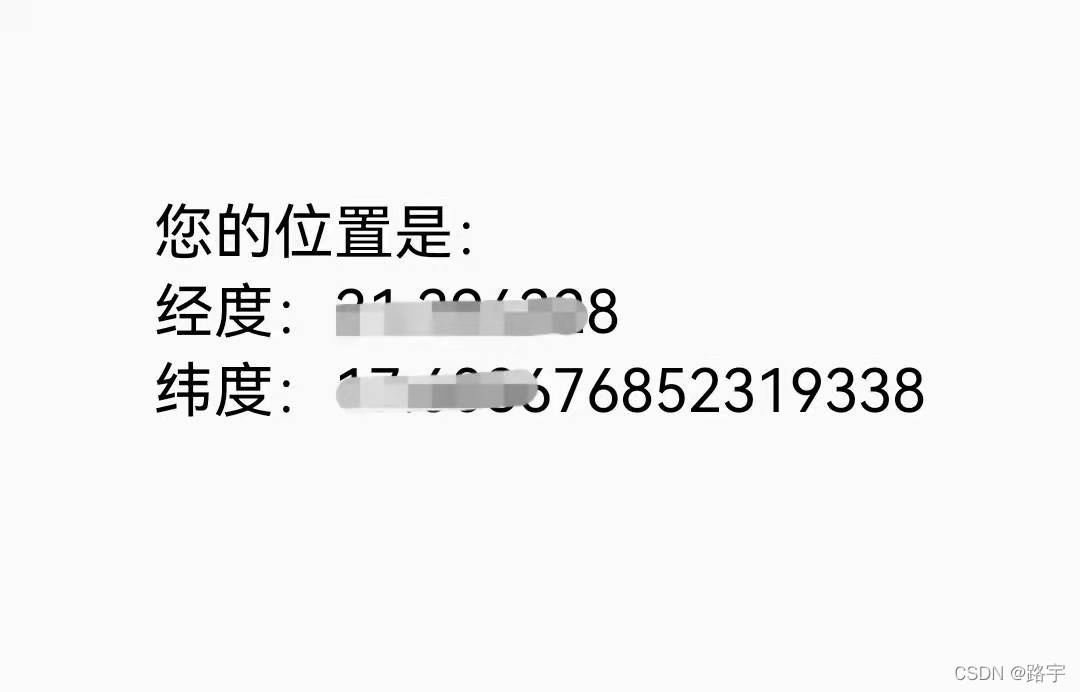
public class LocationActivity extends AppCompatActivity {private TextView textView;@Overrideprotected void onCreate(Bundle savedInstanceState) {super.onCreate(savedInstanceState);setContentView(R.layout.activity_location);textView = findViewById(R.id.textView);//获取位置管理器LocationManager locationManager = (LocationManager) getSystemService(LOCATION_SERVICE);//申请权限if (ContextCompat.checkSelfPermission(this, Manifest.permission.ACCESS_FINE_LOCATION) != PackageManager.PERMISSION_GRANTED && ContextCompat.checkSelfPermission(this, Manifest.permission.ACCESS_COARSE_LOCATION) != PackageManager.PERMISSION_GRANTED) {ActivityCompat.requestPermissions(this, new String[]{Manifest.permission.ACCESS_FINE_LOCATION, Manifest.permission.ACCESS_COARSE_LOCATION}, 1);}//这个监听器实现每隔1s中更新一次位置信息locationManager.requestLocationUpdates(LocationManager.GPS_PROVIDER,//指定GPS定位的提供者1000,//间隔时间1,//位置更新之间的最小距离new LocationListener() { //监听GPS定位信息是否改变@Overridepublic void onLocationChanged(@NonNull Location location) { //GPS信息发生改变时回调}});//获取最新的定位信息Location location = locationManager.getLastKnownLocation(LocationManager.GPS_PROVIDER);//将最新的定位信息,传递给LocationUpdates()方法locationUpdates(location);}public void locationUpdates(Location location) {if (null != location) {StringBuilder stringBuilder = new StringBuilder();stringBuilder.append("您的位置是:\n");stringBuilder.append("经度:");stringBuilder.append(location.getLongitude());stringBuilder.append("\n纬度:");stringBuilder.append(location.getLatitude());textView.setText(stringBuilder.toString());} else {textView.setText("没有获取到GPS信息");}}
}
具体效果如图所示:
通过纬度(latitude),经度(longitude)来获取具体信息,代码紧接着上面的演示
public void locationUpdates(Location location) {if (null != location) {StringBuilder stringBuilder = new StringBuilder();stringBuilder.append("您的位置是:\n");stringBuilder.append("经度:");stringBuilder.append(location.getLongitude());stringBuilder.append("\n纬度:");stringBuilder.append(location.getLatitude());textView.setText(stringBuilder.toString());getAddress(location.getLongitude(), location.getLatitude());} else {textView.setText("没有获取到GPS信息");}}private void getAddress(double longitude, double latitude) {//Geocoder通过经纬度获取具体信息Geocoder gc = new Geocoder(this, Locale.getDefault());try {List<Address> addressList = gc.getFromLocation(latitude, longitude, 1);if (addressList != null) {Address address = addressList.get(0);//获取国家名称String countryName = address.getCountryName();//返回地址的国家代码,CNString countryCode = address.getCountryCode();Log.d("TAG", "getAddress: "+countryCode);//对应的省或者市String adminArea = address.getAdminArea();//子管理区域 对应的镇String subAdminArea = address.getSubAdminArea();//一个市对应的具体的区String subLocality = address.getSubLocality();//具体镇名加具体位置String featureName = address.getFeatureName();//返回一个具体的位置串,这个就不用进行拼接了。String addressLines =address.getAddressLine(0);String specificAddress = countryName + adminArea + subLocality + featureName;text_address.setText(addressLines);
//                text_address.setText(specificAddress);}} catch (Exception e) {e.printStackTrace();}}
具体注释已经在代码中给出,以上就是获取定位信息的具体方法~
本文来自互联网用户投稿,文章观点仅代表作者本人,不代表本站立场,不承担相关法律责任。如若转载,请注明出处。 如若内容造成侵权/违法违规/事实不符,请点击【内容举报】进行投诉反馈!