Chrome 浏览器新标签页插件制作
Chrome 浏览器新标签页插件制作
最近越看越觉得浏览器的新标签页不顺眼,主要是我觉得太乱了。那些收藏夹啊、搜索框啊、工具啊。。。之类的我完全没有用的需要。所以就是 chrome 的商店找了一个,名字叫 New Tab Redirect
但没什么用啊!!!还有个白屏延迟!!!(不想用)
想炫技
1. 创建插件
那么首先肯定是先创建一个文件夹啦 (废话)
然后创建manifest.json文件,这个文件要记载名字(name)、版本(version)等等的package info
我在文件里写入了以下的代码:
{"manifest_version": 2,"name": "NewTab","version": "1.0","chrome_url_overrides": {"newtab": "newtab.html"},"permissions": ["tabs","storage"],"icons": {"1080": "icon.png"},"description": "New tab with a simple watch.","options_page": "o.html","offline_enabled": false
}
代码解释:"manifest_version": 2,"name": "NewTab","version": "1.0","options_page": "o.html",
为必要值"chrome_url_overrides": {"newtab": "newtab.html"},"permissions": ["tabs","storage"],
是制作自定义新标签页的东西"icons": {"1080": "icon.png"},"description": "New tab with a simple watch.","offline_enabled": false
这些可以不要,但我还是写了
2. 新标签页的代码
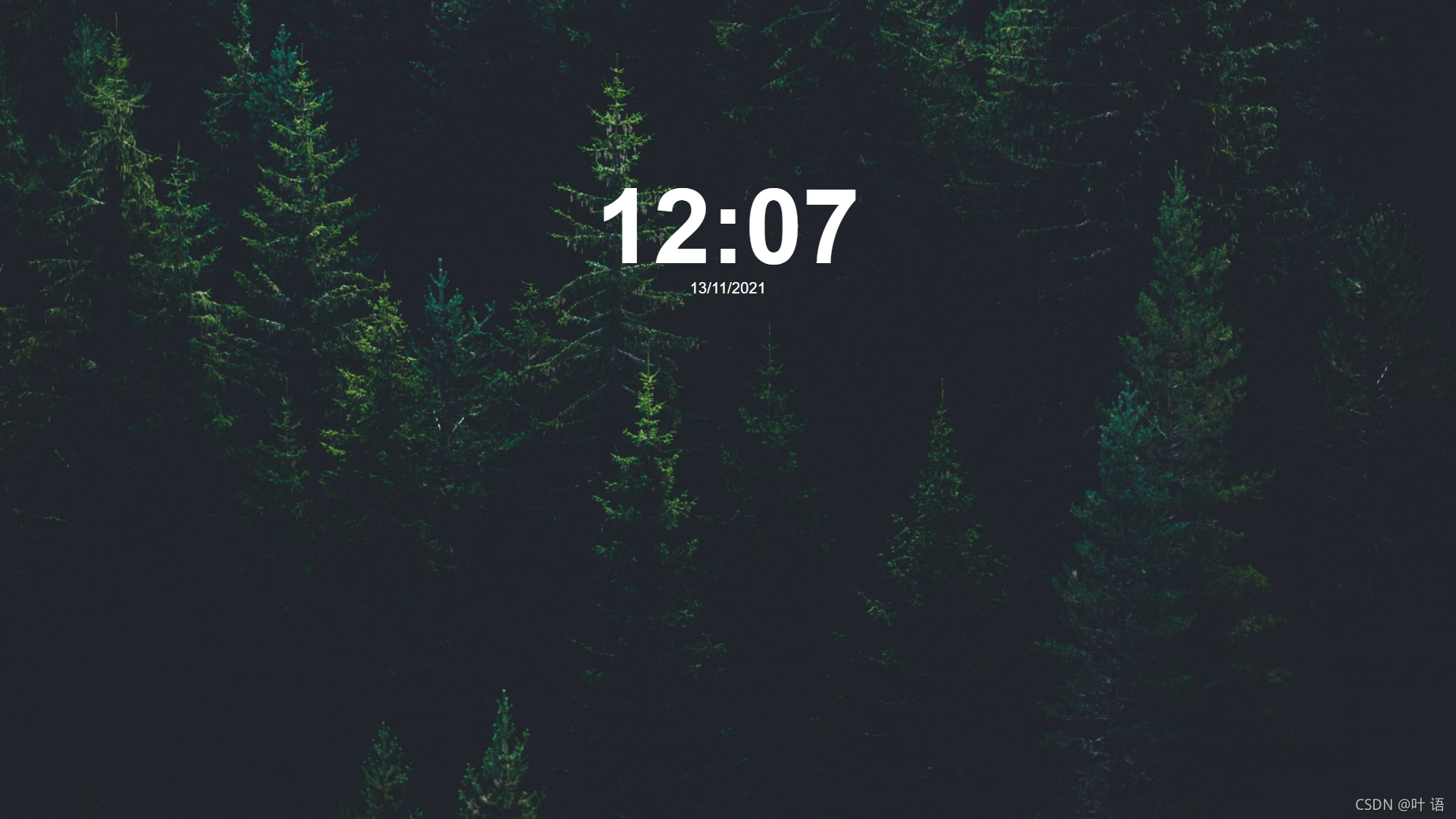
就写一个简单的html就可以了。我这边写了 newtab.html 和 newtab.js
newtab.html
DOCTYPE html>
<html lang="zh-cn"><head><meta charset="UTF-8"><meta http-equiv="X-UA-Compatible" content="IE=edge"><meta name="viewport" content="width=device-width, initial-scale=1.0"><title>New Tabtitle><style>::-webkit-scrollbar {width: 0px;background: transparent;}body {background: url(https://images.unsplash.com/photo-1511207538754-e8555f2bc187?ixlib=rb-1.2.1&q=80&fm=jpg&crop=entropy&cs=tinysrgb);background-size: cover;background-repeat: no-repeat;background-position: center 60%;background-attachment: fixed;height: 100vh;width: 100vw;overflow: hidden;}#time {position: absolute;top: 300px;left: 50%;transform: translate(-50%, -50%);font-size: 8em;color: rgb(255, 255, 255);font-family: "Helvetica", monospace;font-weight: bold;user-select: none;}#date {position: absolute;top: 380px;left: 50%;font-size: large;transform: translate(-50%, -50%);color: rgb(255, 255, 255);font-family: "Helvetica", sans-serif;user-select: none;}.cover {position: absolute;top: 0;left: 0;width: 100vw;height: 100vh;opacity: 0;background-color: rgba(255, 255, 255, 0);animation: in 2s;}style>
head><body><font id="time">font><font id="date">font><div class="cover">div><script src="newtab.js">script>
body>html>
newtab.js
function calc(num, length = 2) {for (var len = (num + "").length; len < length; len = num.length) {num = "0" + num;}return num;
}setInterval(function() {var today = new Date();var h = calc(today.getHours());var m = calc(today.getMinutes());document.getElementById('time').innerHTML = h + ":" + m;// get datevar date = new Date();var day = calc(date.getDate());var month = calc(date.getMonth() + 1);var year = date.getFullYear();document.getElementById('date').innerHTML = day + "/" + month + "/" + year;})
localStorage.getItem("gwa5f?5tHQ%EREJGENCFfGw=tb-!cDktP@@qDQb2BUNbJ6P@sGqcnV+4ys27$@DRp6#mYm*BgM%6r=8#PWmp=R=4rBhJTwN2*$$+NMCm4TRY*QT!sMn%m#=E8GLuxXrdn3YW#DBJuSRv8Wx+DPVZPDWUBywt^ey_T4BLd&2y3P4u@QqY#r57B4#cZVp7ehrYXTDqU$D@c-U#L34HP=%as42##GYtGsdw$qFkjy3-^t+fXgp_?XYYF@n6Zm=AFG3J") == null ? document.body.style.background = "url(https://images.unsplash.com/photo-1511207538754-e8555f2bc187?ixlib=rb-1.2.1&q=80&fm=jpg&crop=entropy&cs=tinysrgb)" : document.body.style.background = "url(" + localStorage.getItem("gwa5f?5tHQ%EREJGENCFfGw=tb-!cDktP@@qDQb2BUNbJ6P@sGqcnV+4ys27$@DRp6#mYm*BgM%6r=8#PWmp=R=4rBhJTwN2*$$+NMCm4TRY*QT!sMn%m#=E8GLuxXrdn3YW#DBJuSRv8Wx+DPVZPDWUBywt^ey_T4BLd&2y3P4u@QqY#r57B4#cZVp7ehrYXTDqU$D@c-U#L34HP=%as42##GYtGsdw$qFkjy3-^t+fXgp_?XYYF@n6Zm=AFG3J") + ")";
document.body.style.backgroundSize = "cover";
document.body.style.backgroundRepeat = "no-repeat";
document.body.style.backgroundPosition = "center 60%";
document.body.style.backgroundAttachment = "fixed";
就是一个很简单的获取时间和从 localStorage 获取用户设定的背景
设置(选项) 页
那么也是一样,html 和 js。我的命名是:
o.html和..js
o.html
DOCTYPE html>
<html lang="zh-cn"><head><meta charset="UTF-8"><meta http-equiv="X-UA-Compatible" content="IE=edge"><meta name="viewport" content="width=device-width, initial-scale=1.0"><title>New Tabtitle><style>::-webkit-scrollbar {width: 0px;background: transparent;}body {background: url(https://images.unsplash.com/photo-1511207538754-e8555f2bc187?ixlib=rb-1.2.1&q=80&fm=jpg&crop=entropy&cs=tinysrgb);background-size: cover;background-repeat: no-repeat;background-position: center 60%;background-attachment: fixed;height: 100vh;width: 100vw;overflow: hidden;}#time {position: absolute;top: 300px;left: 50%;transform: translate(-50%, -50%);font-size: 8em;color: rgb(255, 255, 255);font-family: "Helvetica", monospace;font-weight: bold;user-select: none;}#date {position: absolute;top: 380px;left: 50%;font-size: large;transform: translate(-50%, -50%);color: rgb(255, 255, 255);font-family: "Helvetica", sans-serif;user-select: none;}.cover {position: absolute;top: 0;left: 0;width: 100vw;height: 100vh;opacity: 0;background-color: rgba(255, 255, 255, 0);animation: in 2s;}.form {position: absolute;top: 20%;left: 50%;transform: translateX(-50%);background-color: rgba(0, 0, 0, 0.5);height: 400px;width: 700px;display: flex;justify-content: center;align-items: center;border: 1px solid rgba(255, 255, 255, 1);}.url {color: rgb(255, 255, 255);font-family: "Helvetica", sans-serif;font-weight: bold;font-size: 1em;margin-right: 5px;user-select: none;}input {width: 50%;border: none;border-bottom: 2px solid rgb(85, 153, 255);outline: none;background-color: rgba(255, 255, 255, .1);color: rgb(255, 255, 255);font-size: 1.2em;border-radius: 5px;font-family: "Helvetica", sans-serif;font-weight: bold;user-select: none;text-overflow: ellipsis;}button {margin-left: 5px;border: 2px solid rgb(85, 153, 255);border-left: none;border-right: none;outline: none;background-color: rgba(255, 255, 255, .1);color: rgb(255, 255, 255);font-size: 1.2em;font-family: "Helvetica", sans-serif;font-weight: bold;user-select: none;text-overflow: ellipsis;transition: .5s;border-radius: 3px;}button:hover {border: 2px solid rgb(255, 85, 85);border-left: none;border-right: none;}::selection {background: rgba(85, 173, 255, 0.2)}style>
head><body><div class="form"><font class="url">Try to use a dark background: font><input id="url" type="url" title="url" placeholder="Url" value="https://images.unsplash.com/photo-1511207538754-e8555f2bc187?ixlib=rb-1.2.1&q=80&fm=jpg&crop=entropy&cs=tinysrgb"><button onclick="savebg()">Setbutton>div><script src="..js">script>
body>html>
..js
function urlHaveChanged(text) {document.body.style.background = "url(" + text + ")";
}var pass = `gwa5f?5tHQ%EREJGENCFfGw=tb-!cDktP@@qDQb2BUNbJ6P@sGqcnV+4ys27$@DRp6#mYm*BgM%6r=8#PWmp=R=4rBhJTwN2*$$+NMCm4TRY*QT!sMn%m#=E8GLuxXrdn3YW#DBJuSRv8Wx+DPVZPDWUBywt^ey_T4BLd&2y3P4u@QqY#r57B4#cZVp7ehrYXTDqU$D@c-U#L34HP=%as42##GYtGsdw$qFkjy3-^t+fXgp_?XYYF@n6Zm=AFG3J`function savebg() {var url = document.getElementById("url").value;localStorage.setItem(pass, url);document.body.style.background = "url(" + url + ")";document.body.style.backgroundSize = "cover";document.body.style.backgroundRepeat = "no-repeat";document.body.style.backgroundPosition = "center 60%";document.body.style.backgroundAttachment = "fixed";
}localStorage.getItem(pass) == null ? document.body.style.background = "url(https://images.unsplash.com/photo-1511207538754-e8555f2bc187?ixlib=rb-1.2.1&q=80&fm=jpg&crop=entropy&cs=tinysrgb)" : document.body.style.background = "url(" + localStorage.getItem(pass) + ")";
document.body.style.backgroundSize = "cover";
document.body.style.backgroundRepeat = "no-repeat";
document.body.style.backgroundPosition = "center 60%";
document.body.style.backgroundAttachment = "fixed";
就是写个链接然后发到 localStorage 里面
测试
写完了当然要测试啦!我的浏览器是 edge。chrome 的操作步骤也差不多。
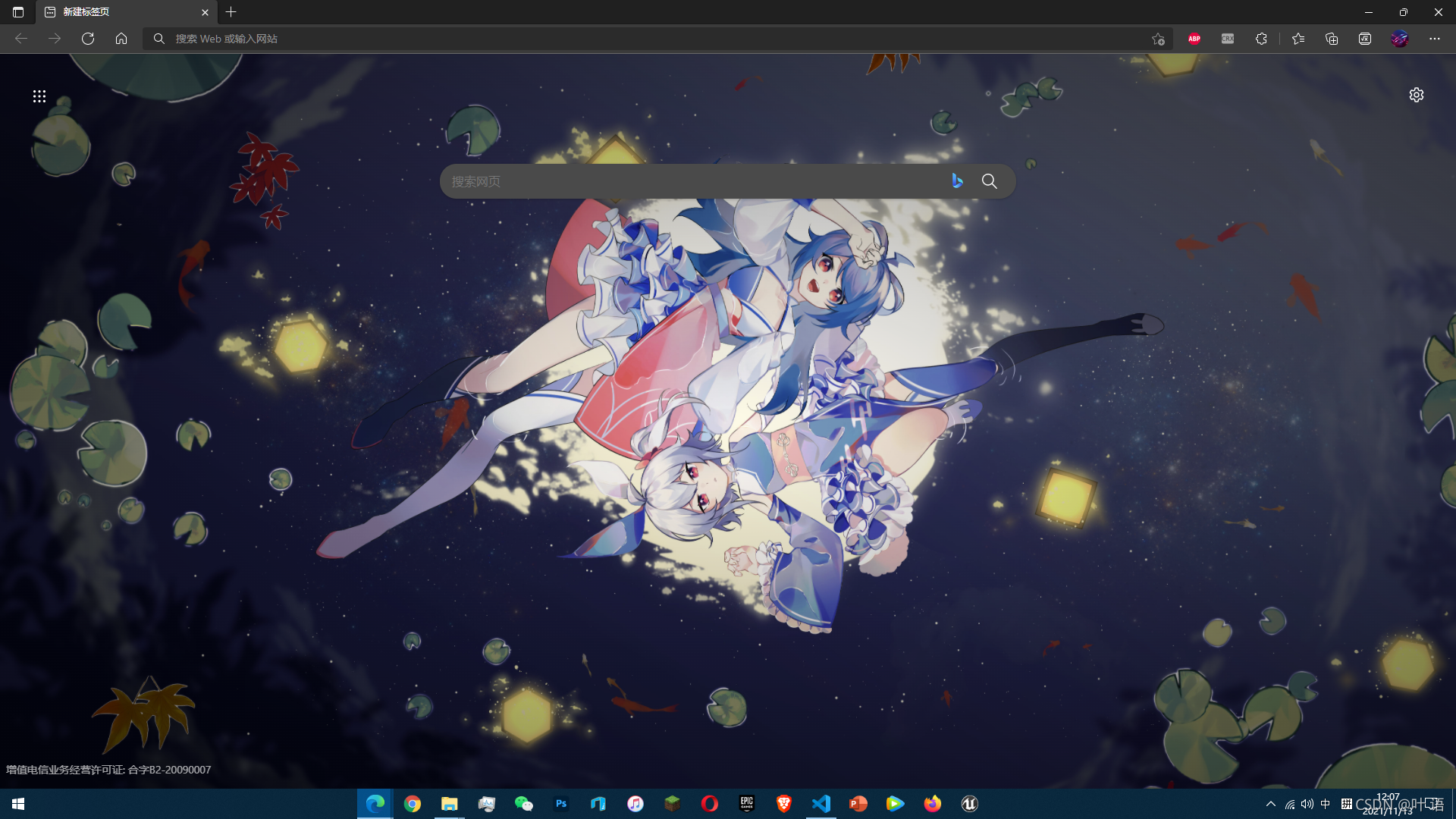
看看原本的标签页
再看看我写的的
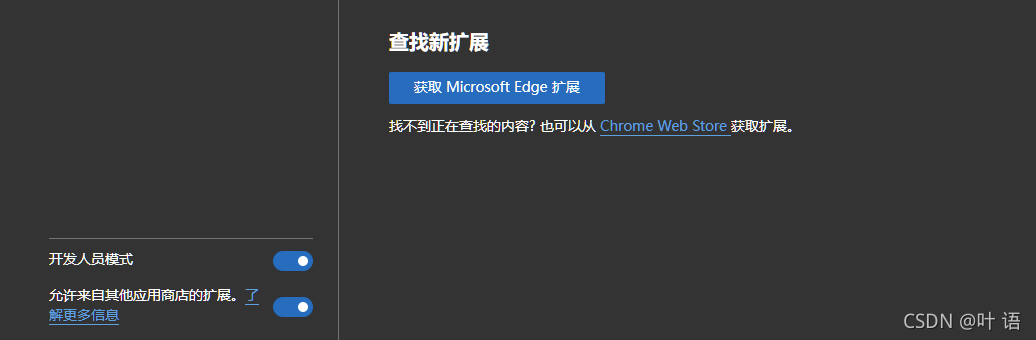
然后,我们前往插件页面 浏览器://extensions 比如 chrome://extensions 或者 edge://extensions
开发人员选项打开
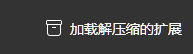
加载一下
选一下文件夹
识别到了

Ctrl T 看一下
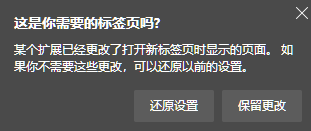
弹这个就保留就行了
效果:
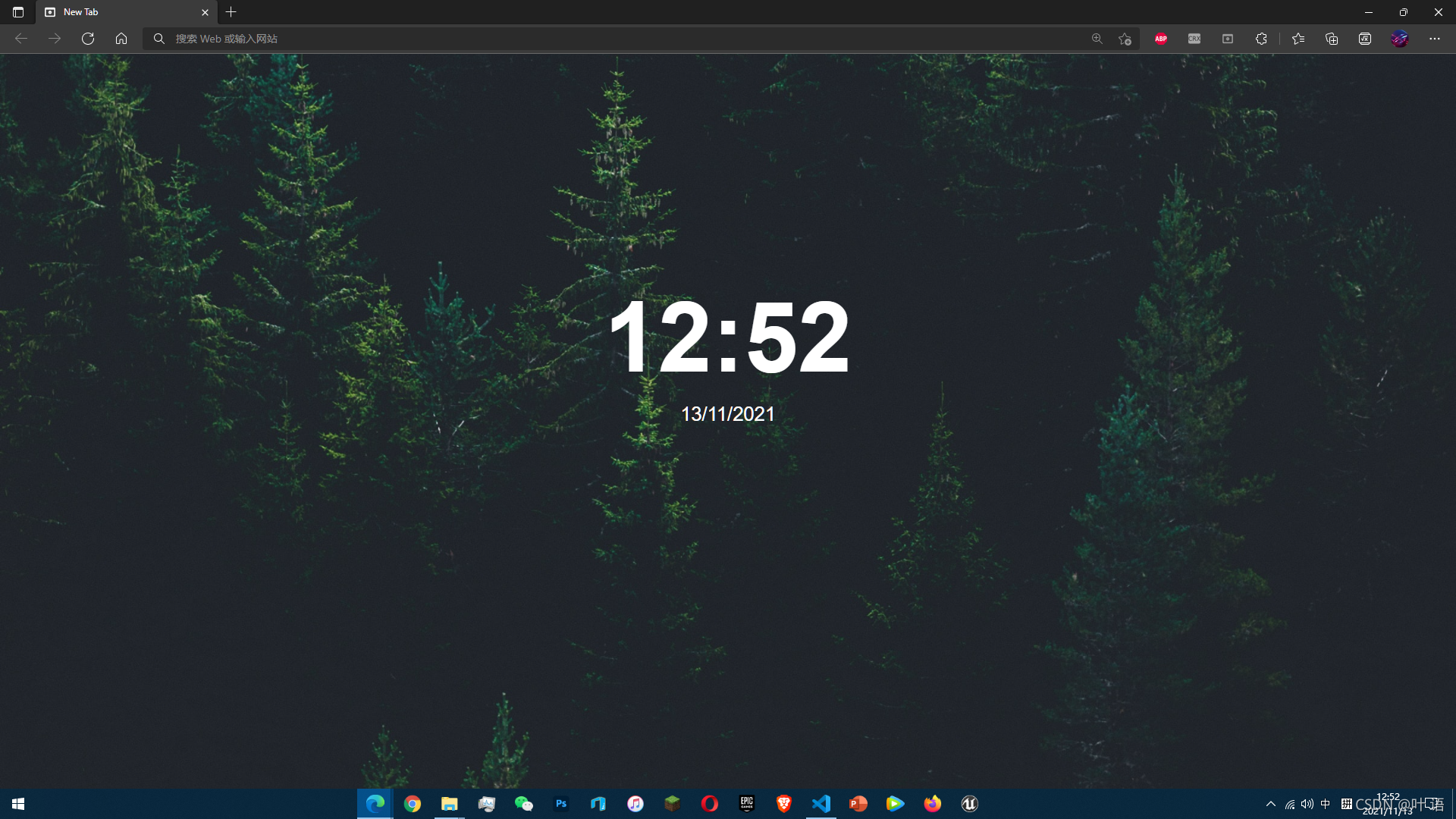
完美!
点个关注呗

本文来自互联网用户投稿,文章观点仅代表作者本人,不代表本站立场,不承担相关法律责任。如若转载,请注明出处。 如若内容造成侵权/违法违规/事实不符,请点击【内容举报】进行投诉反馈!