视频数据处理:解压H.264视频成YUV源文件
首先感谢一下雷神,提供了这么多优质的资源。今天正好有空,使用FFMpeg的API编写如何将H.264的源文件解压成YUV源的过程。
主要步骤
基本步骤分为如下几步,下面,开始讲述用到哪些API来实现这个程序。

代码组织
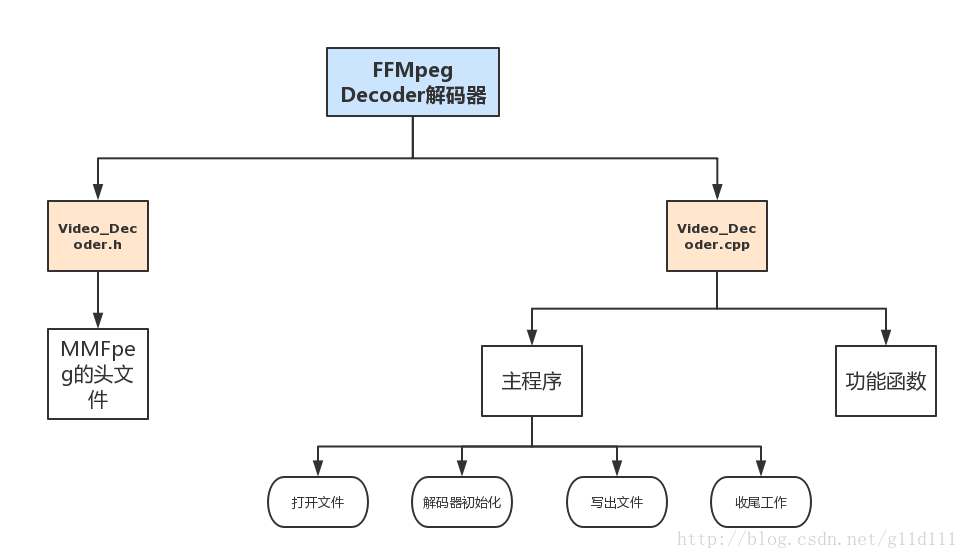
这里,就不再赘述如何构造一个可以使用的工程了,具体请参考雷神或其它牛人的博客。
Video_Decoder.h
头文件主要就是包含了需要用到的MMFpeg的库。注意,由于MMFpeg主要用C开发,我们写C++程序的时候,务必要加上extern “C”。
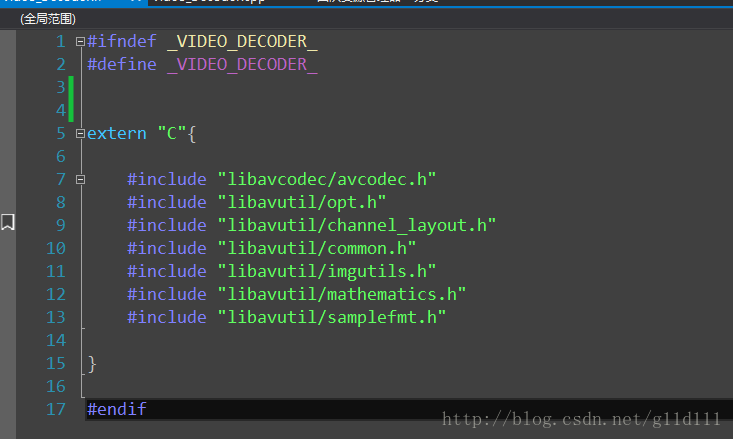
Video_Decoder.cpp
#include "Video_Decoder.h"#define INBUF_SIZE 4096// 输入输出文件指针
FILE *pFin = NULL;
FILE *pFout = NULL;// 解码中需要的结构AVCodec *pCodec = NULL;
AVCodecContext *pCodecCtx = NULL;
AVCodecParserContext *pCodecParserCtx = NULL;AVFrame *frame = NULL;
AVPacket pkt;// 打开文件 功能函数1
static int open_io_file(char** argv) {// 打开输入的码流文件const char* inputFileName = argv[1];const char* outputFileName = argv[2];fopen_s(&pFin, inputFileName, "rb+");if (!pFin) {printf("Error: can not open input file. \n");return -1;}fopen_s(&pFout, outputFileName, "wb+");if (!pFout) {printf("Error: can not open output file. \n");return -1;}return 0;
};// 解码器初始化 功能函数2
static int open_decoder()
{   // 注册与编解码相关的组件avcodec_register_all();// 初始化pkt,用于接收我们传入给它的码流av_init_packet(&pkt);// 查找解码器H.264pCodec = avcodec_find_decoder(AV_CODEC_ID_H264);if (!pCodec) {printf("Error: can not find specified codec!");return -1;}// 配置解码器的环境pCodecCtx = avcodec_alloc_context3(pCodec);if (!pCodecCtx) {printf("Error: can not find specified codec context!");return -1;}// 和编码器不同的地方: 保证输入NULL data的时候不会出错if (pCodec->capabilities & AV_CODEC_CAP_TRUNCATED){pCodecCtx->flags = AV_CODEC_CAP_TRUNCATED;}// 配置parser的环境pCodecParserCtx = av_parser_init(AV_CODEC_ID_H264);if (!pCodecParserCtx) {printf("Error: alloc parser failed. \n");return -1;}// 看看pCodec能否打开,如果可以打开,则继续if (avcodec_open2(pCodecCtx, pCodec, NULL) < 0) {printf("Error: Opening Codec failed! \n");return -1;}// frameframe = av_frame_alloc();if (!frame){printf("Error: alloc avframe failed. \n");return -1;}return 0;
};// 写出文件 功能函数3
static void write_out_yuv_frame(AVFrame *frame) {uint8_t **pBuf = frame->data;int *pStride = frame->linesize;for (int color_idx = 0; color_idx < 3; color_idx++) {int nWidth = color_idx == 0 ? frame->width : frame->width / 2;int nHeight = color_idx == 0 ? frame->height : frame->height / 2;for (int idx = 0; idx < nHeight; idx++) {// 逐行写入fwrite(pBuf[color_idx], 1, nWidth, pFout);pBuf[color_idx] += pStride[color_idx];}// 刷新一下fflush(pFout);}
};// 收尾工作:关闭输入输出文件以及环境回收。 功能函数4
static void close() {fclose(pFin);fclose(pFout);avcodec_close(pCodecCtx);av_free(pCodecCtx);av_frame_free(&frame);}int main(int argc, char** argv) {avcodec_register_all();// 从输入的码流文件中保存数据的内存缓存大小 4096 + 32uint8_t intbuf[INBUF_SIZE + AV_INPUT_BUFFER_PADDING_SIZE];if (open_io_file(argv) < 0) {return -1;}else {printf("成功打开文件 \n");}if (open_decoder() < 0) {return -1;}else {printf("成功打开解码器 \n");}// 循环读取// uDataSize 表示一次读取到缓存中的长度// got_frame 表示是否完整的解码了一个像素的数据int uDataSize = 0, len = 0; // uDataSize不能用uint8_t,要用intint got_frame = 0;uint8_t * pDataPtr = NULL;while (true) {// 把pFin的数据读到intbuf中uDataSize = fread_s(intbuf, INBUF_SIZE, 1, INBUF_SIZE, pFin);if (uDataSize == 0) {break;}// 解析成Packet包,这块也是跟压缩不一样的地方。// 首先要用pDataPtr指向缓存空间pDataPtr = intbuf;while (uDataSize > 0) {// 数据在pkt里面len = av_parser_parse2(pCodecParserCtx, pCodecCtx,&pkt.data, &pkt.size,pDataPtr, uDataSize,AV_NOPTS_VALUE, AV_NOPTS_VALUE, AV_NOPTS_VALUE);pDataPtr += len;uDataSize -= len;if (pkt.size == 0) {continue;}// 成功解析出一个packet的码流printf("Parse 1 packet. \n");int ret = avcodec_decode_video2(pCodecCtx, frame, &got_frame, &pkt);if (ret < 0) {printf("解码出现错误!\n");return -1;}// 如果got_frame不为0,那么表示解析出了图像。if (got_frame) {// 打印输出图像的宽和髙printf("Decoded 1 frame OK! Width x Height: (%d x %d)\n", frame->width, frame->height);write_out_yuv_frame(frame);}}};// 将剩余数据输出pkt.data = NULL;pkt.size = 0;while (true) {int ret = avcodec_decode_video2(pCodecCtx, frame, &got_frame, &pkt);if (ret < 0) {printf("解码出现错误!\n");return -1;}// 如果got_frame为1,那么表示解析出了图像。if (got_frame) {// 打印输出图像的宽和髙printf("Flush decoder; Decoded 1 frame OK! Width x Height: (%d x %d)\n", frame->width, frame->height);write_out_yuv_frame(frame);}else {break;}}close();return 0;
}
输入和输出
这里,我们的输入是一个后缀为.264的文件:
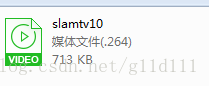
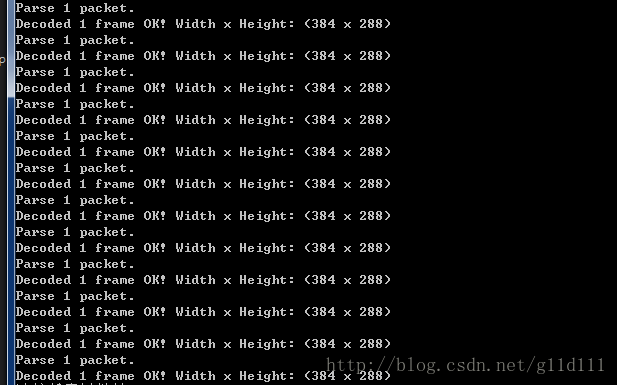
输出结果为:

可以看出,压缩比接近50%。对于视频服务提供商来说,视频压缩技术这块可以节省相当大的一笔带宽和服务器开支,是非常有价值的。同时,也降低了用户的观看成本。
本文来自互联网用户投稿,文章观点仅代表作者本人,不代表本站立场,不承担相关法律责任。如若转载,请注明出处。 如若内容造成侵权/违法违规/事实不符,请点击【内容举报】进行投诉反馈!