6.1——我在CSDN的创作纪念日
文章目录
- ⭐前言
- ⭐相遇CSDN
- ⭐切换到编程赛道的契机
- 💖 好好的美工为什么切换编程赛道
- 💖 转换编程赛道的催化剂
- ⭐写博客的目的——写给未来的自己
- 💖 初衷——为学习铺路
- 💖 博客是灯——照亮前行的路
- 💖 博客是路——互联网人走向大佬的捷径
- ⭐近期的成就
- csdn的新星计划认可
- 代码的成就
- 💖 后端
- 💖 小程序
- ⭐近期的憧憬
- ⭐最后
⭐前言
大家好!我是yma16,本文分享我和csdn的故事。
光阴似箭,时光荏苒,不知不觉我与csdn已经相遇了6年,创作时间4年。
⭐相遇CSDN
注册csdn账号
应该是5年前,在我读大三的时候在一次偶然的百度搜索中搜到了csdn,然后注册了csdn的账号。
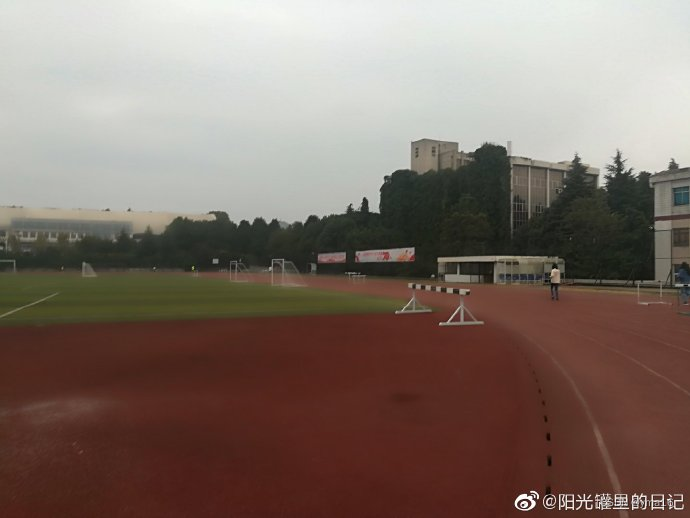
在学校时大三的时候总想着要做点什么,不甘颓废,早上去跑步。
下面是我早上去北区的校园跑步时拍下早晨校园操场的一张图片。
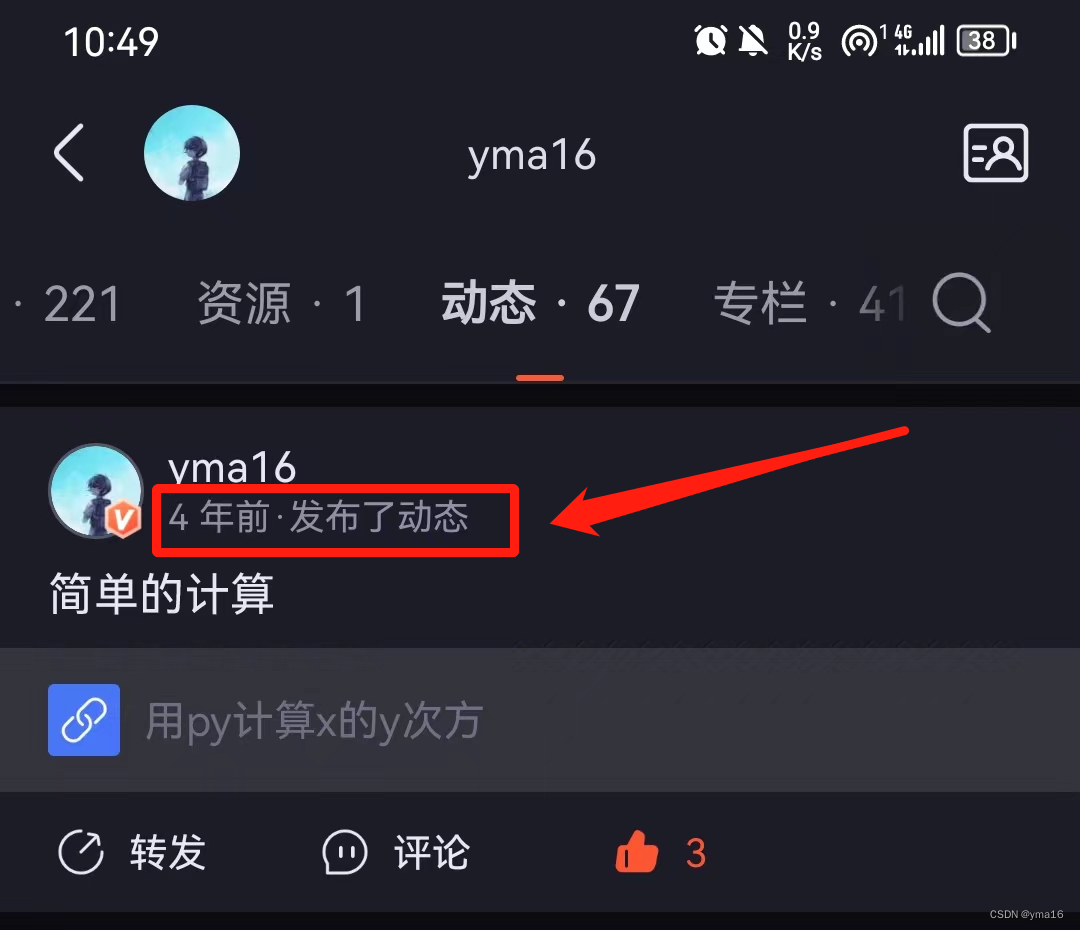
当时第一次发csdn,是因为第一次上python课程觉得用python来计算素数式多么方便的一件事情,看着程序运行起来内心都很愉悦。
每次编写博客之后都会感觉到今天的学习有所收获,太酷啦太酷啦

⭐切换到编程赛道的契机
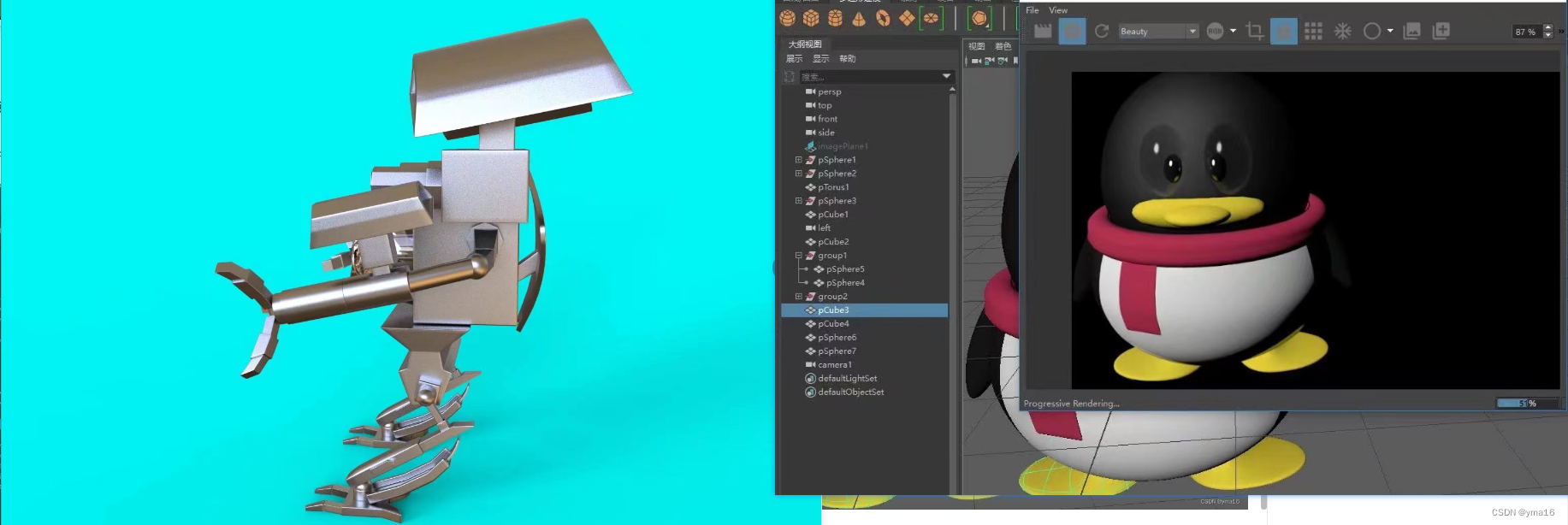
我是一名数字媒体技术的学生,在校期间其实大部分接触时ps、ae、maya的后期建模软件。
以下是我在校期间因兴趣爱好而搭建的模型。
💖 好好的美工为什么切换编程赛道
- 编程可以发散我的逻辑思维
- 写代码运行通过的时候,有多巴胺刺激的感觉
- 我发现后期的软件底层都是代码写的,我觉得编程更酷了
💖 转换编程赛道的催化剂
数媒在毕业季不好找本专业的工作!

⭐写博客的目的——写给未来的自己
💖 初衷——为学习铺路
我知道记忆是间断性的,这一周我学的内容可能在下周就忘了,好记性不如烂笔头,所以我选择写笔记给未来的自己看,当我不清楚知识点时再回过来看自己的笔记。
💖 博客是灯——照亮前行的路
如果当我有一天忽然摆烂或者迷茫了,不知道该干什么的时候,我可以回过头来看看我写的博客,啊,原来我以前做了这么多,嗷,我那个笔记怎么写的那么烂~可以这样找回自我。
💖 博客是路——互联网人走向大佬的捷径
今年是2023年了,互联网时代,csdn提供丰富的技术文章和教程:有大量的技术文章和教程,可以帮助开发者提高技术水平,掌握最新技术。
⭐近期的成就
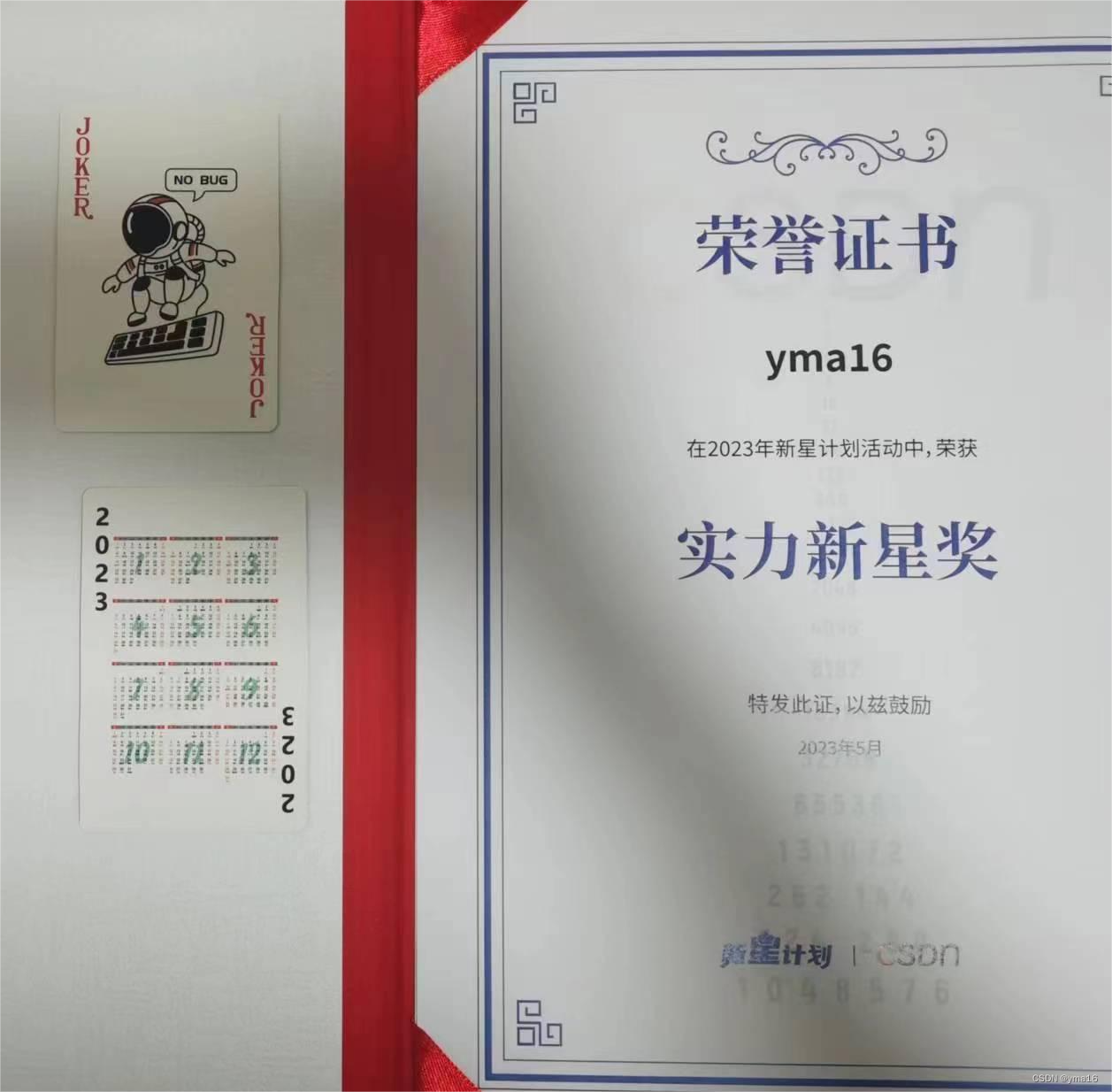
csdn的新星计划认可
2023node赛道中csdn的认可
代码的成就
我感觉我写的最好的代码是动态配置我的小程序思路,解决了我发布修改文案还要审核的痛点!
我的小程序架构是前端原生,后端django+vue
💖 后端
model
from django.db import models
from django.utils import timezone
# Create your models here.class DictModel(models.Model):kind = models.TextField(blank=True,null=True)#种类title=models.CharField(blank=True, null=True, max_length=20)#标题describe=models.TextField(blank=True,null=True)#配置项 json字符串option=models.TextField(blank=True,null=True)#发布时间publish=models.DateTimeField(default=timezone.now)class Meta:ordering=("-publish",)db_table = 'DictModel'def __str__(self):return '%s' % (self.title)
view
from django.http import JsonResponse
import json
from .models import DictModeldef index(request):#获取所有的文章try:if request.method == 'GET':allDictModel = DictModel.objects.order_by('publish')resData = []for dicItem in allDictModel:resData.append({"title":  dicItem.title,"option": dicItem.option})return JsonResponse({"code": 200, "data": resData, "msg": 'return all dict'})elif request.method == 'POST':print('post')postData = json.loads(request.body.decode('utf-8'))print(postData)kind = postData['kind']allDictModel = DictModel.objects.order_by('publish')resData = []for dicItem in allDictModel:if str(kind) == str(dicItem.kind):resData.append({"title":  dicItem.title,"option": dicItem.option})return JsonResponse({"code": 200, "data": resData, "msg": 'serch dict success'})return JsonResponse({"code": 0, "data": [], "msg": 'not allowed'})except Exception as e:return JsonResponse({"code": -1, "data": [], "msg": str(e)})
💖 小程序
app入口获取配置
// app.js
App({homePageArticleId: 32,lifePageArricleId: 35,wxProgramConfig: {authorPageConfig: {title: "记忆碎片",userImageUrl: 'https://yongma16.xyz/staticFile/common/img/logo.png',loginTitle: '点击授权',detailInfo: '关于:code笔记',nextPage: "/pages/home/home",userPrefix: '昵称:',userName: '月牙天冲',designPlaceholder: '自定义名称',joinTitle: '微信登录',isOldVersion: false},homePageConfig: {headBackground: [{ class: 'header-swiper-one', content: '数据分析', articleId: 32, img: 'https://yongma16.xyz/staticFile/common/img/data.png' },{ class: 'header-swiper-two', content: '前端开发', articleId: 33, img: 'https://yongma16.xyz/staticFile/common/img/front.png' },{ class: 'header-swiper-three', content: '全栈开发', articleId: 34, img: 'https://yongma16.xyz/staticFile/common/img/back.png' }],bottomStyleConfig: {tabMenuText: '记忆碎片',homePageText: '主页',blogText: '博客',apiText: 'openai',aboutText: '关于'},bottomBtn: 'target',},apiPageConfig: {articleId: 44,aiConfig: {avatarUrl: 'https://yongma16.xyz/staticFile/common/img/aiTop.jpg',bgUrl: 'https://yongma16.xyz/staticFile/common/img/aiBg.jpg'},mode: 'introduce',option: 'introduce,openAiUse',layoutConfig: {introduceText: 'api介绍',useText: '使用',returnText: '返回介绍',sendText: '发送',searchText: '关键词查询',reportText: '复制数据',copyText: '复制',pasteText: '粘贴',upText: "",downText: "",errorMsg: 'openai的服务器异常!',emptyText: '欢迎',storageKey: 'openAiOptionsConfig',permissionTitle: '很抱歉您没有权限!',permissionContent: '请联系微信号:cse-yma16\r\n 需要1元开通权限\r\n1元可支持100条消息!',wxInfoImg: 'https://yongma16.xyz/staticFile/common/img/userInfo.png',isShowOpenAi:true,limitMsgCount: 10,confirmText: '添加微信',cancelText: '返回'}},aboutPageConfig: {articleId: 35}},loginStatus: '',globalData: {userInfo: '',hasUserInfo: false,geoJson: {},hotData: [],/*** @type object[{name:'',adcode:''}]*/geoAdcodeMap: [],targetItem: {},},remoteConfig: {baseUrl: 'https://yongma16.xyz'},// 引入`towxml3.0`解析方法towxml: require('/towxml/index'),// 引入eval 自定义的evaleval_des: require('/eval-pack/define-function/define-function'),/*** 转换text* @param {string} text */changeMrkdownText(text) {const markdownText = this.towxml(text, 'markdown', {theme: 'light', //主题 dark 黑色,light白色,不填默认lightevents:{tap:(e)=>{console.log('e',e)if(e&&e.target&&e.target.dataset.data){const {attrs,tag}=e.target.dataset.dataif(tag==='img'){const {src}=attrswx.previewImage({current: src, // 当前显示图片的http链接urls: [src] // 需要预览的图片http链接列表})}}}}});return markdownText},/*** 转换html* @param {string} text */changeHtmlText(text) {const markdownText = this.towxml(text, 'html', {theme: 'light', //主题 dark 黑色,light白色,不填默认lightevents:{tap:(e)=>{console.log('e',e)if(e&&e.target&&e.target.dataset.data){const {attrs,tag}=e.target.dataset.dataif(tag==='img'){const {src}=attrswx.previewImage({current: src, // 当前显示图片的http链接urls: [src] // 需要预览的图片http链接列表})}}}}});return markdownText},getUserProfile: function (e) {// 推荐使用 wx.getUserProfile 获取用户信息,开发者每次通过该接口获取用户个人信息均需用户确认// 开发者妥善保管用户快速填写的头像昵称,避免重复弹窗wx.getUserProfile({desc: '用于完善会员资料', // 声明获取用户个人信息后的用途,后续会展示在弹窗中,请谨慎填写success: (res) => {this.setData({userInfo: res.userInfo,hasUserInfo: true})}})},onLaunch: function (options) {console.log('onLaunch', options)// 获取配置项目const that = thiswx.showLoading({title: '加载配置中',})wx.request({url: 'https://ip/path',method: 'POST',data: {kind: 'wxConfig'}, success: function (res) {console.log('res', res)wx.hideLoading({success: (loadRes) => { console.log(loadRes) },})if (res.data.data && res.data.data[0].option) {that.wxProgramConfig = JSON.parse(res.data.data[0].option)wx.navigateTo({url: 'pages/index/index',success: function (res) {// 通过 eventChannel 向被打开页面传送数据console.log('res', res)}});}else {wx.navigateTo({url: 'pages/index/index',success: function (res) {// 通过 eventChannel 向被打开页面传送数据console.log('res', res)}});}},fail: function (r) {console.log('r', r)wx.hideLoading({success: (loadRes) => { console.log(loadRes) },})wx.navigateTo({url: 'pages/index/index',success: function (res) {// 通过 eventChannel 向被打开页面传送数据console.log('res', res)}});}})if (!wx.cloud) {console.error('请使用 2.2.3 或以上的基础库以使用云能力');} else {wx.removeStorageSync('currentUserInfo');const currentUserInfo = wx.getStorageSync('currentUserInfo')if (currentUserInfo && currentUserInfo.nickName) {console.log('success')} else {wx.navigateTo({url: 'pages/index/index',success: function (res) {// 通过 eventChannel 向被打开页面传送数据console.log('res', res)}})}// 用户登录const that = thiswx.login({success(res) {console.log('res login', res)that.globalData.loginStatus = res}})wx.getSetting({success(res) {console.log('res set', res)that.globalData.setting = res}})}}
});
⭐近期的憧憬
创作规划
- 学习其他优秀博主的文章编写方式
- 学习新技术之后再csdn做发文分享
- 费曼学习法,学了之后做个demo发表博客,讨论交流
⭐最后
💖 最后感谢金主csdn,markdown编辑器是真的好用, 再次感谢您的阅读,如有错误或者不足欢迎指出! 💖

本文来自互联网用户投稿,文章观点仅代表作者本人,不代表本站立场,不承担相关法律责任。如若转载,请注明出处。 如若内容造成侵权/违法违规/事实不符,请点击【内容举报】进行投诉反馈!