深度学习和目标检测系列教程 15-300:在 Python 中使用 OpenCV 执行 YOLOv3 对象检测
@Author:Runsen
上次讲了yolov3,这是使用yolov3的模型通过opencv的摄像头来执行YOLOv3 对象检测。
导入所需模块:
import cv2
import numpy as np
import time
让我们定义一些我们需要的变量和参数:
CONFIDENCE = 0.5
SCORE_THRESHOLD = 0.5
IOU_THRESHOLD = 0.5# network configuration
config_path = "cfg/yolov3.cfg"
# YOLO net weights
weights_path = "weights/yolov3.weights"
#  coco class labels (objects)
labels = open("data/coco.names").read().strip().split("\n")
# 每一个对象的检测框的颜色
colors = np.random.randint(0, 255, size=(len(LABELS), 3), dtype="uint8")
config_path和weights_path 分别代表yolov3模型配置 和对应的预训练模型权重。
- yolov3.cfg下载:https://github.com/pjreddie/darknet/blob/master/cfg/yolov3.cfg
- coco.names下载:https://github.com/pjreddie/darknet/blob/master/data/coco.names
- yolov3.weights下载:https://pjreddie.com/media/files/yolov3.weights
labels是检测的不同对象的所有类标签的列表,生成随机颜色
是因为有很多类的存在。
下面的代码加载模型:
net = cv2.dnn.readNetFromDarknet(config_path, weights_path)
先加载一个示例图像:
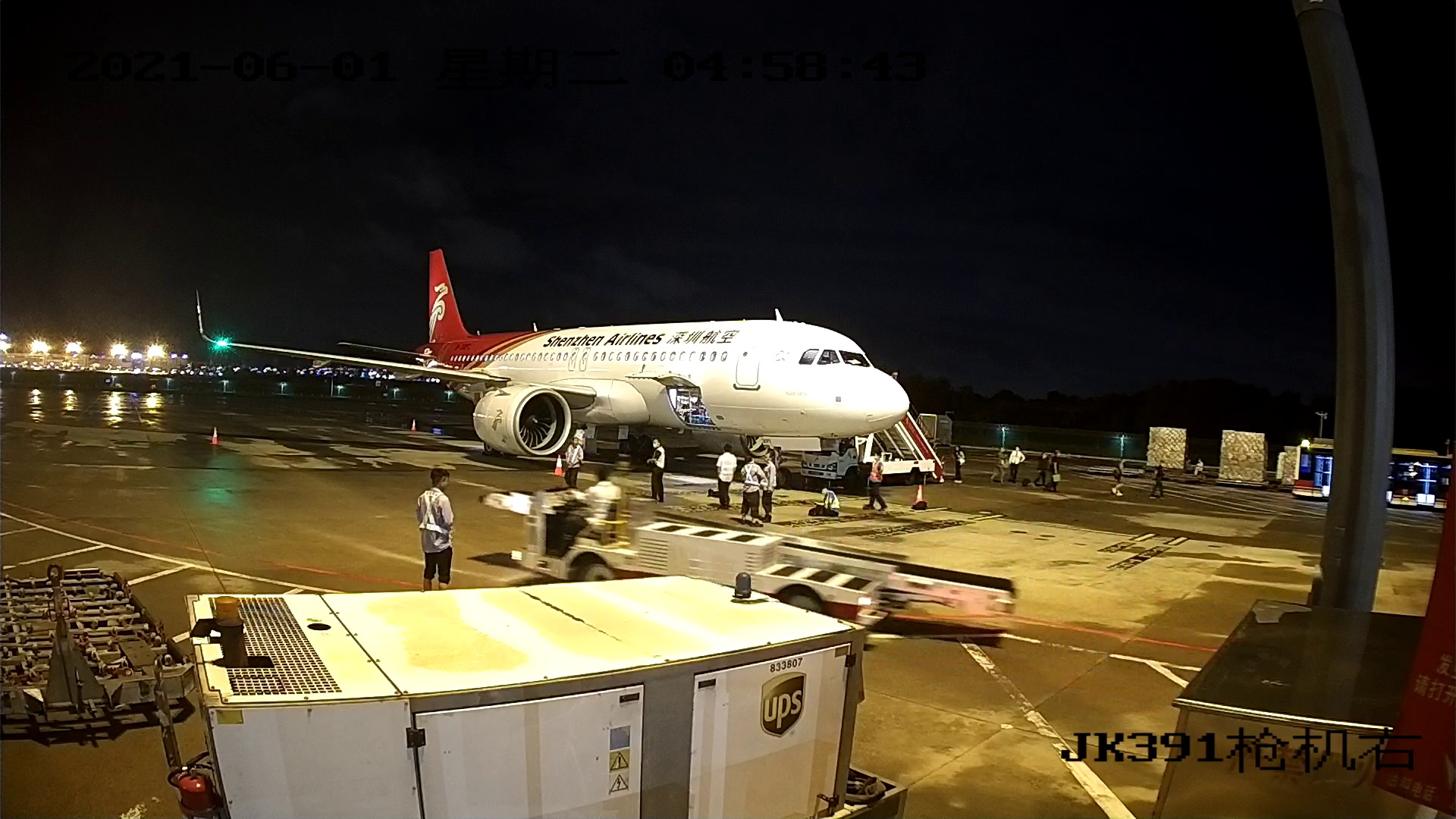
path_name = "test.jpg"
image = cv2.imread(path_name)
file_name = os.path.basename(path_name)
filename, ext = file_name.split(".")
h, w = image.shape[:2]
接下来,需要对这个图像进行归一化、缩放和整形,使其适合作为神经网络的输入:
# create 4D blob
blob = cv2.dnn.blobFromImage(image, 1/255.0, (416, 416), swapRB=True, crop=False)
这会将像素值标准化为从0到1 的范围,将图像大小调整为(416, 416)并对其进行缩放
print("image.shape:", image.shape)
print("blob.shape:", blob.shape)image.shape: (1200, 1800, 3)
blob.shape: (1, 3, 416, 416)
现在让我们将此图像输入神经网络以获得输出预测:
# 将blob设置为网络的输入
net.setInput(blob)
# 获取所有图层名称
ln = net.getLayerNames()
ln = [ln[i[0] - 1] for i in net.getUnconnectedOutLayers()]
#得到网络输出
#测量一下时间花费
start = time.perf_counter()
layer_outputs = net.forward(ln)
time_took = time.perf_counter() - start
print(f"Time took: {time_took:.2f}s")boxes, confidences, class_ids = [], [], []# 在每个层输出上循环
for output in layer_outputs:# 在每一个物体上循环''' detection.shape等于85,前4 个值代表物体的位置,(x, y)坐标为中心点和边界框的宽度和高度,其余数字对应物体标签,因为这是COCO 数据集,它有80类标签。例如,如果检测到的对象是人,则80长度向量中的第一个值应为1,其余所有值应为0,自行车的第二个数字,汽车的第三个数字,一直到第 80 个对象。然后使用np.argmax()
函数来获取类 id 的原因,因为它返回80长度向量中最大值的索引。
''' for detection in output:# 提取类id(标签)和置信度(作为概率)# 当前目标检测scores = detection[5:]class_id = np.argmax(scores)confidence = scores[class_id]if confidence > CONFIDENCE:# 将边界框坐标相对于# 图像的大小,记住YOLO实际上# 返回边界的中心(x,y)坐标# 框,然后是框的宽度和高度box = detection[:4] * np.array([w, h, w, h])(centerX, centerY, width, height) = box.astype("int")# 使用中心(x,y)坐标导出x和y# 和边界框的左角x = int(centerX - (width / 2))y = int(centerY - (height / 2))# 更新边界框坐标,信任度,和类IDboxes.append([x, y, int(width), int(height)])confidences.append(float(confidence))class_ids.append(class_id)
#根据前面定义的分数执行非最大值抑制
idxs = cv2.dnn.NMSBoxes(boxes, confidences, SCORE_THRESHOLD, IOU_THRESHOLD)
font_scale = 1
thickness = 1
# 确保至少存在一个检测
if len(idxs) > 0:# 循环查看我们保存的索引for i in idxs.flatten():# 提取边界框坐标x, y = boxes[i][0], boxes[i][1]w, h = boxes[i][2], boxes[i][3]# 在图像上绘制边框矩形和标签color = [int(c) for c in colors[class_ids[i]]]cv2.rectangle(image, (x, y), (x + w, y + h), color=color, thickness=thickness)text = f"{labels[class_ids[i]]}: {confidences[i]:.2f}"# 计算文本宽度和高度以绘制透明框作为文本背景(text_width, text_height) = cv2.getTextSize(text, cv2.FONT_HERSHEY_SIMPLEX, fontScale=font_scale, thickness=thickness)[0]text_offset_x = xtext_offset_y = y - 5box_coords = ((text_offset_x, text_offset_y), (text_offset_x + text_width + 2, text_offset_y - text_height))overlay = image.copy()cv2.rectangle(overlay, box_coords[0], box_coords[1], color=color, thickness=cv2.FILLED)#添加(长方体的透明度)image = cv2.addWeighted(overlay, 0.6, image, 0.4, 0)cv2.putText(image, text, (x, y - 5), cv2.FONT_HERSHEY_SIMPLEX,fontScale=font_scale, color=(0, 0, 0), thickness=thickness)cv2.imwrite(filename + "_yolo3." + ext, image)
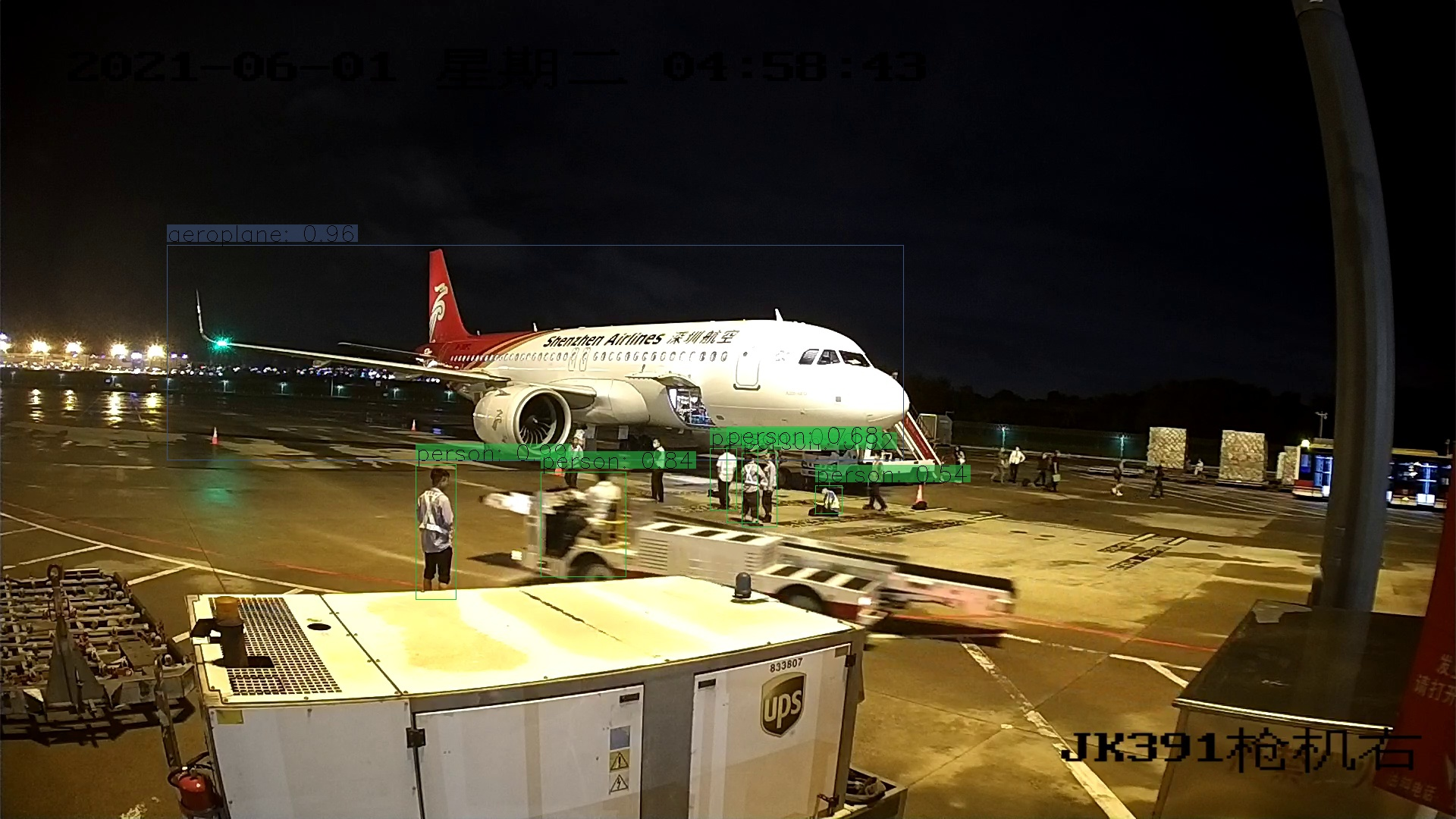
一张图片的时间需要1.3秒。
Time took: 1.32s
下面结合opencv读取摄像头的功能,实现摄像头的拍摄画面的识别
import cv2
import numpy as np
import time
CONFIDENCE = 0.5
SCORE_THRESHOLD = 0.5
IOU_THRESHOLD = 0.5
config_path = "cfg/yolov3.cfg"
weights_path = "weights/yolov3.weights"
font_scale = 1
thickness = 1
LABELS = open("data/coco.names").read().strip().split("\n")
COLORS = np.random.randint(0, 255, size=(len(LABELS), 3), dtype="uint8")
net = cv2.dnn.readNetFromDarknet(config_path, weights_path)
ln = net.getLayerNames()
ln = [ln[i[0] - 1] for i in net.getUnconnectedOutLayers()]
cap = cv2.VideoCapture(0)
while True:_, image = cap.read()h, w = image.shape[:2]blob = cv2.dnn.blobFromImage(image, 1/255.0, (416, 416), swapRB=True, crop=False)net.setInput(blob)start = time.perf_counter()layer_outputs = net.forward(ln)time_took = time.perf_counter() - startprint("Time took:", time_took)boxes, confidences, class_ids = [], [], []for output in layer_outputs:for detection in output:scores = detection[5:]class_id = np.argmax(scores)confidence = scores[class_id]if confidence > CONFIDENCE:box = detection[:4] * np.array([w, h, w, h])(centerX, centerY, width, height) = box.astype("int")x = int(centerX - (width / 2))y = int(centerY - (height / 2))boxes.append([x, y, int(width), int(height)])confidences.append(float(confidence))class_ids.append(class_id)idxs = cv2.dnn.NMSBoxes(boxes, confidences, SCORE_THRESHOLD, IOU_THRESHOLD)font_scale = 1thickness = 1if len(idxs) > 0:for i in idxs.flatten():x, y = boxes[i][0], boxes[i][1]w, h = boxes[i][2], boxes[i][3]color = [int(c) for c in COLORS[class_ids[i]]]cv2.rectangle(image, (x, y), (x + w, y + h), color=color, thickness=thickness)text = f"{LABELS[class_ids[i]]}: {confidences[i]:.2f}"(text_width, text_height) = cv2.getTextSize(text, cv2.FONT_HERSHEY_SIMPLEX, fontScale=font_scale, thickness=thickness)[0]text_offset_x = xtext_offset_y = y - 5box_coords = ((text_offset_x, text_offset_y), (text_offset_x + text_width + 2, text_offset_y - text_height))overlay = image.copy()cv2.rectangle(overlay, box_coords[0], box_coords[1], color=color, thickness=cv2.FILLED)image = cv2.addWeighted(overlay, 0.6, image, 0.4, 0)cv2.putText(image, text, (x, y - 5), cv2.FONT_HERSHEY_SIMPLEX,fontScale=font_scale, color=(0, 0, 0), thickness=thickness)cv2.imshow("image", image)if ord("q") == cv2.waitKey(1):breakcap.release()
cv2.destroyAllWindows()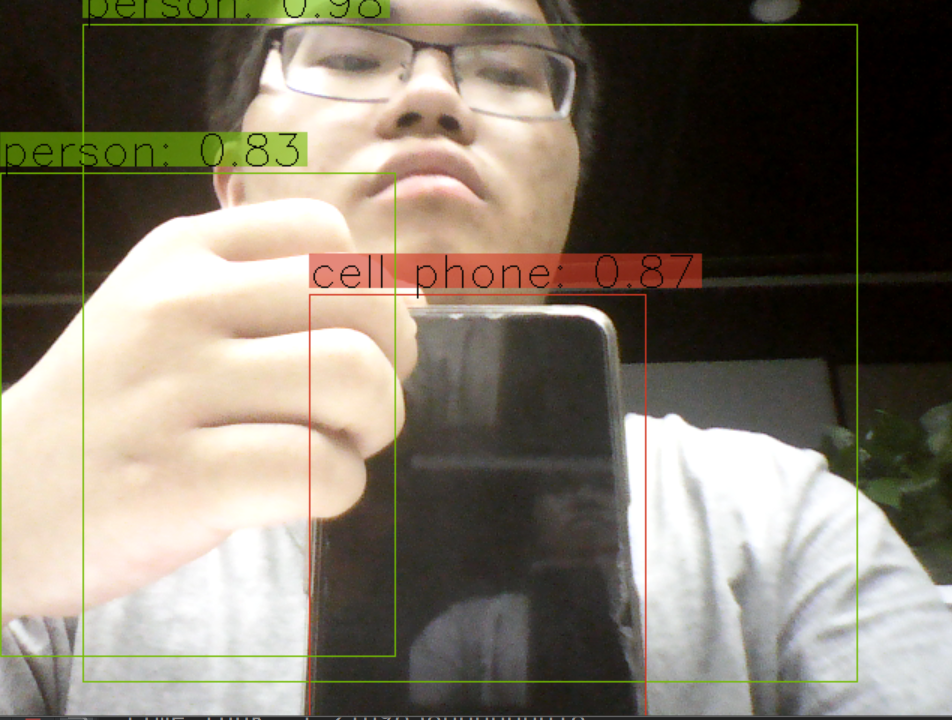
本文来自互联网用户投稿,文章观点仅代表作者本人,不代表本站立场,不承担相关法律责任。如若转载,请注明出处。 如若内容造成侵权/违法违规/事实不符,请点击【内容举报】进行投诉反馈!