springboot+sa-token+vue-admin 动态菜单的实现
使用技术
后端 springboot + mybatisplus+ sa-token
前端 vue-element-admin 模板 + vuex
背景
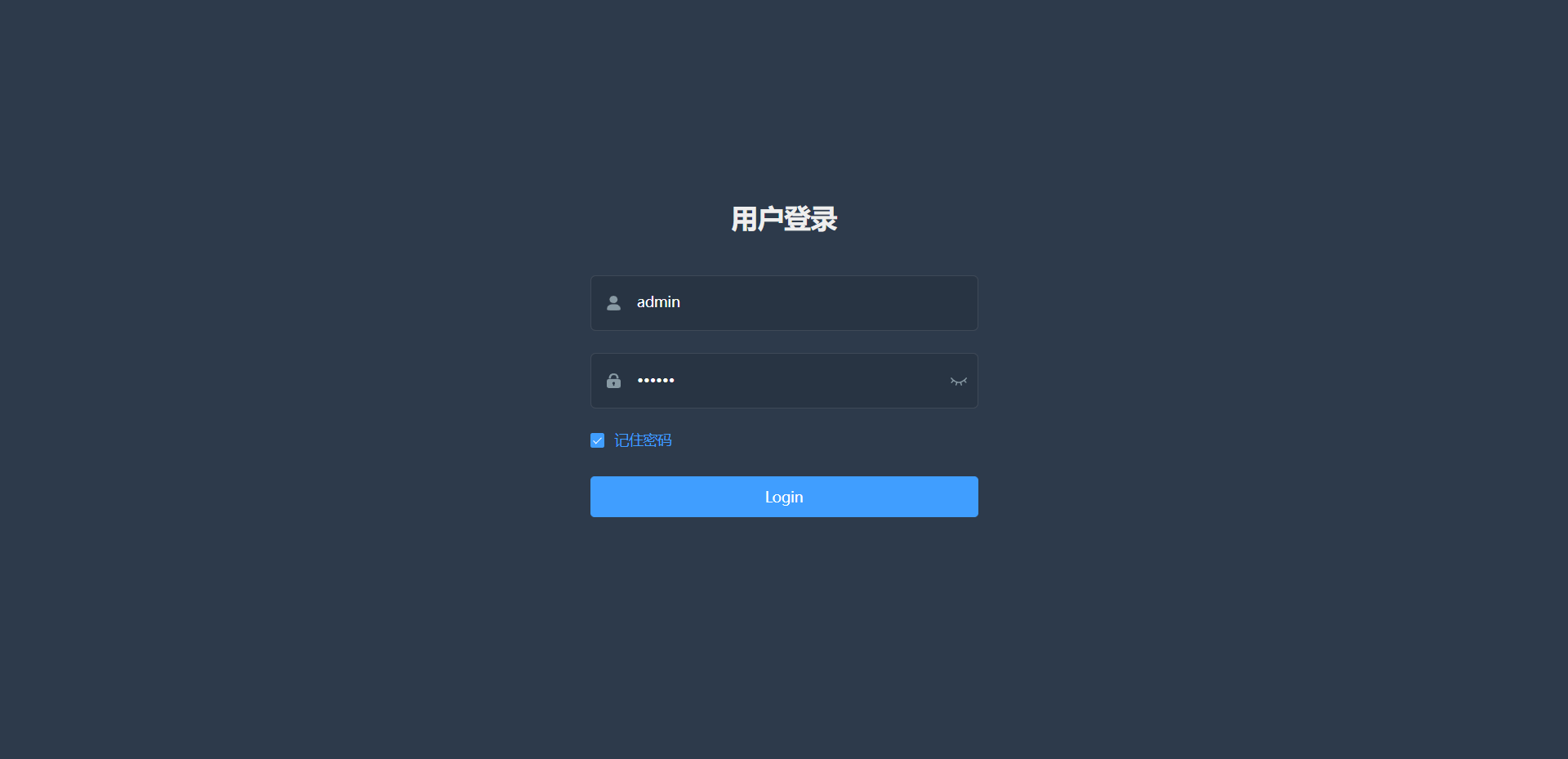
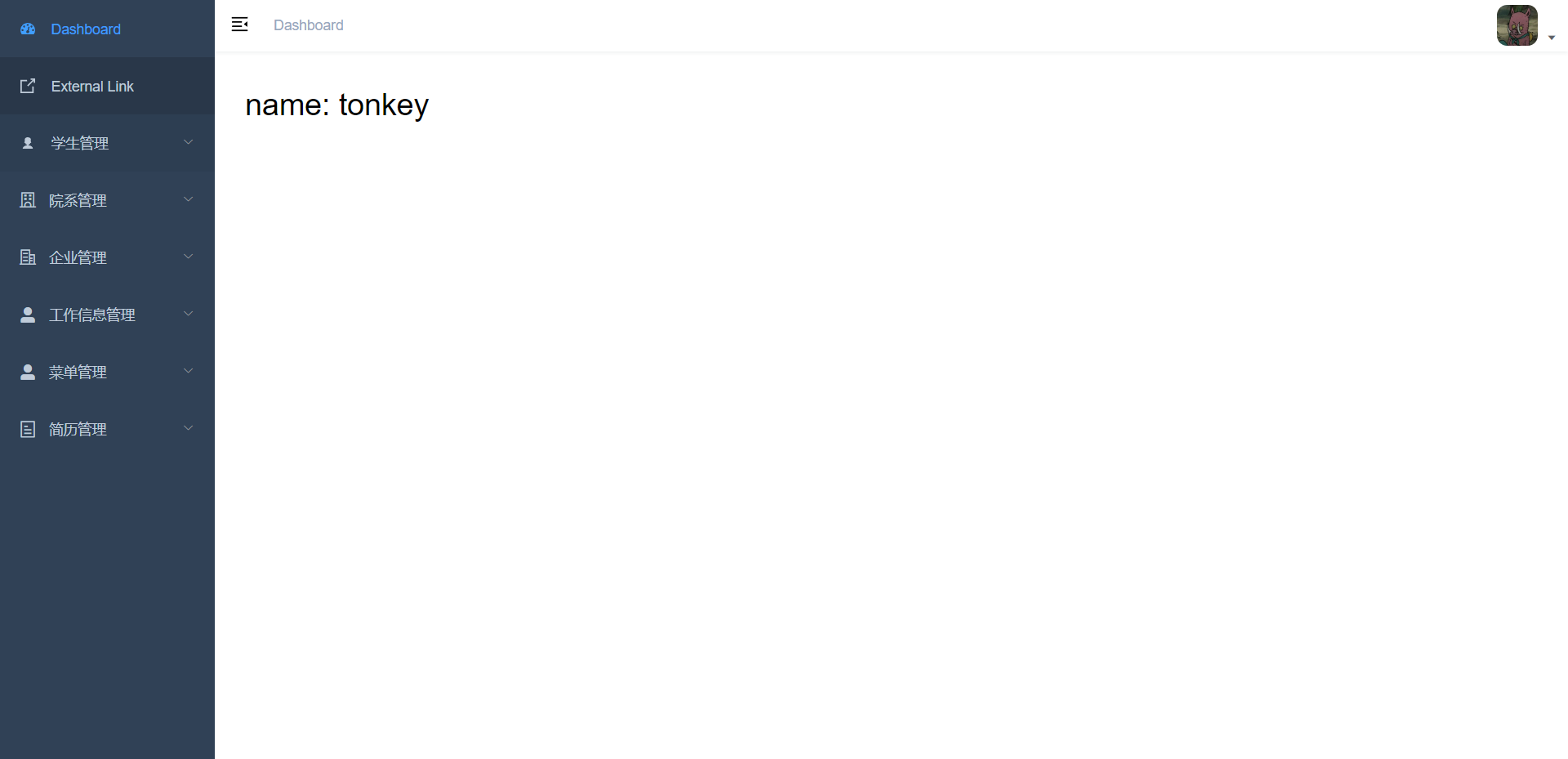
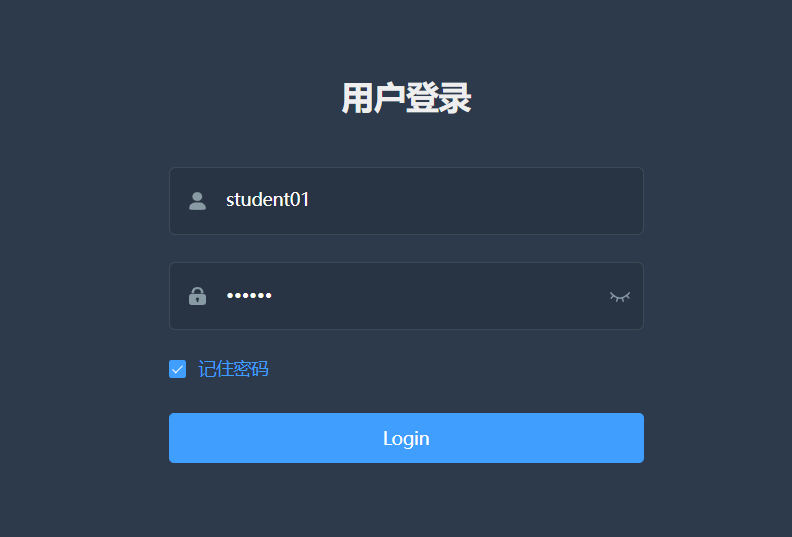
最近在做一个前后分离的后台管理,其中系统内有不同的角色用户。我想实现根据不同类型的用户登录,分别显示用户各自所拥有的菜单。话不多说上图:
管理员登录
管理员拥有所有菜单,所以登录有显示所有菜单
学生用户登录
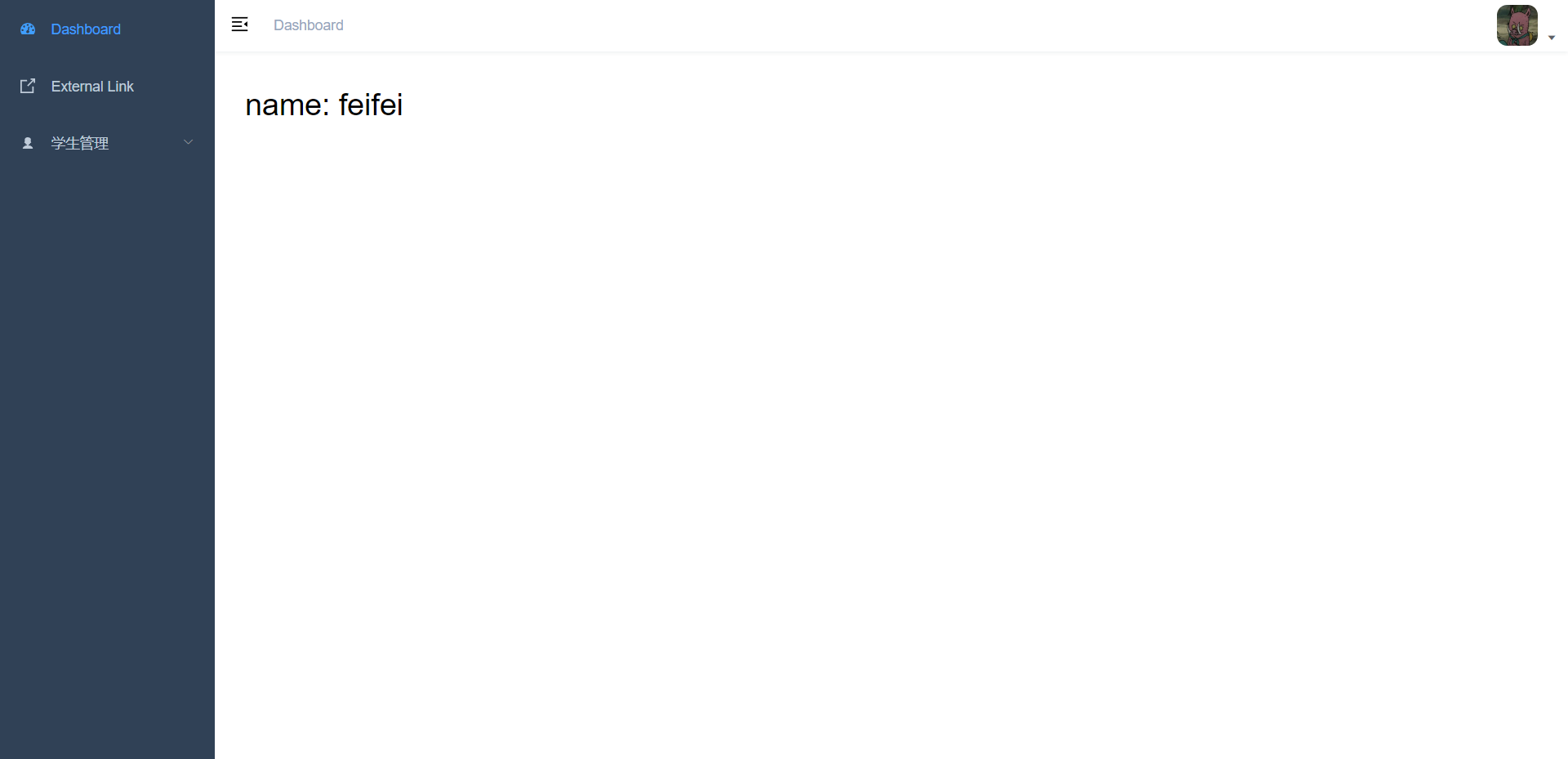
实现原理
后端
使用sa-token 对当前用户进行判断,查看该用户拥有哪些角色
根据该用户拥有的角色去数据库里查询菜单数据
将菜单数据转为树形结构,提供接口,以便将菜单数据 以JSON字符串的形式传给前端
前端
通过vuex 获取菜单数据,然后将其转换为路由的对象数组,并添加至路由
在 sidebar-item 组件里遍历该菜单数据。
实现步骤
数据库设计
用户表
-- ----------------------------
-- Table structure for t_user
-- ----------------------------
DROP TABLE IF EXISTS `t_user`;
CREATE TABLE `t_user`  (`id` bigint NOT NULL,`name` varchar(255) CHARACTER SET utf8mb4 COLLATE utf8mb4_general_ci NOT NULL COMMENT '用户名',`username` varchar(255) CHARACTER SET utf8mb4 COLLATE utf8mb4_general_ci NOT NULL COMMENT '账户',`password` varchar(255) CHARACTER SET utf8mb4 COLLATE utf8mb4_general_ci NOT NULL COMMENT '密码',`avatar` varchar(255) CHARACTER SET utf8mb4 COLLATE utf8mb4_general_ci NULL DEFAULT NULL COMMENT '头像',`description` varchar(255) CHARACTER SET utf8mb4 COLLATE utf8mb4_general_ci NOT NULL COMMENT '描述',`state` int NOT NULL COMMENT '状态(0启用,1停用)',`is_deleted` int NOT NULL COMMENT '逻辑删除(0存在,1删除)',`create_time` datetime NOT NULL COMMENT '创建时间',`update_time` datetime NOT NULL COMMENT '修改时间',`operator_id` bigint NOT NULL COMMENT '操作员编号(企业id、学生id、教师id,可通过此id查询对应信息)',PRIMARY KEY (`id`) USING BTREE
) ENGINE = InnoDB CHARACTER SET = utf8mb4 COLLATE = utf8mb4_general_ci ROW_FORMAT = Dynamic;-- ----------------------------
-- Records of t_user
-- ----------------------------
INSERT INTO `t_user` VALUES (9527, 'tonkey', 'admin', '111111', NULL, '管理员', 0, 0, '2023-02-21 21:45:57', '2023-02-21 21:45:59', 9527);
INSERT INTO `t_user` VALUES (10086, 'feifei', 'student01', '111111', NULL, '学生用户', 0, 0, '2023-02-22 17:28:54', '2023-02-22 17:28:56', 9527);
INSERT INTO `t_user` VALUES (230001, '蓝月科技', 'lanyue', '111111', NULL, '企业用户', 0, 0, '2023-02-23 16:08:39', '2023-02-23 16:08:41', 9527);
角色表
-- ----------------------------
-- Table structure for t_role
-- ----------------------------
DROP TABLE IF EXISTS `t_role`;
CREATE TABLE `t_role`  (`id` int NOT NULL AUTO_INCREMENT,`name` varchar(50) CHARACTER SET utf8mb4 COLLATE utf8mb4_general_ci NOT NULL COMMENT '角色名',`description` varchar(255) CHARACTER SET utf8mb4 COLLATE utf8mb4_general_ci NULL DEFAULT NULL COMMENT '角色描述',`create_time` datetime NOT NULL COMMENT '创建时间',`update_time` datetime NOT NULL COMMENT '修改时间',`operator_id` bigint NOT NULL COMMENT '操作员编号',PRIMARY KEY (`id`) USING BTREE,UNIQUE INDEX `name`(`name` ASC) USING BTREE
) ENGINE = InnoDB AUTO_INCREMENT = 5 CHARACTER SET = utf8mb4 COLLATE = utf8mb4_general_ci ROW_FORMAT = Dynamic;-- ----------------------------
-- Records of t_role
-- ----------------------------
INSERT INTO `t_role` VALUES (1, 'admin', '管理员', '2023-02-22 16:12:10', '2023-02-22 16:12:10', 1620600815042273282);
INSERT INTO `t_role` VALUES (2, 'student', '学生用户', '2023-02-22 16:12:10', '2023-02-22 16:12:10', 1620600815042273282);
INSERT INTO `t_role` VALUES (3, 'company', '企业用户', '2023-02-22 16:13:29', '2023-02-22 16:13:29', 1620600815042273282);
INSERT INTO `t_role` VALUES (4, 'teacher', '教师用户', '2023-02-22 16:13:29', '2023-02-22 16:13:29', 1620600815042273282);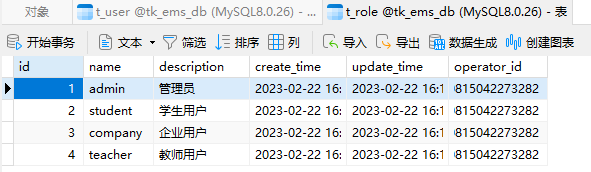
用户-角色 关联表
-- ----------------------------
-- Table structure for t_user_role
-- ----------------------------
DROP TABLE IF EXISTS `t_user_role`;
CREATE TABLE `t_user_role`  (`id` int NOT NULL AUTO_INCREMENT,`user_id` int NOT NULL,`role_id` int NOT NULL,`create_time` datetime NOT NULL COMMENT '创建时间',`update_time` datetime NOT NULL COMMENT '修改时间',PRIMARY KEY (`id`) USING BTREE
) ENGINE = InnoDB AUTO_INCREMENT = 5 CHARACTER SET = utf8mb4 COLLATE = utf8mb4_general_ci ROW_FORMAT = Dynamic;-- ----------------------------
-- Records of t_user_role
-- ----------------------------
INSERT INTO `t_user_role` VALUES (1, 10086, 2, '2023-02-22 17:29:22', '2023-02-22 17:29:25');
INSERT INTO `t_user_role` VALUES (2, 230001, 3, '2023-02-23 16:09:23', '2023-02-23 16:09:25');
INSERT INTO `t_user_role` VALUES (3, 9527, 1, '2023-02-27 14:25:08', '2023-02-27 14:25:10');
INSERT INTO `t_user_role` VALUES (4, 9527, 2, '2023-02-27 14:42:45', '2023-02-27 14:42:47');
菜单表
DROP TABLE IF EXISTS `t_menu`;
CREATE TABLE `t_menu`  (`id` int NOT NULL COMMENT '菜单id',`parent_id` int NULL DEFAULT NULL COMMENT '父级菜单',`title` varchar(255) CHARACTER SET utf8mb4 COLLATE utf8mb4_general_ci NOT NULL COMMENT '标题',`path` varchar(255) CHARACTER SET utf8mb4 COLLATE utf8mb4_general_ci NOT NULL COMMENT '路径',`name` varchar(255) CHARACTER SET utf8mb4 COLLATE utf8mb4_general_ci NULL DEFAULT NULL COMMENT '名称',`component` varchar(255) CHARACTER SET utf8mb4 COLLATE utf8mb4_general_ci NOT NULL COMMENT '组件',`icon` varchar(255) CHARACTER SET utf8mb4 COLLATE utf8mb4_general_ci NOT NULL COMMENT '图标',`always_show` tinyint NULL DEFAULT NULL COMMENT '始终显示',`has_hidden` tinyint NOT NULL COMMENT '是否隐藏(0否,1是)',`has_props` tinyint NOT NULL COMMENT '是否有props参数',`has_beforeEnter` tinyint NOT NULL COMMENT '独享路由',`has_children_node` tinyint NOT NULL COMMENT '是否有子路由',`redirect` varchar(255) CHARACTER SET utf8mb4 COLLATE utf8mb4_general_ci NULL DEFAULT NULL COMMENT '重定向',`create_time` datetime NULL DEFAULT NULL COMMENT '创建时间',`update_time` datetime NULL DEFAULT NULL COMMENT '更新时间',`operator_id` bigint NULL DEFAULT NULL COMMENT '操作员编号',`operator` varchar(255) CHARACTER SET utf8mb4 COLLATE utf8mb4_general_ci NULL DEFAULT NULL COMMENT '操作员姓名',PRIMARY KEY (`id`) USING BTREE
) ENGINE = InnoDB CHARACTER SET = utf8mb4 COLLATE = utf8mb4_general_ci ROW_FORMAT = Dynamic;-- ----------------------------
-- Records of t_menu
-- ----------------------------
INSERT INTO `t_menu` VALUES (1000, NULL, '学生管理', '/studentMng', 'studentMng', 'Layout', 'studentMng', 1, 0, 0, 0, 1, '/studentMng/studentList', '2023-02-27 13:34:12', '2023-02-27 20:46:58', 9527, 'tonkey');
INSERT INTO `t_menu` VALUES (1001, 1000, '学生列表', 'studentList', 'studentList', 'Custom/StudentMng/StudentMng', 'studentList', NULL, 0, 0, 0, 0, NULL, '2023-02-27 13:37:24', '2023-02-27 13:37:25', 9527, 'tonkey');
INSERT INTO `t_menu` VALUES (1002, 1000, '新增学生', 'addStudent', 'addStudent', 'Custom/StudentMng/OperateForm', 'el-icon-s-operation', NULL, 1, 1, 1, 0, NULL, '2023-02-27 13:40:08', '2023-02-27 20:09:59', 9527, 'tonkey');
INSERT INTO `t_menu` VALUES (1003, 1000, '编辑学员', 'editStudent', 'editStudent', 'Custom/StudentMng/OperateForm', 'el-icon-s-operation', NULL, 1, 1, 1, 0, NULL, '2023-02-27 20:10:36', '2023-02-27 20:10:36', 9527, 'admin');
INSERT INTO `t_menu` VALUES (2000, NULL, '院系管理', '/academyMng', 'academyMng', 'Layout', 'el-icon-school', 1, 0, 0, 0, 1, '/academyMng/departmentList', '2023-02-27 19:08:22', '2023-02-27 19:54:51', 9527, 'tonkey');
INSERT INTO `t_menu` VALUES (2001, 2000, '院系列表', 'departmentList', 'departmentList', 'Custom/AcademyMng/DepartmentMng', 'el-icon-tickets', NULL, 0, 0, 0, 0, NULL, '2023-02-27 19:43:57', '2023-02-27 19:43:57', 9527, 'admin');
INSERT INTO `t_menu` VALUES (2003, 2000, '专业列表', 'majorList', 'majorList', 'Custom/AcademyMng/MajorMng', 'el-icon-collection', NULL, 0, 0, 0, 0, NULL, '2023-02-27 19:49:24', '2023-02-27 19:49:24', 9527, 'admin');
INSERT INTO `t_menu` VALUES (3000, NULL, '企业管理', '/companyMng', 'companyMng', 'Layout', 'el-icon-office-building', 1, 0, 0, 0, 1, '/companyMng/companyList', '2023-02-27 19:56:05', '2023-02-27 19:56:05', 9527, 'admin');
INSERT INTO `t_menu` VALUES (3001, 3000, '企业列表', 'companyList', 'companyList', 'Custom/CompanyMng/CompanyMng', 'el-icon-tickets', NULL, 0, 0, 0, 0, NULL, '2023-02-27 19:56:28', '2023-02-27 19:56:28', 9527, 'admin');
INSERT INTO `t_menu` VALUES (3002, 3000, '岗位发布管理', 'postposting', 'postposting', 'Custom/CompanyMng/PostPosting', 'el-icon-s-management', NULL, 0, 0, 0, 0, NULL, '2023-02-27 19:56:48', '2023-02-27 19:56:48', 9527, 'admin');
INSERT INTO `t_menu` VALUES (4000, NULL, '工作信息管理', '/jobCategoryMng', 'jobCategoryMng', 'Layout', 'el-icon-user-solid', 1, 0, 0, 0, 1, '/jobCategoryMng/jobCategoryList', '2023-02-27 19:57:33', '2023-02-27 19:59:36', 9527, 'tonkey');
INSERT INTO `t_menu` VALUES (4001, 4000, '职位类别列表', 'jobCategoryList', 'jobCategoryList', 'Custom/JobCategoryMng/JobCategoryMng', 'el-icon-user', NULL, 0, 0, 0, 0, NULL, '2023-02-27 19:58:11', '2023-02-27 19:58:11', 9527, 'admin');
INSERT INTO `t_menu` VALUES (5000, NULL, '菜单管理', '/menuMng', 'menuMng', 'Layout', 'el-icon-user-solid', 1, 0, 0, 0, 1, '/menuMng/menuList', '2023-02-27 19:59:29', '2023-02-27 19:59:29', 9527, 'admin');
INSERT INTO `t_menu` VALUES (5001, 5000, '菜单列表', 'menuList', 'menuList', 'Custom/SystemSettingsMng/MenuMng/MenuMng', 'el-icon-user', NULL, 0, 0, 0, 0, NULL, '2023-02-27 20:00:12', '2023-02-27 20:01:55', 9527, 'tonkey');
INSERT INTO `t_menu` VALUES (6000, NULL, '简历管理', '/resumenMng', 'resumenMng', 'Layout', 'el-icon-tickets', 1, 0, 0, 0, 1, '/resumenMng/resumeList', '2023-02-27 20:02:53', '2023-02-27 20:02:53', 9527, 'admin');
INSERT INTO `t_menu` VALUES (6001, 6000, '简历列表', 'resumeList', 'resumeList', 'Custom/ResumeMng/ResumeMng', 'el-icon-s-operation', NULL, 0, 0, 0, 0, NULL, '2023-02-27 20:03:27', '2023-02-27 20:03:27', 9527, 'admin');
INSERT INTO `t_menu` VALUES (6002, 6000, '简历编辑页面', 'resumeEdit', 'resumeEdit', 'Custom/ResumeMng/ResumeEdit', 'el-icon-edit', NULL, 0, 1, 0, 0, NULL, '2023-02-27 20:04:05', '2023-02-27 20:04:05', 9527, 'admin');
INSERT INTO `t_menu` VALUES (6003, 6000, '简历模板', 'resumetemplate', 'resumetemplate', 'Custom/ResumeMng/ResumeTemplate', 'el-icon-printer', NULL, 0, 1, 0, 0, NULL, '2023-02-27 20:04:25', '2023-02-27 20:04:25', 9527, 'admin');
后端实现步骤
逆向工程生成代码
controller层代码
@WebLog(description = "获取菜单树结构")
@ApiOperation("获取菜单树结构")
@GetMapping("/queryMenuTree")
public R queryMenuTree() {// 系统使用sa-token 框架实现登录,鉴权功能 // 所以这里用 StpUtil.getRoleList() 获取登录用户拥有的角色List roleList = StpUtil.getRoleList();// 如果是admin 直接查询全部菜单boolean admin = roleList.stream().anyMatch(s -> s.equals("admin"));return admin?  menuService.getMenuTree(): menuService.queryMenuListByRole();
}
service层代码
// 该方法查询全部菜单
@Override
public R getMenuTree() {List前端实现步骤
系统用的是 vue-element-admin 基础模板
通过封装的axios 发送请求获取菜单数据
// 获取菜单树结构
export const reqQueryMenuTree = () => requests.get('/admin/menu/queryMenuTree');
在 store文件夹下新建文件 permission.js (名称可以随意来),编写三连环(这里参考的是若依(ruoyi)的代码)
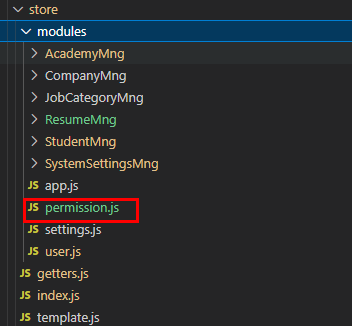
import router, { constantRoutes, dynamicRoutes } from '@/router';
import { reqQueryMenuTree } from '@/views/Custom/SystemSettingsMng/MenuMng/api/MenuMngApi';
import Layout from '@/layout/index';const permission = {// namespaced: true,state: {routes: [],addRoutes: [],defaultRoutes: [],topbarRouters: [],sidebarRouters: [],},mutations: {SET_ROUTES: (state, routes) => {  state.addRoutes = routes;state.routes = constantRoutes.concat(routes);},SET_DEFAULT_ROUTES: (state, routes) => {state.defaultRoutes = constantRoutes.concat(routes);},SET_TOPBAR_ROUTES: (state, routes) => {state.topbarRouters = routes;},SET_SIDEBAR_ROUTERS: (state, routes) => {// 这里是路由子组件遍历的数据state.sidebarRouters = routes;},},actions: {// 生成路由GenerateRoutes({ commit }) {return new Promise((resolve) => {// 向后端请求路由数据reqQueryMenuTree().then((res) => {console.log();const sdata = res.data.menuTree;const rdata = res.data.menuTree;const sidebarRoutes = convertMenuToRoutes(sdata);const rewriteRoutes = convertMenuToRoutes(rdata);// const asyncRoutes = filterDynamicRoutes(dynamicRoutes);// 404 页面rewriteRoutes.push({path: '/404',component: () => import('@/views/404'),},{ path: '*', redirect: '/404', hidden: true });// 404 页面sidebarRoutes.push({path: '/404',component: () => import('@/views/404'),},{ path: '*', redirect: '/404', hidden: true });// router.addRoutes(asyncRoutes);commit('SET_ROUTES', rewriteRoutes);commit('SET_SIDEBAR_ROUTERS', constantRoutes.concat(sidebarRoutes));commit('SET_DEFAULT_ROUTES', sidebarRoutes);commit('SET_TOPBAR_ROUTES', sidebarRoutes);resolve(rewriteRoutes);});});},},
};// 菜单转路由
function convertMenuToRoutes(menus) {const routes = [];  // 存放路由对象的数组menus.forEach((menu) => {const route = {  // 路由对象path: menu.path,  // pathname: menu.name,  // nameredirect: menu.redirect,  // 重定向// 是否总是显示,即当该菜单只有一个子项时,也显示该菜单加子菜单。// 如果为false,则只显示子菜单alwaysShow: menu.alwaysShow == 1 ? true : false,  hidden: menu.hasHidden == 1 ? true : false,  // 是否隐藏meta: { title: menu.title, icon: menu.icon },  // 菜单title与图标icon};// 父菜单的component 都是 上面导入的 Layoutif (menu['component'] === 'Layout') route.component = Layout;else {// 子菜单进入 loadView 方法,拼接后返回route.component = loadView(menu.component);}// props属性,路由传参时使用的到。// 是否有 props 属性if (menu.hasProps) {switch (menu.title) {case '专业列表':route.props = ({ params: { departmentId } }) => ({ departmentId });break;case '编辑学员':route.props = ({ params: { editStudentInfo, depAndMajorMenu } }) => ({editStudentInfo,depAndMajorMenu,});break;case '新增学员':route.props = ({ params: { depAndMajorMenu } }) => ({depAndMajorMenu,});break;case '简历编辑页面':case '简历模板':route.props = ({ params: { isEdit, resumeRowInfo } }) => ({isEdit,resumeRowInfo,});break;}}// 是否有 独享守卫,if (menu.hasBeforeenter) {switch (menu.title) {case '编辑学员':case '新增学员':route.beforeEnter = (to, from, next) => {//第一个参数to,包含的内容是切换后的路由对象,也就是跳转后的路由对象//第二个参数from,包含的内容的是切换前的路由对象,也就是跳转前的路由对象//第三个参数next(),是否往下执行,执行的话,如果不写的话路由就不会跳转,操作将会终止if (from.path.indexOf(['studentList']) != -1) {next();} else {next({name: 'studentList',});}};break;}}// 子路由if (menu.children && menu.children.length > 0) {route.children = convertMenuToRoutes(menu.children);}routes.push(route);});return routes;
}export const loadView = (view) => {if (process.env.NODE_ENV === 'development') {// 数据库里存放的组件路径不要写成 @/views/xxxxx,// 最好只写 /xxxx 然后,在用 `@/views/${view}` 拼接// 这里需要注意:不要写 ([`${view}`)return (resolve) => require([`@/views/${view}`], resolve);} else {// 使用 import 实现生产环境的路由懒加载return () => import(`@/views/${view}`);}
};export default permission;
将 permission.js 注册到 store 的index.js 文件里
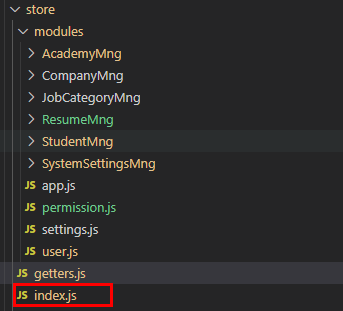
import permission from './modules/permission';
import Vue from 'vue';
import Vuex from 'vuex';
import getters from './getters';
import app from './modules/app';
import settings from './modules/settings';
import user from './modules/user';
Vue.use(Vuex);const store = new Vuex.Store({modules: {app,settings,user,permission,},getters,
});export default store;
将getters里将 导出 sidebarRouters,routes
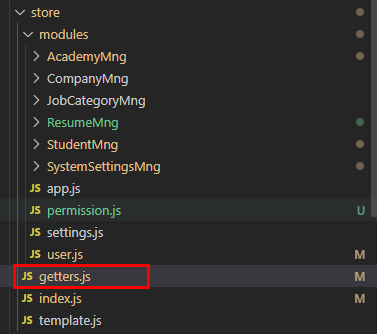
const getters = {sidebarRouters: (state) => state.permission.sidebarRouters,routes: (state) => state.permission.routes,
};
export default getters;
发送请求获取菜单列表
注意:发送请求的时机 -- 这里参考了尚硅谷的尚品汇视频内容
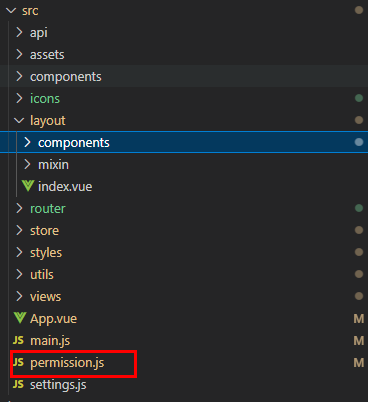
import router, { constantRoutes } from './router';
import store from './store';
import { Message } from 'element-ui';
import NProgress from 'nprogress'; // progress bar
import 'nprogress/nprogress.css'; // progress bar style
import { getToken } from '@/utils/auth'; // get token from cookie
import getPageTitle from '@/utils/get-page-title';NProgress.configure({ showSpinner: false }); // NProgress Configurationconst whiteList = ['/login', '/register']; // no redirect whitelist// import Layout from '@/layout';// 菜单数据
// let menuTree = JSON.parse(sessionStorage.getItem('menuTree'));
// let routes = convertMenuToRoutes(menuTree);
// console.dir(routes);
router.beforeEach(async (to, from, next) => {// start progress barNProgress.start();// set page titledocument.title = getPageTitle(to.meta.title);// determine whether the user has logged inconst hasToken = getToken();if (hasToken) {  // 判断有无tokenif (to.path === '/login') {// if is logged in, redirect to the home pagenext({ path: '/' });NProgress.done();} else {const hasGetUserInfo = store.getters.name;if (hasGetUserInfo && hasGetUserInfo != '') {next();} else {try {// get user infoawait store.dispatch('user/getInfo').then(() => {// 在获取用户信息完成后,拉取菜单列表store.dispatch('GenerateRoutes').then((accessRoutes) => {// 根据roles权限生成可访问的路由表router.addRoutes(accessRoutes); // 动态添加可访问路由表next({ ...to, replace: true }); // hack方法 确保addRoutes已完成});});} catch (error) {// remove token and go to login page to re-loginawait store.dispatch('user/resetToken');Message.error(error || 'Has Error');next(`/login?redirect=${to.path}`);NProgress.done();}}}} else {/* has no token*/if (whiteList.indexOf(to.path) !== -1) {// in the free login whitelist, go directlynext();} else {// other pages that do not have permission to access are redirected to the login page.next(`/login?redirect=${to.path}`);NProgress.done();}}
});router.afterEach(() => {// finish progress barNProgress.done();
});
找layout 下 components 下的Sidebar 下的 index.vue,
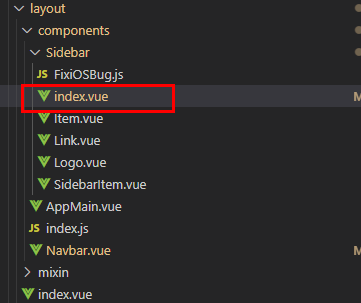
到此就完成了
补充
mybatis-plus代码生成器
简单模板

package ${package.Mapper};import ${package.Entity}.${entity};
import ${superMapperClassPackage};
import org.apache.ibatis.annotations.Mapper;
/**
*
* ${table.comment!} Mapper 接口
*
*
* @author ${author}
* @since ${date}
*/
<#if kotlin>interface ${table.mapperName} : ${superMapperClass}<${entity}><#else>@Mapperpublic interface ${table.mapperName} extends ${superMapperClass}<${entity}> {}
核心代码 --生成的位置可以改动一下
package cn.qiyu5522.tk_ems.utils;import com.baomidou.mybatisplus.annotation.FieldFill;
import com.baomidou.mybatisplus.core.exceptions.MybatisPlusException;
import com.baomidou.mybatisplus.core.toolkit.StringPool;
import com.baomidou.mybatisplus.generator.AutoGenerator;
import com.baomidou.mybatisplus.generator.InjectionConfig;
import com.baomidou.mybatisplus.generator.config.*;
import com.baomidou.mybatisplus.generator.config.po.TableFill;
import com.baomidou.mybatisplus.generator.config.po.TableInfo;
import com.baomidou.mybatisplus.generator.config.rules.NamingStrategy;
import com.baomidou.mybatisplus.generator.engine.FreemarkerTemplateEngine;
import org.apache.commons.lang3.StringUtils;import java.util.ArrayList;
import java.util.List;
import java.util.Scanner;// 演示例子,执行 main 方法控制台输入模块表名回车自动生成对应项目目录中
public class CodeGenerator {/**
*
* 读取控制台内容
*
*/public static String scanner(String tip) {Scanner scanner = new Scanner(System.in);StringBuilder help = new StringBuilder();help.append("请输入" + tip + ":");System.out.println(help.toString());if (scanner.hasNext()) {String ipt = scanner.next();if (StringUtils.isNotEmpty(ipt)) {return ipt;}}throw new MybatisPlusException("请输入正确的" + tip + "!");}public static void main(String[] args) {// 代码生成器AutoGenerator mpg = new AutoGenerator();// 全局配置GlobalConfig gc = new GlobalConfig();String projectPath = System.getProperty("user.dir");gc.setOutputDir(projectPath + "/service-core/src/main/java");  // 生成的位置gc.setAuthor("Tonkey");  // 设置作者名gc.setOpen(false);gc.setSwagger2(true);  // 开启 swagger 注解gc.setFileOverride(false);  // 每次生成是否覆盖已生成的同名文件gc.setBaseResultMap(true);gc.setServiceName("%sService");    //去掉Service接口的首字母Impg.setGlobalConfig(gc);// 数据源配置DataSourceConfig dsc = new DataSourceConfig();dsc.setUrl("jdbc:mysql://localhost:3306/tk_ems_db?useUnicode=true&characterEncoding=utf8&zeroDateTimeBehavior=convertToNull&useSSL=true&serverTimezone=GMT%2B8");// dsc.setSchemaName("public");dsc.setDriverName("com.mysql.cj.jdbc.Driver");dsc.setUsername("root");dsc.setPassword("root");mpg.setDataSource(dsc);// 包配置PackageConfig pc = new PackageConfig();//        pc.setModuleName("template");pc.setParent("cn.qiyu5522.tk_ems");pc.setMapper("mapper");pc.setEntity("entity");mpg.setPackageInfo(pc);// 自定义配置InjectionConfig cfg = new InjectionConfig() {@Overridepublic void initMap() {// to do nothing}};// 如果模板引擎是 freemarkerString templatePath = "/templates/mapper.xml.ftl";// 如果模板引擎是 velocity//         String templatePath = "/templates/mapper.xml.vm";// 自定义输出配置List focList = new ArrayList<>();// 自定义配置会被优先输出focList.add(new FileOutConfig(templatePath) {@Overridepublic String outputFile(TableInfo tableInfo) {// 自定义输出文件名 , 如果你 Entity 设置了前后缀、此处注意 xml 的名称会跟着发生变化!!return projectPath + "/service-core/src/main/java/cn/qiyu5522/tk_ems/mapper/xml/" + tableInfo.getEntityName() + "Mapper" + StringPool.DOT_XML;}});/*cfg.setFileCreate(new IFileCreate() {@Overridepublic boolean isCreate(ConfigBuilder configBuilder, FileType fileType, String filePath) {// 判断自定义文件夹是否需要创建checkDir("调用默认方法创建的目录");return false;}});*/cfg.setFileOutConfigList(focList);mpg.setCfg(cfg);// 配置模板TemplateConfig templateConfig = new TemplateConfig();// 配置自定义输出模板//指定自定义模板路径,注意不要带上.ftl/.vm, 会根据使用的模板引擎自动识别// templateConfig.setEntity("templates/entity2.java");// templateConfig.setService();// templateConfig.setController();templateConfig.setXml(null);mpg.setTemplate(templateConfig);// 策略配置StrategyConfig strategy = new StrategyConfig();strategy.setNaming(NamingStrategy.underline_to_camel);strategy.setColumnNaming(NamingStrategy.underline_to_camel);strategy.setEntityLombokModel(true);strategy.setEntityTableFieldAnnotationEnable(true);strategy.setInclude(scanner("表名,多个英文逗号分割").split(","));strategy.setControllerMappingHyphenStyle(true);strategy.setTablePrefix("t_");strategy.setChainModel(true);//设置乐观锁字段名strategy.setVersionFieldName("version");//设置逻辑删除字段名strategy.setLogicDeleteFieldName("is_deleted");strategy.setEntityLombokModel(true);strategy.setEntityBooleanColumnRemoveIsPrefix(true);//去掉布尔值的is_前缀(确保tinyint(1))strategy.setRestControllerStyle(true); //restful api风格控制器 返回jsonstrategy.setChainModel(true);// 自动填充策略--可以看mybatis官网  -- 不需要可以注册// 自定义需要填充的字段// List tableFillList = new ArrayList<>();// tableFillList.add(new TableFill("create_time", FieldFill.INSERT));// tableFillList.add(new TableFill("operator_id", FieldFill.INSERT_UPDATE));// tableFillList.add(new TableFill("update_time", FieldFill.INSERT_UPDATE));// tableFillList.add(new TableFill("operator", FieldFill.INSERT_UPDATE));// strategy.setTableFillList(tableFillList);mpg.setStrategy(strategy);mpg.setTemplateEngine(new FreemarkerTemplateEngine());mpg.execute();}
}
链接地址
若依地址[http://www.ruoyi.vip/]
sa-token地址https://sa-token.cc/
vue-element-admin[https://panjiachen.gitee.io/vue-element-admin-site/zh/guide/]
本文来自互联网用户投稿,文章观点仅代表作者本人,不代表本站立场,不承担相关法律责任。如若转载,请注明出处。 如若内容造成侵权/违法违规/事实不符,请点击【内容举报】进行投诉反馈!