MVC4 图片验证码设计
1.架构分为多层,首先说明我们实现验证码的类的位置,在这里我选择了一个公共类:Common
2.现在我们可以开始写验证码图片的实现方法了:
using System;
using System.Drawing.Imaging;
using System.IO;
using System.Drawing;
using System.Security.Cryptography;namespace Common
{/// /// 验证图片类/// public static class VerifyCodeHelper{#region 私有字段private static int letterCount = 4;   //验证码位数private static int letterWidth = 16;  //单个字体的宽度范围private static int letterHeight = 20; //单个字体的高度范围private static byte[] randb = new byte[4];private static RNGCryptoServiceProvider rand = new RNGCryptoServiceProvider();private static Font[] fonts = {new Font(new FontFamily("Times New Roman"),10 +Next(1),System.Drawing.FontStyle.Regular),new Font(new FontFamily("Georgia"), 10 + Next(1),System.Drawing.FontStyle.Regular),new Font(new FontFamily("Arial"), 10 + Next(1),System.Drawing.FontStyle.Regular),new Font(new FontFamily("Comic Sans MS"), 10 + Next(1),System.Drawing.FontStyle.Regular)};#endregion#region 私有方法/// /// 获得下一个随机数/// /// 最大值private static int Next(int max){rand.GetBytes(randb);int value = BitConverter.ToInt32(randb, 0);value = value % (max + 1);if (value < 0) value = -value;return value;}/// /// 获得下一个随机数/// /// 最小值/// 最大值private static int Next(int min, int max){int value = Next(max - min) + min;return value;}/// /// 字体随机颜色/// private static Color GetRandomColor(){Random RandomNum_First = new Random((int)DateTime.Now.Ticks);System.Threading.Thread.Sleep(RandomNum_First.Next(50));Random RandomNum_Sencond = new Random((int)DateTime.Now.Ticks);int int_Red = RandomNum_First.Next(180);int int_Green = RandomNum_Sencond.Next(180);int int_Blue = (int_Red + int_Green > 300) ? 0 : 400 - int_Red - int_Green;int_Blue = (int_Blue > 255) ? 255 : int_Blue;return Color.FromArgb(int_Red, int_Green, int_Blue);}/// /// 正弦曲线Wave扭曲图片/// /// 图片路径/// 如果扭曲则选择为True/// 波形的幅度倍数,越大扭曲的程度越高,一般为3/// 波形的起始相位,取值区间[0-2*PI)private static System.Drawing.Bitmap TwistImage(Bitmap srcBmp, bool bXDir, double dMultValue, double dPhase){double PI = 6.283185307179586476925286766559;Bitmap destBmp = new Bitmap(srcBmp.Width, srcBmp.Height);Graphics graph = Graphics.FromImage(destBmp);graph.FillRectangle(new SolidBrush(Color.White), 0, 0, destBmp.Width, destBmp.Height);graph.Dispose();double dBaseAxisLen = bXDir ? (double)destBmp.Height : (double)destBmp.Width;for (int i = 0; i < destBmp.Width; i++){for (int j = 0; j < destBmp.Height; j++){double dx = 0;dx = bXDir ? (PI * (double)j) / dBaseAxisLen : (PI * (double)i) / dBaseAxisLen;dx += dPhase;double dy = Math.Sin(dx);int nOldX = 0, nOldY = 0;nOldX = bXDir ? i + (int)(dy * dMultValue) : i;nOldY = bXDir ? j : j + (int)(dy * dMultValue);Color color = srcBmp.GetPixel(i, j);if (nOldX >= 0 && nOldX < destBmp.Width&& nOldY >= 0 && nOldY < destBmp.Height){destBmp.SetPixel(nOldX, nOldY, color);}}}srcBmp.Dispose();return destBmp;}#endregion#region 公共方法/// /// 绘制验证码/// public static Bitmap CreateImage(ref string randomCode){Random rnd = new Random(Guid.NewGuid().GetHashCode());for (int i = 0; i < letterCount; i++){randomCode += rnd.Next(10).ToString();}int int_ImageWidth = randomCode.Length * letterWidth;Bitmap image = new Bitmap(int_ImageWidth, letterHeight);Graphics g = Graphics.FromImage(image);g.Clear(Color.White);for (int i = 0; i < 2; i++){int x1 = Next(image.Width - 1);int x2 = Next(image.Width - 1);int y1 = Next(image.Height - 1);int y2 = Next(image.Height - 1);g.DrawLine(new Pen(Color.Silver), x1, y1, x2, y2);}int _x = -12, _y = 0;for (int int_index = 0; int_index < randomCode.Length; int_index++){_x += Next(12, 16);_y = Next(-2, 2);string str_char = randomCode.Substring(int_index, 1);str_char = Next(1) == 1 ? str_char.ToLower() : str_char.ToUpper();Brush newBrush = new SolidBrush(GetRandomColor());Point thePos = new Point(_x, _y);g.DrawString(str_char, fonts[Next(fonts.Length - 1)], newBrush, thePos);}for (int i = 0; i < 10; i++){int x = Next(image.Width - 1);int y = Next(image.Height - 1);image.SetPixel(x, y, Color.FromArgb(Next(0, 255), Next(0, 255), Next(0, 255)));}image = TwistImage(image, true, Next(1, 3), Next(4, 6));g.DrawRectangle(new Pen(Color.LightGray, 1), 0, 0, int_ImageWidth - 1, (letterHeight - 1));return image;}#endregion#region/// /// 绘制验证码/// public static byte [] VerifyCodeBytes(ref string randomCode){const int width = 120;const int height = 35;const int fontSize = 14;string verifyCode = string.Empty;//颜色列表,用于验证码、噪线、噪点 Color[] color = { Color.Black, Color.Red, Color.Blue, Color.Green, Color.Orange, Color.Brown, Color.Brown, Color.DarkBlue };//字体列表,用于验证码 string[] font = { "Times New Roman", "Verdana", "Arial", "Gungsuh", "Impact" };//验证码的字符集,去掉一些容易混淆的字符 char[] character = { '2', '3', '4', '5', '6', '8', '9', 'a', 'b', 'd', 'e', 'f', 'h', 'k', 'm', 'n', 'r', 'x', 'y', 'A', 'B', 'C', 'D', 'E', 'F', 'G', 'H', 'J', 'K', 'L', 'M', 'N', 'P', 'R', 'S', 'T', 'W', 'X', 'Y' };Random rnd = new Random();//生成验证码字符串个数 for (int i = 0; i < 6; i++){verifyCode += character[rnd.Next(character.Length)];}//写入SessionrandomCode = verifyCode;//创建画布Bitmap bitmap = new Bitmap(width, height);Graphics graphics = Graphics.FromImage(bitmap);graphics.Clear(Color.White);//画噪线 for (int i = 0; i < 1; i++){int x1 = rnd.Next(width);int y1 = rnd.Next(height);int x2 = rnd.Next(width);int y2 = rnd.Next(height);Color clr = color[rnd.Next(color.Length)];graphics.DrawLine(new Pen(clr), x1, y1, x2, y2);}//画验证码字符串 for (int i = 0; i < verifyCode.Length; i++){string fnt = font[rnd.Next(font.Length)];Font ft = new Font(fnt, fontSize);Color clr = color[rnd.Next(color.Length)];graphics.DrawString(verifyCode[i].ToString(), ft, new SolidBrush(clr), (float)i * 18 + 2, (float)0);}//画噪点 for (int i = 0; i < 100; i++){int x = rnd.Next(bitmap.Width);int y = rnd.Next(bitmap.Height);Color clr = color[rnd.Next(color.Length)];bitmap.SetPixel(x, y, clr);}MemoryStream stream = new MemoryStream();bitmap.Save(stream, ImageFormat.Jpeg);return stream.ToArray();}#endregion}
}
3.我们在Controller里面的实现:
using Common;
using System.Web.Mvc;
namespace DhlinkOversea.Controllers
{public class AccountController : Controller{
[HttpGet]public ActionResult VerifyCode(){string code = string.Empty;byte[] bytes = VerifyCodeHelper.VerifyCodeBytes(ref code);Session["ValidateCode"] = code;return File(bytes, @"image/jpeg");}
}
}
4.页面的调用:

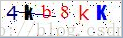
5.验证码图片的展示:
本文来自互联网用户投稿,文章观点仅代表作者本人,不代表本站立场,不承担相关法律责任。如若转载,请注明出处。 如若内容造成侵权/违法违规/事实不符,请点击【内容举报】进行投诉反馈!