uniapp-canvas拖拽组件-限制缩放倍数
之前使用过canvas拖拽组件地址 实现图片的拖拽功能 。今天更新一下 二开组件 实现控制图片缩放倍数的功能。
首先一起复习一下 计算两点之间的距离公式

组件中的缩放功能是计算出 手指按下的坐标到图像中心的距离A 和 手指移动到的坐标到图像中心的距离B,两者相除得到缩放倍数,然后将盒子的宽度调整为 原来的宽度x缩放倍数

我们的需求是 在外部定义图片的宽度高度、缩放倍数的最大最小值。然后在组件中加上 根据缩放倍数 限制缩放的功能。
this.setData({graph: {w: this.watchX,h: this.watchY,x: this.initialX,y: this.initialY,rotate: this.rotate,minScaling:this.minScaling,maxScaling:this.maxScaling,type: 'image',url: "/static/images/watchPhoto.png" //图片地址}});
分为三种情况
- 缩小后的图片宽度 < 图片原宽度x最小倍数
- 图片原宽度x最小倍数<缩放后的图片宽度<图片原宽度x最大倍数
- 缩放后的图片宽度>图片原宽度x最大倍数
需要注意的就是 缩放后的图片宽度是 获取到的图片宽度x实际缩放倍数,不能直接拿倍数来做比较 这里卡了我好久 组件相关代码修改如下
/**** @param {*} px 手指按下去的坐标* @param {*} py 手指按下去的坐标* @param {*} x 手指移动到的坐标* @param {*} y 手指移动到的坐标* @param {*} currentGraph 当前图层的信息*/transform(px, py, x, y, currentGraph, graph) {// 获取选择区域的宽度高度if (this.type === 'text') {this.ctx.setFontSize(this.fontSize);const textWidth = this.ctx.measureText(this.text).width;const textHeight = this.fontSize + 10;this.w = textWidth;this.h = textHeight; // 字体区域中心点不变,左上角位移this.x = this.centerX - textWidth / 2;this.y = this.centerY - textHeight / 2;} else {this.centerX = this.x + this.w / 2;this.centerY = this.y + this.h / 2;}const diffXBefore = px - this.centerX;const diffYBefore = py - this.centerY;const diffXAfter = x - this.centerX;const diffYAfter = y - this.centerY;const angleBefore = Math.atan2(diffYBefore, diffXBefore) / Math.PI * 180;const angleAfter = Math.atan2(diffYAfter, diffXAfter) / Math.PI * 180; // 旋转的角度if (ROTATE_ENABLED) {this.rotate = currentGraph.rotate + angleAfter - angleBefore;}const lineA = Math.sqrt(Math.pow(this.centerX - px, 2) + Math.pow(this.centerY - py, 2));const lineB = Math.sqrt(Math.pow(this.centerX - x, 2) + Math.pow(this.centerY - y, 2));if (this.type === 'image') {let resize_rito = lineB / lineA;//控制缩放倍数console.log(graph.w * graph.minScaling, currentGraph.w, graph.w * graph.maxScaling)if (currentGraph.w <= graph.w * graph.minScaling) {if ((1 <= resize_rito) && (currentGraph.w * resize_rito < graph.w * graph.maxScaling)) {let new_w = currentGraph.w * resize_rito;let new_h = currentGraph.h * resize_rito;if (currentGraph.w < currentGraph.h && new_w < this.MIN_WIDTH) {new_w = this.MIN_WIDTH;new_h = this.MIN_WIDTH * currentGraph.h / currentGraph.w;} else if (currentGraph.h < currentGraph.w && new_h < this.MIN_WIDTH) {new_h = this.MIN_WIDTH;new_w = this.MIN_WIDTH * currentGraph.w / currentGraph.h;}this.w = new_w;this.h = new_h;this.x = currentGraph.x - (new_w - currentGraph.w) / 2;this.y = currentGraph.y - (new_h - currentGraph.h) / 2;}} else if (currentGraph.w <= graph.w * graph.maxScaling) {if ((graph.w * graph.minScaling < currentGraph.w * resize_rito) && (resize_rito * currentGraph.w <graph.w * graph.maxScaling)) {let new_w = currentGraph.w * resize_rito;let new_h = currentGraph.h * resize_rito;if (currentGraph.w < currentGraph.h && new_w < this.MIN_WIDTH) {new_w = this.MIN_WIDTH;new_h = this.MIN_WIDTH * currentGraph.h / currentGraph.w;} else if (currentGraph.h < currentGraph.w && new_h < this.MIN_WIDTH) {new_h = this.MIN_WIDTH;new_w = this.MIN_WIDTH * currentGraph.w / currentGraph.h;}this.w = new_w;this.h = new_h;this.x = currentGraph.x - (new_w - currentGraph.w) / 2;this.y = currentGraph.y - (new_h - currentGraph.h) / 2;}} else if (currentGraph.w > graph.w * graph.maxScaling) {if ((graph.w * graph.minScaling < resize_rito * currentGraph.w) && (resize_rito * currentGraph.w <=1)) {let new_w = currentGraph.w * resize_rito;let new_h = currentGraph.h * resize_rito;if (currentGraph.w < currentGraph.h && new_w < this.MIN_WIDTH) {new_w = this.MIN_WIDTH;new_h = this.MIN_WIDTH * currentGraph.h / currentGraph.w;} else if (currentGraph.h < currentGraph.w && new_h < this.MIN_WIDTH) {new_h = this.MIN_WIDTH;new_w = this.MIN_WIDTH * currentGraph.w / currentGraph.h;}this.w = new_w;this.h = new_h;this.x = currentGraph.x - (new_w - currentGraph.w) / 2;this.y = currentGraph.y - (new_h - currentGraph.h) / 2;}}} else if (this.type === 'text') {const fontSize = currentGraph.fontSize * ((lineB - lineA) / lineA + 1);this.fontSize = fontSize <= this.MIN_FONTSIZE ? this.MIN_FONTSIZE : fontSize; // 旋转位移后重新计算坐标this.ctx.setFontSize(this.fontSize);const textWidth = this.ctx.measureText(this.text).width;const textHeight = this.fontSize + 10;this.w = textWidth;this.h = textHeight; // 字体区域中心点不变,左上角位移this.x = this.centerX - textWidth / 2;this.y = this.centerY - textHeight / 2;}},
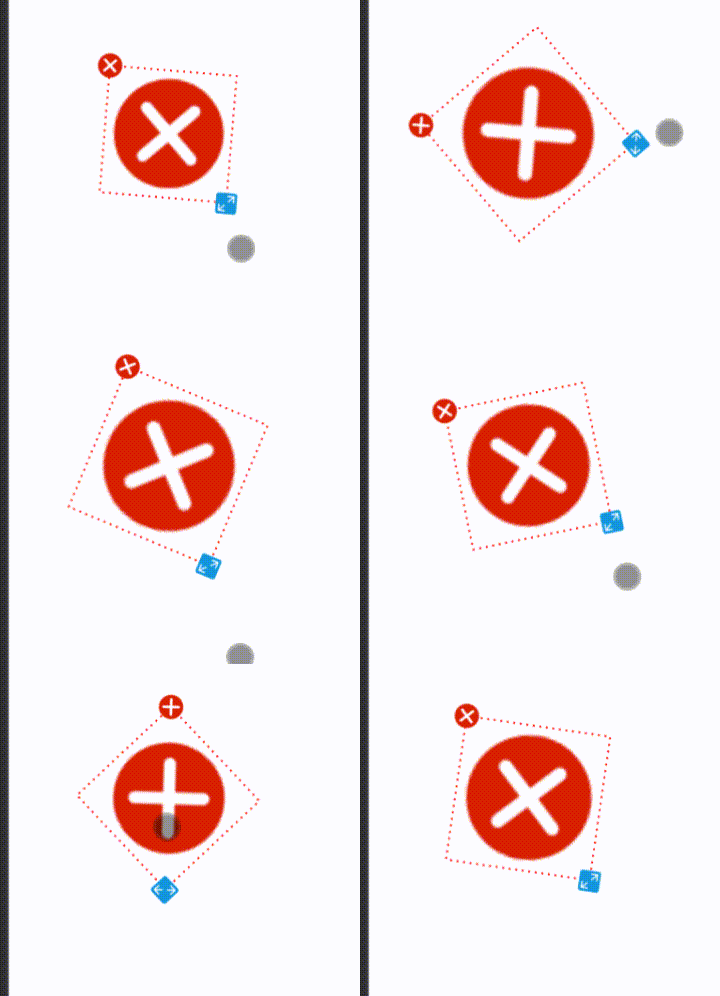
大概就是这个样子
本文来自互联网用户投稿,文章观点仅代表作者本人,不代表本站立场,不承担相关法律责任。如若转载,请注明出处。 如若内容造成侵权/违法违规/事实不符,请点击【内容举报】进行投诉反馈!