JAVA实现小球弹跳
目录
一、效果
二、教程
三、代码
一、效果
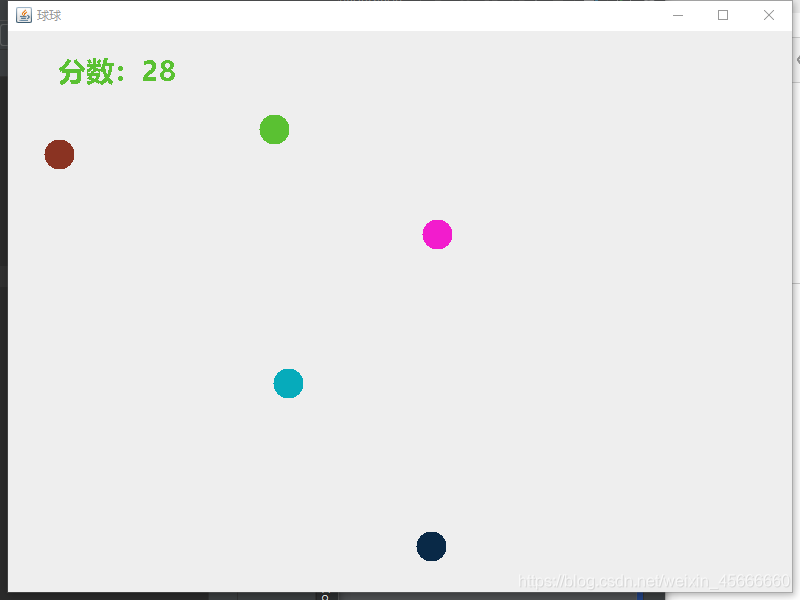
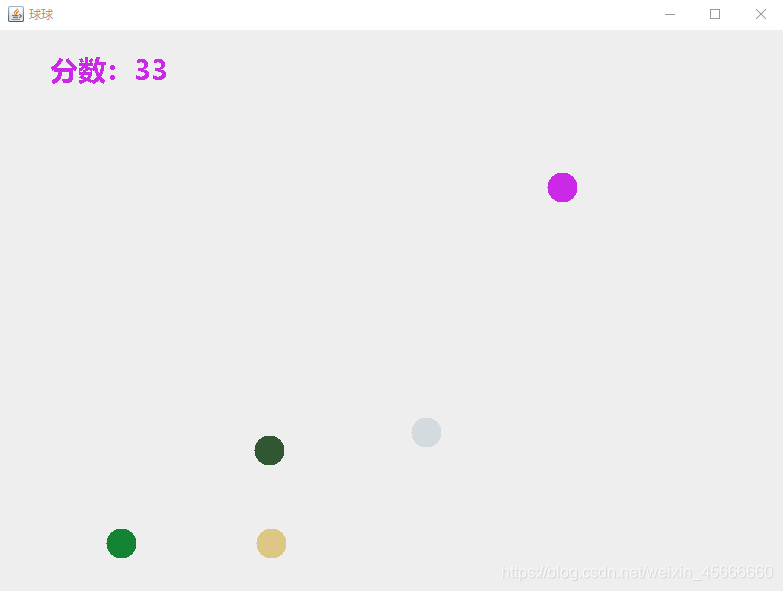
首先,我们来看效果,一共五个颜色不相同的球,每撞击一下边界,分数加1,分数越大,球的速度越快。(效果是动态的)
二、教程
1、使用IDEA搭建一个项目,项目名称:MyBall(可根据自己的喜好)
具体搭建过程可看博文用IDEA构建一个简单的Java程序范例,这里就不详细说了。
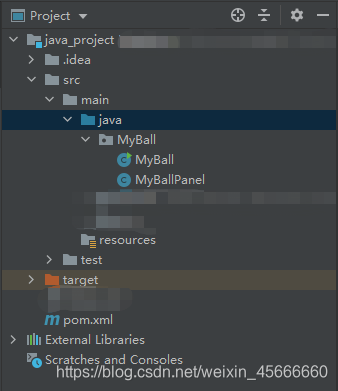
2、MyBall.class
(1)导入包
import java.awt.Component;
import javax.swing.JFrame;
(2)主函数
在这里我的panel大小设置的是800*600,大家可以根据自己的喜好设置的更大一些。
public static void main(String[] args) {JFrame frame = new JFrame("球球");MyBallPanel panel = new MyBallPanel();frame.add(panel);Thread t = new Thread(panel);t.start();frame.setSize(800, 600);frame.setLocationRelativeTo((Component)null);frame.setDefaultCloseOperation(3);frame.setVisible(true);}3、MyBallPanel.class
(1)导入包
import java.awt.Color;
import java.awt.Font;
import java.awt.Graphics;
import javax.swing.JPanel;
(2)类的继承,接口的实现
- JPanel类:面板组件,非顶层容器
public class MyBallPanel extends JPanel implements Runnable {}(3)数据类型的定义
- color:Color
- speed:int,为小球的速度
- score:int,为分数
- xx,yy:int,为小球出现的坐标
- ff:int,5个小球的运动方向
Color color;
int speed = 10;
int score = 0;
int[] xx = new int[5];
int[] yy = new int[5];
Color[] colors = new Color[5];
int[] ff = new int[5];
(4)画布函数MyStarPanel()
- for循环:5个小球的一开始出现的位置和颜色
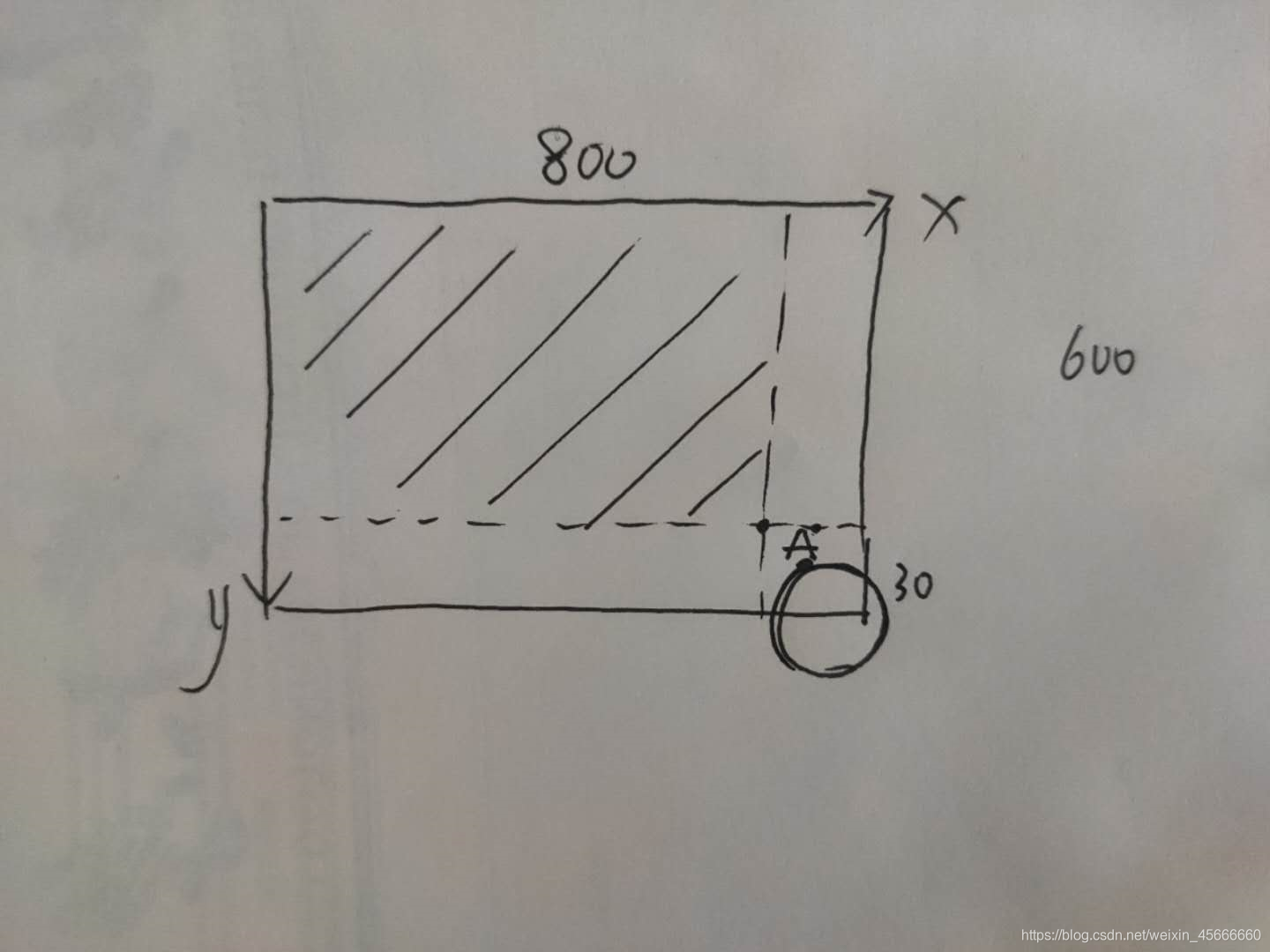
画布的大小:800*600,小球的大小为30*30
我们小球的起始位置xx:0 - 770 yy:0 - 570
如下图:划线部分为小球的起始位置,若小球在图中部分,则小球出了画布,不会完整显示。
public MyBallPanel() {for(int i = 0; i < 5; ++i) {this.xx[i] = (int)(Math.random() * 770);this.yy[i] = (int)(Math.random() * 570);this.colors[i] = this.randomColor();this.ff[i] = (int)(Math.random() * 4);}}(5)画笔函数paint()
- 画笔名称g
- 小球的颜色为我们一开始设定的颜色,大小为30
- 左上角的“分数”,字体为微软雅黑,大小50
public void paint(Graphics g) {super.paint(g);for(int i = 0; i < 5; ++i) {g.setColor(this.colors[i]);g.fillOval(this.xx[i], this.yy[i], 30, 30);}g.setFont(new Font("微软雅黑", 1, 28));g.drawString("分数:" + this.score, 50, 50);}(6)线程函数run()
for循环:循环5次,分别代表5个小球
- 定义小球运动方向ff:
ff:是一个长度为5的int型数组,分别存储5个小球的运动状态,即小球的运动方向。
ff = 0, 1, 2, 3
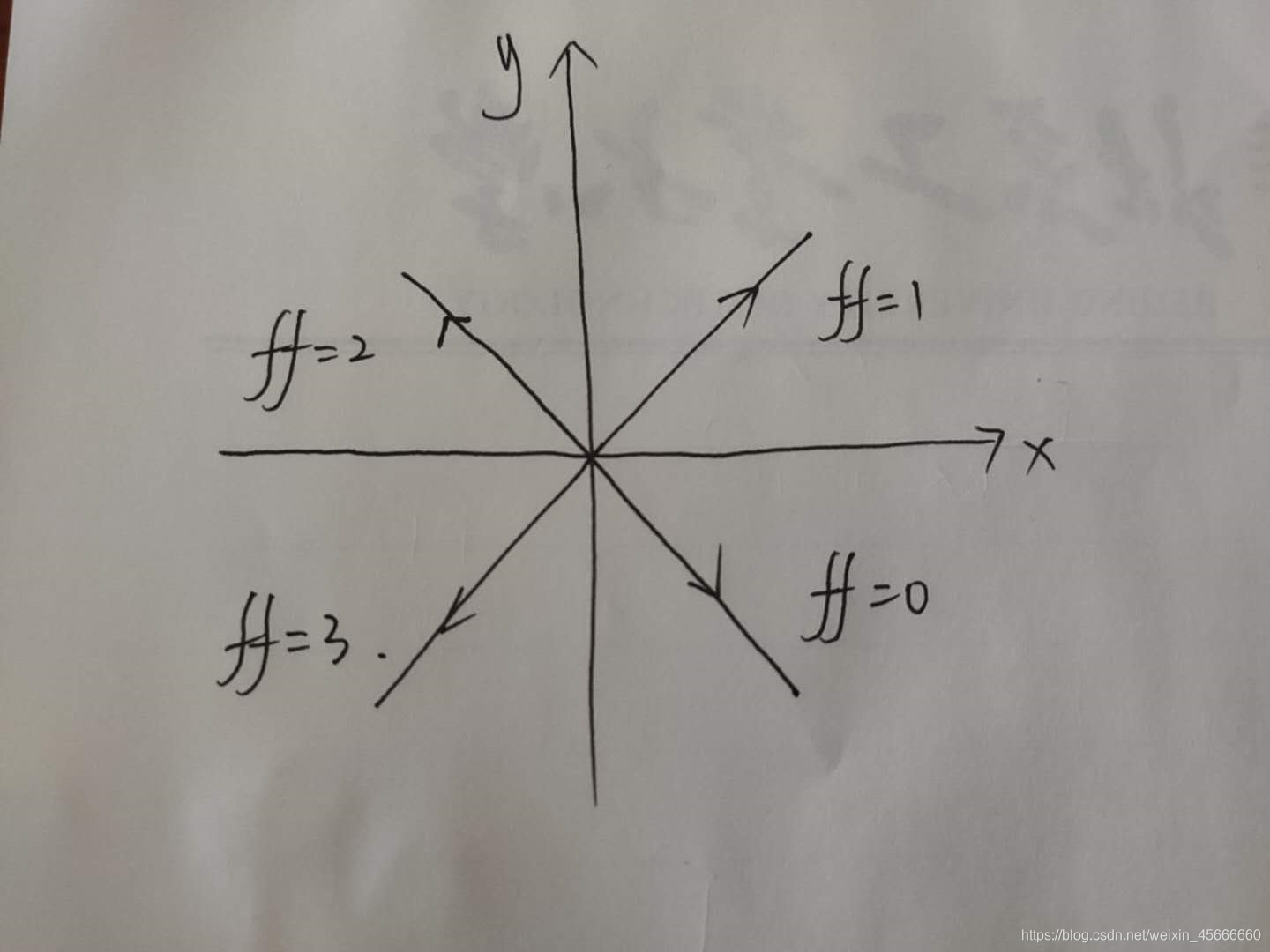
注:画布的坐标轴和我们数学上的不太一样,起始点O在左上角。因此ff = 0是右下方向,如下图所示。
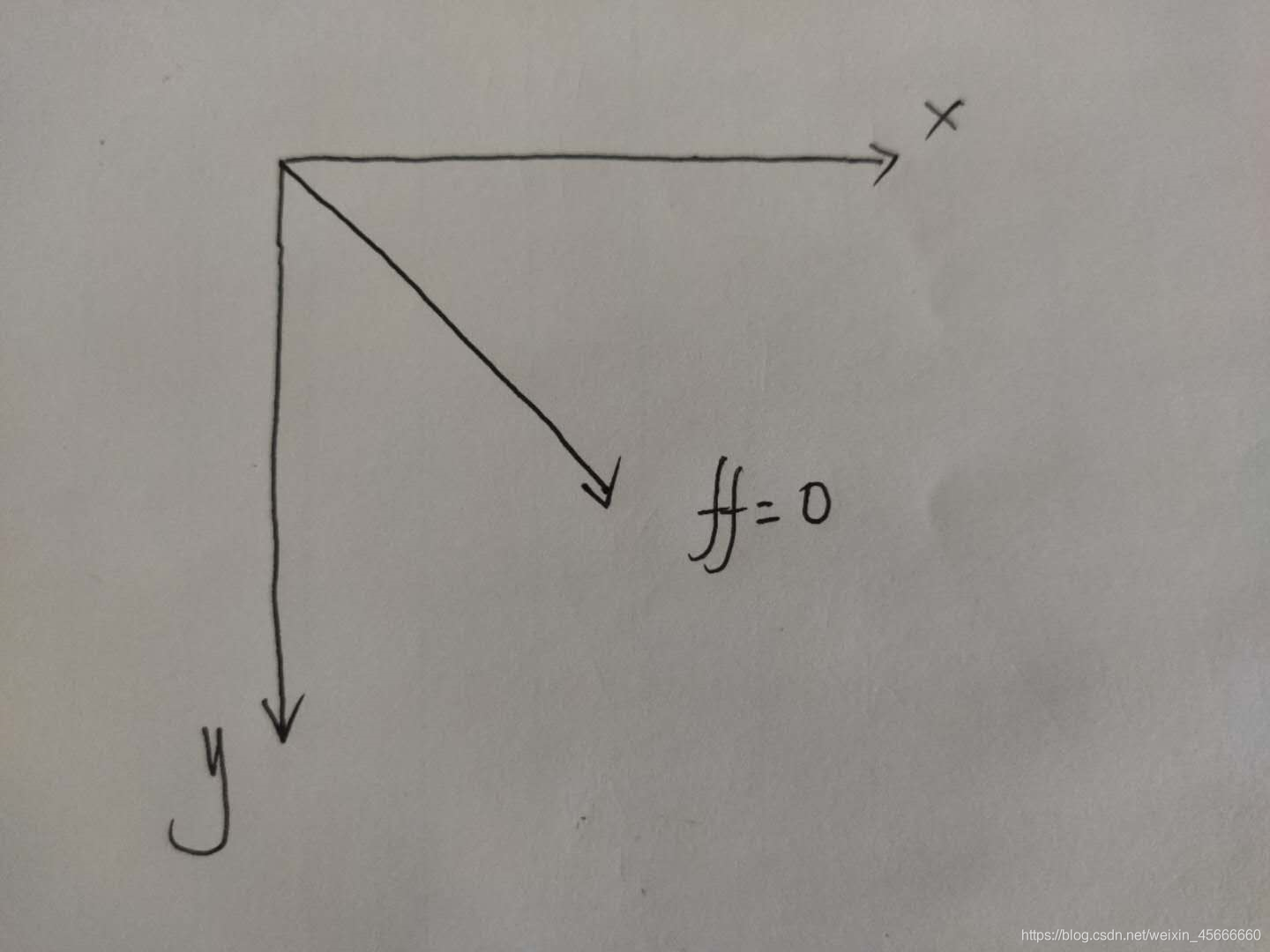
// ff = 0:右下
if (this.ff[i] == 0) {this.xx[i]++;this.yy[i]++;
}
// ff = 1:右上
if (this.ff[i] == 1) {this.xx[i]++;this.yy[i]--;
}
// ff = 2:左上
if (this.ff[i] == 2) {this.xx[i]--;this.yy[i]--;
}
// ff = 3:左下
if (this.ff[i] == 3) {this.xx[i]--;this.yy[i]++;
}
- 小球运动到边界时,需要更改小球运动状态,改变小球颜色,分数加1 ,速度减1
一共四个边界
下面我们以一个边界为例:下边界,即xx[i] > 770(画布大小为800*600)

小球撞击右边边界有两种情况:
一是由①撞击,那么此时小球的运动状态为ff = 0,此时我们需要改变小球的运动状态ff = 3
二是由②撞击,那么此时小球的运动状态为ff = 1,此时我们需要改变小球的运动状态ff = 2
// 撞击下边
if (this.yy[i] > 540) {++this.score;--this.speed;this.colors[i] = this.randomColor();if (this.ff[i] == 0) {this.ff[i] = 1;} else {this.ff[i] = 2;}
}
// 撞击右边
if (this.xx[i] > 770) {++this.score;--this.speed;this.colors[i] = this.randomColor();if (this.ff[i] == 1) {this.ff[i] = 2;} else {this.ff[i] = 3;}
}
// 撞击上边
if (this.yy[i] < 0) {++this.score;--this.speed;this.colors[i] = this.randomColor();if (this.ff[i] == 2) {this.ff[i] = 3;} else {this.ff[i] = 0;}
}
// 撞击左边
if (this.xx[i] < 0) {++this.score;--this.speed;this.colors[i] = this.randomColor();if (this.ff[i] == 3) {this.ff[i] = 0;} else {this.ff[i] = 1;}
}
- 当速度为1时,速度保持为1
if (this.speed < 1) {this.speed = 1;
}
(7)小球颜色函数randomColor()
public Color randomColor() {int R = (int)(Math.random() * 255);int G = (int)(Math.random() * 255);int B = (int)(Math.random() * 255);Color color = new Color(R, G, B);return color;}
}
三、代码
1、MyBall.class
package MyBall;import java.awt.Component;
import javax.swing.JFrame;public class MyBall {public static void main(String[] args) {JFrame frame = new JFrame("球球");MyBallPanel panel = new MyBallPanel();frame.add(panel);Thread t = new Thread(panel);t.start();frame.setSize(800, 600);frame.setLocationRelativeTo((Component)null);frame.setDefaultCloseOperation(3);frame.setVisible(true);}
}
2、MyBallPanel.class
package MyBall;import java.awt.Color;
import java.awt.Font;
import java.awt.Graphics;
import javax.swing.JPanel;public class MyBallPanel extends JPanel implements Runnable {Color color;int speed = 10;int score = 0;int[] xx = new int[5];int[] yy = new int[5];Color[] colors = new Color[5];int[] ff = new int[5];public MyBallPanel() {for(int i = 0; i < 5; ++i) {this.xx[i] = (int)(Math.random() * 770);this.yy[i] = (int)(Math.random() * 570);this.colors[i] = this.randomColor();this.ff[i] = (int)(Math.random() * 4);}}public void paint(Graphics g) {super.paint(g);for(int i = 0; i < 5; ++i) {g.setColor(this.colors[i]);g.fillOval(this.xx[i], this.yy[i], 30, 30);}g.setFont(new Font("微软雅黑", 1, 28));g.drawString("分数:" + this.score, 50, 50);}public void run() {while(true) {for(int i = 0; i < 5; ++i) {if (this.ff[i] == 0) {this.xx[i]++;this.yy[i]++;}if (this.ff[i] == 1) {this.xx[i]++;this.yy[i]--;}if (this.ff[i] == 2) {this.xx[i]--;this.yy[i]--;}if (this.ff[i] == 3) {this.xx[i]--;this.yy[i]++;}if (this.yy[i] > 540) {++this.score;--this.speed;this.colors[i] = this.randomColor();if (this.ff[i] == 0) {this.ff[i] = 1;} else {this.ff[i] = 2;}}if (this.xx[i] > 770) {++this.score;--this.speed;this.colors[i] = this.randomColor();if (this.ff[i] == 1) {this.ff[i] = 2;} else {this.ff[i] = 3;}}if (this.yy[i] < 0) {++this.score;--this.speed;this.colors[i] = this.randomColor();if (this.ff[i] == 2) {this.ff[i] = 3;} else {this.ff[i] = 0;}}if (this.xx[i] < 0) {++this.score;--this.speed;this.colors[i] = this.randomColor();if (this.ff[i] == 3) {this.ff[i] = 0;} else {this.ff[i] = 1;}}if (this.speed < 1) {this.speed = 1;}}try {Thread.sleep((long)this.speed);} catch (InterruptedException var2) {var2.printStackTrace();}this.repaint();}}public Color randomColor() {int R = (int)(Math.random() * 255);int G = (int)(Math.random() * 255);int B = (int)(Math.random() * 255);Color color = new Color(R, G, B);return color;}
}
本文来自互联网用户投稿,文章观点仅代表作者本人,不代表本站立场,不承担相关法律责任。如若转载,请注明出处。 如若内容造成侵权/违法违规/事实不符,请点击【内容举报】进行投诉反馈!