基于python实现ocr文字识别
文章目录
- 前言
- 概述
- 主要实现代码
- 总结
前言
本博客仅做学习笔记,如有侵权,联系后即刻更改
科普:
参考网址
概述
当前项目使用的是百度云的文字识别 (跳转链接)
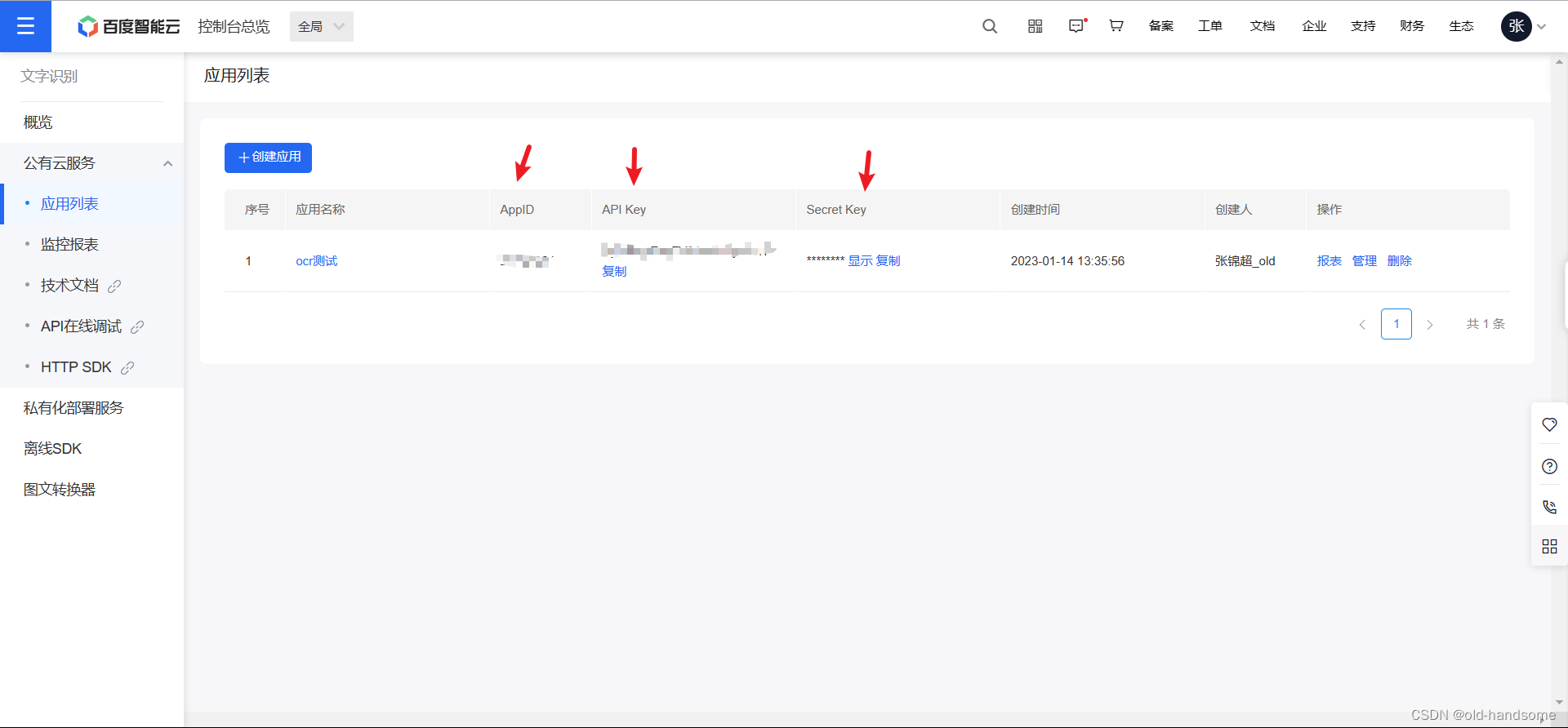
注册百度云账号并创建相关实例
- 得到三个字段的相关数据,后面代码中需要 (跳转链接)
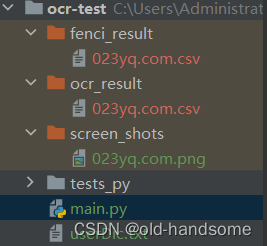
项目结构
主要实现代码
# -*- coding: UTF-8 -*-from aip import AipOcr
import csvimport jieba
import jieba.analyse as anls  # 关键词提取# 定义常量
APP_ID = '自己注册的+'
API_KEY = ''
SECRET_KEY = ''# 初始化AipFace对象
aipOcr = AipOcr(APP_ID, API_KEY, SECRET_KEY)# 读取图片
filePath = "screen_shots/023yq.com.png"
# 截取图片名称,去除后缀
name = filePath.split('/')[-1][:-4]def get_file_content(file_Path):with open(file_Path, 'rb') as fp:return fp.read()# 定义参数变量
options = {
}# 调用通用文字识别接口
result = aipOcr.basicAccurate(get_file_content(filePath))
# print(result)
words_result = result['words_result']#  写入csv
# open the file in the write mode
f = open(f'ocr_result/{name}.csv', 'w', newline='')# create the csv writer
writer = csv.writer(f)for i in range(len(words_result)):# print(words_result[i]['words'])writer.writerow([words_result[i]['words']])# close the file
f.close()# 分词
myStr = open(f"ocr_result/{name}.csv", 'r').read()
f = open(f'fenci_result/{name}.csv', 'w', newline='', encoding='utf-8')
writer = csv.writer(f)# 加载用户自定义词典
jieba.load_userdict("userDic.txt")
# 基于textrank提取关键词
# print("基于textrank提取关键词结果:")
for x in anls.textrank(myStr):# print('%s' % x)writer.writerow([x])
f.close()
总结
小小励志
有些事你现在不做,一辈子都不会做了。
如果你想做一件事,全世界都会为你让路。
《搭车去柏林》
本文来自互联网用户投稿,文章观点仅代表作者本人,不代表本站立场,不承担相关法律责任。如若转载,请注明出处。 如若内容造成侵权/违法违规/事实不符,请点击【内容举报】进行投诉反馈!