web前端HTML/CSS_7(利用背景图片设置导航栏背景和css精灵图练习 )
<html lang="en">
<head><meta charset="UTF-8"><meta name="viewport" content="width=device-width, initial-scale=1.0"><meta http-equiv="X-UA-Compatible" content="ie=edge"><title>Documenttitle><style>.box1{width: 990px;height: 32px;margin: 0 auto;/* background-image: url('./img/07/bg.png');background-repeat: repeat-x; *//* background: url('./img/07/bg.png') repeat-x; */background: url('./img/07/bg.png') repeat-x;}style>
head>
<body><div class="box1">div>body>
html>

2,CSS-Sprite
制作的图片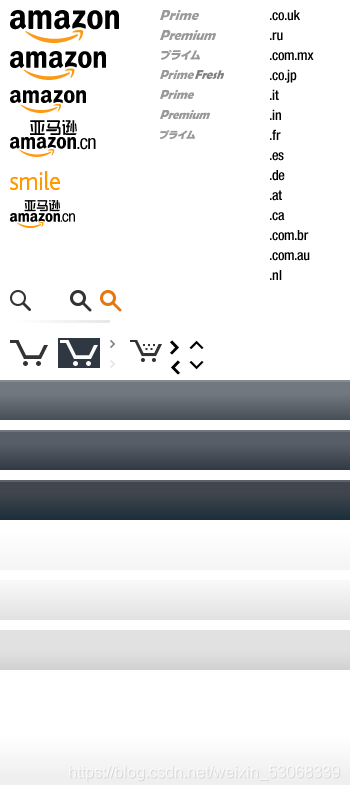
<html lang="en">
<head><meta charset="UTF-8"><meta name="viewport" content="width=device-width, initial-scale=1.0"><meta http-equiv="X-UA-Compatible" content="ie=edge"><title>Documenttitle><style>a:link{display: block;width: 93px;height: 29px;background-image: url('./img/09/btn.png')}a:hover{background-position: -93px 0;}a:active{background-position: -186px 0;}/* 解决图片闪烁的问题:可以将多个小图片统一保存到一个大图片中,然后通过调整background-position来显示的图片这样图片会同时加载到网页中 就可以有效的避免出现闪烁的问题这个技术在网页中应用十分广泛,被称为CSS-Sprite,这种图我们称为雪碧图雪碧图的使用步骤:1.先确定要使用的图标2.测量图标的大小3.根据测量结果创建一个元素4.将雪碧图设置为元素的背景图片5.设置一个偏移量以显示正确的图片雪碧图的特点:一次性将多个图片加载进页面,降低请求的次数,加快访问速度,提升用户的体验*/.box1{width: 128px;height: 46px;background-image: url('./img/09/amazon-sprite_.png');background-position:0 0;}.box2{width: 42px;height: 30px;background-image: url('./img/09/amazon-sprite_.png');background-position: -58px -338px;}style>
head>
<body><div class="box1">div><div class="box2">div><a href="javascript:;">a>body>
html>
本文来自互联网用户投稿,文章观点仅代表作者本人,不代表本站立场,不承担相关法律责任。如若转载,请注明出处。 如若内容造成侵权/违法违规/事实不符,请点击【内容举报】进行投诉反馈!