不愧是阿里P8!Jsoup解析html
System.out.println("\n");}Elements widthElements = doc.getElementsByAttribute("width"); // 根据属性名称来查询DOM(id class type 等),用的少一般很难找用这种方法System.out.println("=======输出with的DOM==============");for (Element e : widthElements) {System.out.println(e.toString());//不能用 e.html() 这里需要输出 DOM}// Elements targetElements = doc.getElementsByAttributeValue("target", "_blank");System.out.println("=======输出target-_blank的DOM==============");for (Element e : targetElements) {System.out.println(e.toString());}

}
四、Jsoup使用选择器语法查找DOM元素---------------------我们前面通过标签名,Id,Class样式等来搜索DOM,这些是不能满足实际开发需求的,很多时候我们需要寻找有规律的DOM集合,很多个有规律的标签层次,这时候,选择器就用上了。css jquery 都有,Jsoup支持css,jquery类似的选择器语法。/**
- 有层级关系
*/
@Test
public void test3() throws IOException {
Document doc = Jsoup.parse(getHtml("http://www.cnblogs.com/")); // 解析网页 得到文档对象Elements linkElements = doc.select("#post_list .post_item .post_item_body h3 a"); //通过选择器查找所有博客链接DOM(范围重小到大)for (Element e : linkElements) {System.out.println("博客标题:" + e.text());//超链接的内容}System.out.println("--------------------带有href属性的a元素--------------------------------");Elements hrefElements = doc.select("a[href]"); // 带有href属性的a元素for (Element e : hrefElements) {System.out.println(e.toString());}System.out.println("------------------------查找扩展名为.png的图片----------------------------");Elements imgElements = doc.select("img[src$=.png]"); // 查找扩展名为.png的图片DOM节点for (Element e : imgElements) {System.out.println(e.toString());}System.out.println("------------------------获取第一个元素----------------------------");Element element = doc.getElementsByTag("title").first(); // 获取tag是title的所有DOM元素String title = element.text(); // 返回元素的文本System.out.println("网页标题是:" + title);
}
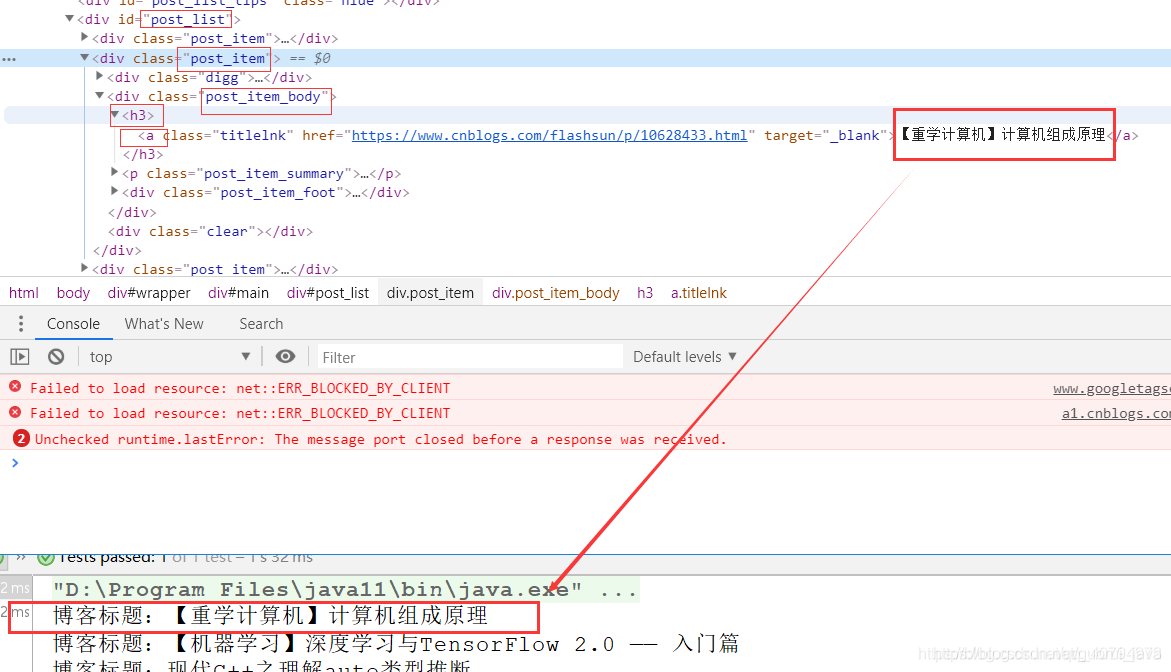五、Jsoup获取DOM元素属性值-----------------/**
- 获取 DOM 元素属性值
*/
@Test
public void test4() throws IOException {
Document doc = Jsoup.parse(getHtml("http://www.cnblogs.com/")); // 解析网页 得到文档对象Elements linkElements = doc.select("#post_list .post_item .post_item_body h3 a"); //通过选择器查找所有博客链接DOMfor (Element e : linkElements) {System.out.println("博客标题:" + e.text());//获取里面所有的文本System.out.println("博客地址:" + e.attr("href"));System.out.println("target:" + e.attr("target"));}System.out.println("------------------------友情链接----------------------------");Element linkElement = doc.select("#friend_link").first();System.out.println("纯文本:" + linkElement.text());//去掉 htmlSystem.out.println("------------------------Html----------------------------");System.out.println("Html:" + linkElement.html());
}
/*** 获取文章的 url*/@Testpublic void test5() throws IOException {Document doc = Jsoup.parse(getHtml("http://www.cnblogs.com/")); // 解析网页 得到文档对象Elements linkElements = doc.select("#post_list .post_item .post_item_body h3 a"); //通过选择器查找所有博客链接DOMfor (Element e : linkElements) {System.out.println(e.attr("href"));}}```注意:Element 的几个获取内容的方法区别1. text() 获取的是去掉了 html 元素,也就是只用元素内容2. toString() DOM3. html() 获取里面所有的 html 包括文本```import org.apache.http.HttpEntity;import org.apache.http.client.methods.CloseableHttpResponse;import org.apache.http.client.methods.HttpGet;import org.apache.http.impl.client.CloseableHttpClient;import org.apache.http.impl.client.HttpClients;import org.apache.http.util.EntityUtils;import org.jsoup.Jsoup;import org.jsoup.nodes.Document;import org.jsoup.nodes.Element;import org.jsoup.select.Elements;import org.junit.Test;import java.io.IOException;public class Main {/*** 输入一个网址返回这个网址的字符串*/public String getHtml(String str) throws IOException {CloseableHttpClient httpclient = HttpClients.createDefault(); // 创建httpclient实例HttpGet httpget = new HttpGet(str); // 创建httpget实例CloseableHttpResponse response = httpclient.execute(httpget); // 执行get请求HttpEntity entity = response.getEntity(); // 获取返回实体String content = EntityUtils.toString(entity, "utf-8");response.close(); // 关闭流和释放系统资源return content;}/*** 爬取 博客园* 1、网页标题* 2、口号*/@Testpublic void test() throws IOException {Document doc = Jsoup.parse(getHtml("http://www.cnblogs.com/")); // 解析网页 得到文档对象Elements elements = doc.getElementsByTag("title"); // 获取tag是title的所有DOM元素Element element = elements.get(0); // 获取第1个元素String title = element.text(); // 返回元素的文本System.out.println("网页标题:" + title);Element element2 = doc.getElementById("site_nav_top"); // 获取id=site_nav_top的DOM元素String navTop = element2.text(); // 返回元素的文本System.out.println("口号:" + navTop);}/*** Jsoup 查找 DOM 元素*/@Testpublic void test2() throws IOException {Document doc = Jsoup.parse(getHtml("http://www.cnblogs.com/")); // 解析网页 得到文档对象Elements itemElements = doc.getElementsByClass("post_item"); // 根据样式名称来查询DOMSystem.out.println("=======输出post_item==============");for (Element e : itemElements) {System.out.println(e.html());//获取里面所有的 html 包括文本System.out.println("\n");}Elements widthElements = doc.getElementsByAttribute("width"); // 根据属性名称来查询DOM(id class type 等),用的少一般很难找用这种方法System.out.println("=======输出with的DOM==============");for (Element e : widthElements) {System.out.println(e.toString());//不能用 e.html() 这里需要输出 DOM}//Elements targetElements = doc.getElementsByAttributeValue("target", "_blank");System.out.println("=======输出target-_blank的DOM==============");for (Element e : targetElements) {System.out.println(e.toString());}}/*** 有层级关系*/@Testpublic void test3() throws IOException {Document doc = Jsoup.parse(getHtml("http://www.cnblogs.com/")); // 解析网页 得到文档对象Elements linkElements = doc.select("#post_list .post_item .post_item_body h3 a"); //通过选择器查找所有博客链接DOM(范围重小到大)for (Element e : linkElements) {System.out.println("博客标题:" + e.text());//超链接的内容}System.out.println("--------------------带有href属性的a元素--------------------------------");Elements hrefElements = doc.select("a[href]"); // 带有href属性的a元素for (Element e : hrefElements) {System.out.println(e.toString());}System.out.println("------------------------查找扩展名为.png的图片----------------------------");Elements imgElements = doc.select("img[src$=.png]"); // 查找扩展名为.png的图片DOM节点for (Element e : imgElements) {System.out.println(e.toString());}System.out.println("------------------------获取第一个元素----------------------------");Element element = doc.getElementsByTag("title").first(); // 获取tag是title的所有DOM元素String title = element.text(); // 返回元素的文本System.out.println("网页标题是:" + title);}/*** 获取 DOM 元素属性值*/@Testpublic void test4() throws IOException {Document doc = Jsoup.parse(getHtml("http://www.cnblogs.com/")); // 解析网页 得到文档对象Elements linkElements = doc.select("#post_list .post_item .post_item_body h3 a"); //通过选择器查找所有博客链接DOMfor (Element e : linkElements) {System.out.println("博客标题:" + e.text());//获取里面所有的文本System.out.println("博客地址:" + e.attr("href"));System.out.println("target:" + e.attr("target"));}System.out.println("------------------------友情链接----------------------------");Element linkElement = doc.select("#friend_link").first();System.out.println("纯文本:" + linkElement.text());//去掉 htmlSystem.out.println("------------------------Html----------------------------");System.out.println("Html:" + linkElement.html());}/*** 获取文章的 url*/@Testpublic void test5() throws IOException {Document doc = Jsoup.parse(getHtml("http://www.cnblogs.com/")); // 解析网页 得到文档对象Elements linkElements = doc.select("#post_list .post_item .post_item_body h3 a"); //通过选择器查找所有博客链接DOMfor (Element e : linkElements) {System.out.println(e.attr("href"));}}}```六、Jsoup工具类----------```public class JsoupUtil {/*** 获取value值* * @param e* @return*/public static String getValue(Element e) {return e.attr("value");}/*** 获取* * 和* * 之间的文本* * @param e* @return*/public static String getText(Element e) {return e.text();}/*** 识别属性id的标签,一般一个html页面id唯一* * @param body* @param id* @return*/public static Element getID(String body, String id) {Document doc = Jsoup.parse(body);// 所有#id的标签Elements elements = doc.select("#" + id);// 返回第一个return elements.first();}/*** 识别属性class的标签* * @param body* @param class* @return*/public static Elements getClassTag(String body, String classTag) {Document doc = Jsoup.parse(body);// 所有#id的标签return doc.select("." + classTag);# 资料分享> **[领取方式:戳这里即可免费获取](https://gitee.com/vip204888/java-p7),同时还可以“嫖”到一份关于Redis事务源码的详解内容。****1、算法大厂——字节跳动面试题**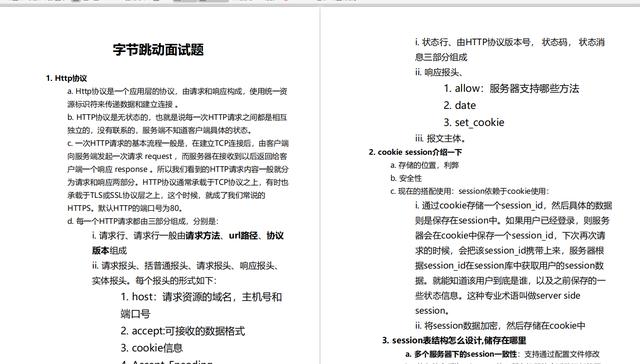**2、2000页互联网Java面试题大全**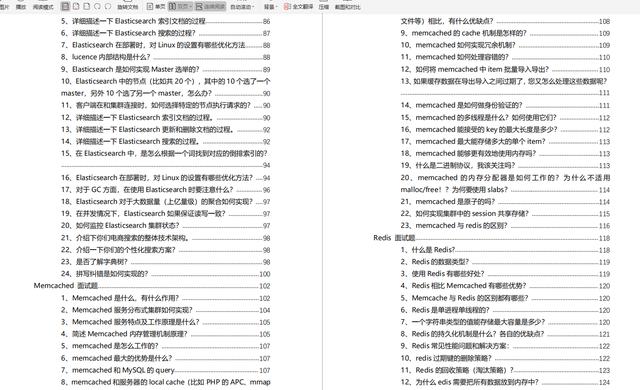**3、高阶必备,算法学习**Elements elements = doc.select("#" + id);// 返回第一个return elements.first();}/*** 识别属性class的标签* * @param body* @param class* @return*/public static Elements getClassTag(String body, String classTag) {Document doc = Jsoup.parse(body);// 所有#id的标签return doc.select("." + classTag);# 资料分享> **[领取方式:戳这里即可免费获取](https://gitee.com/vip204888/java-p7),同时还可以“嫖”到一份关于Redis事务源码的详解内容。****1、算法大厂——字节跳动面试题**[外链图片转存中...(img-VkFJY5Me-1628084547853)]**2、2000页互联网Java面试题大全**[外链图片转存中...(img-XCcICl0T-1628084547856)]**3、高阶必备,算法学习**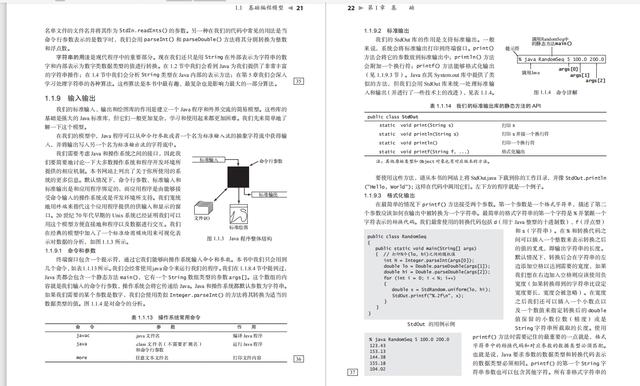
本文来自互联网用户投稿,文章观点仅代表作者本人,不代表本站立场,不承担相关法律责任。如若转载,请注明出处。 如若内容造成侵权/违法违规/事实不符,请点击【内容举报】进行投诉反馈!