vue对接海康摄像头,配合ifarme进行展示。给ifarme点击事件(消除ifarme事件,因为ifarme没有点击事件)
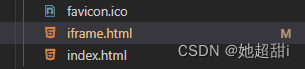
1、在public文件夹下建一个文件ifarme.index,和index.html同级。
doctype html>
<html><head><title>title><meta http-equiv="Content-Type" content="text/html; charset=utf-8" /><meta http-equiv="Pragma" content="no-cache" /><meta http-equiv="Cache-Control" content="no-cache, must-revalidate" /><meta http-equiv="Expires" content="0" />
head>
<style type="text/css">html,body {margin: 0;padding: 0;border: 0;}.plugin {width: 450px;height: 240px;}
style><body><div id="divPlugin" class="plugin">div>
body>
<script type="text/javascript" src="static/hik_video/jquery-1.7.1.min.js">script>
<script type="text/javascript" src="static/hik_video/jsPlugin-1.2.0.min.js">script>
<script type="text/javascript" src="static/hik_video/AES.js">script>
<script type="text/javascript" src="static/hik_video/cryptico.min.js">script>
<script type="text/javascript" src="static/hik_video/crypto-3.1.2.min.js">script>
<script id="videonode" type="text/javascript" src="static/hik_video/webVideoCtrl.js">script>
<script>// 向父vue页面发送信息console.log(window, 'window');window.parent.postMessage({cmd: 'run',params: {success: true}}, '*');// 接受父页面发来的信息window.addEventListener("message", function (event) {console.log(event, 'event');var data = event.data;switch (data.cmd) {case 'getFormJson':// 处理业务逻辑companyVideoData = data.params;cameraName = data.name;videoInitPlugin()break;}});var companyVideoData = {};var cameraName = '';// 接受父页面发来的信息function videoInitPlugin() {var iRet = WebVideoCtrl.I_CheckPluginInstall();if (iRet === -1) {alert("您还未安装过插件,请安装WebComponentsKit.exe插件!");return;}initPlugin();}//插件初始化// iWndowType,目前只支持1、4、9、16四种画面分割模式),每一个子窗口对应一个窗口序号;// I_Login登录接口代码直接传入设备IP、端口、用户密码,这样可以不需要用户手动输入;I_StartRealPlay预览接口直接传入窗口号、通道号。function initPlugin() {var that = this;WebVideoCtrl.I_InitPlugin(500, 300, {szContainerID: 'divPlugin',iPackageType: 2,szColorProperty: "plugin-background:ffffff; sub-background:ffffff; sub-border:ffffff; sub-border-select:ffffff",szColorProperty: 'sub-border: 00ffff',bNoPlugin: true,bWndFull: true, //是否支持单窗口双击全屏,默I_CheckPluginInstalliWndowType: 1, // 窗口数量n*n// bDebugMode: true,cbSelWnd: function (xmlDoc) {},});// WebVideoCtrl.I_StartRealPlay(companyVideoData.IP, {// iWndIndex: 1, // iWndIndex窗口序号从0开始(比如4画面分割,从左往右、从上往下,窗口序号分别为0、1、2、3),没有该字段表示当前选中窗口(需要手动选择窗口)。// iStreamType: 1, // 码流类型 1-主码流,2-子码流,默认使用主码流预览// iChannelID: 2, // 播放通道号,默认通道 1// bZeroChannel: false, // 是否播放零通道,默认为 false// // iPort: RTSP 端口号,可以选择传入,如果不传,开发包会自动判断设备的RTSP端口// success: function () {// console.log("开始预览成功!success", companyVideoData.IP);// },// });// 绑定的dom名称WebVideoCtrl.I_InsertOBJECTPlugin('divPlugin');clickLogin(companyVideoData);}function clickLogin(data) {var szDeviceIdentify = data.IP + "_" + data.Port;console.log('data', data);var that = this;WebVideoCtrl.I_Login(data.IP, 1, data.Port, data.Username, data.Password, {timeout: 3000,success: function (xmlDoc) {console.log(szDeviceIdentify + " 登录成功!");// $("#ip").prepend("");setTimeout(function () {$("#ip").val(szDeviceIdentify);setTimeout(function () {that.getChannelInfo();}, 1000);that.getDevicePort();}, 10);},error: function (oError) {if (2001 === status) {console.log(szDeviceIdentify + " 已登录过!");} else {console.log(szDeviceIdentify + " 登录失败!", oError.errorCode, oError.errorMsg);}}});// WebVideoCtrl.I_Login(// data.IP,// 1,// data.Port,// data.Username,// data.Password,// {// success: function (xmlDoc) {// console.log("开始预览", that.cName); //不能删除// that.getChannelInfo();// },// error: function (status, xmlDoc) {// console.log("login error", status, xmlDoc);// },// }// );}function getDevicePort() {var szDeviceIdentify = companyVideoData.IP + "_" + companyVideoData.Port;if (null == szDeviceIdentify) {return;}WebVideoCtrl.I_GetDevicePort(szDeviceIdentify).then((oPort) => {$("#deviceport").val(oPort.iDevicePort);$("#rtspport").val(oPort.iRtspPort);showOPInfo(szDeviceIdentify + " 获取端口成功!");}, (oError) => {var szInfo = "获取端口失败!";console.log(szDeviceIdentify + szInfo, oError.errorCode, oError.errorMsg);});
}//获取通道function getChannelInfo() {var that = this;// this.szIP = companyVideoData.IP// 模拟通道WebVideoCtrl.I_GetAnalogChannelInfo(that.companyVideoData.IP, {async: false,success: function (xmlDoc) {var oChannels = $(xmlDoc).find("VideoInputChannel");$.each(oChannels, function (i) {var id = $(that).find("id").eq(0).text(),name = $(that).find("name").eq(0).text();if ("" == name) {name = "Camera " + (i < 9 ? "0" + (i + 1) : (i + 1));}// oSel.append("");});// nAnalogChannel = oChannels.length;that.initPlay();// 如果是红外就需要重新获取通道// if (that.cameraName == 'hongwai') that.initPlayred();console.log("获取模拟通道成功!", that.cName)},error: function () {console.log("获取模拟通道失败!" + WebVideoCtrl.I_GetLastError())},});// 数字通道WebVideoCtrl.I_GetDigitalChannelInfo(that.companyVideoData.IP, {async: false,success: function (xmlDoc) {var oChannels = $(xmlDoc).find("InputProxyChannelStatus");that.initPlay();// that.$emit("func", oChannels); //获取数字通道传给父组件console.log("获取数字通道成功!")},error: function () {WebVideoCtrl.I_GetLastError();console.log("获取数字通道失败!" + WebVideoCtrl.I_GetLastError())},});// 零通道WebVideoCtrl.I_GetZeroChannelInfo(that.companyVideoData.IP, {async: false,success: function (xmlDoc) {var oChannels = $(xmlDoc).find("ZeroVideoChannel");console.log("获取零通道成功!")},error: function () {console.log("获取零通道失败!" + WebVideoCtrl.I_GetLastError())},});}//初始化视频,为了让用户进来就可以看到视频播放function initPlay() {let szIP = companyVideoData.IP; //ip地址 var iStreamType = 1;// 目前只需要显示一个通道var iChannelID = parseInt(1, 10);WebVideoCtrl.I_StartRealPlay(szIP, {iStreamType: iStreamType,iChannelID: 1,iWndIndex: 0,});// WebVideoCtrl.I_ChangeWndNum(1); //分屏};// 红外还需要重新在调用一次,窗口号可以改/*** iWndIndex 窗口序号从0开始(比如4画面分割,从左往右、从上往下,窗口序号分别为0、1、2、3),没有该字段表示当前选中窗口(需要手动选择窗口)。* iStreamType 码流类型 1-主码流,2-子码流,默认使用主码流预览* iChannelID 播放通道号,默认通道 1* bZeroChannel 是否播放零通道,默认为 false* iPort: RTSP 端口号,可以选择传入,如果不传,开发包会自动判断设备的RTSP端口*/function initPlayred() {let szIP = companyVideoData.IP; //ip地址var iStreamType = 1;// 目前只需要显示一个通道var iChannelID = parseInt(1, 10);WebVideoCtrl.I_StartRealPlay(szIP, {iStreamType: iStreamType,iChannelID: 2,iWndIndex: 1,});WebVideoCtrl.I_ChangeWndNum(2); //分屏}// 点击查看具体哪个监控function startRealPlay(oChannels) {let that = this;let szIP = companyVideoData.IP; //ip地址let iChannelID = oChannels; //播放通道号var iStreamType = 1;var oWndInfo = WebVideoCtrl.I_GetWindowStatus(0);if (oWndInfo != null) {// 已经在播放了,先停止WebVideoCtrl.I_Stop();}WebVideoCtrl.I_StartRealPlay(szIP, {iStreamType: iStreamType,iChannelID: iChannelID,});}
script>
html>
2、写组件,我是建在了components文件夹下边。
<template><div class="video-player"><iframe ref="iframe" class="divPlugin" :src="iframeSrc" frameborder="0" scrolling="no"></iframe></div>
</template>
<script>
export default {props: {//从父组件传来的数据,IP、用户名、密码、端口号companyVideoData: {type: Object,},//分屏数量videoType: Number,// 相机名称cName: String},data() {return {// 分割线iframeWin: {},iframeSrc: 'iframe.html'};},created() { },mounted() {// this.videoInitPlugin();window.addEventListener('message', this.handleMessage)this.iframeWin = this.$refs.iframe.contentWindow;},methods: {async handleMessage(event) {const data = event.dataswitch (data.cmd) {case 'run':if (data.params.success) {// 调用报名方法await this.sendMessage()} else {console.log('视频启动失败')}break}},sendMessage() {// 外部vue向iframe内部传数据this.iframeWin.postMessage({cmd: 'getFormJson',name: this.cName,params: {...this.companyVideoData}}, '*');}}
};
</script>
<style  scoped>
.video-player {width: 450px;height: 300px;
}.divPlugin {width: 450px;height: 240px;color: red;/* display: flex; */background: gray;/* border: 1px solid black; */justify-content: center;align-items: center;font-size: 18px;// 消除点击事件pointer-events: none;
}
</style>

3、组件引入。

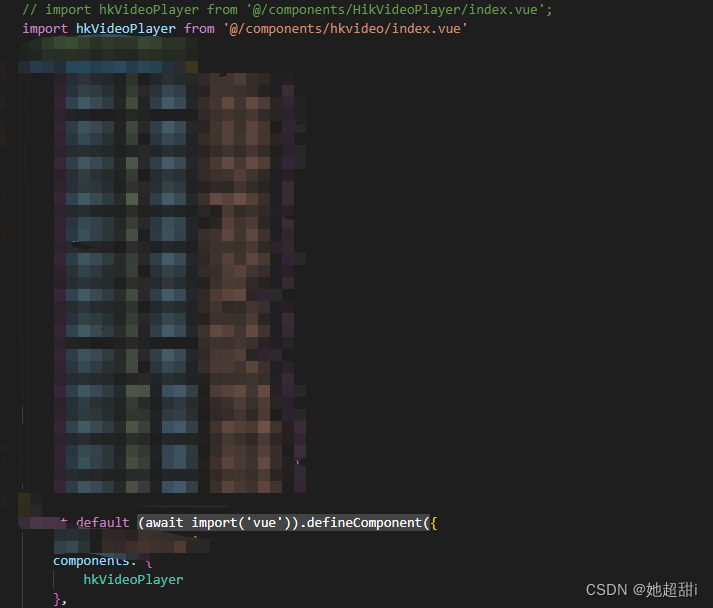
用的参数。
data() {
return {vcamera: {IP: "",  // 摄像头的ipPort: ,  // 摄像头的端口号  数字类型Username: "",   // 登录用户名Password: "",    // 登录密码},icamera: {IP: "", // 摄像头的ipPort: , // 摄像头的端口号  数字类型Username: "", // 登录用户名Password: "" // 登录密码},
}
}
这样的话不知道是不是我的问题,这样的话会导致摄像头不能移动,所以我们这边的话是后端给提供接口,然后前端调用然后控制云台。
原文链接
消除ifarme默认事件
ifarme {
pointer-events: none;
}
本文来自互联网用户投稿,文章观点仅代表作者本人,不代表本站立场,不承担相关法律责任。如若转载,请注明出处。 如若内容造成侵权/违法违规/事实不符,请点击【内容举报】进行投诉反馈!