SwiftUI 接入微信支付 API,并回调支付结果指南
首先要按照 开发指引-APP支付 | 微信支付商户平台文档中心 操作
SwiftUI 和旧的参考文档有几处不匹配,导致各位写SwiftUI的同学踩坑严重。
以下是我的踩坑记录,特此记录以免再次入坑:
在服务器端返回微信支付订单数据时用以下方法调用微信支付反复失败:
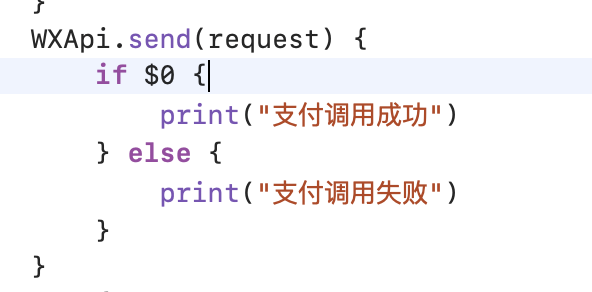
AF.request(API(),method: .post,parameters: ["orderSn" : self.orderSN],encoding: JSONEncoding.default).response { response inswitch response.result {case .success:if let data = response.data {print(JSON(data)["Code"].intValue)print(JSON(data)["Msg"].stringValue)orderData = dataif let orderData = orderData {// 微信支付请求do {print("order data")print(orderData)let requestData = try JSON(data: orderData)let requestJSON = requestData["Data"]print(requestJSON)let request = PayReq()request.partnerId = requestJSON["partnerid"].stringValueprint(requestJSON["partnerid"].stringValue)request.prepayId = requestJSON["prepayid"].stringValuerequest.package = requestJSON["package"].stringValuerequest.nonceStr = requestJSON["noncestr"].stringValuerequest.timeStamp = requestJSON["timestamp"].uInt32Valuerequest.sign = requestJSON["sign"].stringValueif WXApi.isWXAppInstalled() {print("已安装微信")} else {print("未安装微信")}WXApi.send(request) {if $0 {print("支付调用成功")} else {print("支付调用失败")}}} catch {print("Error decoding JSON.")print("\(error.localizedDescription)")}}}breakcase .failure(let error):print(error)if let data = response.data {print(JSON(data)["Code"].intValue)print(JSON(data)["Msg"].stringValue)}}
}
官方的文档是:
PayReq *request = [[[PayReq alloc] init] autorelease];request.partnerId = @"10000100";request.prepayId= @"1101000000140415649af9fc314aa427";request.package = @"Sign=WXPay";request.nonceStr= @"a462b76e7436e98e0ed6e13c64b4fd1c";request.timeStamp= @"1397527777";request.sign= @"582282D72DD2B03AD892830965F428CB16E7A256";[WXApi sendReq:request]调用支付跳转失败原因是:
从服务器返回JSON数据时一直没有检查 PayReq() 方法是否收到JSON解析的数据,最后发现是因为马虎没有解析JSON数据直接调用 WXApi.send() 方法导致。
调用成功以后发现微信回调方法因为在 iOS 13 以上在 App Delegate 一直无法调用:
func onResp(_ resp: BaseResp) {if resp.isKind(of: PayResp.self) {print("微信回调")print(resp.errCode)}
}
原因经 Bing 发现是因为 iOS 13 以上需要使用 SceneDelegate 方法:
//
//  SceneDelegate.swift
//  Created by Mewlan Musajan on 5/27/23.
//import Foundationclass SceneDelegate: NSObject, UIWindowSceneDelegate, WXApiDelegate {func sceneWillEnterForeground(_ scene: UIScene) {//...print("Scene Will Enter Foreground")}func sceneDidBecomeActive(_ scene: UIScene) {//...print("Scene did become active")}func sceneWillResignActive(_ scene: UIScene) {//print("Scene will Resign Active")}func scene(_ scene: UIScene, openURLContexts URLContexts: Set) {print(URLContexts)guard let context = URLContexts.first else {return}WXApi.handleOpen(context.url, delegate: self)}func onResp(_ resp: BaseResp) {if resp.isKind(of: PayResp.self) {print("微信回调")print(resp.errCode)}}}
再因为SwiftUI弃用了AppDelegate和SceneDelegate,需要各位手动添加,具体方法:
在 AppDelegate 中添加一下代码:
func application(_ application: UIApplication, configurationForConnecting connectingSceneSession: UISceneSession, options: UIScene.ConnectionOptions) -> UISceneConfiguration {let sceneConfig = UISceneConfiguration(name: nil, sessionRole: connectingSceneSession.role)sceneConfig.delegateClass = SceneDelegate.selfreturn sceneConfig
}
本文来自互联网用户投稿,文章观点仅代表作者本人,不代表本站立场,不承担相关法律责任。如若转载,请注明出处。 如若内容造成侵权/违法违规/事实不符,请点击【内容举报】进行投诉反馈!