使用element表格的合计功能,且自定义方法计算时,没有出现下方的合计
问题:使用element表格的合计功能,且自定义方法计算时,没有出现下方的合计。
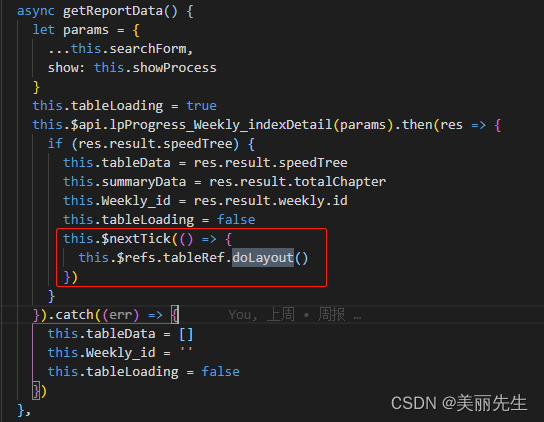
解决方法:数据(dom)渲染结束之后使用一下官方的doLayout方法,一定要加上this.$nextTick。一定要数据(dom)渲染结束之后使用,不然 会发现不生效。
this.$nextTick(() => { this.$refs.tableRef.doLayout() })
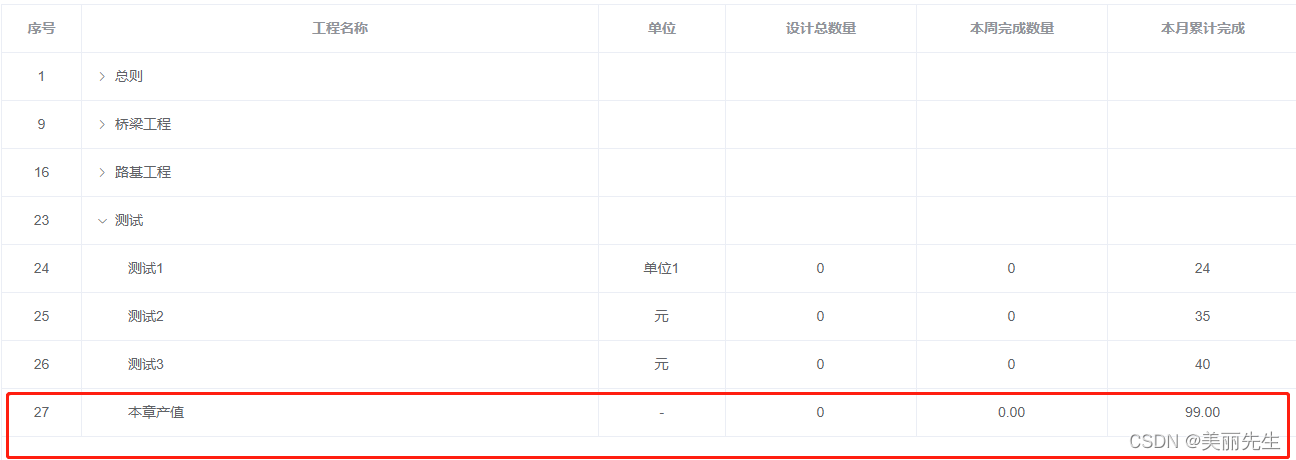
显示:
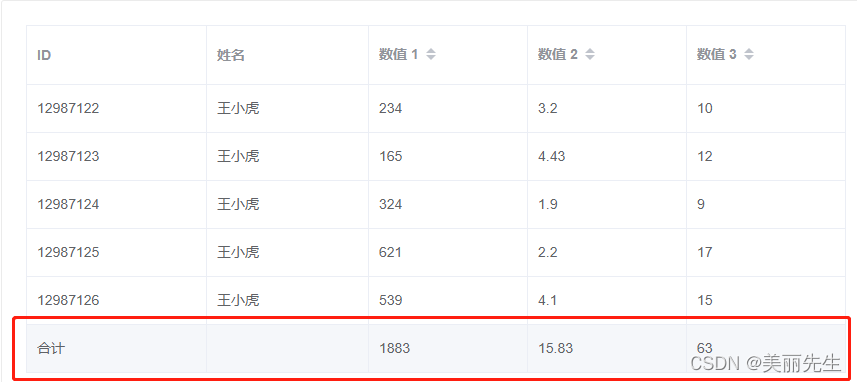
el-table(:data="tableData" border height="calc(100vh - 327px)" default-expand-all row-key="id" show-summary :summary-method="getImageSummaries"ref="tableRef":tree-props="{children: 'children', hasChildren: 'hasChildren'}" v-loading="tableLoading" :header-cell-style="headerStyle")el-table-column(label="序号" type="index" align="center" width="80")el-table-column(prop="project_name" label="工程名称" align="left" show-overflow-tooltip min-width="300")el-table-column(prop="unit" label="单位" align="center" show-overflow-tooltip min-width="100")
dom简单的情况下在赋值完成之后就可以更新了
或者
mounted() {this.$nextTick(() => {this.doLayoutFunc()})},methods: {doLayoutFunc() {// 判断一下if(this.summaryData.next_month_count && this.$refs.tableRef) {this.$refs.tableRef.doLayout()}else {// 数据还没好,更新无用setTimeout(() => {this.doLayoutFunc()},1000)}},
// 合计方法
getImageSummaries(param) {console.log(11111,this.summaryData)const { columns, data } = param;const sums = [];columns.forEach((column, index) => {if (index === 0) {sums[index] = '合计';return;}let nums = [1,3,4,15,17]if (nums.includes(index)) {sums[index] = '';return;}if(index === 2){sums[index] = '万元'}if(index === 5){ // 本月计划sums[index] = this.summaryData.this_month_plan}if(index === 6){ // 本月完成sums[index] = this.summaryData.this_month_completed}});return sums;
}
本文来自互联网用户投稿,文章观点仅代表作者本人,不代表本站立场,不承担相关法律责任。如若转载,请注明出处。 如若内容造成侵权/违法违规/事实不符,请点击【内容举报】进行投诉反馈!