Unity 使用Addressable加载远程资源
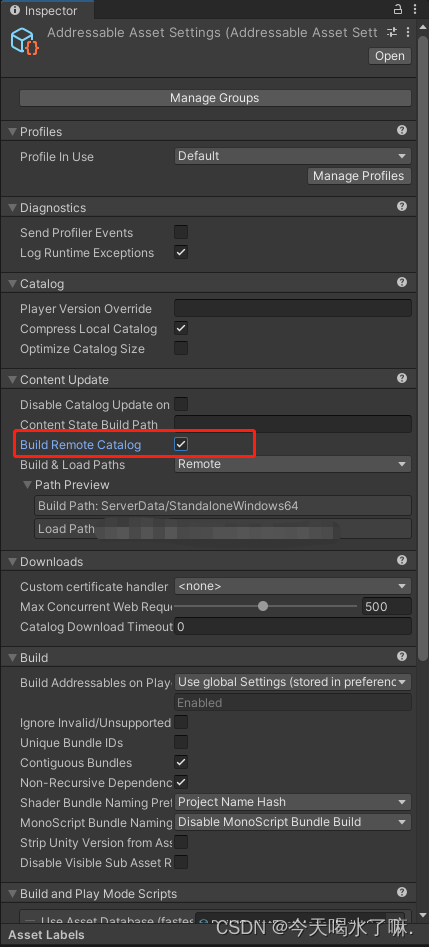
1. 如需资源热更可以勾选此选项
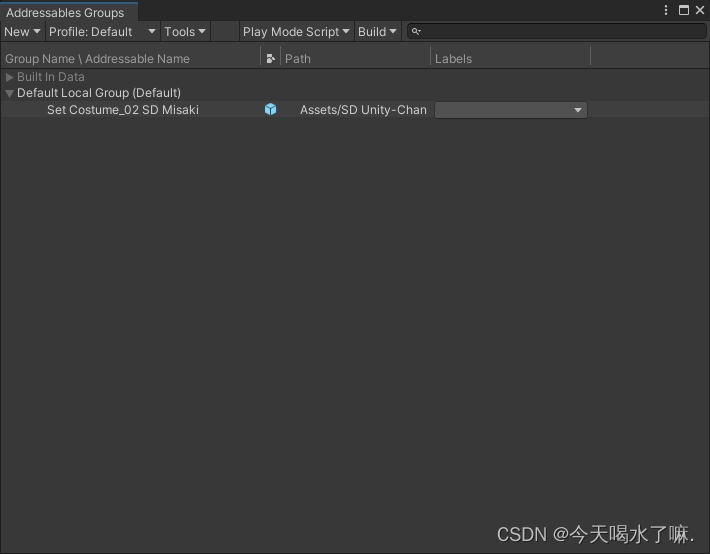
2. 将需要加载的资源拖到Group下并修改Group的加载方式
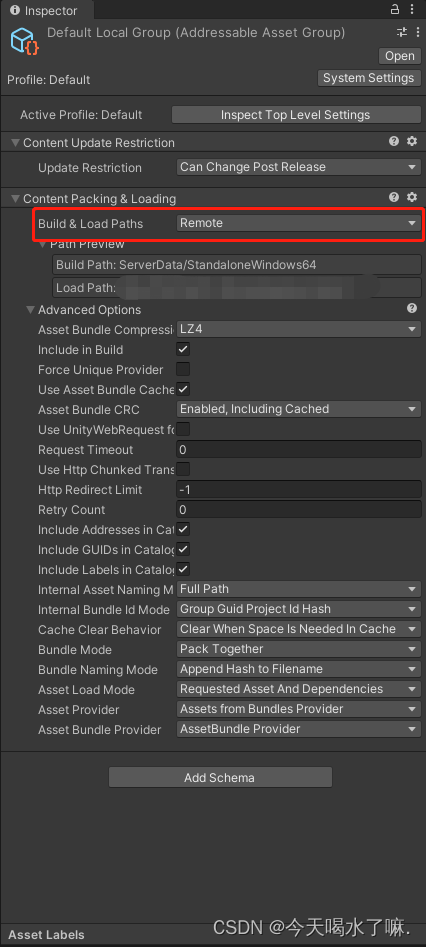
2.1 将该Group的加载方式改为远程
3. 配置存储桶并修改Addressable的远程加载路径
以腾讯云为例各家对象存储页面可能有点差异,请自行查阅相关文档。
3.1 将访问权限改为公有读私有写

3.2 复制访问域名并修改Addressable的加载路径
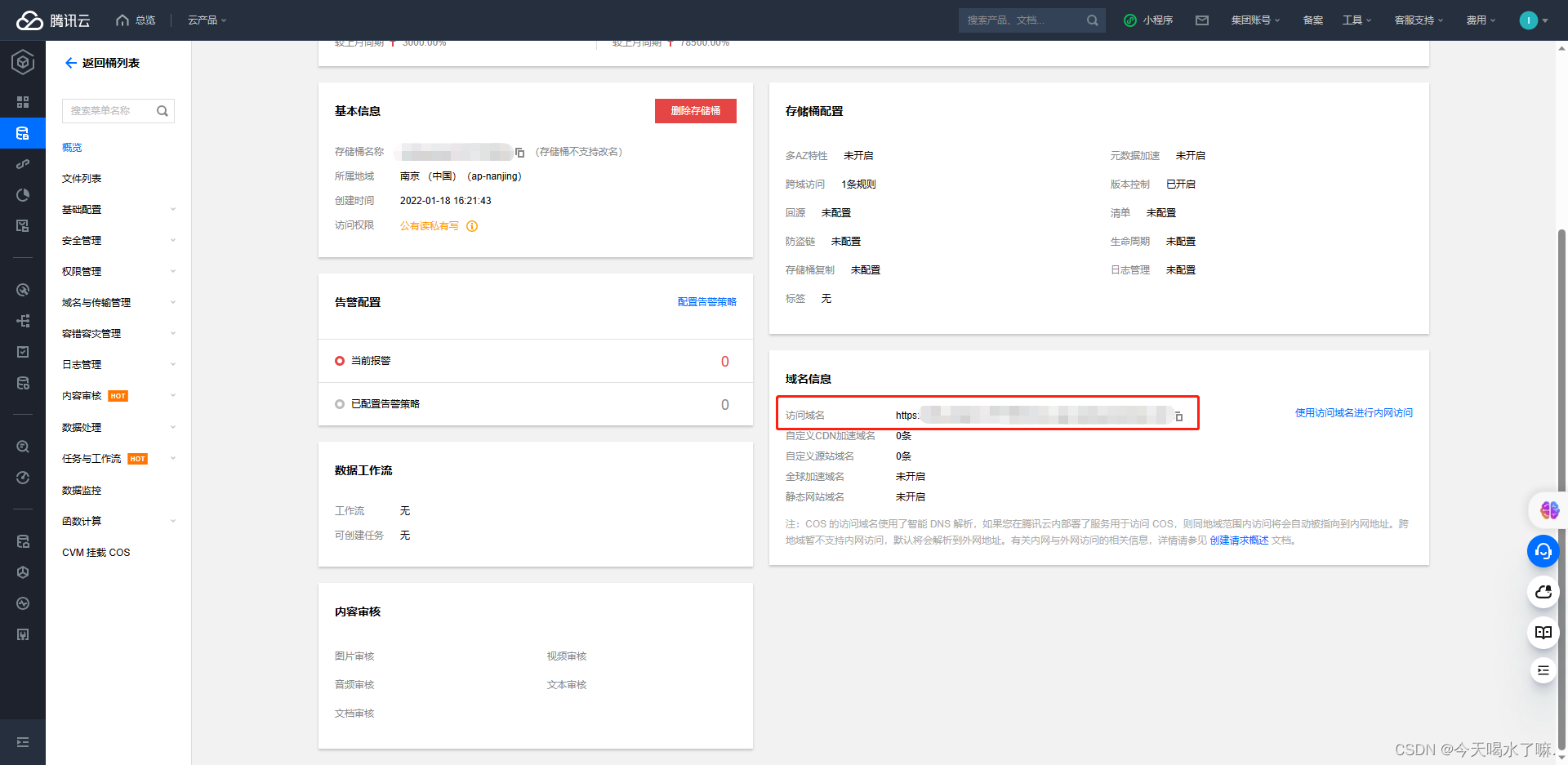
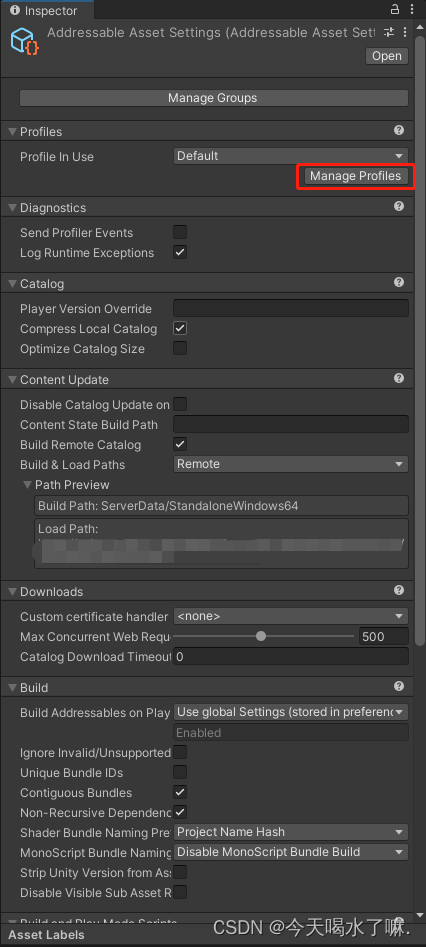
[BuildTarget] 对应当前的平台
4. 完成上述操作后即可打包部署到对象存储桶
4.1 打包bundle

打包路径在AddressableAssetSettings可以查看,默认路径在项目的根目录
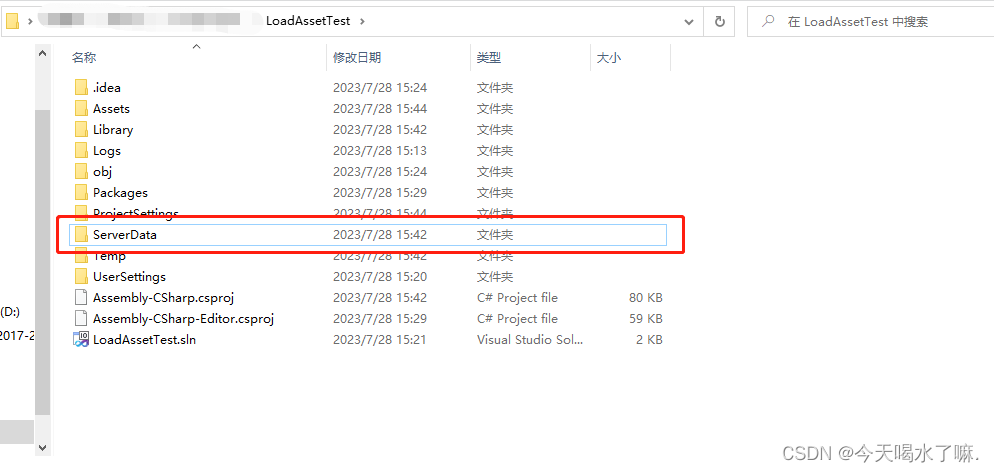
4.2 上传至对象存储桶(将打包好的文件夹整体上传)
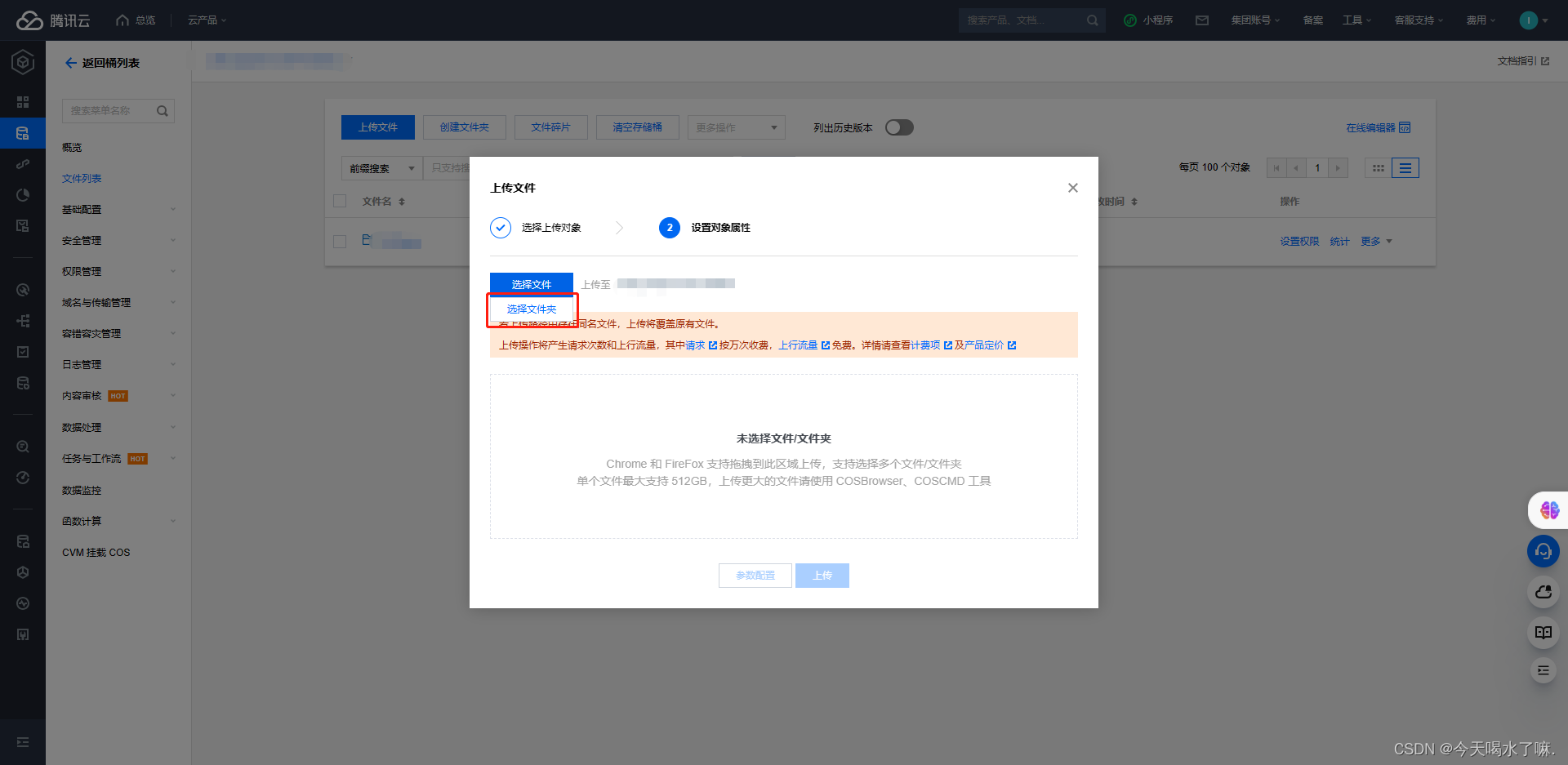
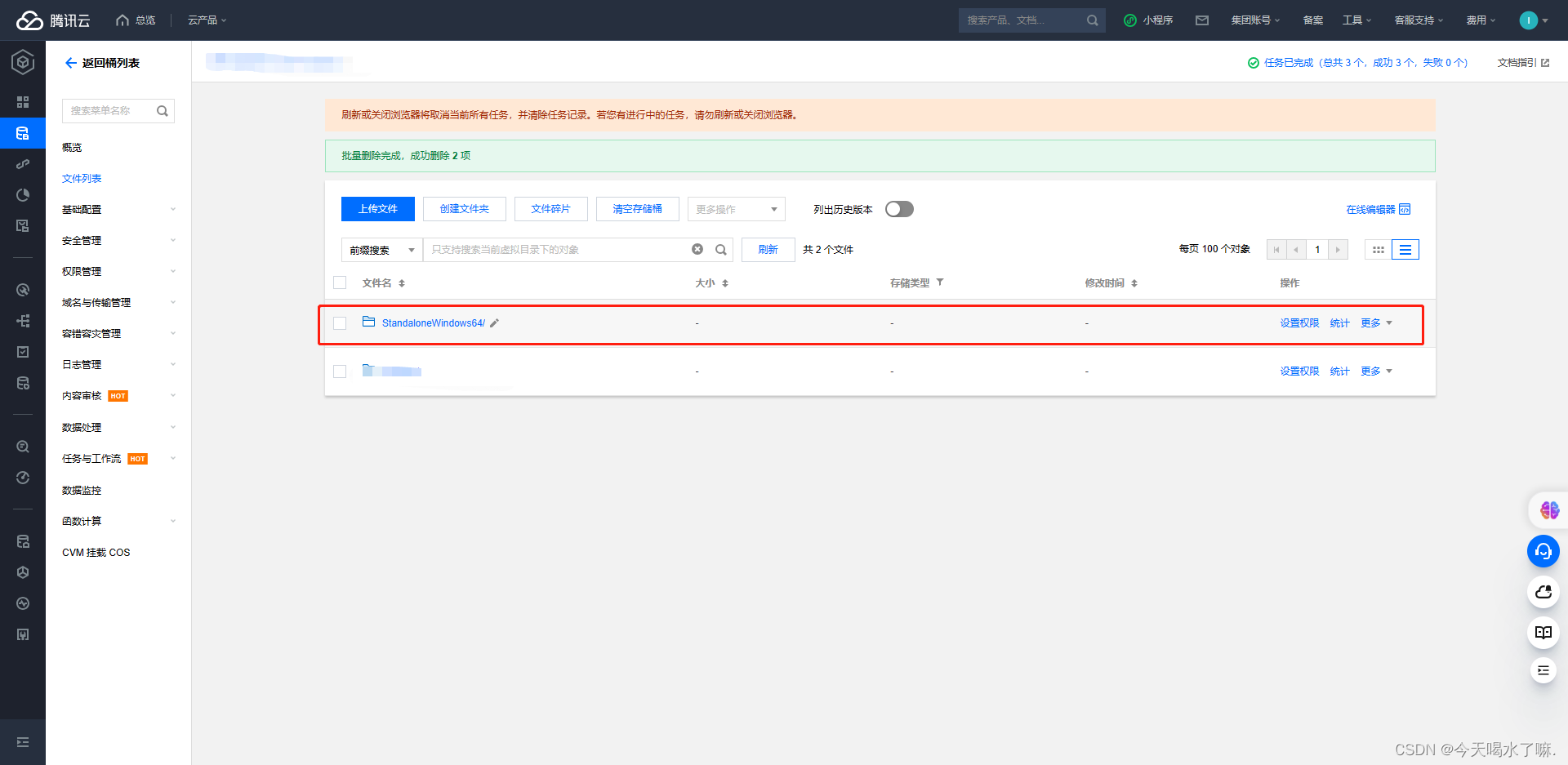
5. 加载资源
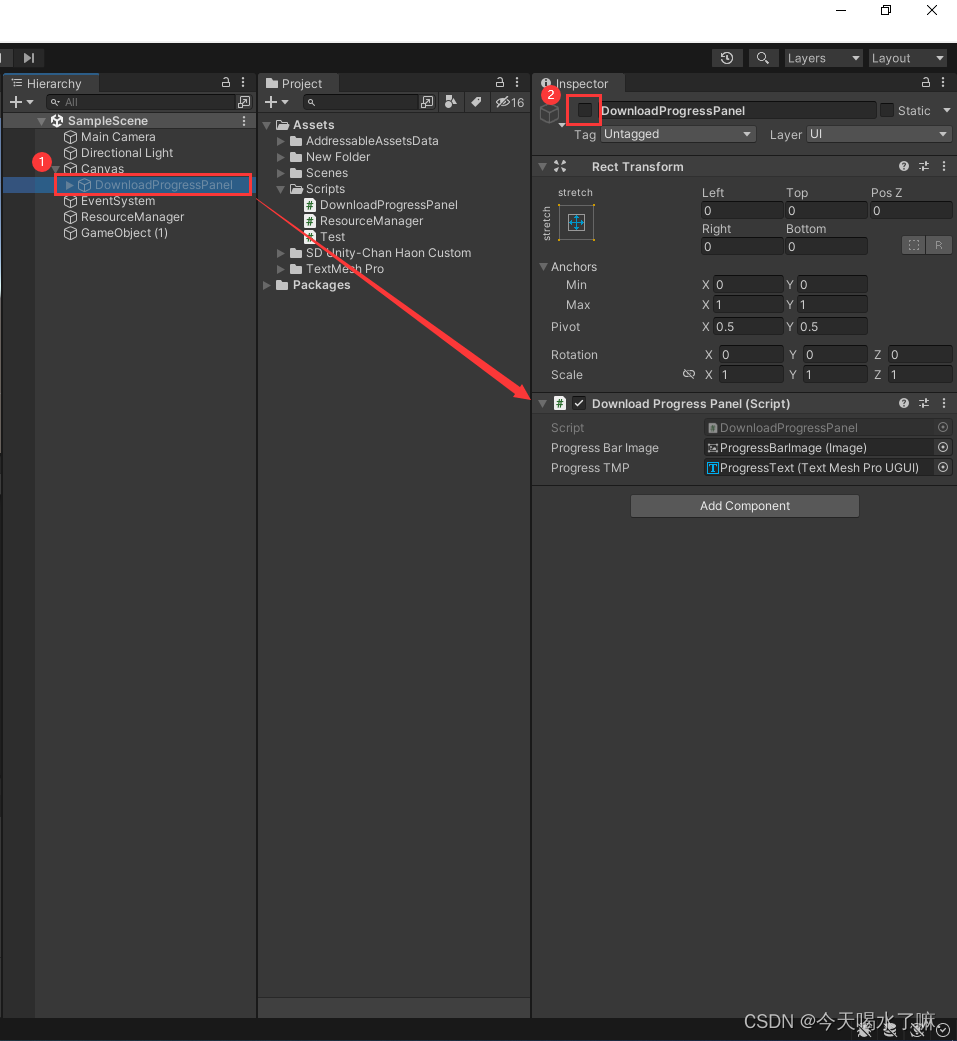
5.1 制作下载进度条并将 DownloadProgressPanel 脚本挂到其父物体

using TMPro;
using UnityEngine;
using UnityEngine.UI;public class DownloadProgressPanel : MonoBehaviour
{public Image progressBarImage;public TMP_Text progressTMP;public TMP_Text downloadSizeTMP;private void OnEnable(){progressBarImage.fillAmount = 0f;progressTMP.text = "0%";downloadSizeTMP.text = "资源下载中(0MB/0MB)";}
}
5.2 创建空物体并将 ResourceManager 挂到该物体上
using System;
using System.Collections;
using UnityEngine.AddressableAssets;
using UnityEngine.AddressableAssets.ResourceLocators;
using UnityEngine.ResourceManagement.AsyncOperations;
using UnityEngine.SceneManagement;
using Debug = UnityEngine.Debug;public class ResourceManager : MonoSingleton
{private void OnEnable(){Addressables.InitializeAsync().Completed += AddressableInitialize;}private void AddressableInitialize(AsyncOperationHandle assets){print("Addressable Initialization Complete");}/// /// 加载资源/// /// 资源名称/// 开始加载回调/// 进度回调/// 完成加载回调/// (string address,Action onStartCallback=null,Action onProgressTracker=null,Action onComplete=null) where T : UnityEngine.Object{StartCoroutine(CoroutineLoadAsset(address,onStartCallback,onProgressTracker,onComplete));}IEnumerator CoroutineLoadAsset(string assetLabel,Action onStartCallback=null,Action onProgressTracker=null, Action onCompleted=null) where T : UnityEngine.Object{// 初始化 Addressableyield return Addressables.InitializeAsync();onStartCallback?.Invoke();var totalSize = 0f;// 获取场景的下载大小yield return GetDownLoadAssetSize(assetLabel, (size) => { totalSize = size; });// 创建进度追踪器var progress = new ProgressTracker(totalSize);// 下载资源var asset= Addressables.LoadAssetAsync(assetLabel);if (asset.Status == AsyncOperationStatus.Failed){Debug.LogError("Asset Load Error: " + asset.OperationException);yield break;}while (!asset.IsDone){// 更新进度追踪器的进度progress.UpdateProgress(asset.GetDownloadStatus().Percent, asset.GetDownloadStatus().DownloadedBytes);onProgressTracker?.Invoke(progress);yield return null;}onCompleted?.Invoke(asset.Result);}/// /// 加载场景/// /// 场景名称/// 开始加载回调/// 进度回调/// 完成加载回调public void LoadScene(string sceneLabel,Action onStartCallback=null,Action onProgressTracker=null,Action onCompleted=null){StartCoroutine(CoroutineLoadScene(sceneLabel,onStartCallback,onProgressTracker,onCompleted));}IEnumerator CoroutineLoadScene(string sceneLabel,Action onStartCallback=null, Action onProgressTracker=null,Action onCompleted = null){// 初始化 Addressableyield return Addressables.InitializeAsync();onStartCallback?.Invoke();var totalSize = 0f;// 获取场景的下载大小yield return GetDownLoadAssetSize(sceneLabel, (size) => { totalSize = size; });// 创建进度追踪器var progress = new ProgressTracker(totalSize);// 下载场景并设定加载模式为Additivevar scene=Addressables.LoadSceneAsync(sceneLabel, LoadSceneMode.Additive);if (scene.Status == AsyncOperationStatus.Failed){Debug.LogError("Scene Load Error: " + scene.OperationException);yield break;}while (!scene.IsDone){// 更新进度追踪器的进度progress.UpdateProgress(scene.GetDownloadStatus().Percent, scene.GetDownloadStatus().DownloadedBytes);onProgressTracker?.Invoke(progress);yield return null;}onCompleted?.Invoke();}/// /// 获取资源大小/// /// /// /// callback){var downloadSizeHandle = Addressables.GetDownloadSizeAsync(assetLabel);yield return downloadSizeHandle;if (downloadSizeHandle.Status != AsyncOperationStatus.Succeeded){Debug.LogError("Failed to get download size: " + downloadSizeHandle.OperationException);yield break;}// 将下载大小转换为以MB为单位的浮点数long downloadSize = downloadSizeHandle.Result;float totalSize = (float)downloadSize / (1024 * 1024);Debug.Log($"下载的资源大小:{downloadSize}");callback?.Invoke(totalSize);}private void OnDisable(){Addressables.InitializeAsync().Completed -= AddressableInitialize;}
} public class ProgressTracker
{private readonly float m_AssetTotalSize;private float m_CurrentProgress;private float m_CurrentDownloadSize;public ProgressTracker(float assetTotalSize){this.m_AssetTotalSize = assetTotalSize;this.m_CurrentProgress = 0f;}/// /// 更新下载进度/// /// 进度/// 下载字节数public void UpdateProgress(float percent, long downloadedBytes){m_CurrentDownloadSize = (float)downloadedBytes / (1024 * 1024);m_CurrentProgress = percent;}/// /// 获取下载进度/// /// /// 获取当前下载大小/// /// /// 获取资源总大小/// /// /// 标记完成/// public void Complete(){m_CurrentProgress = m_AssetTotalSize;}
}5.3 加载资源,创建空物体并挂上该脚本
using UnityEngine;public class TestLoadObject : MonoBehaviour
{[SerializeField]private DownloadProgressPanel progressPanel;void Start(){ResourceManager.Instance.LoadAsset("Set Costume_02 SD Misaki", () =>{print($"---> Start Loader...");},(tracker)=>{GetCurrentProgress(tracker.GetProgress(), tracker.GetCurrentDownloadSize(), tracker.GetAssetTotalSize());print($"---> Update Progress...");}, (obj) =>{progressPanel.gameObject.SetActive(false);Instantiate(obj);print($"---> Main Scene Load Complete!");});}private void GetCurrentProgress(float percentage,float downloadSize,float totalSize){progressPanel.progressBarImage.fillAmount = percentage;progressPanel.progressTMP.text = $"{(percentage * 100f):f0}%";progressPanel.downloadSizeTMP.text = $"资源下载中({downloadSize:f1}MB/{totalSize:f1}MB)";}
}
5.4 加载场景,创建空物体并挂上该脚本
using UnityEngine;public class TestLoadScene : MonoBehaviour
{[SerializeField]private DownloadProgressPanel progressPanel;void Start(){ResourceManager.Instance.LoadScene("MainScene", () =>{progressPanel.gameObject.SetActive(true);print($"---> Start Loader...");},(tracker)=>{GetCurrentProgress(tracker.GetProgress(), tracker.GetCurrentDownloadSize(), tracker.GetAssetTotalSize());print($"---> Update Progress...");}, () =>{progressPanel.gameObject.SetActive(false);print($"---> Main Scene Load Complete!");});}private void GetCurrentProgress(float percentage,float downloadSize,float totalSize){progressPanel.progressBarImage.fillAmount = percentage;progressPanel.progressTMP.text = $"{(percentage * 100f):f0}%";progressPanel.downloadSizeTMP.text = $"资源下载中({downloadSize:f1}MB/{totalSize:f1}MB)";}
}
6. 打包运行
加载单个资源

加载场景

下载内容大小提示

7.更新
2023.08.16
- 新增进度追踪器脚本
- 新增下载内容大小提示
- 新增 Addressable 初始化操作
- 优化 ResourceManager 提供更多的回调参数
2023.08.30
- 优化 ResourceManager 更加精简
本文来自互联网用户投稿,文章观点仅代表作者本人,不代表本站立场,不承担相关法律责任。如若转载,请注明出处。 如若内容造成侵权/违法违规/事实不符,请点击【内容举报】进行投诉反馈!