Python—tf.summary.scalar()用法
简单应用代码:
import tensorflow.compat.v1 as tf
tf.compat.v1.disable_eager_execution()
#由于当前环境使用的是tensorflow 2,使用兼容版本1‘compat v1’之后使用placeholder会不兼容
#tf.placeholder() is not compatible with eager execution.
#所以添加disable_eager_execution
#https://blog.csdn.net/weixin_43763859/article/details/104537392# 定义两个变量
a = tf.placeholder(dtype=tf.float32, shape=[])
b = tf.placeholder(dtype=tf.float32, shape=[])
#添加变量进去
tf.summary.scalar('a', a)
tf.summary.scalar('b', b)
# 将所有summary全部保存到磁盘,以便tensorboard显示
smy = tf.summary.merge_all()
#初始化全局变量
init_op = tf.global_variables_initializer()
with tf.Session() as sess:# 初始化变量sess.run(init_op)#把信息存储在具体的文件夹里面writer = tf.summary.FileWriter("tf_summary_FILE", sess.graph)for i in range(5):#赋值sumers=sess.run(smy,feed_dict={a:i+9,b:i+2})#把步骤都记录下来writer.add_summary(summary=sumers,global_step=i)
获得文件夹:
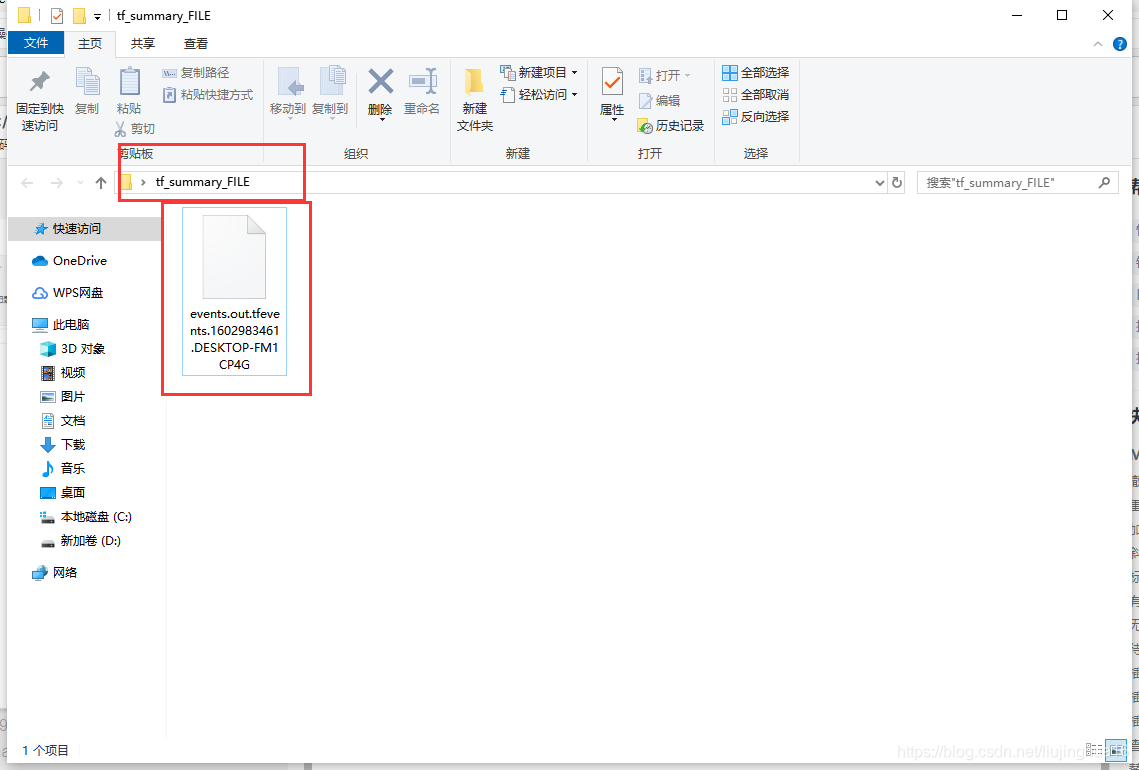
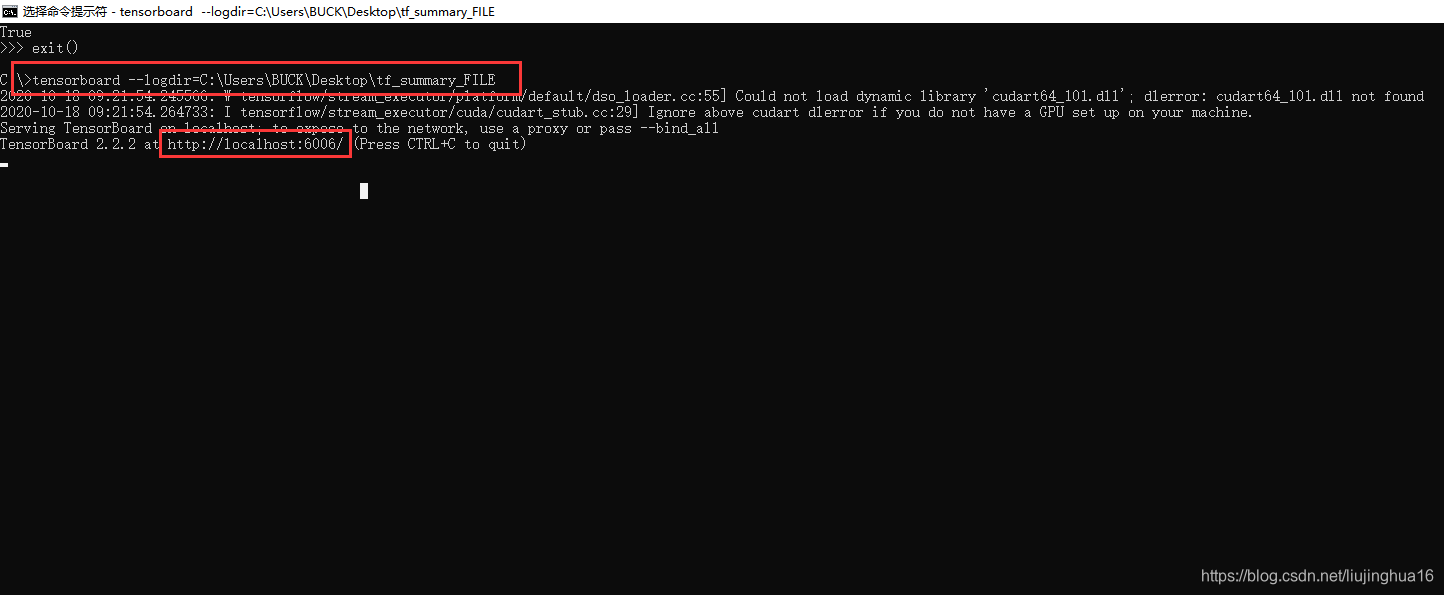
在cmd当中直接在当前环境下,输入:
tensorboard --logdir=文件夹绝对路径\
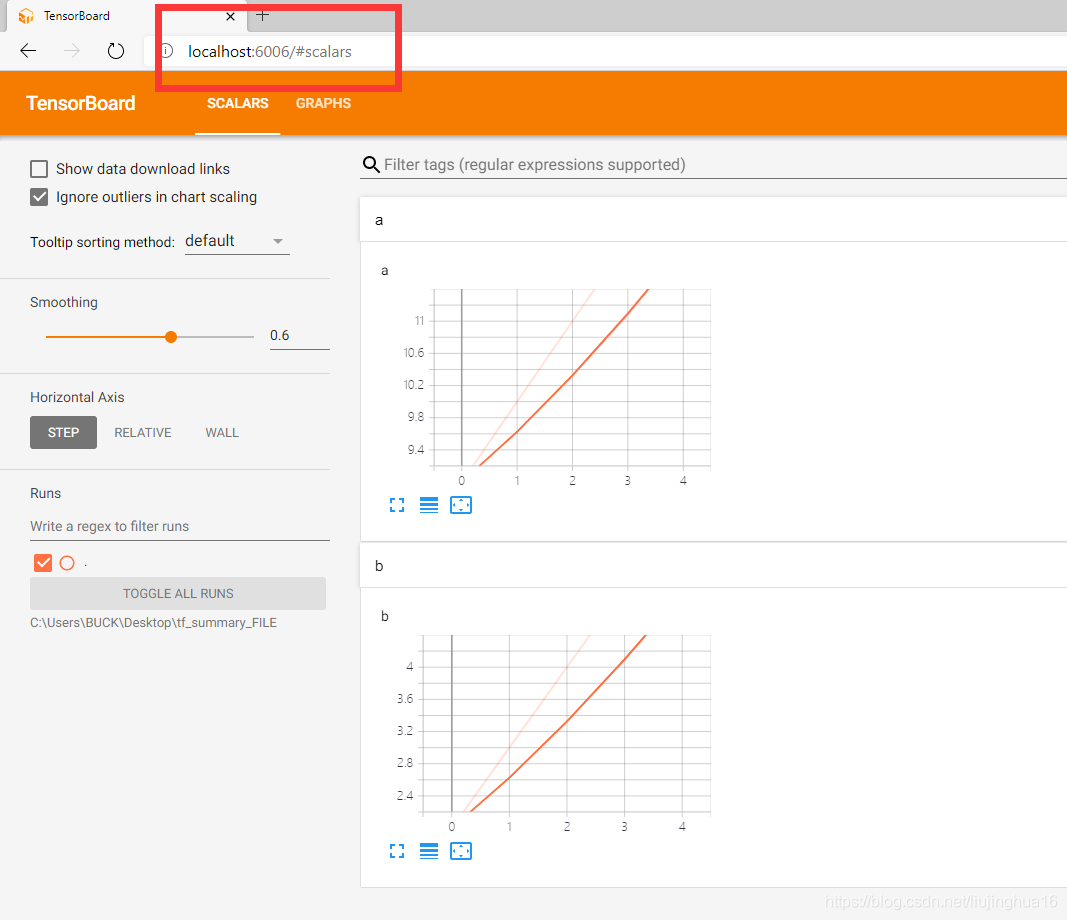
浏览器当中输入:
http://localhost:6006/
参考:
https://blog.csdn.net/weixin_43763859/article/details/104537392
https://blog.csdn.net/tian_jiangnan/article/details/105121217
本文来自互联网用户投稿,文章观点仅代表作者本人,不代表本站立场,不承担相关法律责任。如若转载,请注明出处。 如若内容造成侵权/违法违规/事实不符,请点击【内容举报】进行投诉反馈!