手动修复 under-replicated blocks in HDFS
解决方式步骤: 1、进入hdfs的pod kubectl get pod -o wide | grep hdfs kubectl exec -ti hadoop-hdfs-namenode-hdfs1-948569108-c5d70 bash 2、获取票据 kinit -kt /etc/hdfs1/conf/hdfs.keytab hdfs/gz232-112 3、查询每个blocks信息 hdfs fsck -blocks -files -locations / 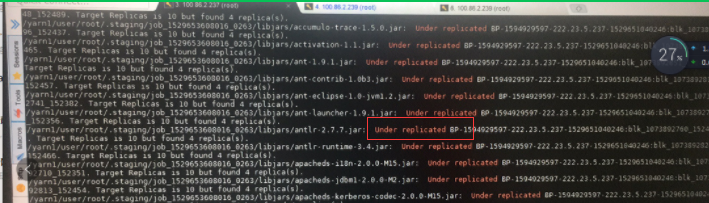 4、找出replication != 3 的blocks hdfs fsck / | grep 'Under replicated' 5、cat /tmp/under_replicated_files 查看,是不是所有的都是这个问题 6、手动修复 under_replicated_files su - <$hdfs_user> hdfs fsck / | grep 'Under replicated' | awk -F':' '{print $1}' >> /tmp/under_replicated_files for hdfsfile in `cat /tmp/under_replicated_files`; do echo "Fixing $hdfsfile :" ; hadoop fs -setrep 3 $hdfsfile; done
转载于:https://www.cnblogs.com/yfb918/p/10417325.html
本文来自互联网用户投稿,文章观点仅代表作者本人,不代表本站立场,不承担相关法律责任。如若转载,请注明出处。 如若内容造成侵权/违法违规/事实不符,请点击【内容举报】进行投诉反馈!