编译android版本htop
准备
编译环境:ubuntu 20.04.2
编译器版本:ndk-24.0.8215888
ncurses版本: 6.0
htop版本:3.2.2
1. 下载ncurses
wget http://ftp.gnu.org/gnu/ncurses/ncurses-6.0.tar.gztar -xvf ncurses-6.0.tar.gz2. 配置环境 创建make_toolchain.sh 内容如下
# Create an arm64 API 26 libc++ toolchain.$ANDROID_NDK/build/tools/make_standalone_toolchain.py \--arch arm64 \--api 26 \--install-dir=`pwd`/aarch64-linux-android-toolchain sh make_toolchain.sh创建 环境配置shell make_env.sh内容如下:
# Add the standalone toolchain to the search path.export PATH=$PATH:`pwd`/aarch64-linux-android-toolchain/bin# Tell configure what tools to use.target_host=aarch64-linux-androidexport AR=$target_host-arexport AS=$target_host-clangexport CC=$target_host-clangexport CXX=$target_host-clang++export LD=$target_host-ldexport STRIP=$target_host-strip# Tell configure what flags Android requires.export CFLAGS="-fPIE -fPIC -Wno-error -Wno-null-pointer-arithmetic -I`pwd`/ncurses-6.0/install/include/ncurses -I`pwd`/ncurses-6.0/install/include"export LDFLAGS="-pie -L`pwd`/ncurses-6.0/install/lib" source make_env.sh3. 编译ncurses
./configure --host=aarch64-linux-android --prefix=`pwd`/install --with-sharedmake -j10 && make install4. 编译htop
git clone --recursive https://github.com/htop-dev/htopcd htopgit checkout 3.2.2./configure --host=aarch64-linux-android --prefix=`pwd`/install --disable-unicodemake -j105. 拷贝到android并运行
adb push htop /data/local/tmp/adb push libncurses*.so /data/local/tmp/export LD_LIBRARY_PATH=././htop6. 报错及修改
错误一:
LinuxProcessList.c:(.text+0x1400): undefined reference to `ffsl'修改方法,在文件开头定义, 修改linux/LinuxProcessList.c#define ffsl __builtin_ffsl错误二:
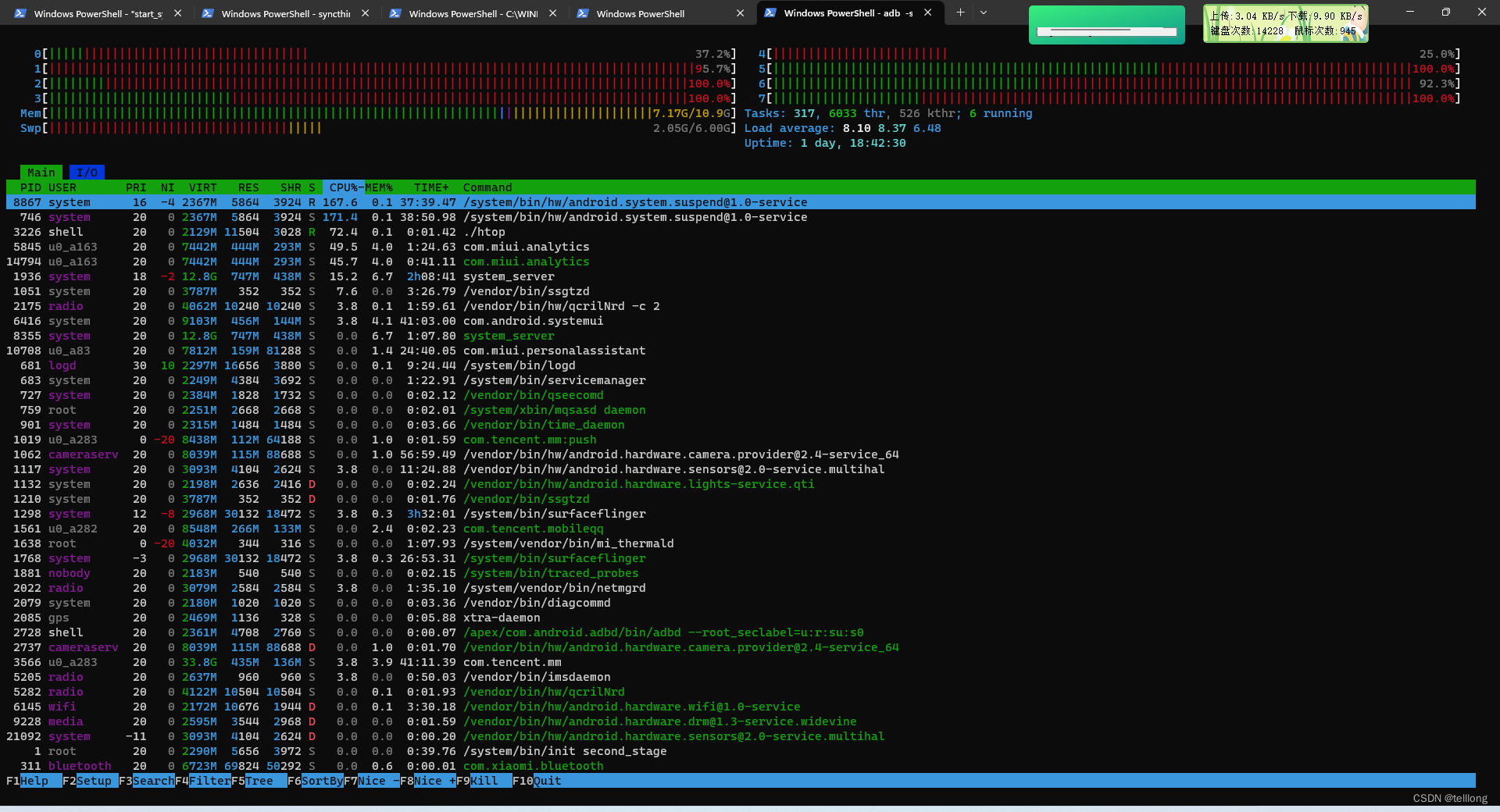
运行报错Error opening terminal: xterm-256color.找一台普通的linux主机将/usr/share/terminfo 拷贝到/data/local/tmp设置变量export TERMINFO=/data/local/tmp/terminfoexport TERM=xterm-basic7. 运行效果
本文来自互联网用户投稿,文章观点仅代表作者本人,不代表本站立场,不承担相关法律责任。如若转载,请注明出处。 如若内容造成侵权/违法违规/事实不符,请点击【内容举报】进行投诉反馈!