C# OpenCvSharp 颜色反转
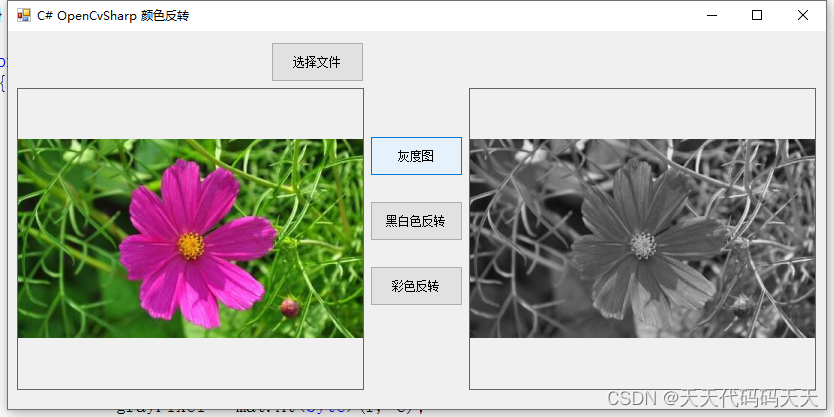
效果
灰度图
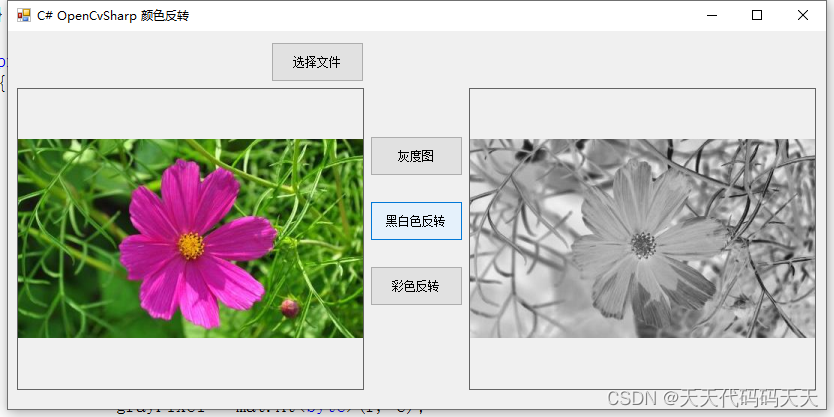
黑白色反转
彩色反转

项目
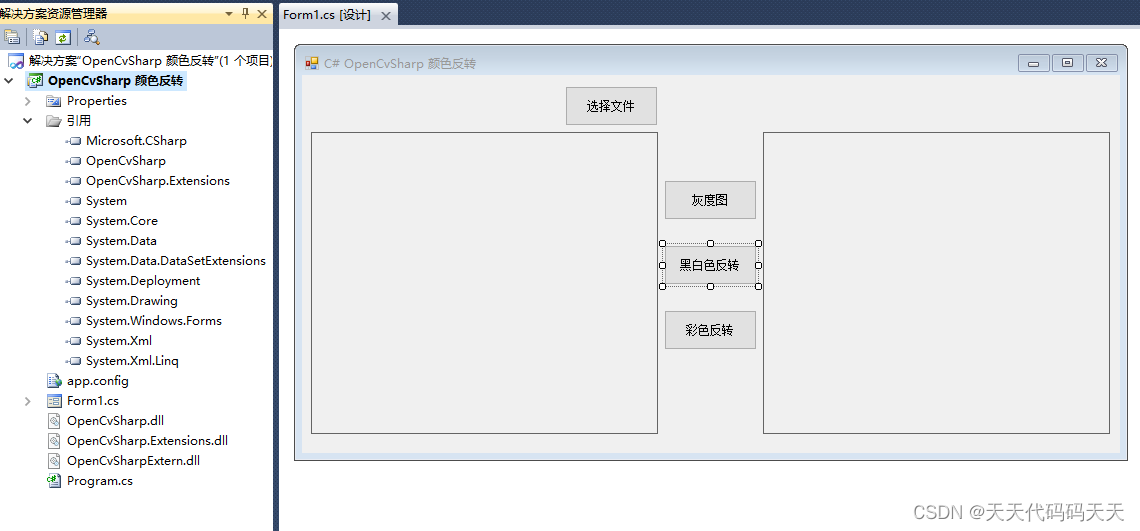
代码
using System;
using System.Collections.Generic;
using System.ComponentModel;
using System.Data;
using System.Drawing;
using System.Linq;
using System.Text;
using System.Windows.Forms;
using OpenCvSharp;
using OpenCvSharp.Extensions;namespace OpenCvSharp_颜色反转
{public partial class Form1 : Form{public Form1(){InitializeComponent();}private string fileFilter = "*.*|*.bmp;*.jpg;*.jpeg;*.tiff;*.tiff;*.png";Bitmap bmp;String imgPath = "";private void button2_Click(object sender, EventArgs e){OpenFileDialog ofd = new OpenFileDialog();ofd.Filter = fileFilter;if (ofd.ShowDialog() != DialogResult.OK) return;imgPath = ofd.FileName;bmp = new Bitmap(imgPath);pictureBox1.Image = bmp;}private void button1_Click(object sender, EventArgs e){if (imgPath == ""){return;}Mat mat = new Mat(imgPath);Cv2.CvtColor(mat, mat, ColorConversionCodes.BGR2GRAY);Mat dst = new Mat(mat.Height, mat.Width, mat.Type(), Scalar.White);byte grayPixel = 0;for (int r = 0; r < dst.Rows; r++){for (int c = 0; c < dst.Cols; c++){grayPixel = mat.At(r, c);dst.Set(r, c, (byte)(255 - grayPixel));}}if (pictureBox2.Image != null){pictureBox2.Image.Dispose();}pictureBox2.Image = BitmapConverter.ToBitmap(dst);}private void button4_Click(object sender, EventArgs e){if (imgPath == ""){return;}Mat mat = new Mat(imgPath);Cv2.CvtColor(mat, mat, ColorConversionCodes.BGR2GRAY);if (pictureBox2.Image != null){pictureBox2.Image.Dispose();}pictureBox2.Image = BitmapConverter.ToBitmap(mat);}private void button3_Click(object sender, EventArgs e){if (imgPath == ""){return;}Mat mat = new Mat(imgPath);Mat dst = new Mat(mat.Height, mat.Width, mat.Type(), Scalar.White);Vec3b vec3B;for (int r = 0; r < dst.Rows; r++){for (int c = 0; c < dst.Cols; c++){vec3B = mat.At(r, c);vec3B.Item0 = (byte)(255 - vec3B.Item0);vec3B.Item1 = (byte)(255 - vec3B.Item1);vec3B.Item2 = (byte)(255 - vec3B.Item2);dst.Set(r, c, vec3B);}}if (pictureBox2.Image != null){pictureBox2.Image.Dispose();}pictureBox2.Image = BitmapConverter.ToBitmap(dst);}}
}
Demo下载
本文来自互联网用户投稿,文章观点仅代表作者本人,不代表本站立场,不承担相关法律责任。如若转载,请注明出处。 如若内容造成侵权/违法违规/事实不符,请点击【内容举报】进行投诉反馈!