更改easypoi导出excel的列宽,已解决!
版本
在本地创造下面两个类,包路径要一样
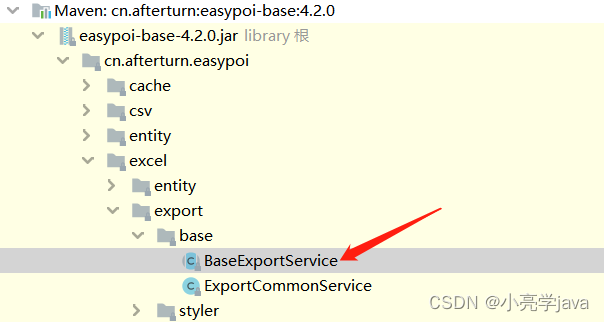
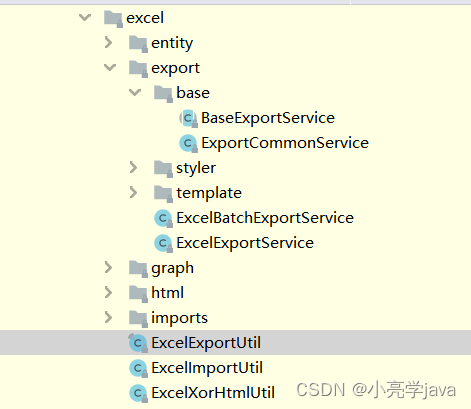
创建完成后这样:
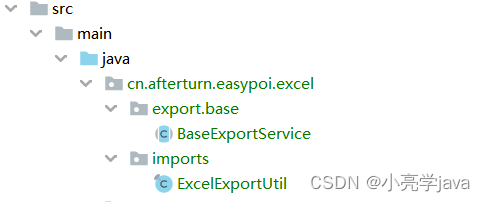
在本地的BaseExportService中重写setCellWith方法
public void setCellWith(List excelParams, Sheet sheet) {for (int i = 0; i < excelParams.size(); i++) {sheet.autoSizeColumn(i);sheet.setColumnWidth(i, sheet.getColumnWidth(i) * 17 / 10); // 中文宽度//设置最小宽度,防止title字符过短导致内容折叠显示,体验不佳int minWidth = excelParams.get(i).getName().length() * 1600;if (sheet.getColumnWidth(i) < minWidth)sheet.setColumnWidth(i, minWidth); // 无数据额外处理}}
此处借鉴了:
原文链接:https://blog.csdn.net/weixin_43836520/article/details/120304557
在BaseExportService中:
完成修改:
109行的:            int maxHeight = maxHeight + (listMaxHeight - 1);
改成   :             maxHeight = maxHeight + (listMaxHeight - 1);
结果:

本文来自互联网用户投稿,文章观点仅代表作者本人,不代表本站立场,不承担相关法律责任。如若转载,请注明出处。 如若内容造成侵权/违法违规/事实不符,请点击【内容举报】进行投诉反馈!