iOS核心动画CoreAnimation系统进阶(自定义转场动画)
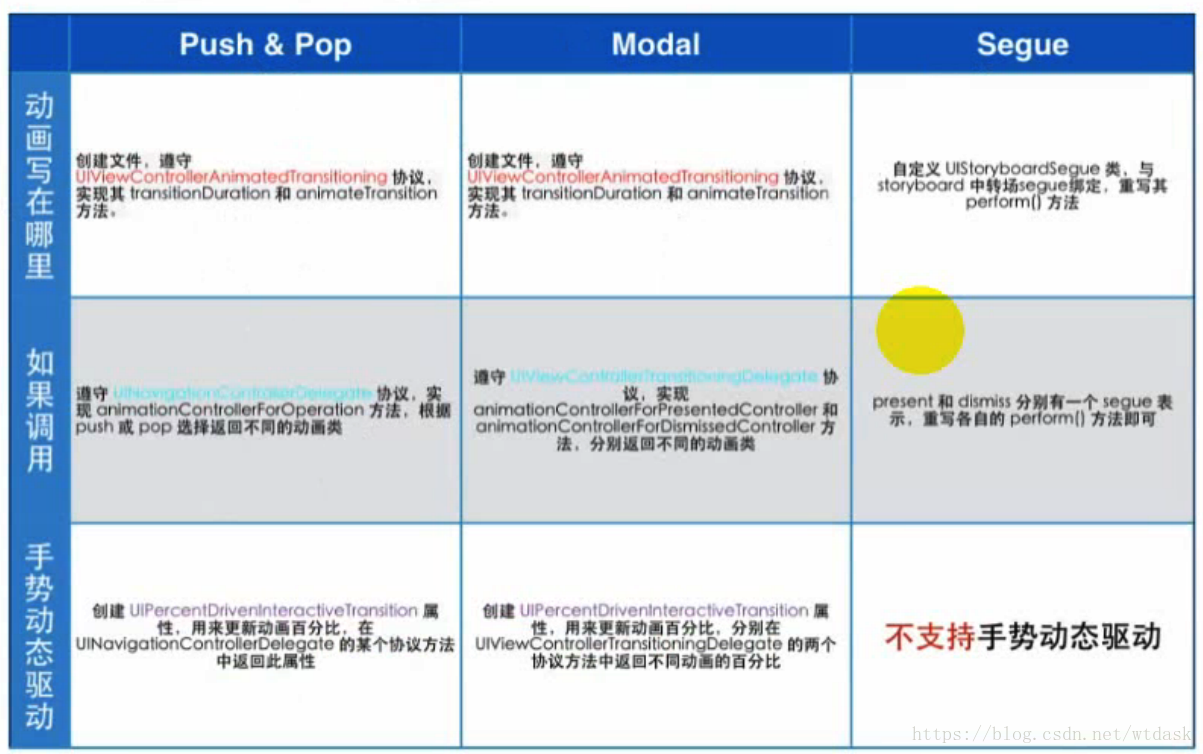
想要实现自定义转场动画,需要分两个步骤
一.实现相关协议
@interface CustomTransitionViewController ()<UINavigationControllerDelegate>-(void)viewWillAppear:(BOOL)animated{[super viewWillAppear:animated];self.navigationController.delegate = self;
}//告诉nav,想自己自定义一个转场
-(id)navigationController:(UINavigationController *)navigationController animationControllerForOperation:(UINavigationControllerOperation)operation fromViewController:(UIViewController *)fromVC toViewController:(UIViewController *)toVC{if (operation == UINavigationControllerOperationPush) {WTCircleTransition *trans =[WTCircleTransition new];return trans;}return nil;
} 二.做动画
创建WTCircleTransition协议类
#import 实现UIViewControllerAnimatedTransitioning中的协议
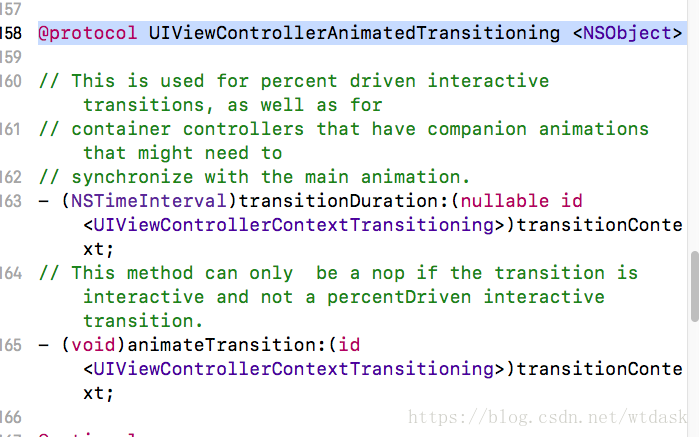
WTCircleTransition.m
-(NSTimeInterval)transitionDuration:(id)transitionContext{return .8f;
} -(void)animateTransition:(id)transitionContext{//1.持有transitionContext上下文_context = transitionContext;//2.获取view的容器UIView *containerView = [transitionContext containerView];//3.初始化toVc,把toVc的view添加到容器viewUIViewController *toVc =[transitionContext viewControllerForKey:UITransitionContextToViewControllerKey];//4.添加动画/*拆分动画4.1 2个圆(大小圆的中心点一致)4.2 贝塞尔4.3 蒙版*/UIButton *btn;CustomTransitionViewController * VC1;SecondViewController * VC2;if (_isPush) {VC1 =[transitionContext viewControllerForKey:UITransitionContextFromViewControllerKey];VC2 = [transitionContext viewControllerForKey:UITransitionContextToViewControllerKey];btn = VC1.customTransitionBtn;}else{VC2 =[transitionContext viewControllerForKey:UITransitionContextFromViewControllerKey];VC1 = [transitionContext viewControllerForKey:UITransitionContextToViewControllerKey];btn = VC2.backBtn;}[containerView addSubview:VC1.view];[containerView addSubview:VC2.view];//5.画出小圆UIBezierPath *smallPath =[UIBezierPath bezierPathWithOvalInRect:btn.frame];//内切圆CGPoint centerP;centerP = btn.center;//6.求大圆半径 勾股定理CGFloat radius;CGFloat y = CGRectGetHeight(toVc.view.bounds)-CGRectGetMaxY(btn.frame)+CGRectGetHeight(btn.bounds)/2;CGFloat x = CGRectGetWidth(toVc.view.bounds)-CGRectGetMaxX(btn.frame)+CGRectGetWidth(btn.bounds)/2;if (btn.frame.origin.x >CGRectGetWidth(toVc.view.bounds)/2) {//位于1,4象限if (CGRectGetMaxY(btn.frame)< CGRectGetHeight(toVc.view.bounds)/2) {//第一象限//sqrtf(求平方根)radius = sqrtf(btn.center.x *btn.center.x +y*y);}else{//第四象限radius = sqrtf(btn.center.x * btn.center.x + btn.center.y*btn.center.y);}}else{if (CGRectGetMaxY(btn.frame).view.frame)) {//第二象限radius = sqrtf(x*x+y*y);}else{//第三象限radius = sqrtf(x*x + btn.center.y*btn.center.y);}}//7.画大圆UIBezierPath * bigPath = [UIBezierPath bezierPathWithArcCenter:centerP radius:radius startAngle:0 endAngle:2*M_PI clockwise:YES];//8.CAShapeLayer *shapeLayer =[CAShapeLayer layer];if (_isPush) {shapeLayer.path = bigPath.CGPath;} else{shapeLayer.path = smallPath.CGPath;}//9.添加蒙版
// [toVc.view.layer addSublayer:shapeLayer];UIViewController *VC;if (_isPush) {VC = [transitionContext viewControllerForKey:UITransitionContextToViewControllerKey];}else{VC = [transitionContext viewControllerForKey:UITransitionContextFromViewControllerKey];}VC.view.layer.mask = shapeLayer;//10.给layer添加动画CABasicAnimation *anim =[CABasicAnimation animationWithKeyPath:@"path"];if (_isPush) {anim.fromValue = (id)smallPath.CGPath;}else{anim.fromValue = (id)bigPath.CGPath;}//重要,动画时间要和转场时间一致anim.duration = [self transitionDuration:transitionContext];anim.delegate = self;[shapeLayer addAnimation:anim forKey:nil];
} #pragma mark - CAAnimationDelegate
-(void)animationDidStop:(CAAnimation *)anim finished:(BOOL)flag{[_context completeTransition:YES];//去掉蒙版if (_isPush) {UIViewController * toVc =[_context viewControllerForKey:UITransitionContextToViewControllerKey];toVc.view.layer.mask = nil;}else{UIViewController * toVc =[_context viewControllerForKey:UITransitionContextFromViewControllerKey];toVc.view.layer.mask = nil;}}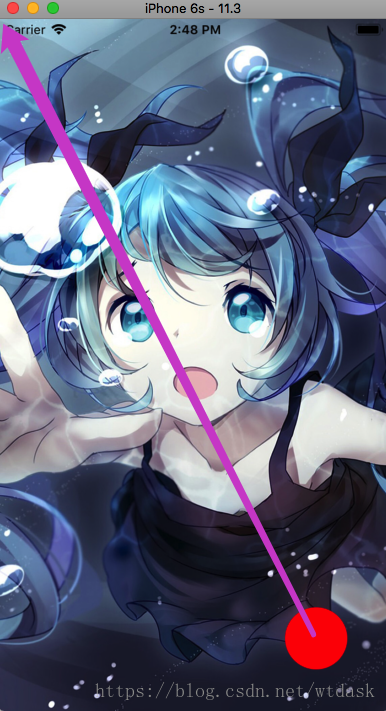
大圆半径
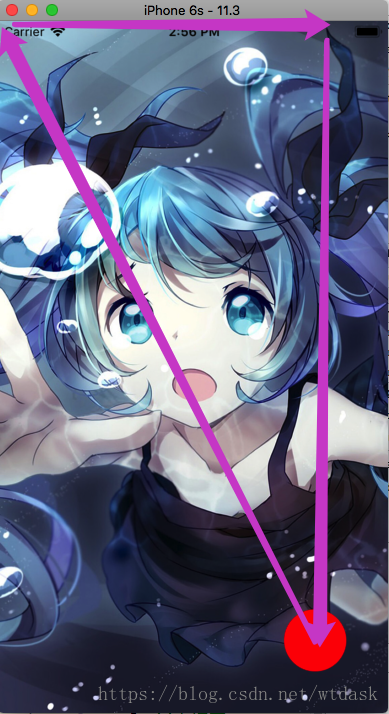
勾股定理求半径
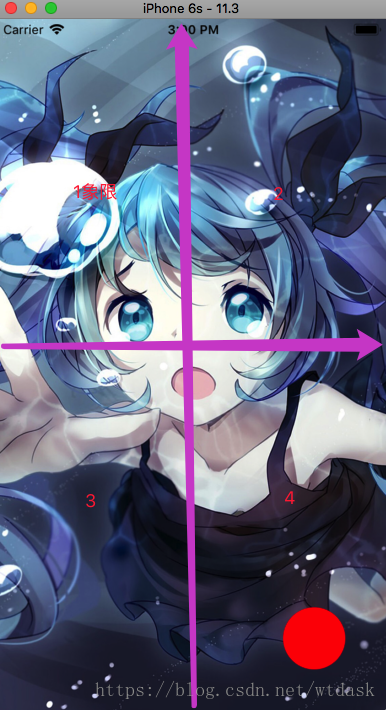
判断象限
在做自定义转场动画时,我们需要进行几个步骤:
- 实现相关协议 push/pop motal segue
- 添加实现了UIViewControllerAnimatedTransitioning的类
- 在类里面实现动画协议,然后添加转场动画
- 告诉上下文,动画完成
总结:自定义切换并不会改变VC的组织结构,只是负责提供了view的效果
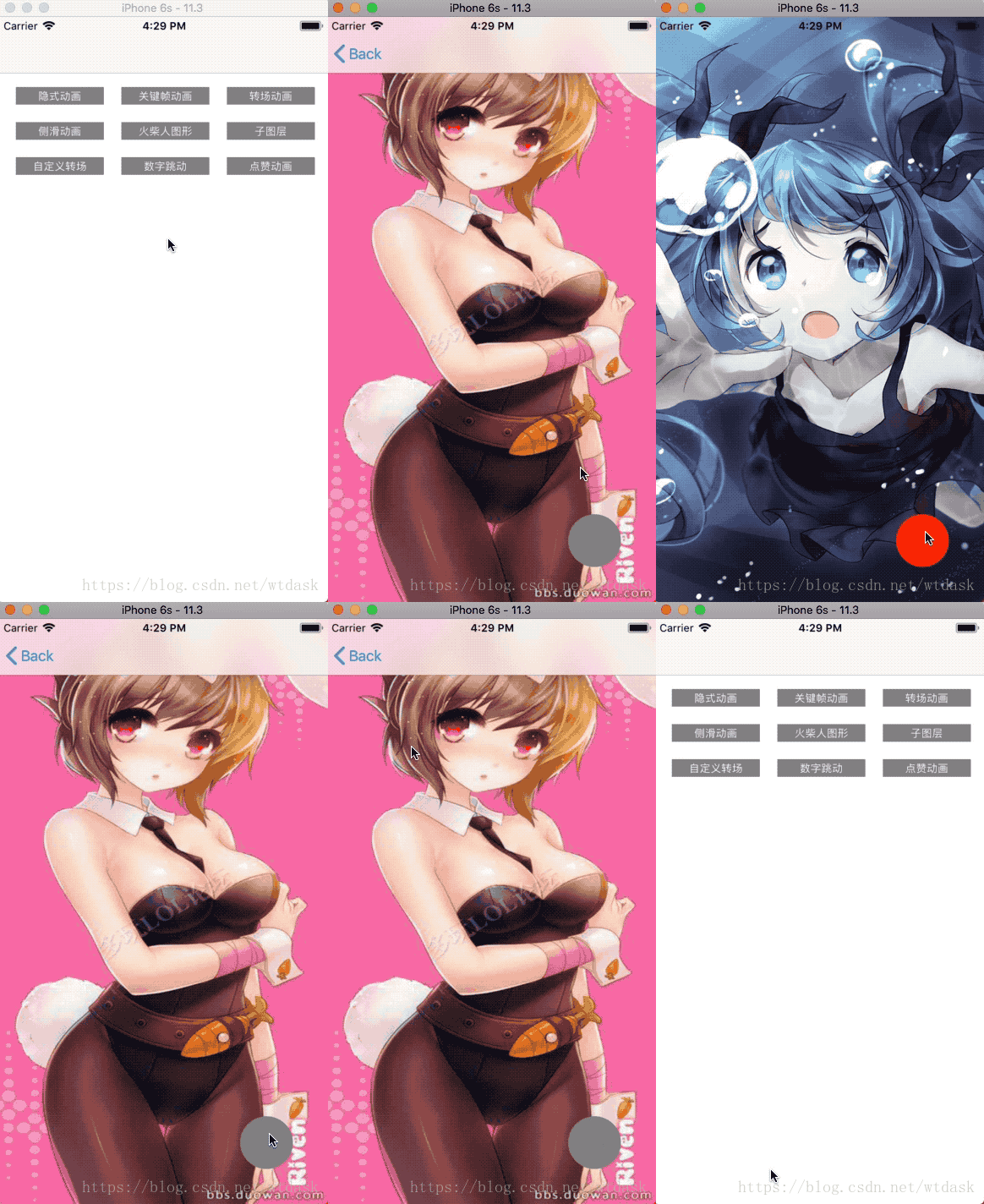
实现效果:
gitHub代码参考
本文来自互联网用户投稿,文章观点仅代表作者本人,不代表本站立场,不承担相关法律责任。如若转载,请注明出处。 如若内容造成侵权/违法违规/事实不符,请点击【内容举报】进行投诉反馈!