RHCE作业5
扩展练习果汁售卖:
(1)显示饮品菜单以及对应价格
(2)用户选择自己喜欢的饮品,根据用户选择可以计算出对应价格。
1、显示/proc/meminfo文 件中以不区分大小的s开头的行:
2、显示/etc/passwd中 以nologin结尾的行;
3、取出默认shell为/sbin/nologin的用户列表
4、取出默认shell为bash,且其用户ID号最小的用户的用户名
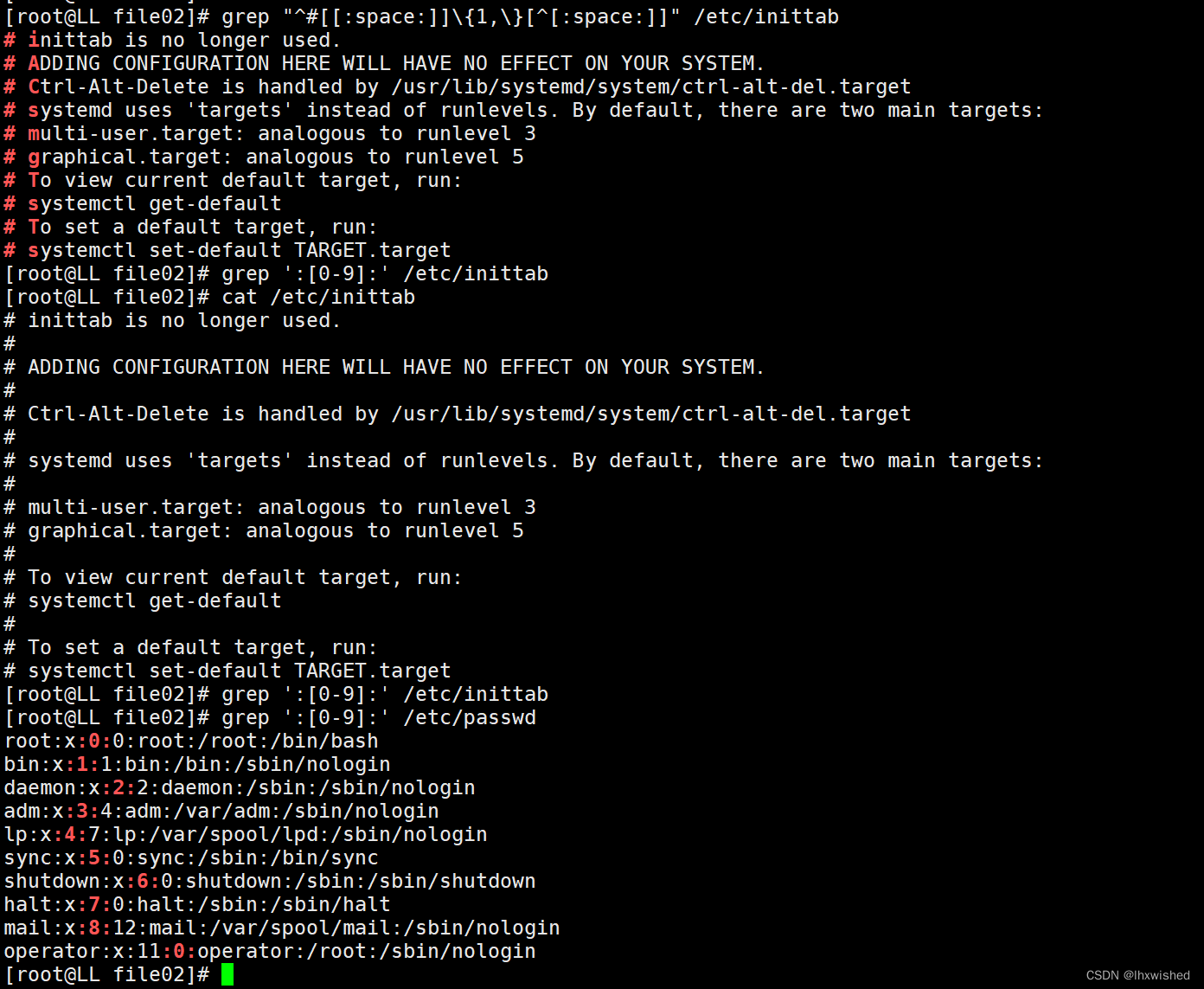
5、显示/etc/inittab中 以#开头,且后面跟-一个或多个空白字符,而后又跟了任意非空白字符的行
6、显示/etc/inittab中包含 了:一个数值 (即两个冒号中间一个数字的行
/etc/passwd 多个冒号之间的数值匹配显示
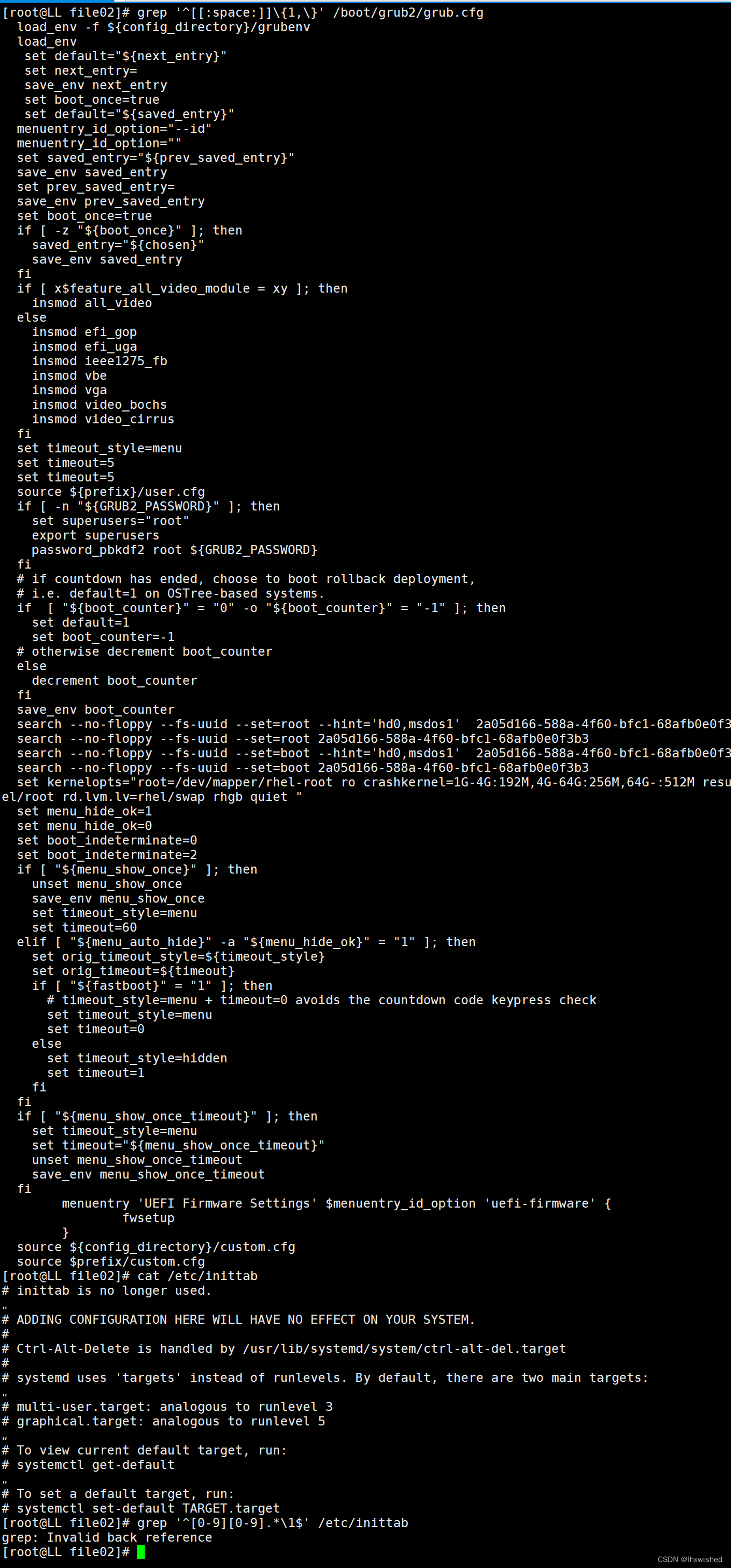
7、显示/boot/grub2/grub.cfg文件中以一个或多个空白字符开头的行:
8、显示/etc/inittab文件中以一个数字开头并以一个与开头数字相同的数字结尾的行;
9、找出/proc/cpuinfo中的,1位数,或2位数;
10、查找当前系统上名字为student(必须出现在行首)的用户的账号的相关信息,文件为/etc/passwd
解答:
1、显示/proc/meminfo文 件中以不区分大小的s开头的行:
[root@LL file02]# grep -i ^[s] /proc/meminfo
SwapCached:            0 kB
SwapTotal:       2097148 kB
SwapFree:        2097148 kB
Shmem:             11780 kB
Slab:             140256 kB
SReclaimable:      56468 kB
SUnreclaim:        83788 kB
ShmemHugePages:        0 kB
ShmemPmdMapped:        0 kB
2、显示/etc/passwd中 以nologin结尾的行;
[root@LL file02]# grep "nologin$" /etc/passwd
bin:x:1:1:bin:/bin:/sbin/nologin
daemon:x:2:2:daemon:/sbin:/sbin/nologin
adm:x:3:4:adm:/var/adm:/sbin/nologin
lp:x:4:7:lp:/var/spool/lpd:/sbin/nologin
mail:x:8:12:mail:/var/spool/mail:/sbin/nologin
operator:x:11:0:operator:/root:/sbin/nologin
games:x:12:100:games:/usr/games:/sbin/nologin
ftp:x:14:50:FTP User:/var/ftp:/sbin/nologin
nobody:x:65534:65534:Kernel Overflow User:/:/sbin/nologin
systemd-coredump:x:999:997:systemd Core Dumper:/:/sbin/nologin
dbus:x:81:81:System message bus:/:/sbin/nologin
polkitd:x:998:996:User for polkitd:/:/sbin/nologin
avahi:x:70:70:Avahi mDNS/DNS-SD Stack:/var/run/avahi-daemon:/sbin/nologin
tss:x:59:59:Account used for TPM access:/dev/null:/sbin/nologin
colord:x:997:993:User for colord:/var/lib/colord:/sbin/nologin
clevis:x:996:992:Clevis Decryption Framework unprivileged user:/var/cache/clevis:/usr/sbin/nologin
rtkit:x:172:172:RealtimeKit:/proc:/sbin/nologin
sssd:x:995:991:User for sssd:/:/sbin/nologin
geoclue:x:994:990:User for geoclue:/var/lib/geoclue:/sbin/nologin
gdm:x:42:42::/var/lib/gdm:/sbin/nologin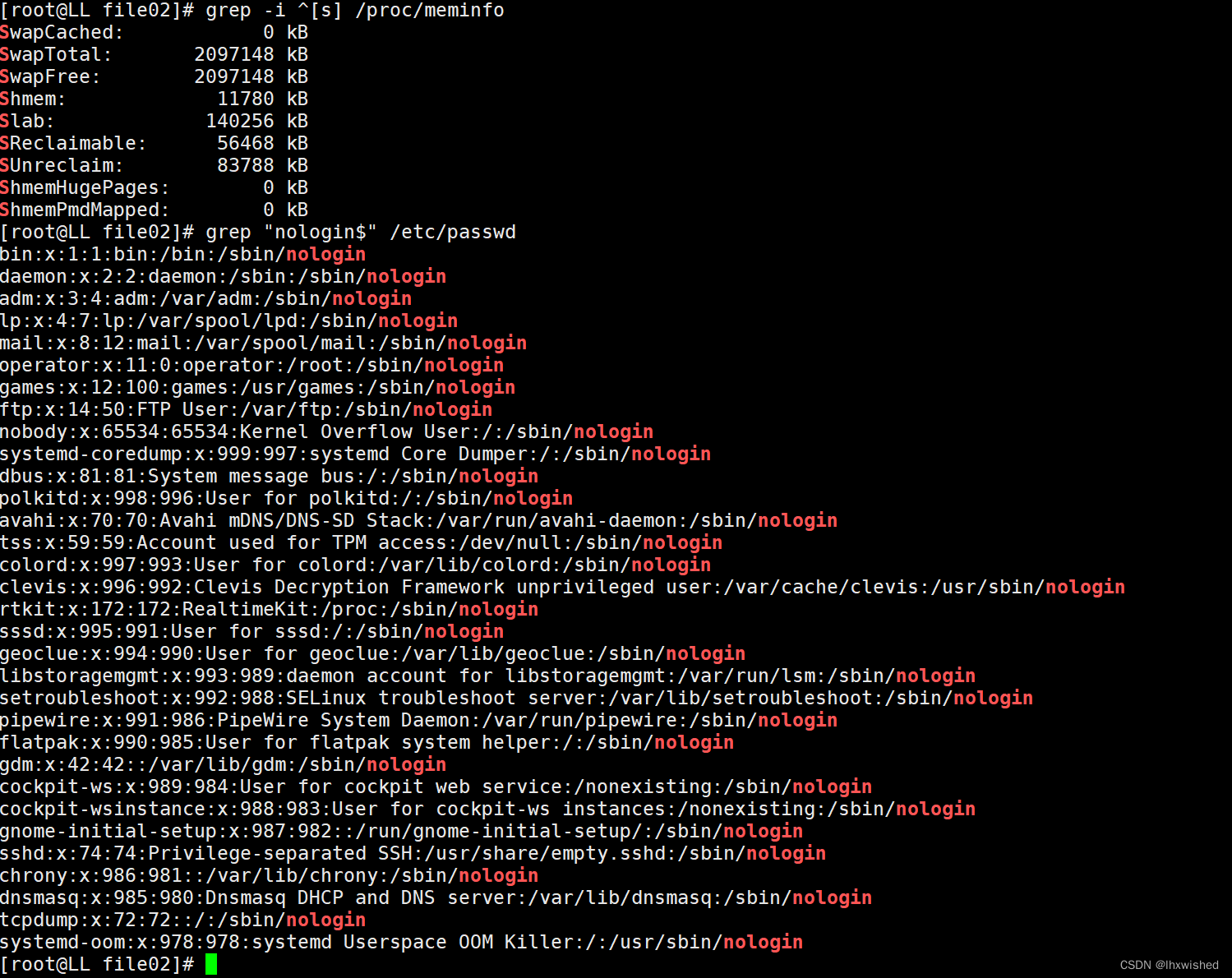
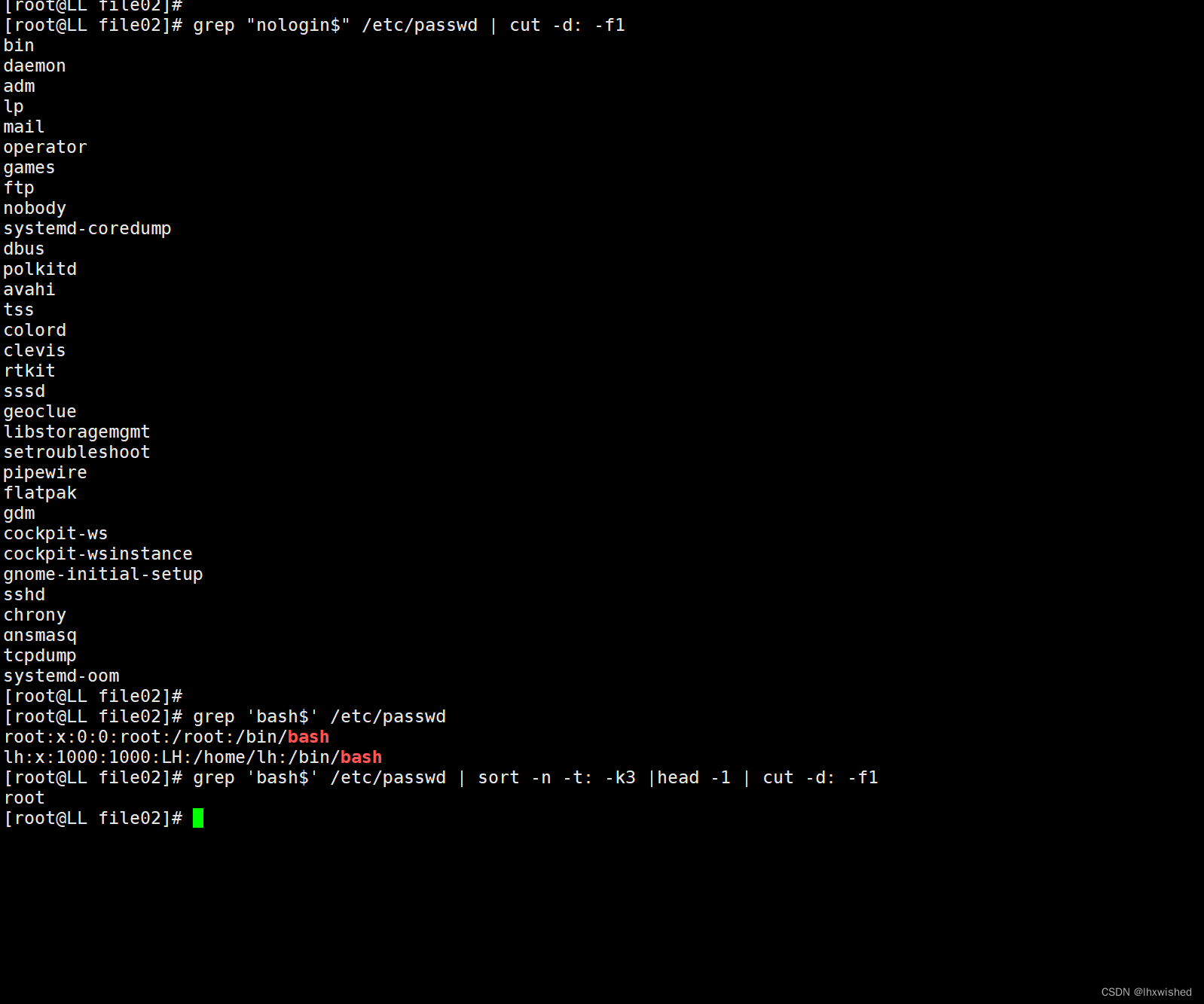
3、取出默认shell为/sbin/nologin的用户列表
4、取出默认shell为bash,且其用户ID号最小的用户的用户名
[root@LL file02]# grep "nologin$" /etc/passwd | cut -d: -f1
bin
daemon
adm
lp
mail
operator
games
ftp
nobody
systemd-coredump
dbus
polkitd
avahi
tss
colord
clevis
rtkit
sssd
geoclue
libstoragemgmt
setroubleshoot
pipewire
flatpak
gdm
cockpit-ws
cockpit-wsinstance
gnome-initial-setup
sshd
chrony
dnsmasq
tcpdump
systemd-oom
[root@LL file02]#
[root@LL file02]# grep 'bash$' /etc/passwd
root:x:0:0:root:/root:/bin/bash
lh:x:1000:1000:LH:/home/lh:/bin/bash
[root@LL file02]# grep 'bash$' /etc/passwd | sort -n -t: -k3 |head -1 | cut -d: -f1
root
5、显示/etc/inittab中 以#开头,且后面跟-一个或多个空白字符,而后又跟了任意非空白字符的行
6、显示/etc/inittab中包含 了:一个数值 (即两个冒号中间一个数字的行
/etc/passwd 多个冒号之间的数值匹配显示
[root@LL file02]# grep "^#[[:space:]]\{1,\}[^[:space:]]" /etc/inittab
# inittab is no longer used.
# ADDING CONFIGURATION HERE WILL HAVE NO EFFECT ON YOUR SYSTEM.
# Ctrl-Alt-Delete is handled by /usr/lib/systemd/system/ctrl-alt-del.target
# systemd uses 'targets' instead of runlevels. By default, there are two main targets:
# multi-user.target: analogous to runlevel 3
# graphical.target: analogous to runlevel 5
# To view current default target, run:
# systemctl get-default
# To set a default target, run:
# systemctl set-default TARGET.target[root@LL file02]# grep ':[0-9]:' /etc/passwd
root:x:0:0:root:/root:/bin/bash
bin:x:1:1:bin:/bin:/sbin/nologin
daemon:x:2:2:daemon:/sbin:/sbin/nologin
adm:x:3:4:adm:/var/adm:/sbin/nologin
lp:x:4:7:lp:/var/spool/lpd:/sbin/nologin
sync:x:5:0:sync:/sbin:/bin/sync
shutdown:x:6:0:shutdown:/sbin:/sbin/shutdown
halt:x:7:0:halt:/sbin:/sbin/halt
mail:x:8:12:mail:/var/spool/mail:/sbin/nologin
operator:x:11:0:operator:/root:/sbin/nologin
7、显示/boot/grub2/grub.cfg文件中以一个或多个空白字符开头的行:
8、显示/etc/inittab文件中以一个数字开头并以一个与开头数字相同的数字结尾的行;
[root@LL file02]# grep '^[[:space:]]\{1,\}' /boot/grub2/grub.cfgload_env -f ${config_directory}/grubenvload_envset default="${next_entry}"set next_entry=save_env next_entryset boot_once=trueset default="${saved_entry}"menuentry_id_option="--id"menuentry_id_option=""set saved_entry="${prev_saved_entry}"save_env saved_entryset prev_saved_entry=save_env prev_saved_entryset boot_once=trueif [ -z "${boot_once}" ]; thensaved_entry="${chosen}"save_env saved_entryfiif [ x$feature_all_video_module = xy ]; theninsmod all_videoelseinsmod efi_gopinsmod efi_ugainsmod ieee1275_fbinsmod vbeinsmod vgainsmod video_bochsinsmod video_cirrusfiset timeout_style=menuset timeout=5set timeout=5source ${prefix}/user.cfgif [ -n "${GRUB2_PASSWORD}" ]; thenset superusers="root"export superuserspassword_pbkdf2 root ${GRUB2_PASSWORD}fi# if countdown has ended, choose to boot rollback deployment,# i.e. default=1 on OSTree-based systems.if  [ "${boot_counter}" = "0" -o "${boot_counter}" = "-1" ]; thenset default=1set boot_counter=-1# otherwise decrement boot_counterelsedecrement boot_counterfisave_env boot_countersearch --no-floppy --fs-uuid --set=root --hint='hd0,msdos1'  2a05d166-588a-4f60-bfc1-68afb0e0f3b3search --no-floppy --fs-uuid --set=root 2a05d166-588a-4f60-bfc1-68afb0e0f3b3search --no-floppy --fs-uuid --set=boot --hint='hd0,msdos1'  2a05d166-588a-4f60-bfc1-68afb0e0f3b3search --no-floppy --fs-uuid --set=boot 2a05d166-588a-4f60-bfc1-68afb0e0f3b3set kernelopts="root=/dev/mapper/rhel-root ro crashkernel=1G-4G:192M,4G-64G:256M,64G-:512M resume=/dev/mapper/rhel-swap rd.lvm.lv=rhel/root rd.lvm.lv=rhel/swap rhgb quiet "set menu_hide_ok=1set menu_hide_ok=0 set boot_indeterminate=0set boot_indeterminate=2if [ "${menu_show_once}" ]; thenunset menu_show_oncesave_env menu_show_onceset timeout_style=menuset timeout=60elif [ "${menu_auto_hide}" -a "${menu_hide_ok}" = "1" ]; thenset orig_timeout_style=${timeout_style}set orig_timeout=${timeout}if [ "${fastboot}" = "1" ]; then# timeout_style=menu + timeout=0 avoids the countdown code keypress checkset timeout_style=menuset timeout=0elseset timeout_style=hiddenset timeout=1fifiif [ "${menu_show_once_timeout}" ]; thenset timeout_style=menuset timeout="${menu_show_once_timeout}"unset menu_show_once_timeoutsave_env menu_show_once_timeoutfimenuentry 'UEFI Firmware Settings' $menuentry_id_option 'uefi-firmware' {fwsetup}source ${config_directory}/custom.cfgsource $prefix/custom.cfg[root@LL file02]# grep '^[0-9][0-9].*\1$' /etc/inittab
grep: Invalid back reference
9、找出/proc/cpuinfo中的,1位数,或2位数;
10、查找当前系统上名字为student(必须出现在行首)的用户的账号的相关信息,文件为/etc/passwd
[root@LL file02]# grep '[0-9]\{1,2\}' /proc/cpuinfo
processor	: 0
cpu family	: 6
model		: 141
model name	: 11th Gen Intel(R) Core(TM) i5-11260H @ 2.60GHz
stepping	: 1
microcode	: 0x34
cpu MHz		: 2611.214
cache size	: 12288 KB
physical id	: 0
siblings	: 1
core id		: 0
cpu cores	: 1
apicid		: 0
initial apicid	: 0
cpuid level	: 27
flags		: fpu vme de pse tsc msr pae mce cx8 apic sep mtrr pge mca cmov pat pse36 clflush mmx fxsr sse sse2 ss syscall nx pdp1gb rdtscp lm constant_tsc arch_perfmon rep_good nopl xtopology tsc_reliable nonstop_tsc cpuid tsc_known_freq pni pclmulqdq ssse3 fma cx16 pcid sse4_1 sse4_2 x2apic movbe popcnt tsc_deadline_timer aes xsave avx f16c rdrand hypervisor lahf_lm abm 3dnowprefetch invpcid_single ssbd ibrs ibpb stibp ibrs_enhanced fsgsbase tsc_adjust bmi1 avx2 smep bmi2 erms invpcid avx512f avx512dq rdseed adx smap avx51ifma clflushopt clwb avx512cd sha_ni avx512bw avx512vl xsaveopt xsavec xgetbv1 xsaves arat avx512vbmi umip pku ospke avx512_vbmi2 gfni vaes vpclmulqdq avx512_vnni avx512_bitalg avx512_vpopcntdq rdpid movdiri movdir64b fsrm avx512_vp2intersect md_clear flush_l1d arch_capabilities
bugs		: spectre_v1 spectre_v2 spec_store_bypass swapgs itlb_multihit eibrs_pbrsb
bogomips	: 5222.42
clflush size	: 64
cache_alignment	: 64
address sizes	: 45 bits physical, 48 bits virtual[root@LL file02]# grep '^student\' /etc/passwd
grep: Trailing backslash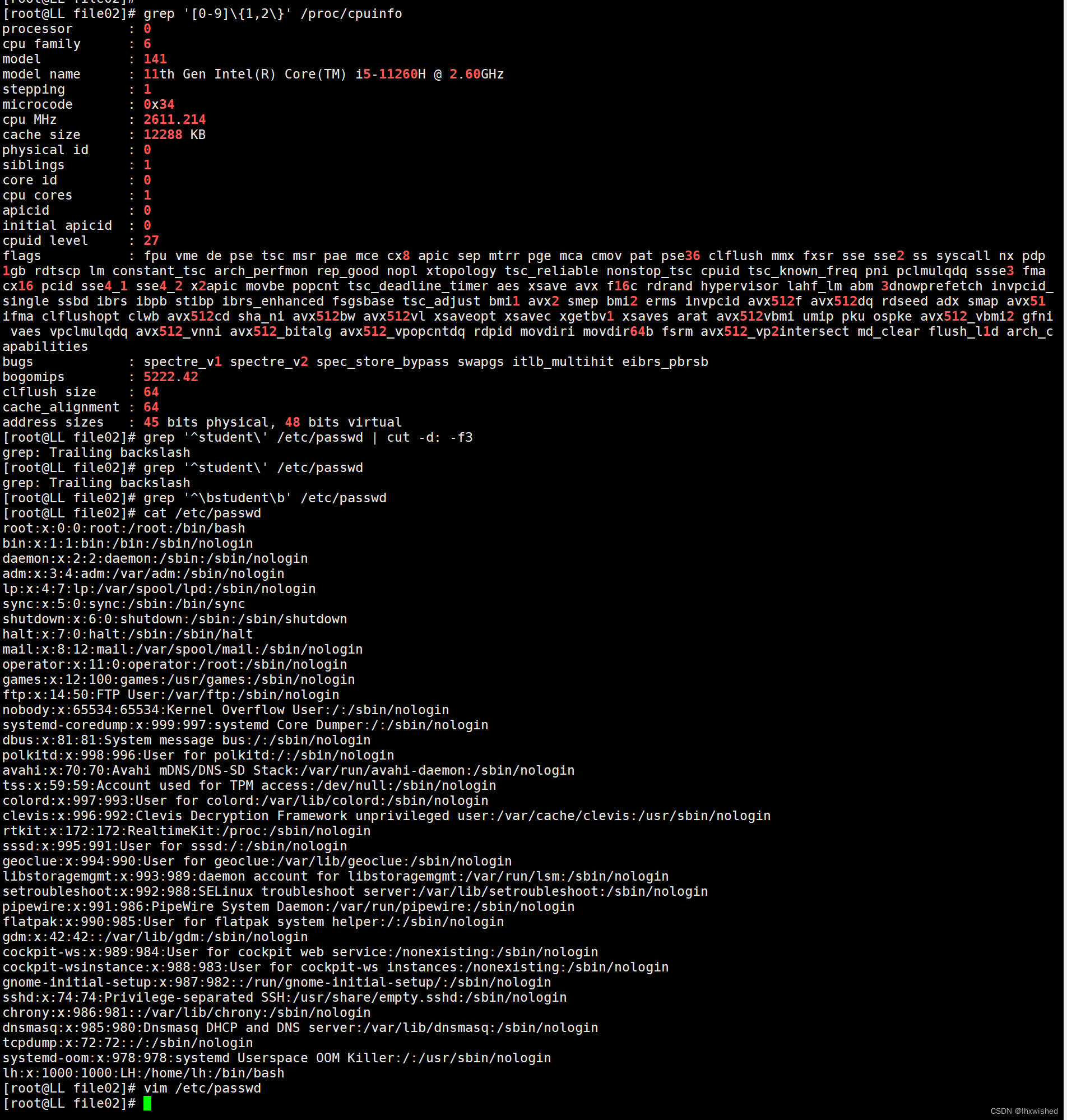
扩展练习果汁售卖:
(1)显示饮品菜单以及对应价格
(2)用户选择自己喜欢的饮品,根据用户选择可以计算出对应价格
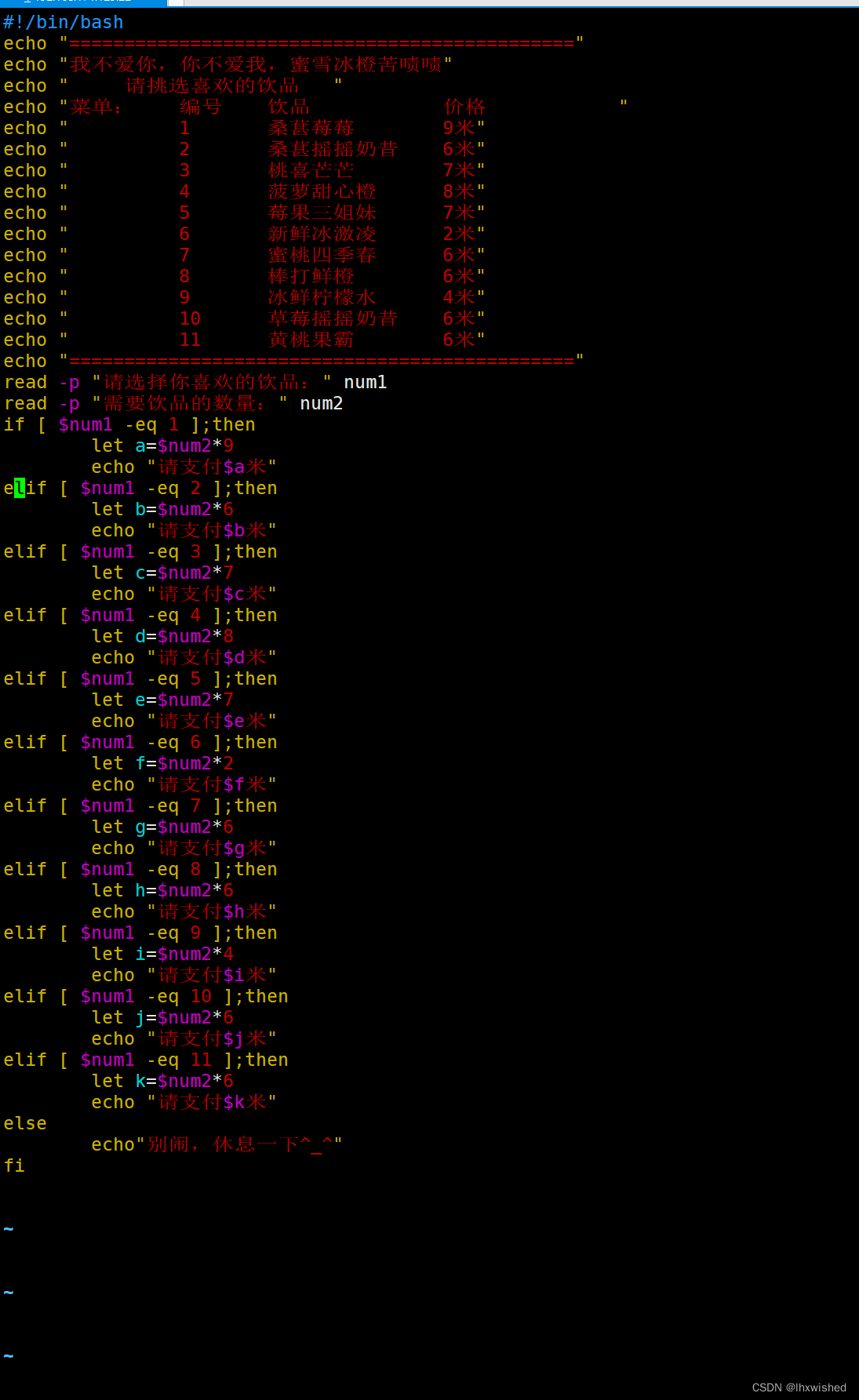
[root@LL ~]#vim juice.sh#!/bin/bash
echo "=============================================="
echo "我不爱你,你不爱我,蜜雪冰橙苦啧啧"
echo "     请挑选喜欢的饮品   "
echo "菜单:    编号    饮品            价格            "
echo "          1       桑葚莓莓        9米"
echo "          2       桑葚摇摇奶昔    6米"
echo "          3       桃喜芒芒        7米"
echo "          4       菠萝甜心橙      8米"
echo "          5       莓果三姐妹      7米"
echo "          6       新鲜冰激凌      2米"
echo "          7       蜜桃四季春      6米"
echo "          8       棒打鲜橙        6米"
echo "          9       冰鲜柠檬水      4米"
echo "          10      草莓摇摇奶昔    6米"
echo "          11      黄桃果霸        6米"
echo "=============================================="
read -p "请选择你喜欢的饮品:" num1
read -p "需要饮品的数量:" num2
if [ $num1 -eq 1 ];thenlet a=$num2*9echo "请支付$a米"
elif [ $num1 -eq 2 ];thenlet b=$num2*6echo "请支付$b米"
elif [ $num1 -eq 3 ];thenlet c=$num2*7echo "请支付$c米"
elif [ $num1 -eq 4 ];thenlet d=$num2*8echo "请支付$d米"
elif [ $num1 -eq 5 ];thenlet e=$num2*7echo "请支付$e米"
elif [ $num1 -eq 6 ];thenlet f=$num2*2echo "请支付$f米"
elif [ $num1 -eq 7 ];thenlet g=$num2*6echo "请支付$g米"
elif [ $num1 -eq 8 ];thenlet h=$num2*6echo "请支付$h米"
elif [ $num1 -eq 9 ];thenlet i=$num2*4echo "请支付$i米"
elif [ $num1 -eq 10 ];thenlet j=$num2*6echo "请支付$j米"
elif [ $num1 -eq 11 ];thenlet k=$num2*6echo "请支付$k米"
elseecho"别闹,休息一下^_^"
fi
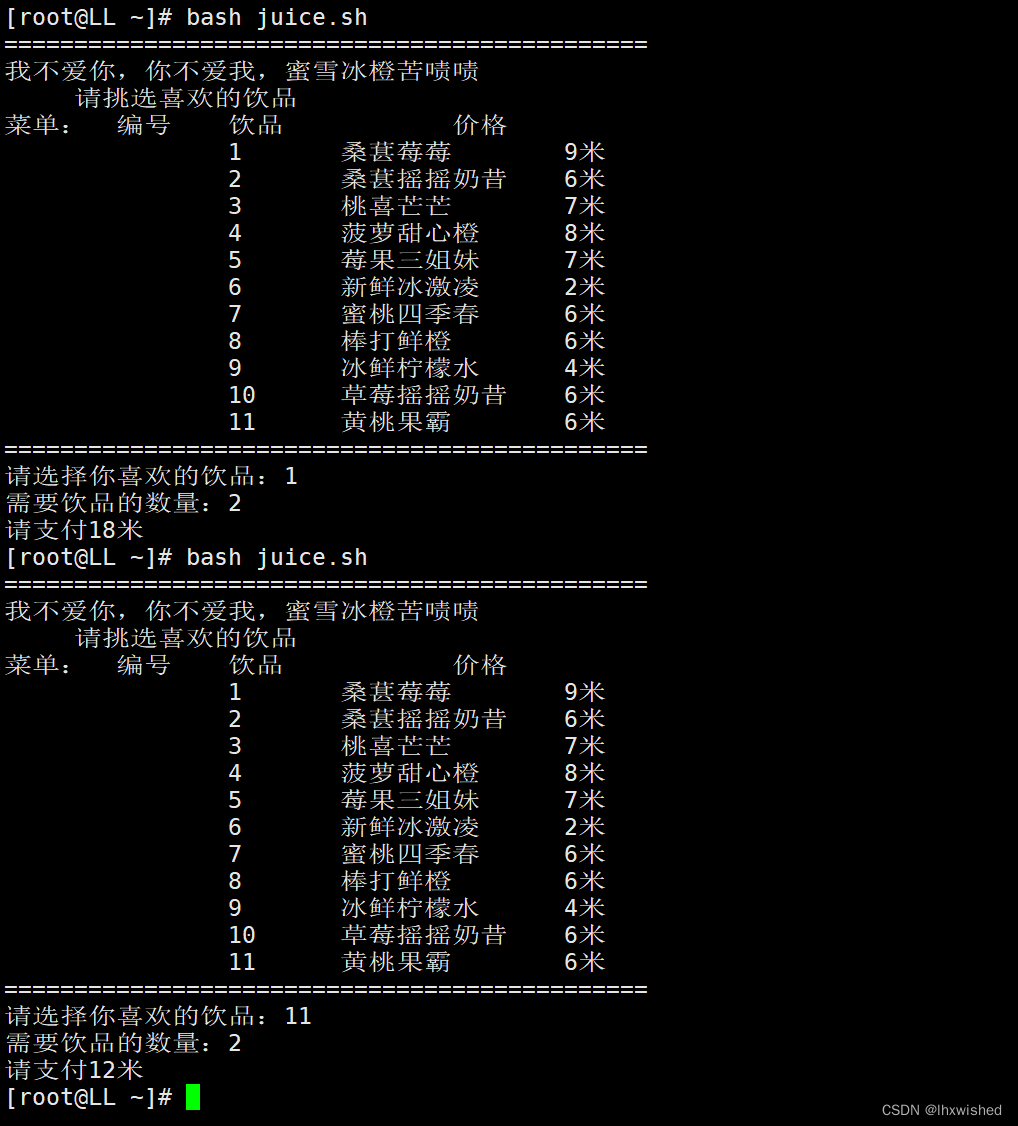
执行代码:
[root@LL ~]# bash juice.sh
==============================================
我不爱你,你不爱我,蜜雪冰橙苦啧啧请挑选喜欢的饮品
菜单:	编号	饮品		价格		1	桑葚莓莓	9米2	桑葚摇摇奶昔	6米3	桃喜芒芒	7米4	菠萝甜心橙	8米5	莓果三姐妹	7米6	新鲜冰激凌	2米7	蜜桃四季春	6米8	棒打鲜橙	6米9	冰鲜柠檬水	4米10	草莓摇摇奶昔	6米11	黄桃果霸	6米
==============================================
请选择你喜欢的饮品:1
需要饮品的数量:2
请支付18米
[root@LL ~]# bash juice.sh
==============================================
我不爱你,你不爱我,蜜雪冰橙苦啧啧请挑选喜欢的饮品
菜单:	编号	饮品		价格		1	桑葚莓莓	9米2	桑葚摇摇奶昔	6米3	桃喜芒芒	7米4	菠萝甜心橙	8米5	莓果三姐妹	7米6	新鲜冰激凌	2米7	蜜桃四季春	6米8	棒打鲜橙	6米9	冰鲜柠檬水	4米10	草莓摇摇奶昔	6米11	黄桃果霸	6米
==============================================
请选择你喜欢的饮品:11
需要饮品的数量:2
请支付12米
本文来自互联网用户投稿,文章观点仅代表作者本人,不代表本站立场,不承担相关法律责任。如若转载,请注明出处。 如若内容造成侵权/违法违规/事实不符,请点击【内容举报】进行投诉反馈!