React 错误边界ErrorBoundary的使用方法
错误边界的作用
捕获子组件的渲染异常,在渲染页面出错时,提供备用UI
场景
应用
- 开发环境和生产环境的差异,某些错误没有考虑到,造成页面奔溃白屏
- 设置错误边界,在捕获异常后,渲染备用页面
- 发送日志到后台或输出控制台,定位错误的位置
适用
- 构造函数中的错误(constructor() {})
- 钩子函数中的错误(useEffect()…)
- 生命周期内的错误(componentDidMount()…)
- 渲染期间的错误(render())
不适用
- 事件内部的错误
- 异步方法抛出的错误
- 服务端渲染
- 错误边界本身抛出的异常
注意
- 只适用生产环境(yarn run build)
- 不适用开发环境(yarn run dev)
测试的页面
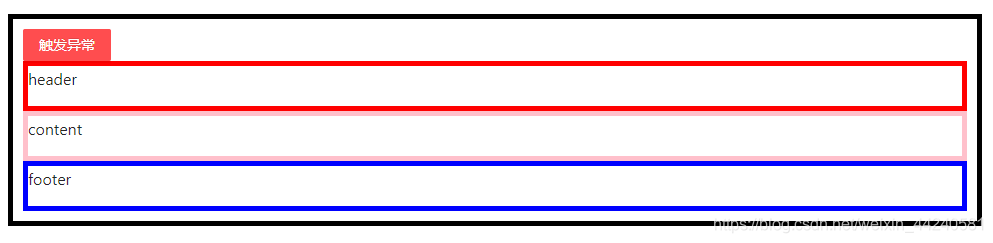
理想情况:在某个组件发生错误时,渲染一个备用UI
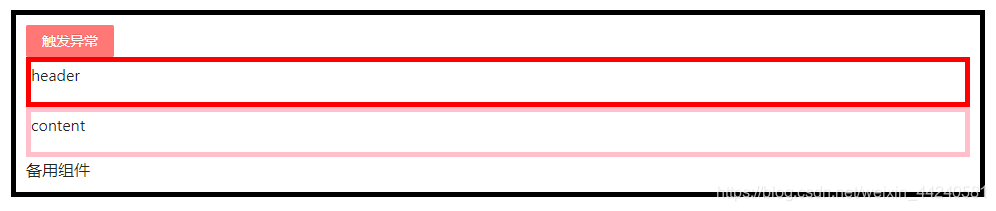
不设置错误边界,页面会白屏
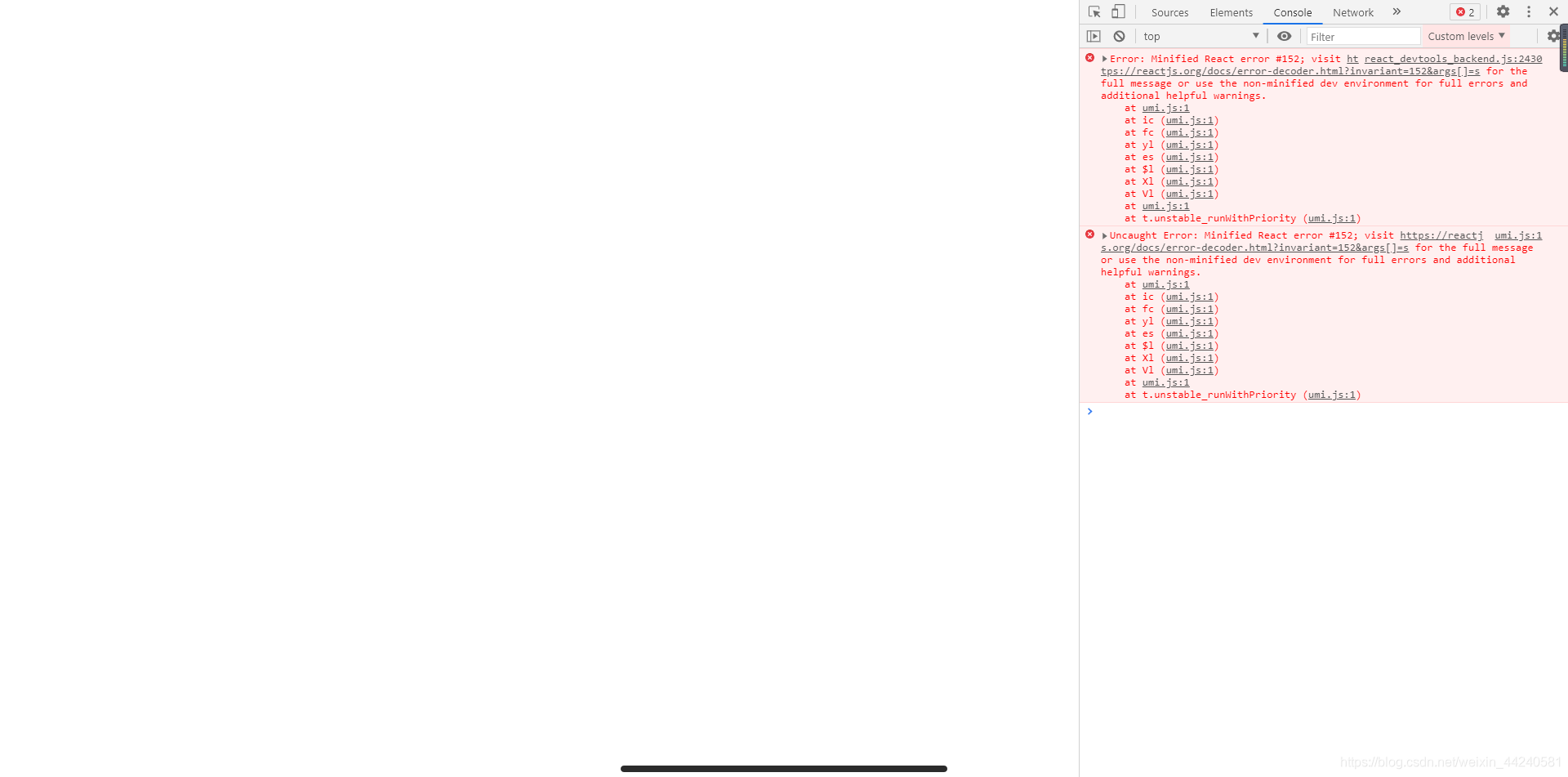
错误边界捕获的异常
// error错误信息
Error: Minified React error #152; visit https://reactjs.org/docs/error-decoder.html?invariant=152&args[]=u for the full message or use the non-minified dev environment for full errors and additional helpful warnings.at umi.js:1at ic (umi.js:1)at fc (umi.js:1)at yl (umi.js:1)at es (umi.js:1)at $l (umi.js:1)at Xl (umi.js:1)at Vl (umi.js:1)at umi.js:1at t.unstable_runWithPriority (umi.js:1)
// errorInfo错误信息
{
componentStack: "at u (http://localhost:63342/%E8%80%83%E5%8B%A4/dist/umi.js:1:463295)at l (http://localhost:63342/%E8%80%83%E5%8B%A4/dist/umi.js:1:462511)at divat f (http://localhost:63342/%E8%80%83%E5%8B%A4/dist/umi.js:1:463528)at kat Mat mainat m (http://localhost:63342/%E8%80%83%E5%8B%A4/dist/umi.js:1:711231)at Content (http://localhost:63342/%E8%80%83%E5%8B%A4/dist/umi.js:1:711058)at sectionat h (http://localhost:63342/%E8%80%83%E5%8B%A4/dist/umi.js:1:711446)at Layout (http://localhost:63342/%E8%80%83%E5%8B%A4/dist/umi.js:1:711058)at sectionat h (http://localhost:63342/%E8%80%83%E5%8B%A4/dist/umi.js:1:711446)at Layout (http://localhost:63342/%E8%80%83%E5%8B%A4/dist/umi.js:1:711058)at X (http://localhost:63342/%E8%80%83%E5%8B%A4/dist/umi.js:1:915472)at kat Mat t (http://localhost:63342/%E8%80%83%E5%8B%A4/dist/umi.js:1:268678)at L (http://localhost:63342/%E8%80%83%E5%8B%A4/dist/umi.js:1:901308)at K (http://localhost:63342/%E8%80%83%E5%8B%A4/dist/umi.js:1:1546709)at ee (http://localhost:63342/%E8%80%83%E5%8B%A4/dist/umi.js:1:1547188)"
}
测试代码
import React, { useState } from 'react';
import { Button } from 'antd';import ErrorBoundary from './errorBoundary';
import Header from './header';
import Content from './content';
import Footer from './footer';const Home = () => {const [data, setData] = useState([1, 2, 3]);const setError = () => {setData({});};return (<div style={{ border: '5px solid black', padding: 10 }}><Button type="danger" onClick={setError}>触发异常</Button><Header /><Content /><ErrorBoundary data={data}><Footer data={data} /></ErrorBoundary></div>);
};export default Home;
定义错误边界
class组件 + getDerivedStateFromError / componentDidCatch(两者或之一)
- static getDerivedStateFromError():不支持副作用
- componentDidCatch(): 支持副作用
import React from 'react';export default class ErrorBoundary extends React.Component {state = {hasError: false};/*控制台报错 - Error: 警告页面崩溃白屏自身的错误自己不能处理,会冒泡找有没有其它的错误边界,没有被捕获就崩溃* */// componentWillReceiveProps(nextProps, nextContext) {//   if (JSON.stringify(nextProps.data) === '{}') {//     throw new Error('警告');//   }// }// 返回一个对象,更新state,用于渲染备用UIstatic getDerivedStateFromError(error) {console.log(error);return { hasError: true };};// 获取错误日志,可用于上传服务器componentDidCatch(error, errorInfo) {// 和上面的return功能一样,两个选其一// this.setState({//   hasError: true// });this.logErrorToMyService(error, errorInfo);};// 自定义上传的方法logErrorToMyService = (error, errorInfo) => {console.log(error);console.log(errorInfo);};render() {const { hasError } = this.state;const { children } = this.props;if (hasError) {return (<div>备用组件</div>)} else {return children;}}
}
import React, { useState } from 'react';
import PropTypes from 'prop-types';const Footer = (props) => {const { data } = props;const [time, setTime] = useState(undefined);const setError = () => {const arr = {}.map(item => item);};if (JSON.stringify(data) === '{}') {/*控制台报错 - Uncaught Error: 警告页面继续渲染错误边界没有捕获到错误* */// setTimeout(() => {// throw new Error('警告')// }, 500);/*控制台报错 - ReferenceError: NullComponet is not defined错误边界捕获到错误,渲染了备用页面* */// return 本文来自互联网用户投稿,文章观点仅代表作者本人,不代表本站立场,不承担相关法律责任。如若转载,请注明出处。 如若内容造成侵权/违法违规/事实不符,请点击【内容举报】进行投诉反馈!