如何在Linux中使用命令行快速创建文本文件
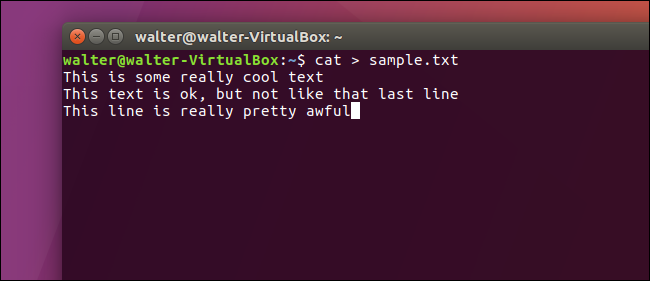
If you’re a keyboard person, you can accomplish a lot of things just using the Linux command line. For example, there are a few easy-to-use methods for creating text files, should you need to do so.
如果您是键盘手,则只需使用Linux命令行即可完成很多事情。 例如,如果需要,有几种易于使用的方法来创建文本文件。
使用Cat命令创建文本文件 (Create a Text File Using the Cat Command)
Our first method for creating text files uses the cat command. It’s useful if you want to immediately add some text to your new file.
创建文本文件的第一种方法是使用cat命令。 如果要立即将一些文本添加到新文件中,这很有用。
Just type the following command at the terminal prompt (replacing “sample.txt” with whatever you want to name your file), and then press Enter:
只需在终端提示符下键入以下命令(用您要命名的文件替换“ sample.txt”),然后按Enter:
cat > sample.txt
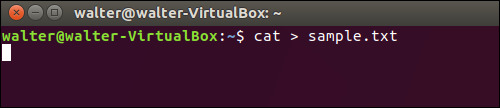
After pressing Enter, you are not returned to the terminal prompt. Instead, the cursor is placed on the next line, and you can start entering text directly into your file. Type your lines of text, pressing Enter after each line. When you are done, press Ctrl+D to exit the file and return to the prompt.
按Enter后,您将不会返回到终端提示符。 而是将光标放在下一行,您可以开始直接在文件中输入文本。 输入您的文本行&
本文来自互联网用户投稿,文章观点仅代表作者本人,不代表本站立场,不承担相关法律责任。如若转载,请注明出处。 如若内容造成侵权/违法违规/事实不符,请点击【内容举报】进行投诉反馈!