如何在Windows 10的命令提示符中更改目录
One of the first things you’ll need to learn as you become more familiar with Command Prompt on Windows 10 is how to change directories in the operating system’s file system. There are a few ways you can do this, so we’ll walk you through them.
随着您对Windows 10上的命令提示符更加熟悉,您需要学习的第一件事是如何更改操作系统文件系统中的目录。 您可以通过多种方式进行此操作,因此我们将引导您完成这些操作。
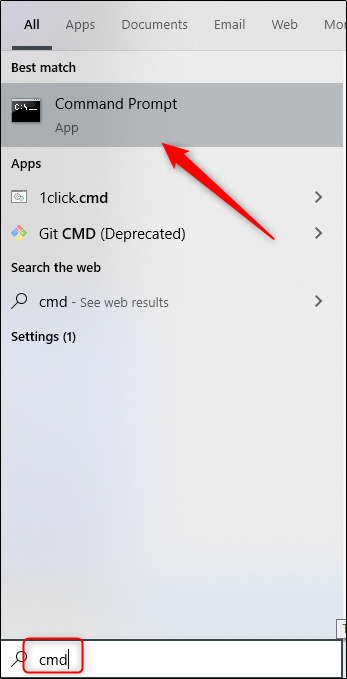
First, type “cmd” in the Windows Search bar to open Command Prompt, and then select “Command Prompt” from the search results.
首先,在Windows搜索栏中键入“ cmd”以打开“命令提示符”,然后从搜索结果中选择“命令提示符”。
With Command Prompt opened, you’re ready to change directories.
打开命令提示符后,就可以更改目录了。
使用拖放方法更改目录 (Change Directories Using the Drag-and-Drop Method)
If the folder you want to open in Command Prompt is on your desktop or already open in
本文来自互联网用户投稿,文章观点仅代表作者本人,不代表本站立场,不承担相关法律责任。如若转载,请注明出处。 如若内容造成侵权/违法违规/事实不符,请点击【内容举报】进行投诉反馈!