ESP32 Arduino FAT文件系统详细使用教程
ESP32 Arduino FAT文件系统详细使用教程
🎉FatFs库不仅可以实现 FAT 文件系统还可以和 SD 卡配合使用,这里不做介绍。
- 📌参考1(在
Linux环境下创建二进制文件):https://github.com/marcmerlin/esp32_fatfsimage - 📌参考2
http://marc.merlins.org/perso/arduino/post_2019-03-30_Using-FatFS-FFat-on-ESP32-Flash-With-Arduino.html - 📌参考3:
https://techtutorialsx.com/2018/10/06/esp32-arduino-fat-file-system/ - 📌参考4:
https://github.com/lorol/arduino-esp32fs-plugin - 📍上传工具(
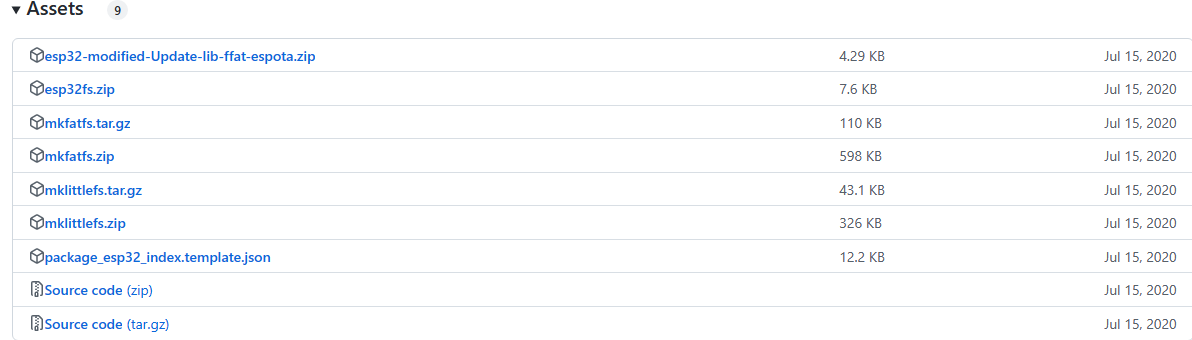
esp32fs)下载地址:https://github.com/lorol/arduino-esp32fs-plugin/releases - 🔨
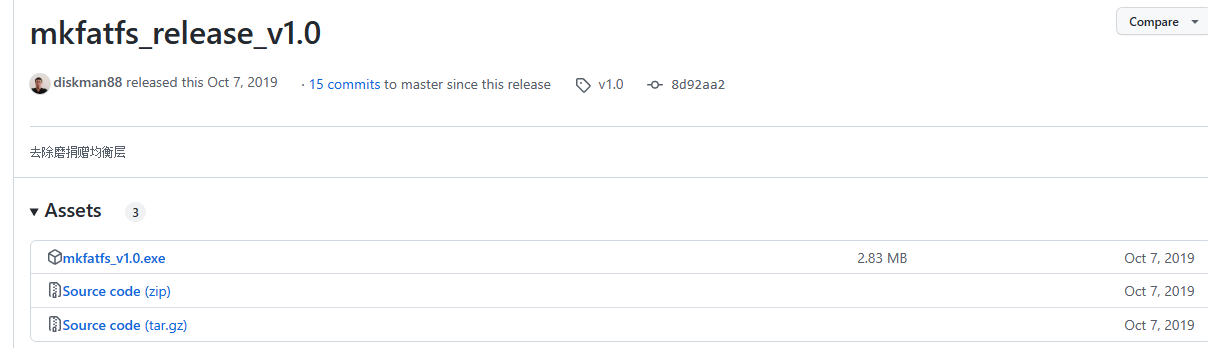
mkfatfs上传工具包:
https://github.com/labplus-cn/mkfatfs/releases/download/v2.0.1/mkfatfs.rar
🎉上面的资源不好下载,这里提供网盘资源:
//mkfatfs资源
链接: https://pan.baidu.com/s/17IQJNh9dzVH8UCEyBmeZVw
提取码: tf1j
//esp32fs插件
链接: https://pan.baidu.com/s/1o6oYHoMje2fwdm8Jz1QQTg
提取码: 4w4v
- ✨利用核心固件自带的库,不需要加载其他第三方库。
🚩说明:FAT文件系统的使用,应该和
littleFS以及SPIFFS文件系统使用类似,不仅可以通过程序中读写操作还可以通过工具mkfatfs创建FatFS文件上传文件到该文件系统当中。但是一直尝试后面这种方式,并没有实现对于文件打包和上传功能。本文仅对代码中创建文件并写入内容的使用说明。
- 🔖从flash中划分文件系统,存储结构:

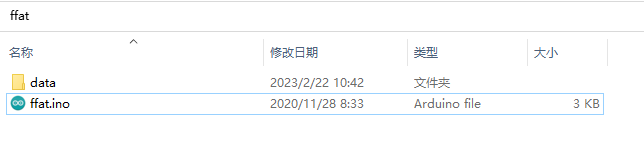
- 🌿在使用Arduino框架下,使用FATFS文件系统文件架构和使用SPIFFS或littleFS一样,将需要上传的文件放置到
data文件夹内。
- 🌴项目树结构:
ffat│─ffat.ino│ └─dataESP32Explorer.htmlfatfsimagehello.txt
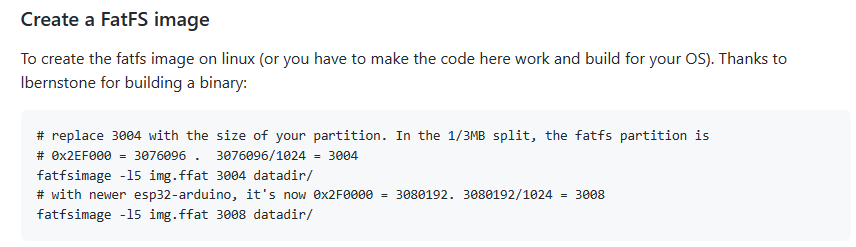
- 如果单独制作FATFS文件,需要参考上面的
参考4网页当作有这么一段话,在linux环境下,创建FatFS文件。
✅FATFS文件上传操作说明:
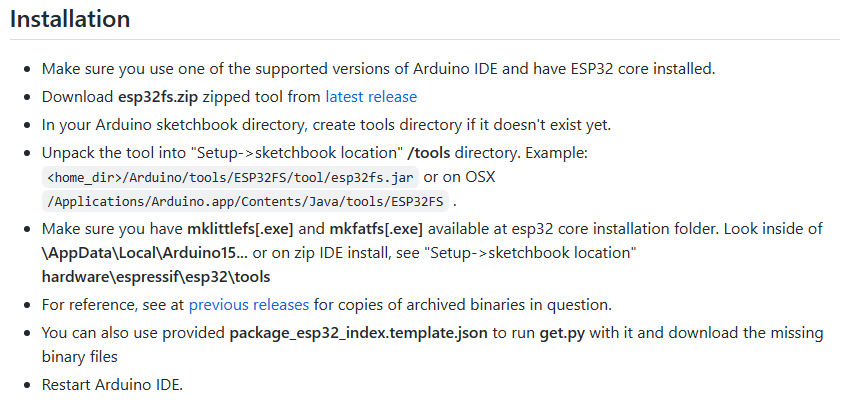
- 上传插件的安装,请下载上面提供的相关链接。
- 安装方法也在
参考4页面有说明:
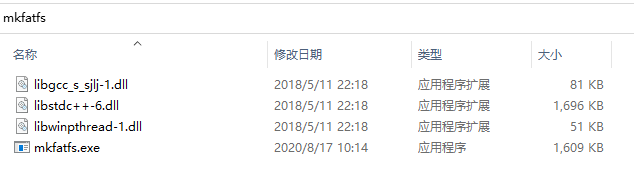
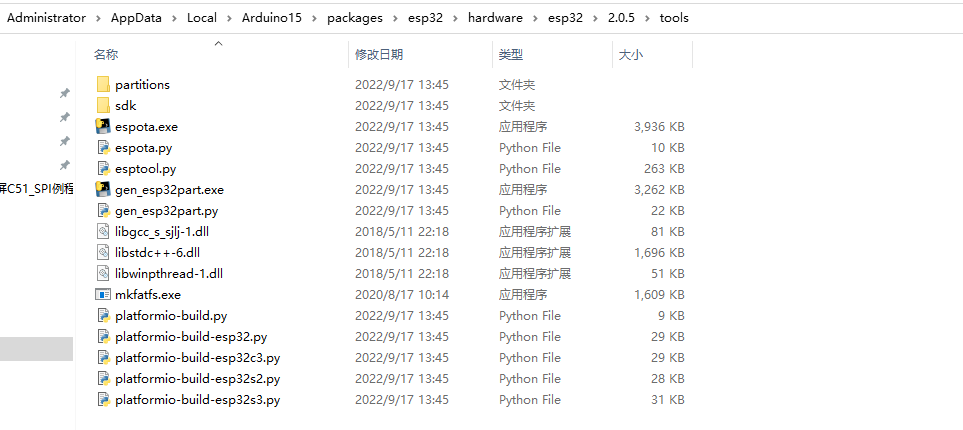
- 🔧将上面的上传工具包下载下来,将文件并放置到下面的目录下:(如果是
1.0.6固件版本那么就放置到对应的1.0.6的tools目录下)
- 🔨上传FATFS文件:
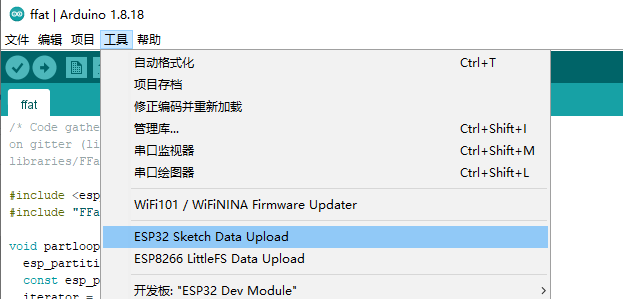
- 🌿选择
FatFS

- ⚡上传时,需要关闭串口,否则上传会失败。
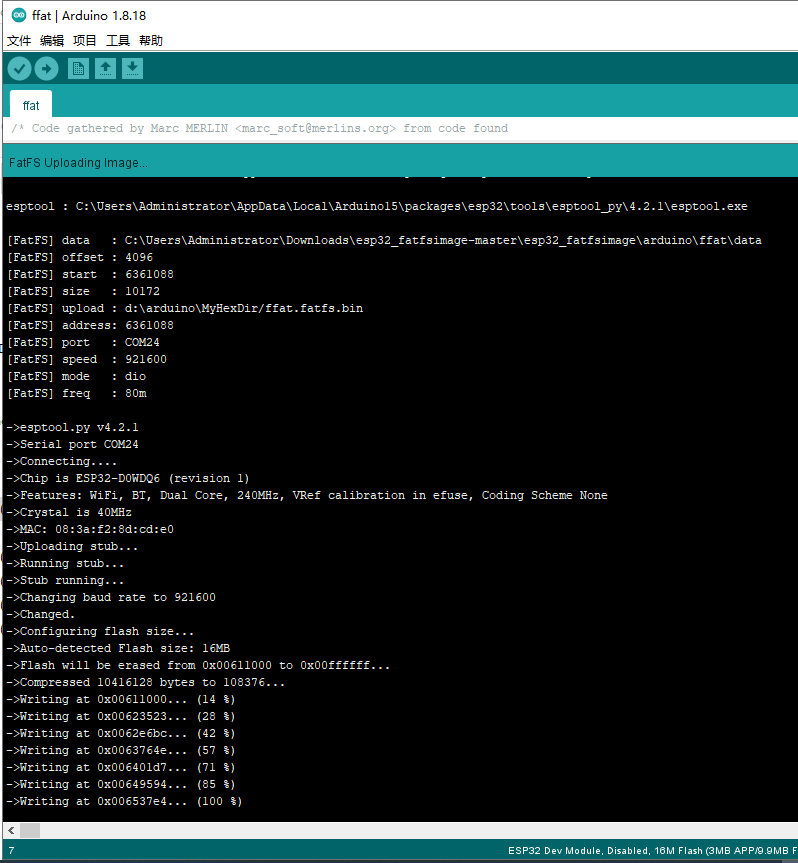
✨如果没有成功,提示:
FatFS Error: mkfatfsnot found!,,该提示信息,应该是说工具没有找到。没有将mkfatfs放置到指定文件夹了。
https://github.com/lorol/arduino-esp32fs-plugin/releaseshttps://github.com/lorol/arduino-esp32fs-plugin/releases/tag/2.0.1
- Universal tool for SPIFFS, LittleFS and FatFS:
https://github.com/lorol/arduino-esp32fs-plugin/releases/tag/2.0.1
🛠配置FAT分区
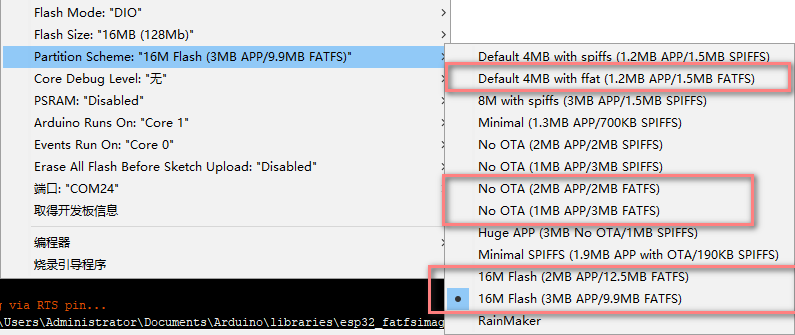
根据个人开发板的flash容量,选择合适的配置FATFS分区。
🍁自定义分区表配置
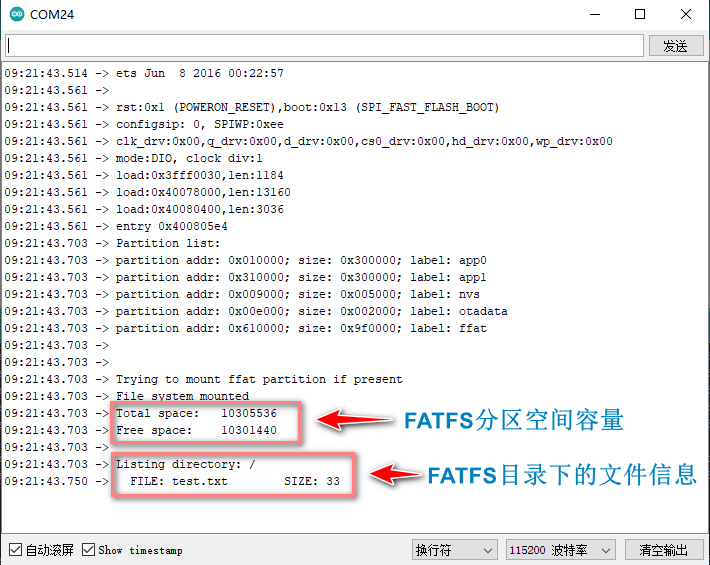
首先确定手上的开发板硬件配置,也就是flash容量大小,需要确定,才能进一步进行分区表配置,可以通过上面的示例代码烧录后,查看串口打印信息,可以看到flash容量,
- 找到Arduino框架下的ESP32固件分区表文件位置:(1.0.6固件版本)
C:\Users\Administrator\AppData\Local\Arduino15\packages\esp32\hardware\esp32\1.0.6\tools\partitions
- (2.0.5固件版本)
C:\Users\Administrator\AppData\Local\Arduino15\packages\esp32\hardware\esp32\2.0.5\tools\partitions
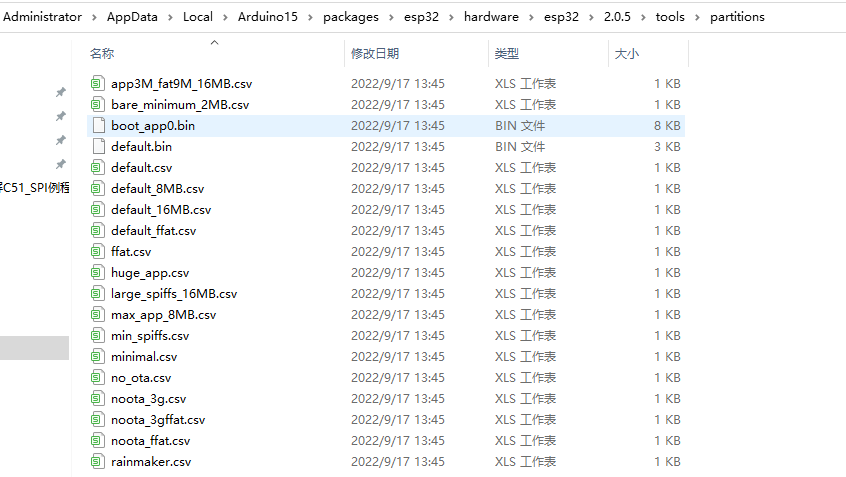
- 🔖个人自定义配置的FATFS分区:

📚固件自带例程
- 📍位置:
C:\Users\Administrator\AppData\Local\Arduino15\packages\esp32\hardware\esp32\2.0.5\libraries\FFat\examples
🔖所包含的2个例程几乎涵盖了FFAT所有对文件操作的函数。这里就不将具体代码贴出来了。

📝例程1
📋从程序代码中,创建一个名为
test.txt文件并写入数据.保存到FATFS文件系统当中。
#include "FFat.h"void setup() {Serial.begin(115200);if(!FFat.begin(true)){Serial.println("An Error has occurred while mounting FFat");return;}//--------- Write to fileFile fileToWrite = FFat.open("/test.txt", FILE_WRITE);if(!fileToWrite){Serial.println("There was an error opening the file for writing");return;}if(fileToWrite.println("ORIGINAL CONTENT")){Serial.println("File was written");;} else {Serial.println("File write failed");}fileToWrite.close();//--------- Apend content to fileFile fileToAppend = FFat.open("/test.txt", FILE_APPEND);if(!fileToAppend){Serial.println("There was an error opening the file for appending");return;}if(fileToAppend.println("APPENDED LINE")){Serial.println("Content was appended");} else {Serial.println("File append failed");}fileToAppend.close();//---------- Read fileFile fileToRead = FFat.open("/test.txt");if(!fileToRead){Serial.println("Failed to open file for reading");return;}Serial.println("Final file Content:");while(fileToRead.available()){Serial.write(fileToRead.read());}fileToRead.close();
}void loop() {}
📝例程2
📑读取FATFS文件文件系统中的文件信息,也就是上面串口打印的信息截图。
/* Code gathered by Marc MERLIN from code found
on gitter (license unknown) and in esp32-arduino's
libraries/FFat/examples/FFat_Test/FFat_Test.ino */ #include 本文来自互联网用户投稿,文章观点仅代表作者本人,不代表本站立场,不承担相关法律责任。如若转载,请注明出处。 如若内容造成侵权/违法违规/事实不符,请点击【内容举报】进行投诉反馈!