Threejs 传送阵(魔法阵)效果实现
文章目录
- 一、创建底部自转的法阵
- 二、添加一圈立体的光晕
- 三、添加粒子效果
- 四、完整代码
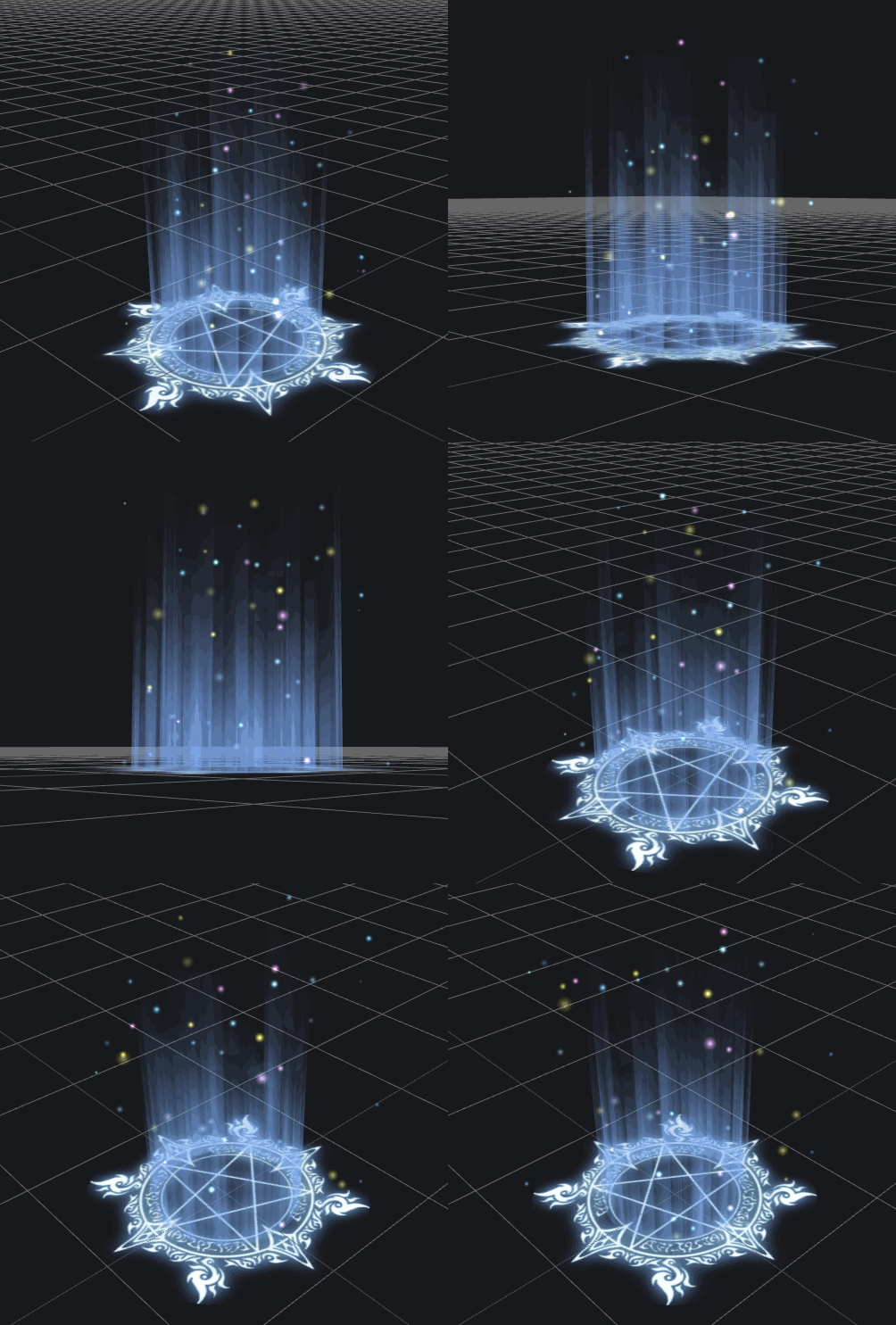
一、创建底部自转的法阵
单纯创建个圆再把贴图加上就行,贴图如下,下载后记得修改贴图名字
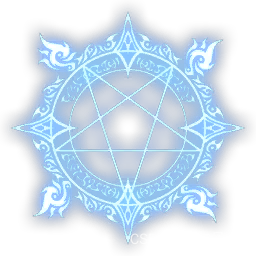
this.circleTexturePath = 'assets/images/magic.png'this.circleTexture = this.textureLoader.load(this.circleTexturePath)let circleGeo = new CircleBufferGeometry(1, 32)let circleMat = new MeshBasicMaterial({map: this.circleTexture,transparent: true,side: DoubleSide,depthWrite: false})let circle = new Mesh(circleGeo, circleMat)circle.rotateX(-Math.PI / 2)this.circles.push(circle)teleporter.add(circle)
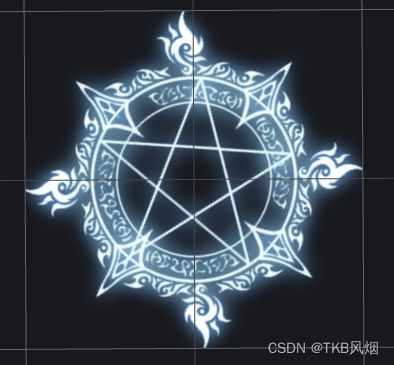
然后让它转起来,下面这个函数需要每帧更新
/*** 更新传送阵底部的圆*/updateCircles() {for (var i = 0; i < this.circles.length; i++) {this.circles[i].rotateZ(0.02)}}
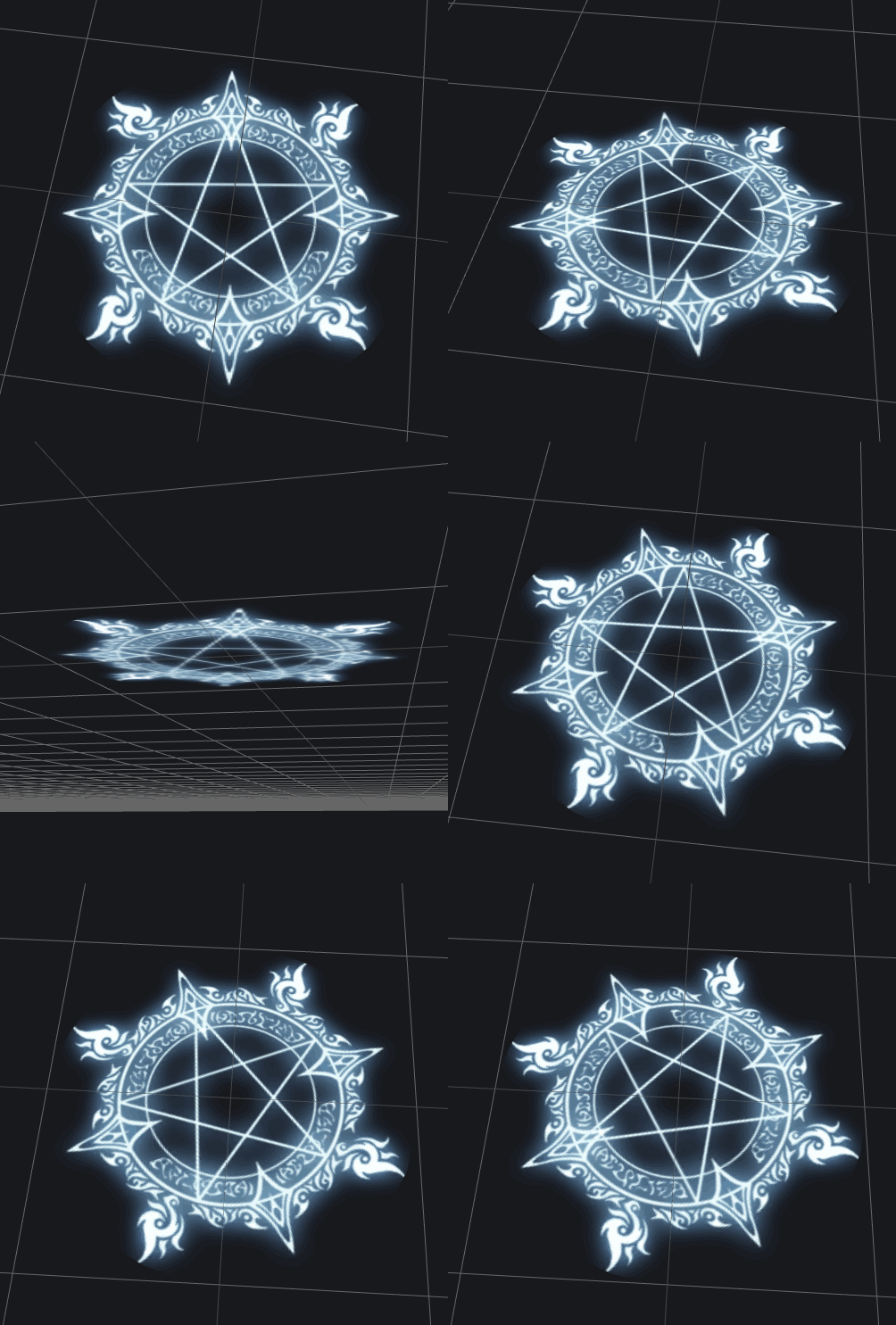
二、添加一圈立体的光晕
这个也简单,创建个没有顶部和底部的圆柱,附上贴图就行,贴图如下
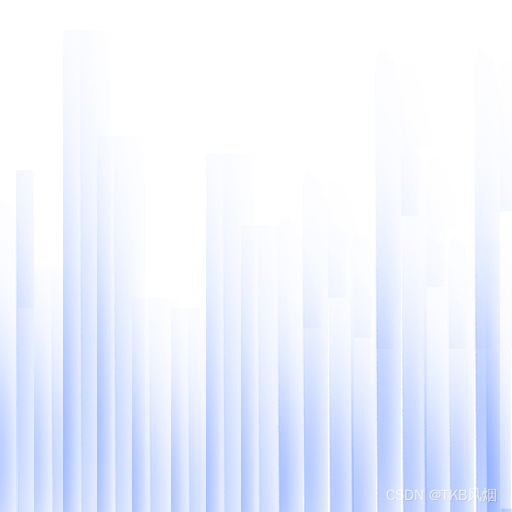
this.aroundTexturePath = 'assets/images/guangyun.png'this.aroundTexture = this.textureLoader.load(this.aroundTexturePath)//getCylinderGeo函数是自己写的一个方法,具体代码可看下面的完整代码部分let aroundGeo = this.getCylinderGeo(0.5, 2)let aroundMat = new MeshBasicMaterial({map: this.aroundTexture,transparent: true,side: DoubleSide,wireframe: false,depthWrite: false})let around = new Mesh(aroundGeo, aroundMat)this.arounds.push(around)teleporter.add(around)
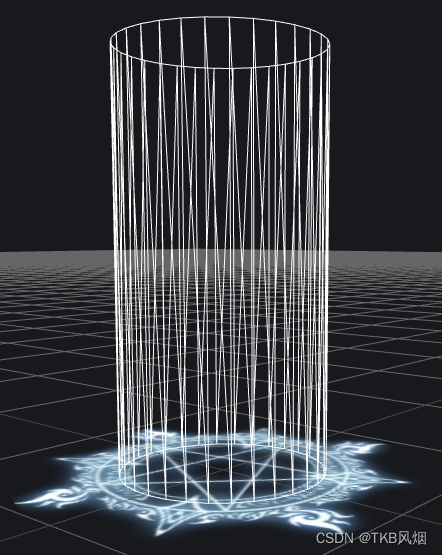
下图为不加贴图并显示线框的圆柱体
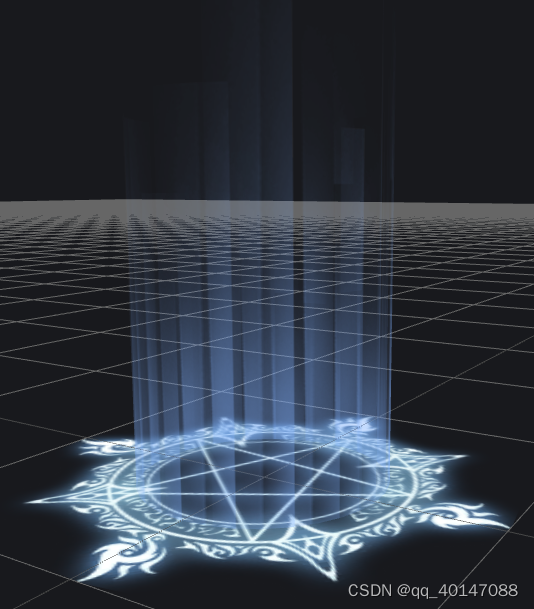
下图为正常显示的加了贴图的效果
然后让这个圆柱也旋转起来,下面这个函数也需要每帧更新
/*** 更新传送阵四周的光壁*/updateArounds() {for (var i = 0; i < this.arounds.length; i++) {this.arounds[i].rotateY(0.01)}}
此时效果如下
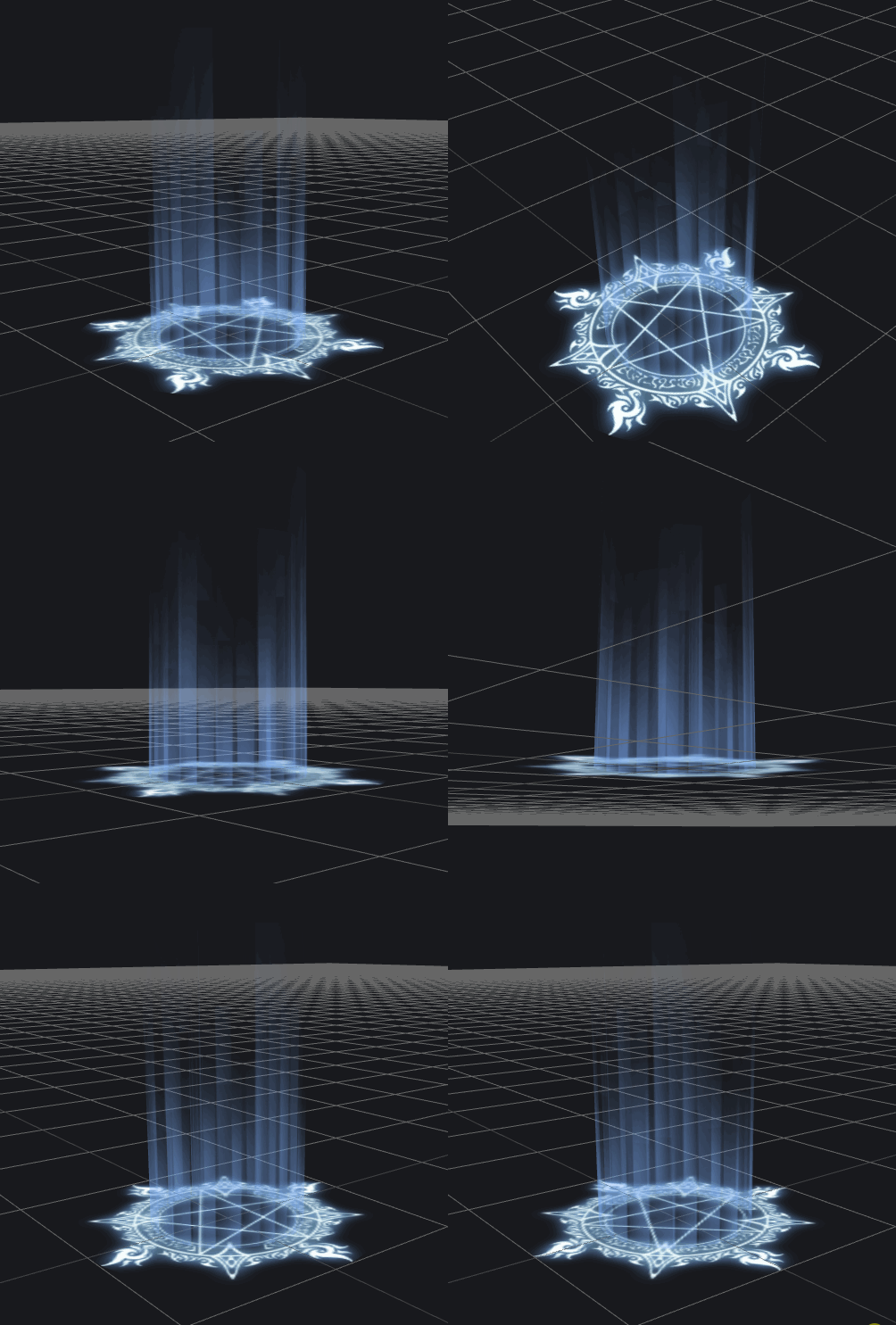
看上面的gif,有那么点感觉了哈,不过还不够酷炫,那就再加个光柱,反方向旋转,分别修改上面的代码如下
this.aroundTexturePath = 'assets/images/guangyun.png'this.aroundTexture = this.textureLoader.load(this.aroundTexturePath)//getCylinderGeo函数是自己写的一个方法,具体代码可看下面的完整代码部分let aroundGeo = this.getCylinderGeo(0.5, 2)let aroundMat = new MeshBasicMaterial({map: this.aroundTexture,transparent: true,side: DoubleSide,wireframe: false,depthWrite: false})let around = new Mesh(aroundGeo, aroundMat)this.arounds.push(around)teleporter.add(around)//复制出来第二个光柱let around2 = around.clone()around2.userData.aroundScaleOffset = 0.01 //下一步使用teleporter.add(around2)this.arounds2.push(around2)
更新函数修改为如下
/*** 更新传送阵四周的光壁*/updateArounds() {for (var i = 0; i < this.arounds.length; i++) {this.arounds[i].rotateY(0.01)}for (var i = 0; i < this.arounds2.length; i++) {this.arounds2[i].rotateY(-0.01)}}
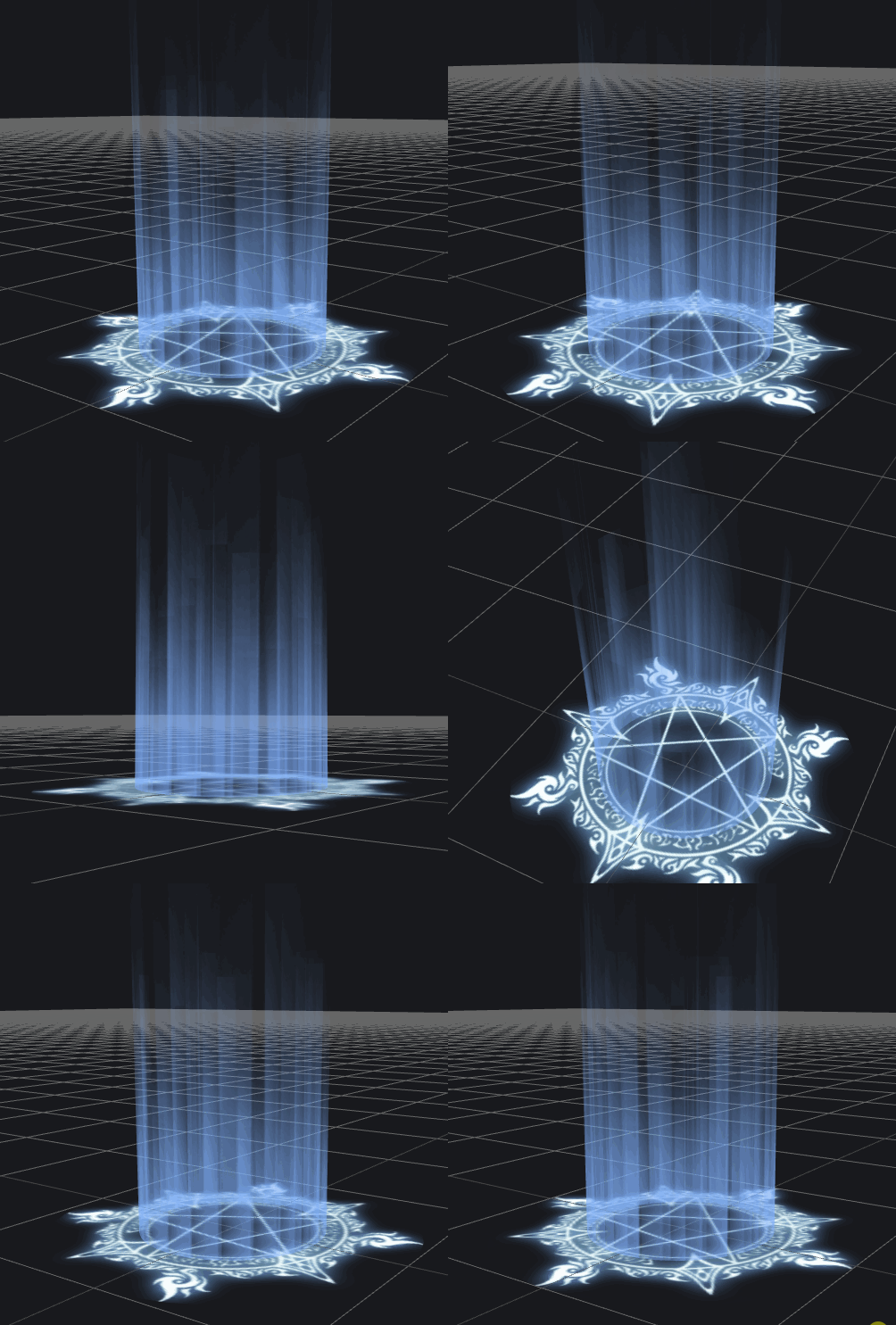
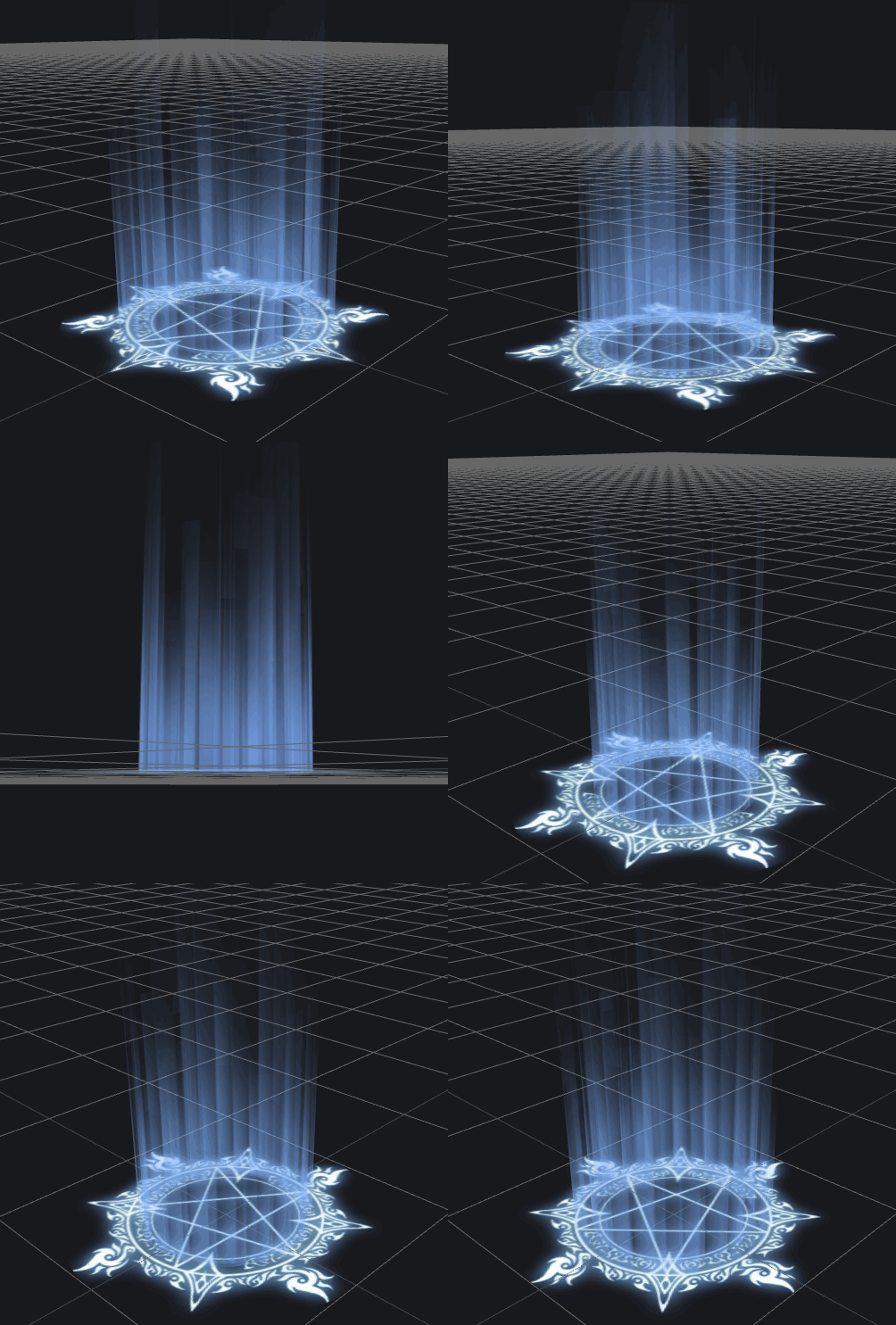
还可以再进一步修改下缩放,将更新函数修改为如下
/*** 更新传送阵四周的光壁*/updateArounds() {for (var i = 0; i < this.arounds.length; i++) {this.arounds[i].rotateY(0.01)}for (var i = 0; i < this.arounds2.length; i++) {this.arounds2[i].rotateY(-0.01)if (this.arounds2[i].scale.x < 0.9 || this.arounds2[i].scale.x > 1.4) {this.arounds2[i].userData.aroundScaleOffset *= -1}this.arounds2[i].scale.x -= this.arounds2[i].userData.aroundScaleOffsetthis.arounds2[i].scale.z -= this.arounds2[i].userData.aroundScaleOffset}}
三、添加粒子效果
不加粒子效果总感觉不够酷炫,所以再加少许粒子,下面几张图是用PS制作的,有点粗糙了。。
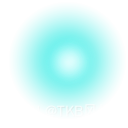
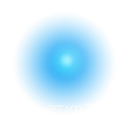

代码如下:
createTeleporter() {....//创建 10 * 4 个粒子for (var j = 0; j < 10; j++) {for (var i = 0; i < this.pointTexture.length; i++) {let sprite = this.getPoints(this.params.pointRangeRadius, this.params.height, this.pointTexture[i])this.particles.push(sprite)teleporter.add(sprite)}}}/*** 获取点云效果 为了能控制每一个粒子的大小和位置,这里的每一个Points对象只包含一个点,要是粒子放太多了可能有性能问题* @param {*} radius* @param {*} height* @param {*} texturePath* @returns*/getPoints(radius, height, texture) {const geometry = new BufferGeometry()const vertices = [0, 0, 0]geometry.setAttribute('position', new Float32BufferAttribute(vertices, 3))const material = new PointsMaterial({size: Math.random() * (0.15 - 0.04) + 0.04,map: texture,blending: AdditiveBlending,depthTest: false,transparent: true,opacity: 0.2 + Math.random() * 0.8})const particle = new Points(geometry, material)//粒子上升速度particle.userData.floatSpeed = 0.001 + Math.random() * 0.01particle.userData.radius = radiusparticle.position.x = Math.random() * radius * 2 - radiusparticle.position.y = Math.random() * heightparticle.position.z = Math.random() * radius * 2 - radiusreturn particle}
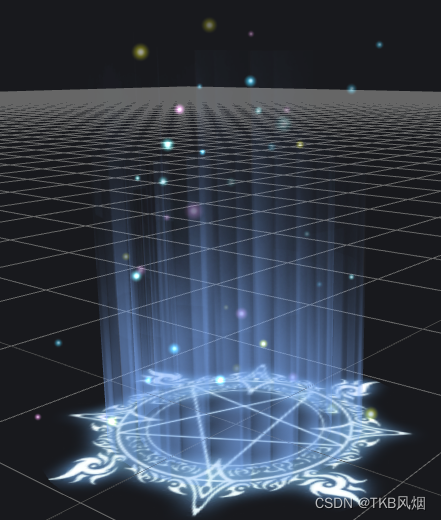
再让这些粒子按不同速度上升,到一定高度时又回到最低点,循环往复,更新函数如下
/*** 更新光点效果*/updatePatical() {for (var i = 0; i < this.particles.length; i++) {this.particles[i].position.y += this.particles[i].userData.floatSpeedif (this.particles[i].position.y >= 2) {//更新位置,y=0,x,z随机this.particles[i].position.y = 0this.particles[i].position.x =Math.random() * this.particles[i].userData.radius * 2 - this.particles[i].userData.radiusthis.particles[i].position.z =Math.random() * this.particles[i].userData.radius * 2 - this.particles[i].userData.radius//随机上升速度this.particles[i].userData.floatSpeed = 0.001 + Math.random() * this.params.pointFloatSpeed}}}
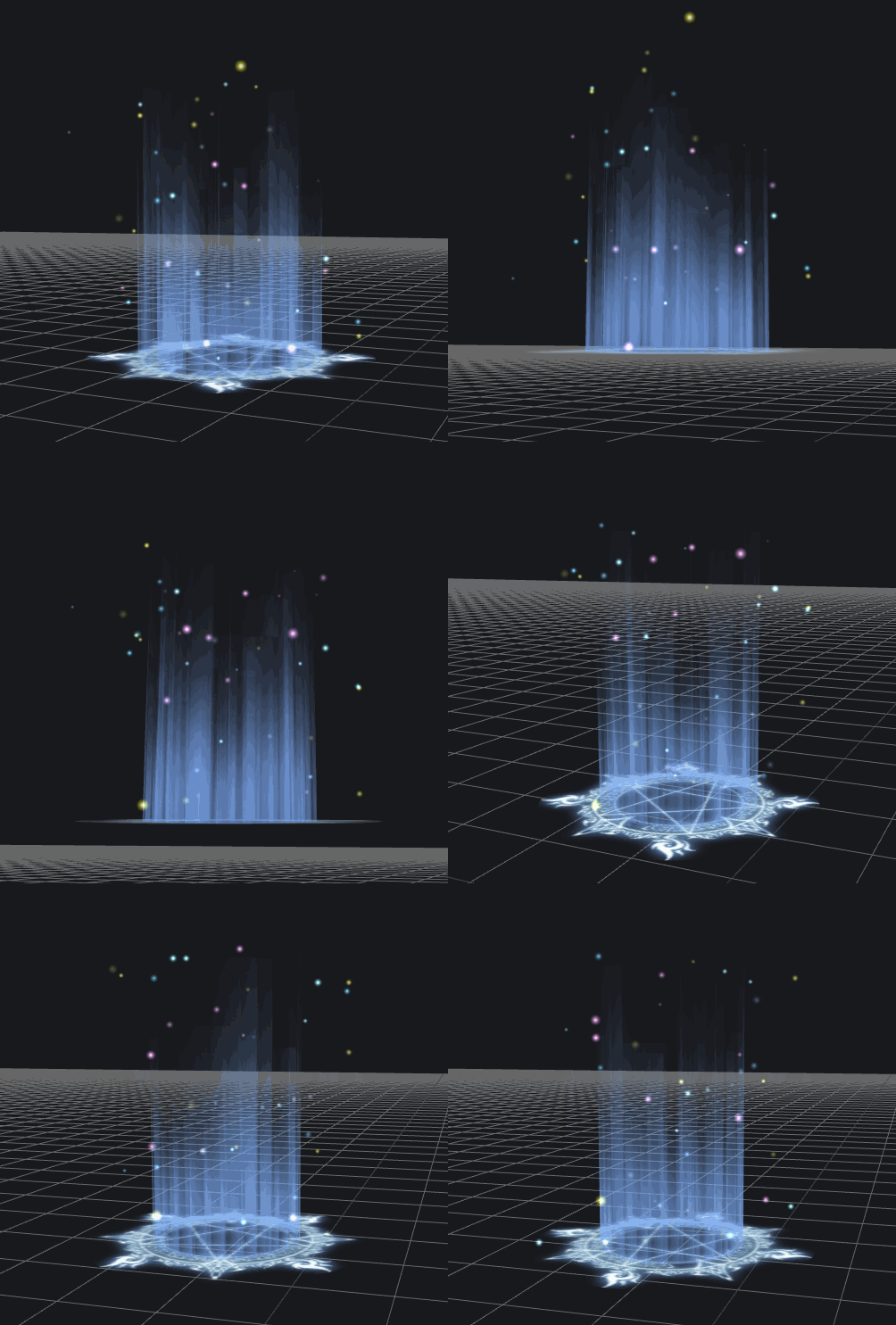
四、完整代码
贴图资源也可从这获取
1、引入库 import {TeleporterManager } from “./TeleporterManager.js”
2、创建实例 let teleporterManager = new TeleporterManager(this.scene)
3、创建传送阵 teleporterManager.createTeleporter()
4、在 requestAnimationFrame 更新的函数里调用传送阵更新函数 teleporterManager.update()
import {CircleBufferGeometry,TextureLoader,Mesh,MeshBasicMaterial,DoubleSide,BufferAttribute,BufferGeometry,Float32BufferAttribute,PointsMaterial,AdditiveBlending,Points,Object3D,Vector3
} from 'three'export class TeleporterManager {constructor(scene) {this.init(scene)}init(scene) {this.scene = scenethis.params = {segment: 32,circleRadius: 1,circleRotateSpeed: 0.02,aroundRadius: 0.5,aroundRotateSpeed: 0.01,aroundScaleOffset: 0.01,height: 2,pointRangeRadius: 0.8,pointMinSize: 0.04,pointMaxSize: 0.15,pointFloatSpeed: 0.01,pointTexturePath: ['assets/images/point1.png','assets/images/point2.png','assets/images/point3.png','assets/images/point4.png']}this.textureLoader = new TextureLoader()this.circleTexturePath = 'assets/images/magic.png'this.aroundTexturePath = 'assets/images/guangyun.png'this.textureLoader.load(this.circleTexturePath, texture => {this.circleTexture = texture})this.textureLoader.load(this.aroundTexturePath, texture => {this.aroundTexture = texture})this.pointTexture = []for (var i = 0; i < this.params.pointTexturePath.length; i++) {this.textureLoader.load(this.params.pointTexturePath[i], texture => {this.pointTexture.push(texture)})}this.circles = []this.arounds = []this.arounds2 = []this.particles = []this.teleporters = []}update() {this.updateCircles()this.updateArounds()this.updatePatical()}clear() {for (var i = 0; i < this.teleporters.length; i++) {this.clearModel(this.teleporters[i])}this.scene = nullthis.teleporters = []this.circles = []this.arounds = []this.arounds2 = []this.particles = []this.textureLoader = nullthis.circleTexture = nullthis.aroundTexture = nullthis.pointTexture = []}clearModel(model) {if (!model) return// dispose geometrymodel.traverse(node => {if (!node.isMesh) returnnode.geometry.dispose()})}/*** 创建一个传送阵*/createTeleporter() {let teleporter = new Object3D()teleporter._type = 'TeleporterHelper'this.scene.add(teleporter)this.teleporters.push(teleporter)let circleGeo = new CircleBufferGeometry(this.params.circleRadius, this.params.segment)let circleMat = new MeshBasicMaterial({map: this.circleTexture,transparent: true,side: DoubleSide,depthWrite: false})let circle = new Mesh(circleGeo, circleMat)circle.rotateX(-Math.PI / 2)this.circles.push(circle)teleporter.add(circle)let aroundGeo = this.getCylinderGeo(this.params.aroundRadius, this.params.height)let aroundMat = new MeshBasicMaterial({map: this.aroundTexture,transparent: true,side: DoubleSide,wireframe: false,depthWrite: false})let around = new Mesh(aroundGeo, aroundMat)this.arounds.push(around)teleporter.add(around)let around2 = around.clone()around2.userData.aroundScaleOffset = this.params.aroundScaleOffsetaround2.userData._type = around2._typeteleporter.add(around2)this.arounds2.push(around2)for (var j = 0; j < 10; j++) {for (var i = 0; i < this.pointTexture.length; i++) {let sprite = this.getPoints(this.params.pointRangeRadius, this.params.height, this.pointTexture[i])this.particles.push(sprite)teleporter.add(sprite)}}}/*** 获取点云效果* @param {*} radius* @param {*} height* @param {*} texturePath* @returns*/getPoints(radius, height, texture) {const geometry = new BufferGeometry()const vertices = [0, 0, 0]geometry.setAttribute('position', new Float32BufferAttribute(vertices, 3))const material = new PointsMaterial({size: Math.random() * (this.params.pointMaxSize - this.params.pointMinSize) + this.params.pointMinSize,map: texture,blending: AdditiveBlending,depthTest: false,transparent: true,opacity: 0.2 + Math.random() * 0.8})const particle = new Points(geometry, material)particle.userData.floatSpeed = 0.001 + Math.random() * this.params.pointFloatSpeedparticle.userData.radius = radiusparticle.position.x = Math.random() * radius * 2 - radiusparticle.position.y = Math.random() * heightparticle.position.z = Math.random() * radius * 2 - radiusreturn particle}/*** 获取圆柱几何体* @param {*} radius 半径* @param {*} height 高度* @param {*} segment 分段数* @returns*/getCylinderGeo(radius = 1, height = 1, segment = 32) {let bottomPos = []let topPos = []let bottomUvs = []let topUvs = []let angleOffset = (Math.PI * 2) / segmentlet uvOffset = 1 / (segment - 1)for (var i = 0; i < segment; i++) {let x = Math.cos(angleOffset * i) * radiuslet z = Math.sin(angleOffset * i) * radiusbottomPos.push(x, 0, z)bottomUvs.push(i * uvOffset, 0)topPos.push(x, height, z)topUvs.push(i * uvOffset, 1)}bottomPos = bottomPos.concat(topPos)bottomUvs = bottomUvs.concat(topUvs)let face = []for (var i = 0; i < segment; i++) {if (i != segment - 1) {face.push(i + segment + 1, i, i + segment)face.push(i, i + segment + 1, i + 1)} else {face.push(segment, i, i + segment)face.push(i, segment, 0)}}let geo = new BufferGeometry()geo.setAttribute('position', new BufferAttribute(new Float32Array(bottomPos), 3))geo.setAttribute('uv', new BufferAttribute(new Float32Array(bottomUvs), 2))geo.setIndex(new BufferAttribute(new Uint16Array(face), 1))return geo}/*** 更新传送阵底部的圆*/updateCircles() {for (var i = 0; i < this.circles.length; i++) {this.circles[i].rotateZ(this.params.circleRotateSpeed)}}/*** 更新传送阵四周的光壁*/updateArounds() {for (var i = 0; i < this.arounds.length; i++) {this.arounds[i].rotateY(this.params.aroundRotateSpeed)}for (var i = 0; i < this.arounds2.length; i++) {this.arounds2[i].rotateY(-this.params.aroundRotateSpeed)if (this.arounds2[i].scale.x < 0.9 || this.arounds2[i].scale.x > 1.4) {this.arounds2[i].userData.aroundScaleOffset *= -1}this.arounds2[i].scale.x -= this.arounds2[i].userData.aroundScaleOffsetthis.arounds2[i].scale.z -= this.arounds2[i].userData.aroundScaleOffset}}/*** 更新光点效果*/updatePatical() {for (var i = 0; i < this.particles.length; i++) {this.particles[i].position.y += this.particles[i].userData.floatSpeedif (this.particles[i].position.y >= this.params.height) {//更新位置,y=0,x,z随机this.particles[i].position.y = 0this.particles[i].position.x =Math.random() * this.particles[i].userData.radius * 2 - this.particles[i].userData.radiusthis.particles[i].position.z =Math.random() * this.particles[i].userData.radius * 2 - this.particles[i].userData.radius//随机上升速度this.particles[i].userData.floatSpeed = 0.001 + Math.random() * this.params.pointFloatSpeed}}}
本文来自互联网用户投稿,文章观点仅代表作者本人,不代表本站立场,不承担相关法律责任。如若转载,请注明出处。 如若内容造成侵权/违法违规/事实不符,请点击【内容举报】进行投诉反馈!