使用uniapp开发国际化---app,vue,nvue
插件市场下载示例
hello-i18n 示例工程 - DCloud 插件市场
项目使用
main.js引入
// 国际化 json 文件,文件内容详见下面的示例
import en from './en.json'
import zhHans from './zh-Hans.json'
import zhHant from './zh-Hant.json'
const messages = {en,'zh-Hans': zhHans,'zh-Hant': zhHant
}let i18nConfig = {locale: uni.getLocale(),// 获取已设置的语言messages
}// VUE2
// #ifndef VUE3
import Vue from 'vue'
import VueI18n from 'vue-i18n'// v8.x
Vue.use(VueI18n)
const i18n = new VueI18n(i18nConfig)
Vue.config.productionTip = false
App.mpType = 'app'
const app = new Vue({i18n,...App
})
app.$mount()
// #endif// VUE3
// #ifdef VUE3
import { createSSRApp } from 'vue'
import { createI18n } from 'vue-i18n'// v9.x
const i18n = createI18n(i18nConfig)
export function createApp() {const app = createSSRApp(App)app.use(i18n)return {app}
}
// #endif
创建文件
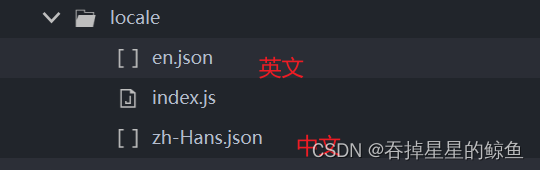
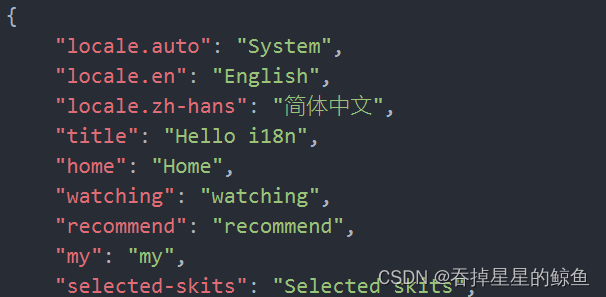
en.json----"自定义key":"英文"
zh-Hans.json----"自定义key":"中文"
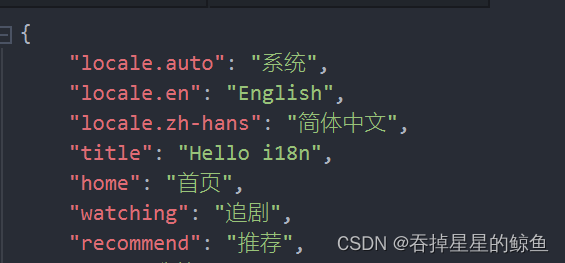
注意:json文件中的名称需要中英文对应。
index.js
import en from './en.json'
import zhHans from './zh-Hans.json'
export default {en,'zh-Hans': zhHans,
}
页面中使用
vue页面模板使用----$t('')
<-- index.title 为json文件中 自定义key -->{{$t('index.title')}}
nvue页面模板使用----t('')
import messages from '../../locale/index.js'import {initVueI18n} from '@dcloudio/uni-i18n'const {t} = initVueI18n(messages) // 初始化created() {const {t} = initVueI18n(messages);this.t = t;},pages.json 使用 ----%index.title%
{"pages": [{"path": "pages/index/index","style": {"navigationBarTitleText": "%index.title%" // locale目录下 语言地区代码.json 文件中定义的 key,使用 %% 占位}}],"tabBar": {"list": [{"pagePath": "pages/index/index","text": "%index.home%"}]}
}data中使用---this.$t('')
data() {return {// json 文件中定义的 keyname: this.$t('dhjl'),}},切换语言---在某一个页面写入
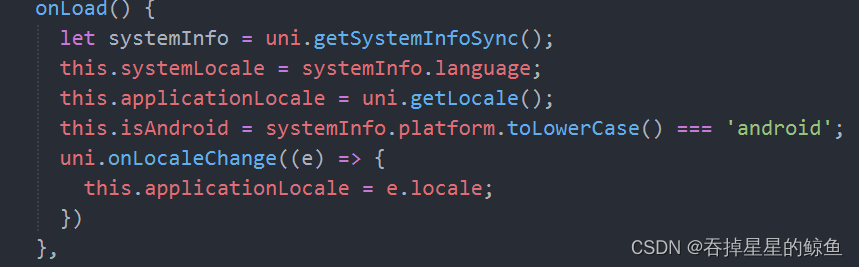
computed:{locales() {return [{text: this.$t('locale.en'),code: 'en'},{text: this.$t('locale.zh-hans'),code: 'zh-Hans'}]}},// 更改语言onLocaleChange(e) {if (this.isAndroid) {uni.showModal({content: this.$t('index.language-change-confirm'),success: (res) => {if (res.confirm) {uni.setLocale(e.code);}}})} else {uni.setLocale(e.code);this.$i18n.locale = e.code;}},启动项目,就可以成功切换语言了。
如果遇到切换语言的时候不能全局切换,可以尝试注释掉以下代码。
以上就是关于在uniapp中使用国际化的一些说明,内容不多,操作简单。
本文来自互联网用户投稿,文章观点仅代表作者本人,不代表本站立场,不承担相关法律责任。如若转载,请注明出处。 如若内容造成侵权/违法违规/事实不符,请点击【内容举报】进行投诉反馈!