Ingress-nginx配置方法
一、Ingress 及 Ingress Controller 简介
Ingress简单的理解: 原先暴露的service,现在给定个统一的访问入口。
Ingress 是 k8s 资源对象,用于对外暴露服务,该资源对象定义了不同主机名(域名)及 URL 和对应后端 Service(k8s Service)的绑定,根据不同的路径路由 http 和 https 流量。而 Ingress Contoller 是一个 pod 服务,封装了一个 web 前端负载均衡器,同时在其基础上实现了动态感知 Ingress 并根据 Ingress 的定义动态生成 前端 web 负载均衡器的配置文件,比如 Nginx Ingress Controller 本质上就是一个 Nginx,只不过它能根据 Ingress 资源的定义动态生成 Nginx 的配置文件,然后动态 Reload。
二、Ingress 组成
- 将Nginx的配置抽象成一个Ingress对象,每添加一个新的服务只需写一个新的Ingress的yaml文件即可
- 将新加入的Ingress转化成Nginx的配置文件并使之生效
- ingress controller
- ingress服务
三、ingress的工作原理
ingress具体的工作原理如下:
ingress contronler通过与k8s的api进行交互,动态的去感知k8s集群中ingress服务规则的变化,然后读取它,并按照定义的ingress规则,转发到k8s集群中对应的service。
而这个ingress规则写明了哪个域名对应k8s集群中的哪个service,然后再根据ingress-controller中的nginx配置模板,生成一段对应的nginx配置。
然后再把该配置动态的写到ingress-controller的pod里,该ingress-controller的pod里面运行着一个nginx服务,控制器会把生成的nginx配置写入到nginx的配置文件中,然后reload一下,使其配置生效。以此来达到域名分配置及动态更新的效果。
四、Ingress 可以解决什么问题?
动态配置服务
如果按照传统方式, 当新增加一个服务时, 我们可能需要在流量入口加一个反向代理指向我们新的k8s服务. 而如果用了Ingress, 只需要配置好这个服务, 当服务启动时, 会自动注册到Ingress的中, 不需要而外的操作.
减少不必要的暴露端口
配置过k8s的都清楚, 第一步是要关闭防火墙的, 主要原因是k8s的很多服务会以NodePort方式映射出去, 这样就相当于给宿主机打了很多孔, 既不安全也不优雅. 而Ingress可以避免这个问题, 除了Ingress自身服务可能需要映射出去, 其他服务都不要用NodePort方式
五、Ingress-nginx配置示例
1、部署httpd服务
命名空间
[root@k8s-master httpd]# cat httpd-namespace.yml
apiVersion: v1
kind: Namespace
metadata:name: lzy-nslabels:name: lzy-ns
Deployment资源
[root@k8s-master httpd]# cat httpd-deployment.yml
apiVersion: apps/v1
kind: Deployment
metadata:name: httpd-deploynamespace: lzy-ns
spec:replicas: 3selector:matchLabels:app: lzy-nstemplate:metadata:labels:app: lzy-nsspec:containers:- name: httpdimage: httpd
service端口暴露
[root@k8s-master httpd]# cat httpd-service.yml
apiVersion: v1
kind: Service
metadata:name: httpd-svcnamespace: lzy-ns
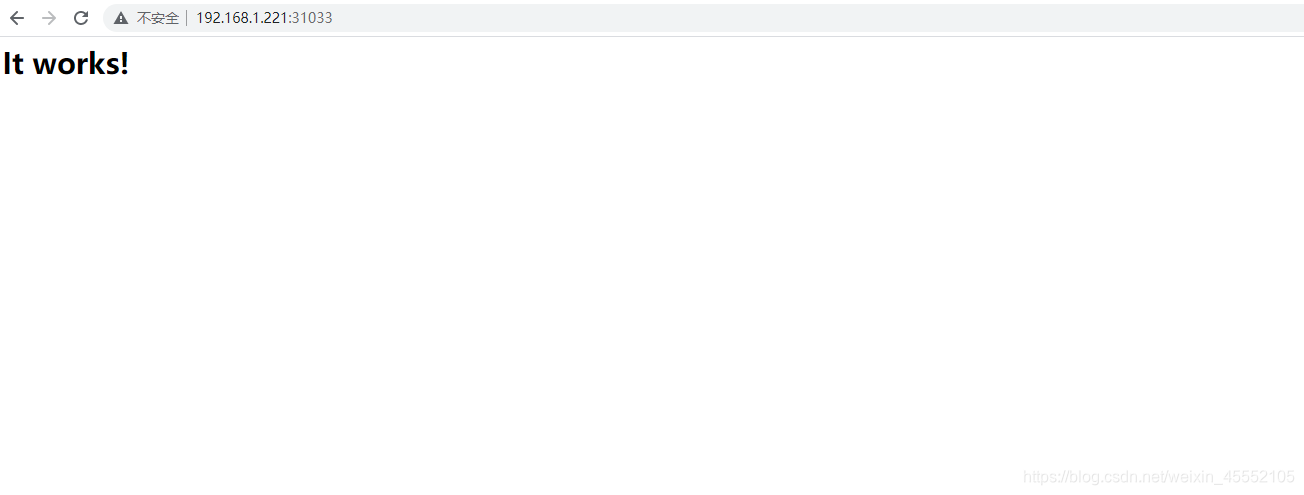
spec:type: NodePortselector:app: lzy-nsports:- name: http-portport: 80targetPort: 80nodePort: 31033
启动httpd程序
[root@k8s-master httpd]# kubectl apply -f httpd-namespace.yml
[root@k8s-master httpd]# kubectl apply -f httpd-namespace.yml
[root@k8s-master httpd]# kubectl apply -f httpd-service.yml
查看httpd程序启动情况
[root@k8s-master httpd]# kubectl get all -n lzy-ns
NAME                                READY   STATUS    RESTARTS   AGE
pod/httpd-deploy-6cdf8d7fcd-hmprv   1/1     Running   0          30s
pod/httpd-deploy-6cdf8d7fcd-qpwsj   1/1     Running   0          30s
pod/httpd-deploy-6cdf8d7fcd-znzft   1/1     Running   0          30sNAME                TYPE       CLUSTER-IP      EXTERNAL-IP   PORT(S)        AGE
service/httpd-svc   NodePort   10.106.248.82           80:31033/TCP   32sNAME                           READY   UP-TO-DATE   AVAILABLE   AGE
deployment.apps/httpd-deploy   3/3     3            3           30sNAME                                      DESIRED   CURRENT   READY   AGE
replicaset.apps/httpd-deploy-6cdf8d7fcd   3         3         3       30s
2、部署tomcat服务
命名空间
[root@k8s-master tomcat]# cat tomcat-nmaespace.yml
apiVersion: v1
kind: Namespace
metadata:name: lzy-nslabels:name: lzy-ns
Deployment资源
[root@k8s-master tomcat]# cat tomcat-deployment.yml
apiVersion: apps/v1
kind: Deployment
metadata:name: tomcat-deploynamespace: lzy-ns
spec:replicas: 1selector:matchLabels:app: lzy-tomcattemplate:metadata:labels:app: lzy-tomcatspec:containers:- name: tomcatimage: tomcat:8.5.45imagePullPolicy: IfNotPresent
service端口暴露
[root@k8s-master tomcat]# cat tomcat-service.yml
apiVersion: v1
kind: Service
metadata:name: tomcat-svcnamespace: lzy-ns
spec:type: NodePortselector:app: lzy-tomcatports:- name: tomcat-portport: 8080targetPort: 8080nodePort: 32033
启动程序
[root@k8s-master tomcat]# kubectl apply -f tomcat-nmaespace.yml
[root@k8s-master tomcat]# kubectl apply -f tomcat-deployment.yml
[root@k8s-master tomcat]# kubectl apply -f tomcat-service.yml
查看tomcat程序启动情况
[root@k8s-master tomcat]# kubectl get all -n lzy-ns
NAME                                 READY   STATUS    RESTARTS   AGE
pod/httpd-deploy-6cdf8d7fcd-hmprv    1/1     Running   0          9m30s
pod/httpd-deploy-6cdf8d7fcd-qpwsj    1/1     Running   0          9m30s
pod/httpd-deploy-6cdf8d7fcd-znzft    1/1     Running   0          9m30s
pod/tomcat-deploy-797756cb97-2mxr6   1/1     Running   0          96sNAME                 TYPE       CLUSTER-IP      EXTERNAL-IP   PORT(S)          AGE
service/httpd-svc    NodePort   10.106.248.82           80:31033/TCP     9m32s
service/tomcat-svc   NodePort   10.100.147.5            8080:32033/TCP   93sNAME                            READY   UP-TO-DATE   AVAILABLE   AGE
deployment.apps/httpd-deploy    3/3     3            3           9m30s
deployment.apps/tomcat-deploy   1/1     1            1           96sNAME                                       DESIRED   CURRENT   READY   AGE
replicaset.apps/httpd-deploy-6cdf8d7fcd    3         3         3       9m30s
replicaset.apps/tomcat-deploy-797756cb97   1         1         1       96s

3、部署Ingress服务
Ingress:
- (1)
Ingress controller:
将新加入的Ingress转化为反向代理服务器的配置文件,并使之生效。 - (2)
Ingress :
将反向代理服务器的配置抽象成一个Ingress对象,每添加一个新的服务,只需要写一个新的Ingress的yaml文件即可。
Nginx :反向代理服务器。
需要解决了两个问题:
- 动态的配置服务。
- 减少不必要的暴露端口。
基于nginx的ingress controller根据不同的开发公司,又分为两种:
- k8s社区版的: Ingerss - nginx.
- nginx公司自己开发的: nginx- ingress .
- 在gitbub上找到所需的ingress的yaml文件
部署Ingress服务
deployment资源
[root@k8s-master nginx]# vim Ingress-deployment.yaml
apiVersion: v1
kind: Namespace
metadata:name: ingress-nginxlabels:app.kubernetes.io/name: ingress-nginxapp.kubernetes.io/part-of: ingress-nginx---kind: ConfigMap
apiVersion: v1
metadata:name: nginx-configurationnamespace: ingress-nginxlabels:app.kubernetes.io/name: ingress-nginxapp.kubernetes.io/part-of: ingress-nginx---
kind: ConfigMap
apiVersion: v1
metadata:name: tcp-servicesnamespace: ingress-nginxlabels:app.kubernetes.io/name: ingress-nginxapp.kubernetes.io/part-of: ingress-nginx---
kind: ConfigMap
apiVersion: v1
metadata:name: udp-servicesnamespace: ingress-nginxlabels:app.kubernetes.io/name: ingress-nginxapp.kubernetes.io/part-of: ingress-nginx---
apiVersion: v1
kind: ServiceAccount
metadata:name: nginx-ingress-serviceaccountnamespace: ingress-nginxlabels:app.kubernetes.io/name: ingress-nginxapp.kubernetes.io/part-of: ingress-nginx---
apiVersion: rbac.authorization.k8s.io/v1beta1
kind: ClusterRole
metadata:name: nginx-ingress-clusterrolelabels:app.kubernetes.io/name: ingress-nginxapp.kubernetes.io/part-of: ingress-nginx
rules:- apiGroups:- ""resources:- configmaps- endpoints- nodes- pods- secretsverbs:- list- watch- apiGroups:- ""resources:- nodesverbs:- get- apiGroups:- ""resources:- servicesverbs:- get- list- watch- apiGroups:- ""resources:- eventsverbs:- create- patch- apiGroups:- "extensions"- "networking.k8s.io"resources:- ingressesverbs:- get- list- watch- apiGroups:- "extensions"- "networking.k8s.io"resources:- ingresses/statusverbs:- update---
apiVersion: rbac.authorization.k8s.io/v1beta1
kind: Role
metadata:name: nginx-ingress-rolenamespace: ingress-nginxlabels:app.kubernetes.io/name: ingress-nginxapp.kubernetes.io/part-of: ingress-nginx
rules:- apiGroups:- ""resources:- configmaps- pods- secrets- namespacesverbs:- get- apiGroups:- ""resources:- configmapsresourceNames:# Defaults to "-" # Here: "-" # This has to be adapted if you change either parameter# when launching the nginx-ingress-controller.- "ingress-controller-leader-nginx"verbs:- get- update- apiGroups:- ""resources:- configmapsverbs:- create- apiGroups:- ""resources:- endpointsverbs:- get---
apiVersion: rbac.authorization.k8s.io/v1beta1
kind: RoleBinding
metadata:name: nginx-ingress-role-nisa-bindingnamespace: ingress-nginxlabels:app.kubernetes.io/name: ingress-nginxapp.kubernetes.io/part-of: ingress-nginx
roleRef:apiGroup: rbac.authorization.k8s.iokind: Rolename: nginx-ingress-role
subjects:- kind: ServiceAccountname: nginx-ingress-serviceaccountnamespace: ingress-nginx---
apiVersion: rbac.authorization.k8s.io/v1beta1
kind: ClusterRoleBinding
metadata:name: nginx-ingress-clusterrole-nisa-bindinglabels:app.kubernetes.io/name: ingress-nginxapp.kubernetes.io/part-of: ingress-nginx
roleRef:apiGroup: rbac.authorization.k8s.iokind: ClusterRolename: nginx-ingress-clusterrole
subjects:- kind: ServiceAccountname: nginx-ingress-serviceaccountnamespace: ingress-nginx---apiVersion: apps/v1
kind: Deployment
metadata:name: nginx-ingress-controllernamespace: ingress-nginxlabels:app.kubernetes.io/name: ingress-nginxapp.kubernetes.io/part-of: ingress-nginx
spec:replicas: 1selector:matchLabels:app.kubernetes.io/name: ingress-nginxapp.kubernetes.io/part-of: ingress-nginxtemplate:metadata:labels:app.kubernetes.io/name: ingress-nginxapp.kubernetes.io/part-of: ingress-nginxannotations:prometheus.io/port: "10254"prometheus.io/scrape: "true"spec:hostNetwork: true# wait up to five minutes for the drain of connectionsterminationGracePeriodSeconds: 300serviceAccountName: nginx-ingress-serviceaccountnodeSelector:kubernetes.io/os: linuxcontainers:- name: nginx-ingress-controllerimage: quay.io/kubernetes-ingress-controller/nginx-ingress-controller:0.29.0args:- /nginx-ingress-controller- --configmap=$(POD_NAMESPACE)/nginx-configuration- --tcp-services-configmap=$(POD_NAMESPACE)/tcp-services- --udp-services-configmap=$(POD_NAMESPACE)/udp-services- --publish-service=$(POD_NAMESPACE)/ingress-nginx- --annotations-prefix=nginx.ingress.kubernetes.iosecurityContext:allowPrivilegeEscalation: truecapabilities:drop:- ALLadd:- NET_BIND_SERVICE# www-data -> 101runAsUser: 101env:- name: POD_NAMEvalueFrom:fieldRef:fieldPath: metadata.name- name: POD_NAMESPACEvalueFrom:fieldRef:fieldPath: metadata.namespaceports:- name: httpcontainerPort: 80protocol: TCP- name: httpscontainerPort: 443protocol: TCPlivenessProbe:failureThreshold: 3httpGet:path: /healthzport: 10254scheme: HTTPinitialDelaySeconds: 10periodSeconds: 10successThreshold: 1timeoutSeconds: 10readinessProbe:failureThreshold: 3httpGet:path: /healthzport: 10254scheme: HTTPperiodSeconds: 10successThreshold: 1timeoutSeconds: 10lifecycle:preStop:exec:command:- /wait-shutdown---apiVersion: v1
kind: LimitRange
metadata:name: ingress-nginxnamespace: ingress-nginxlabels:app.kubernetes.io/name: ingress-nginxapp.kubernetes.io/part-of: ingress-nginx
spec:limits:- min:memory: 90Micpu: 100mtype: Container
service端口暴露
[root@k8s-master nginx]# vim Ingress-service.yaml
apiVersion: v1
kind: Service
metadata:name: ingress-nginxnamespace: ingress-nginx
spec:type: NodePortports:- name: httpdport: 80targetPort: 80- name: httpsport: 443selector:app: ingress-nginx
启动程序
[root@k8s-master nginx]# kubectl apply -f Ingress-deployment.yaml
[root@k8s-master nginx]# kubectl apply -f Ingress-service.yaml
查看程序启动情况
[root@k8s-master nginx]# kubectl get svc -n ingress-nginx
NAME            TYPE       CLUSTER-IP     EXTERNAL-IP   PORT(S)                      AGE
ingress-nginx   NodePort   10.96.94.210           80:30023/TCP,443:30301/TCP   4h10m
创建Ingress资源
ingress :
- ingress-nginx-controller:
动态感知ingress 资源的变化 - ingress:
创建svc5ingress-nginx-contr011er 关联的规则
编写ingress的yaml文件
[root@k8s-master nginx]# vim ingress.yaml
apiVersion: extensions/v1beta1
kind: Ingress
metadata:name: lzy-ingressnamespace: lzy-nsannotations:nginx.ingress.kubernetes.io/rewrite-target: /
spec:rules:             #规则 - host: ingress.lzy.com   #域名http:paths:- path: /backend:serviceName: httpd-svc       #关联serviceservicePort: 80              #关联service的映射端口- path: /tomcatbackend:serviceName: tomcat-svc      #关联serviceservicePort: 8080                #关联service的映射端口
启用Ingress
[root@k8s-master nginx]# kubectl apply -f ingress.yaml
查看启用情况
[root@k8s-master nginx]# kubectl get pod -n ingress-nginx -o wide
NAME                                        READY   STATUS    RESTARTS   AGE     IP              NODE         NOMINATED NODE   READINESS GATES
nginx-ingress-controller-6889cffb4d-h7qf2   1/1     Running   0          4h20m   192.168.1.221   k8s-master
[root@k8s-master nginx]# kubectl get ingresses. -n lzy-ns
NAME          CLASS    HOSTS             ADDRESS   PORTS   AGE
lzy-ingress      ingress.lzy.com             80      6s
[root@k8s-master nginx]# kubectl describe ingresses. -n lzy-ns
Name:             lzy-ingress
Namespace:        lzy-ns
Address:          10.96.94.210
Default backend:  default-http-backend:80 ()
Rules:Host             Path  Backends----             ----  --------ingress.lzy.com  /         httpd-svc:80 (10.244.0.21:80,10.244.0.22:80,10.244.0.23:80)        ##重点/tomcat   tomcat-svc:8080 (10.244.0.24:8080)								    ##重点
Annotations:       nginx.ingress.kubernetes.io/rewrite-target: /
Events:Type    Reason  Age   From                      Message----    ------  ----  ----                      -------Normal  CREATE  40s   nginx-ingress-controller  Ingress lzy-ns/lzy-ingressNormal  UPDATE  19s   nginx-ingress-controller  Ingress lzy-ns/lzy-ingress
测试是否正常
现做下本地host绑定域名
192.168.1.221 ingress.lzy.com
httpd:

tomcat:

完成!!!!
本文来自互联网用户投稿,文章观点仅代表作者本人,不代表本站立场,不承担相关法律责任。如若转载,请注明出处。 如若内容造成侵权/违法违规/事实不符,请点击【内容举报】进行投诉反馈!