Python:MP4转GIF_Moviepy
目录
- 1 功能介绍
- 2 轮子安装
- 2 源程序
1 功能介绍
视频文件上传CSDN不方便,需要转换为GIF格式,同时网站对图片大小有限制(5M),博客介绍使用Moviepy(MP4转换GIF)。
2 轮子安装
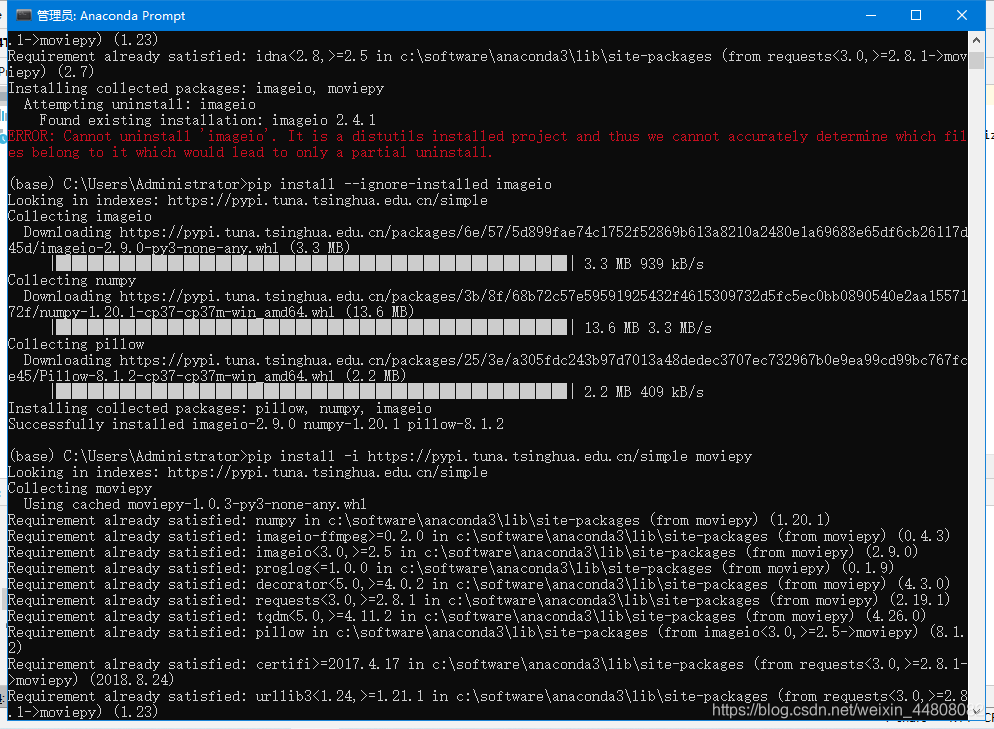
安装时提示错误:ERROR: Cannot uninstall ‘imageio’. It is a distutils installed project and thus we cannot accurately determine which files belong to it which would lead to only a partial uninstall.参考博客CSDN:woood小陈博客
在pip安装时,不直接采用pip install imageio,而用pip install --ignore-installed imageio。
2 源程序
参考Rachelnew1900_CSDN:使用python 调用MoviePy制作GIF动图博客内容,源程序三段话:
- 引入库
- 调入视频压缩
- 转码
源程序如下:
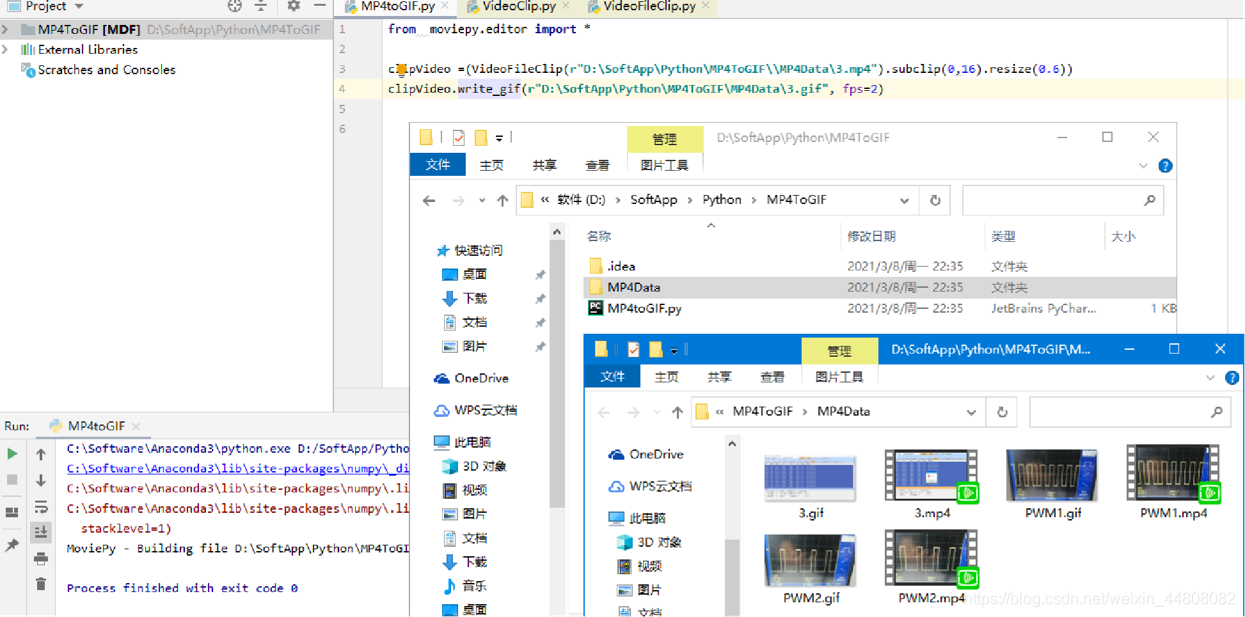
from  moviepy.editor import *
clipVideo =(VideoFileClip(r"D:\SoftApp\Python\MP4ToGIF\\MP4Data\3.mp4").subclip(0,16).resize(0.6))
clipVideo.write_gif(r"D:\SoftApp\Python\MP4ToGIF\MP4Data\3.gif", fps=2)
相关修改压缩GIF视频参数入如下:
@requires_duration@convert_masks_to_RGBdef write_gif(self, filename, fps=None, program='imageio',opt='nq', fuzz=1, verbose=True,loop=0, dispose=False, colors=None, tempfiles=False,logger='bar'):""" Write the VideoClip to a GIF file.
相关文件地址及转换数据示意图:
>> 更多相关内容,点击Morven_Xie博客概览
本文来自互联网用户投稿,文章观点仅代表作者本人,不代表本站立场,不承担相关法律责任。如若转载,请注明出处。 如若内容造成侵权/违法违规/事实不符,请点击【内容举报】进行投诉反馈!