【信号隐藏】基于小波变换算法DWT和离散余弦变换DCT变换音频数字水印嵌入提取matlab源码
1 模型
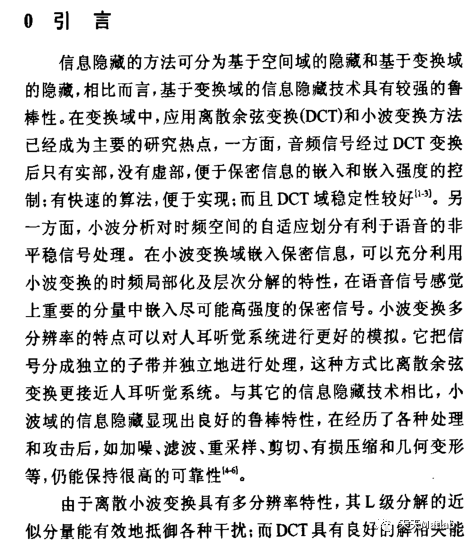
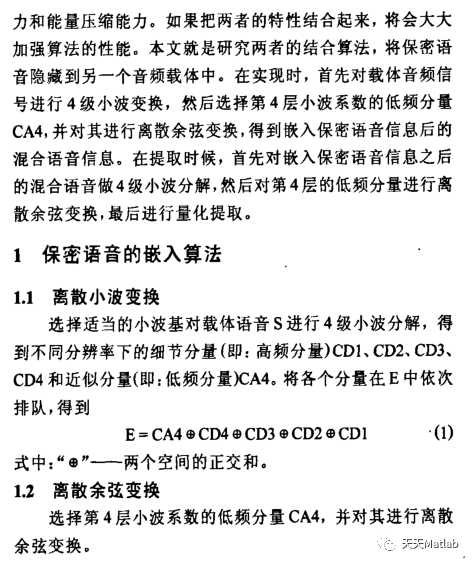
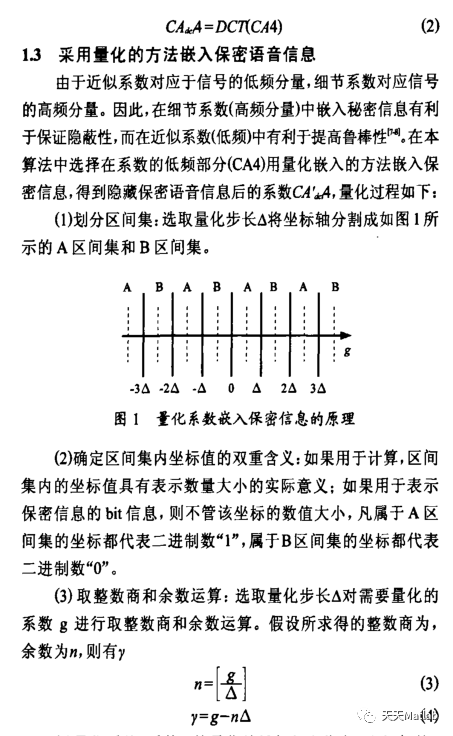
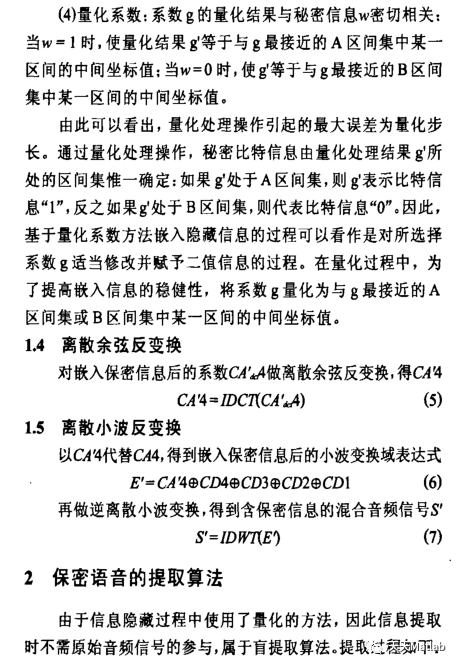
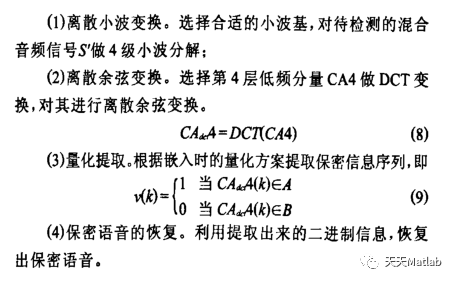
提出了一种基于离散小波变换(DWT)和离散余弦变换(DCT) 的音频信息隐藏的新算法.首先,对载体音频信号整体进行小波分解,将其低频小波系数分段后进行离散余弦变换;其次根据人耳听觉的频率掩蔽效应,选择出对人 耳听觉容差最大的直流系数组成序列并分段;最后通过修改各段统计特征来嵌入水印.实验表明,嵌入水印后的语音信号不仅具有良好的不可感知性,而且对诸如加 噪,低通滤波,重采样,重量化,回声,MP3压缩,样点裁剪,时域线性延伸和缩短等的攻击具有很强的鲁棒性.
2 部分代码
function varargout = main(varargin)
% MAIN MATLAB code for main.fig
%     MAIN, by itself, creates a new MAIN or raises the existing
%     singleton*.
%
%     H = MAIN returns the handle to a new MAIN or the handle to
%     the existing singleton*.
%
%     MAIN('CALLBACK',hObject,eventData,handles,...) calls the local
%     function named CALLBACK in MAIN.M with the given input arguments.
%
%     MAIN('Property','Value',...) creates a new MAIN or raises the
%     existing singleton*. Starting from the left, property value pairs are
%     applied to the GUI before main_OpeningFcn gets called. An
%     unrecognized property name or invalid value makes property application
%     stop. All inputs are passed to main_OpeningFcn via varargin.
%
%     *See GUI Options on GUIDE's Tools menu. Choose "GUI allows only one
%     instance to run (singleton)".
%
% See also: GUIDE, GUIDATA, GUIHANDLES% Edit the above text to modify the response to help main% Last Modified by GUIDE v2.5 15-Apr-2021 12:58:02% Begin initialization code - DO NOT EDIT
gui_Singleton = 1;
gui_State = struct('gui_Name',       mfilename, ...'gui_Singleton',  gui_Singleton, ...'gui_OpeningFcn', @main_OpeningFcn, ...'gui_OutputFcn',  @main_OutputFcn, ...'gui_LayoutFcn', [] , ...'gui_Callback',   []);
if nargin && ischar(varargin{1})gui_State.gui_Callback = str2func(varargin{1});
endif nargout[varargout{1:nargout}] = gui_mainfcn(gui_State, varargin{:});
elsegui_mainfcn(gui_State, varargin{:});
end
% End initialization code - DO NOT EDIT% --- Executes just before main is made visible.
function main_OpeningFcn(hObject, eventdata, handles, varargin)
% This function has no output args, see OutputFcn.
% hObject   handle to figure
% eventdata reserved - to be defined in a future version of MATLAB
% handles   structure with handles and user data (see GUIDATA)
% varargin   command line arguments to main (see VARARGIN)% Choose default command line output for main
handles.output = hObject;% Update handles structure
guidata(hObject, handles);% UIWAIT makes main wait for user response (see UIRESUME)
% uiwait(handles.figure1);% --- Outputs from this function are returned to the command line.
function varargout = main_OutputFcn(hObject, eventdata, handles)
% varargout cell array for returning output args (see VARARGOUT);
% hObject   handle to figure
% eventdata reserved - to be defined in a future version of MATLAB
% handles   structure with handles and user data (see GUIDATA)% Get default command line output from handles structure
varargout{1} = handles.output;% --- Executes on button press in pushbutton1.
function pushbutton1_Callback(hObject, eventdata, handles)
% hObject   handle to pushbutton1 (see GCBO)
% eventdata reserved - to be defined in a future version of MATLAB
% handles   structure with handles and user data (see GUIDATA)
addpath('.\wavelet\')%添加小波变换工具箱
%% 选择音频
[file1,pathname]=uigetfile('*.wav','请选择要识别的样本');%跳出对话框
fname=fullfile(pathname,file1);%音频文件名
[X,fs,bits]=wavread(fname); %读入音频文件
s=get(handles.popupmenu1,'Value');%选择算法handles.axes1 %选定坐标轴1
subplot(2,2,1); %子窗口
plot(X);     %显示音频文件波形
title('原始音频信号');
handles.X=X;%保存原始音频信号
handles.fs=fs;%保存原始音频信号频率
handles.s=s;
guidata(hObject, handles);
% --- Executes on button press in pushbutton2.
function pushbutton2_Callback(hObject, eventdata, handles)
% hObject   handle to pushbutton2 (see GCBO)
% eventdata reserved - to be defined in a future version of MATLAB
% handles   structure with handles and user data (see GUIDATA)
%% 选择水印
[file1,pathname]=uigetfile('*.bmp','请选择要识别的样本');%跳出对话框
fname=fullfile(pathname,file1);%选择图片
key=35;%密钥参数
%Arnold置换次数,作为密钥
Orignalmark=double(imread(fname));  %读入64*64的水印图片
[wrow,wcol]=size(Orignalmark);  %图像大小wrow行,wcol列
if wrow~=wcolerror('wrow~=wcol error');%如果行列不相等则报错
end
%--- 测试密钥key是否超出范围---------
n=check_arnold(wrow);
if (key+1)>nerror('arnold key error');
end
s=get(handles.popupmenu1,'Value');%选择算法subplot(2,2,2); hold on
imshow(Orignalmark),title('原始图像');
handles.Orignalmark=Orignalmark;%保存原始图像
handles.n=n;
handles.s=s;
guidata(hObject, handles);
% --- Executes on button press in pushbutton3.
function pushbutton3_Callback(hObject, eventdata, handles)
% hObject   handle to pushbutton3 (see GCBO)
% eventdata reserved - to be defined in a future version of MATLAB
% handles   structure with handles and user data (see GUIDATA)
%% 嵌入水印% --- Executes on button press in pushbutton4.
function pushbutton4_Callback(hObject, eventdata, handles)
% hObject   handle to pushbutton4 (see GCBO)
% eventdata reserved - to be defined in a future version of MATLAB
% handles   structure with handles and user data (see GUIDATA)
%% 提取水印
X=handles.X;%读取音频
Orignalmark=handles.Orignalmark;%读取水印图像
MarkedX=handles.MarkedX;%读取嵌入水印图像d的音频
key=handles.key;%读取密钥%%%%%%%%%%%%%%%%%%%%%%%%%%%%%%%%%%%% 对水印信号进行解扩频处理% 扩频系数为2M = zeros(n,1);% 产生与嵌入式相同的密钥序列Mfor k = 1 : nif mod(k,4) == 0M(k) = 1;elseM(k) = 0;end% 提取出来的水印信号序列分别按位与密钥异或l = ceil(k/2);S(l) = bitxor(C(k),M(k));end%%%%%%%%%%%%%%%%%%%%%%%%%%%%%%%%%%%% 对水印信息进行升维,构建二维图像for j = 1 : M2for i = 1 : M1n = (j-1)*M1+i;watermark(i,j) = S(n);endendend
psnrvalue=psnr(Orignalmark,watermark);%psnr系数
Nc=nc(Orignalmark,watermark);%nc系数
subplot(224);
imshow(watermark),title(['提取水印',',psnr=',num2str(psnrvalue),',nc=',num2str(Nc)]);% --- Executes on button press in pushbutton5.
function pushbutton5_Callback(hObject, eventdata, handles)
% hObject   handle to pushbutton5 (see GCBO)
% eventdata reserved - to be defined in a future version of MATLAB
% handles   structure with handles and user data (see GUIDATA)
%% 播放嵌入前的声音
X=handles.X;
fs=handles.fs;
sound(X,fs); %播放声音
% --- Executes on button press in pushbutton6.
function pushbutton6_Callback(hObject, eventdata, handles)
% hObject   handle to pushbutton6 (see GCBO)
% eventdata reserved - to be defined in a future version of MATLAB
% handles   structure with handles and user data (see GUIDATA)
%% 播放嵌入的声音
fs=handles.fs;
MarkedX=handles.MarkedX;
sound(MarkedX,fs);% --- Executes on selection change in popupmenu1.
function popupmenu1_Callback(hObject, eventdata, handles)
% hObject   handle to popupmenu1 (see GCBO)
% eventdata reserved - to be defined in a future version of MATLAB
% handles   structure with handles and user data (see GUIDATA)% Hints: contents = cellstr(get(hObject,'String')) returns popupmenu1 contents as cell array
%       contents{get(hObject,'Value')} returns selected item from popupmenu1
%% 选择算法
s=get(handles.popupmenu1,'Value');%选择算法handles.s=s;
guidata(hObject, handles);% --- Executes during object creation, after setting all properties.
function popupmenu1_CreateFcn(hObject, eventdata, handles)
% hObject   handle to popupmenu1 (see GCBO)
% eventdata reserved - to be defined in a future version of MATLAB
% handles   empty - handles not created until after all CreateFcns called% Hint: popupmenu controls usually have a white background on Windows.
%       See ISPC and COMPUTER.
if ispc && isequal(get(hObject,'BackgroundColor'), get(0,'defaultUicontrolBackgroundColor'))set(hObject,'BackgroundColor','white');
end
3 仿真结果
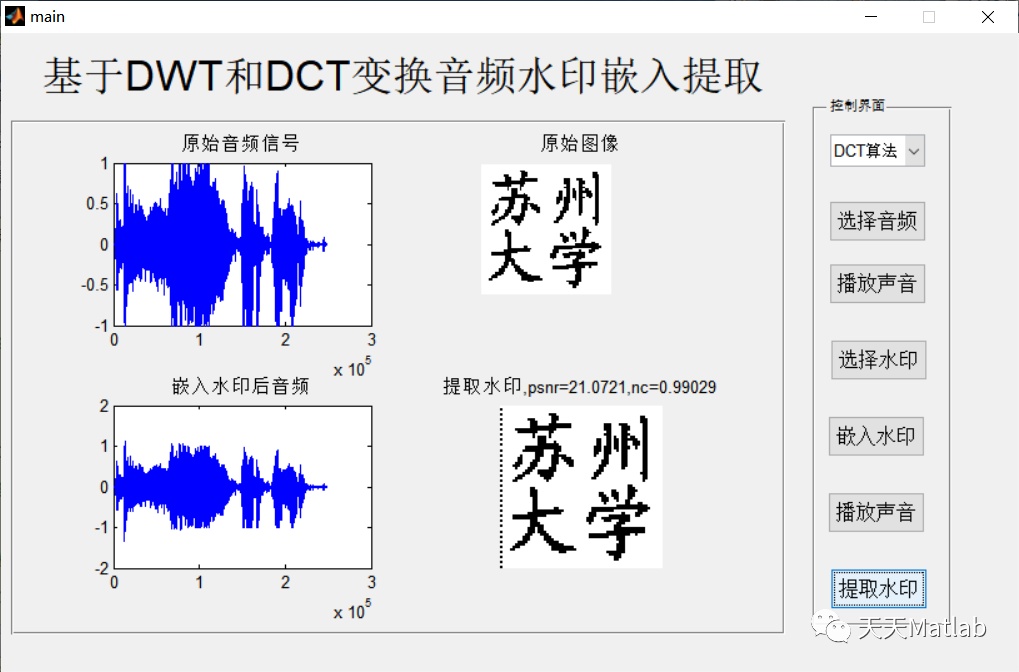
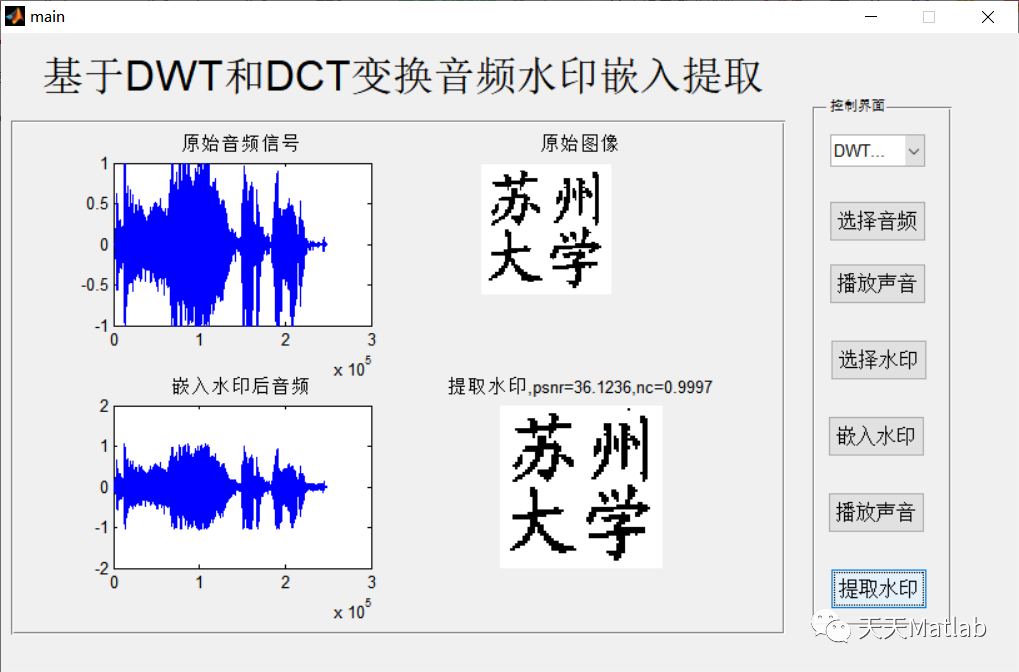
4 参考文献
[1]柏玉保, 柏森, 暴晋飞,等. 一种基于DWT和DCT域的音频信息隐藏算法[J]. 微型机与应用, 2010(01):37-40.
5 完整MATLAB代码与数据下载地址
见博客主页头条
本文来自互联网用户投稿,文章观点仅代表作者本人,不代表本站立场,不承担相关法律责任。如若转载,请注明出处。 如若内容造成侵权/违法违规/事实不符,请点击【内容举报】进行投诉反馈!