unity嵌入vue并与前端交互
unity项目打包嵌入前端并与前端交互
- unity嵌入前端和交互
- 嵌入前端
- unity与前端交互
- unity触发函数
- .jslib函数
- 打包后的处理
- 前端页面的编写
unity嵌入前端和交互
嵌入前端
将unity项目打包好后的文件夹直接放入public/static/
调节所欲要的比例:
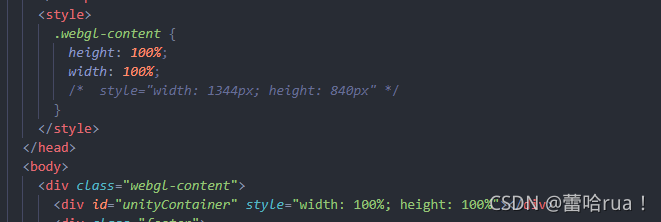
在需要的页面以iframe的方式引入:
iframe样式设置:
iframe{position: absolute;z-index: 1;left: 17.5%;}
unity与前端交互
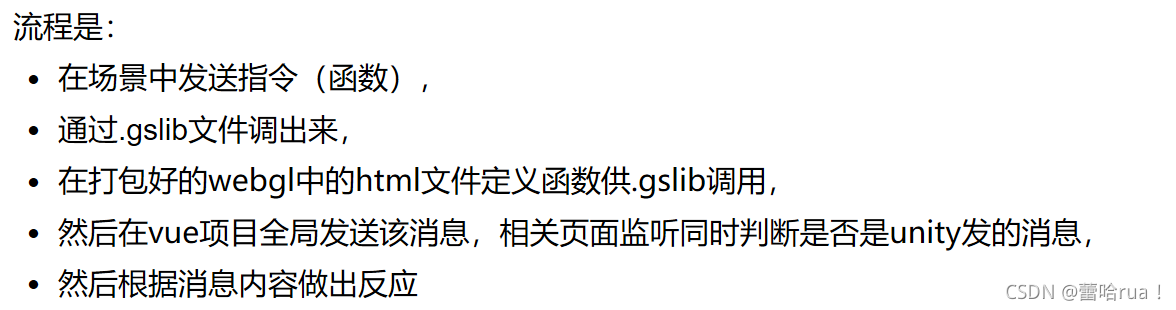
unity触发函数
点击button触发onclick事件,带button名字参数
private void OnClick(){btnName = EventSystem.current.currentSelectedGameObject.GetComponent<Button>().name;print("当前按钮是: " + btnName);Show(btnName); }
调用的show()是写在.jslib文件中
这里需要引入一下:
[DllImport("__Internal")]private static extern void Show(string str);
点击函数全部代码:
using System.Runtime.InteropServices;
using UnityEngine.EventSystems;
using UnityEngine;
using UnityEngine.UI;public class ButtonSend : MonoBehaviour
{public Transform btnParent;private Button[] btns;[HideInInspector]public string btnName;[DllImport("__Internal")]private static extern void Show(string str);private void Start(){btns = new Button[btnParent.childCount];for (int i = 0;i<btns.Length;i++){btns[i] = btnParent.GetChild(i).GetComponent<Button>();btns[i].onClick.AddListener(OnClick);}print(btns.Length);}private void OnClick(){btnName = EventSystem.current.currentSelectedGameObject.GetComponent<Button>().name;print("当前按钮是: " + btnName);Show(btnName); }
}
.jslib函数
在assets文件夹下建立plugins文件夹,建立一个gloab.jslib文件
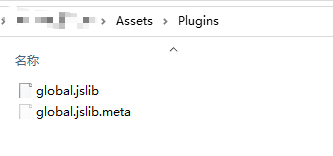 `mergeInto(LibraryManager.library, {
Show: function (str) {VueShow(Pointer_stringify(str))
}
});`
shwo()调用Vueshow(),VueShow是写在打包好后的html文件下的
这个时候运行unity会报错找不到vue()或者vueshow()是正常的
打包后的处理
unity打包好后的文件夹放到vue项目中后,在html文件下写Vueshow()
<script>var unityInstance = UnityLoader.instantiate("unityContainer", "Build/WebGL.json", {onProgress: UnityProgress});function VueShow(str) {// alert("传出来了")// alert(str)window.parent.postMessage({ handle: str }, '*')}</script>
将‘str’全局发消息,然后在要处理这个消息的页面去处理这个消息
前端页面的编写
在mounted函数中接受消息,并调用recieve函数
mounted(){// document.getElementById("unity-infame").addEventListener("message",this.recieve)window.addEventListener("message",this.recieve)},
recieve(event){this.unitydata = event.data.handle;switch (this.unitydata){case "1":case "3":case "5":this.ChangecurrentView(viewshow)break;case "2":this.ChangecurrentView(demandroll)break;case "4":this.ChangecurrentView(sourceopen)break;case "6":this.ChangetopoView(capacity)break;case "7":this.ChangetopoView(predict)break;case "8":this.ChangetopoView(production)break;default:break;}},
将str取来然后进行不同的处理
本文来自互联网用户投稿,文章观点仅代表作者本人,不代表本站立场,不承担相关法律责任。如若转载,请注明出处。 如若内容造成侵权/违法违规/事实不符,请点击【内容举报】进行投诉反馈!