用Python写的四等分切割图片的代码教程,一张图片对等切成四份源码
代码是用GPT写的,写的还是很不错的,非常简单。
以下是一个简单的Python脚本,使用PIL库完成你的需求。首先,请确保已经安装了PIL库,如果没有,可以通过以下命令安装:
pip install pillow
要将Python脚本转换为可执行的exe文件,你可以使用pyinstaller库。首先,确保你已经安装了pyinstaller。如果没有,请在命令行中运行以下命令进行安装:
pip install pyinstaller
然后,你可以使用以下代码:
import os
import webbrowser
from tkinter import messagebox, Tk
from PIL import Imagedef main():# 弹窗提示root = Tk()root.withdraw()messagebox.showinfo("提示", "该资源来源于怪木副业网")# 处理图片input_folder = os.getcwd()output_folder = "怪木副业网"supported_formats = (".jpg", ".webp", ".png")if not os.path.exists(output_folder):os.makedirs(output_folder)for file in os.listdir(input_folder):if file.lower().endswith(supported_formats):image = Image.open(file)width, height = image.sizehalf_width = width // 2half_height = height // 2image.crop((0, 0, half_width, half_height)).save(os.path.join(output_folder, f"{file}_1.jpg"))image.crop((half_width, 0, width, half_height)).save(os.path.join(output_folder, f"{file}_2.jpg"))image.crop((0, half_height, half_width, height)).save(os.path.join(output_folder, f"{file}_3.jpg"))image.crop((half_width, half_height, width, height)).save(os.path.join(output_folder, f"{file}_4.jpg"))# 提示图片切割完成messagebox.showinfo("提示", "图片切割完成")# 打开网站并退出webbrowser.open("http://www.guaimu.com")root.destroy()if __name__ == "__main__":main()
关于运行脚本时出现命令窗口的问题,这是因为我们使用了Tkinter库。当使用pyinstaller将脚本转换为exe文件时,你可以使用--noconsole选项来隐藏命令窗口。以下是创建无命令窗口exe文件的命令(请将your_script.py替换为你的Python脚本文件名):
pyinstaller --onefile --noconsole your_script.py
这将在dist文件夹中生成一个无命令窗口的exe文件。希望这些修改能满足你的需求。如有其他问题,请随时提问。
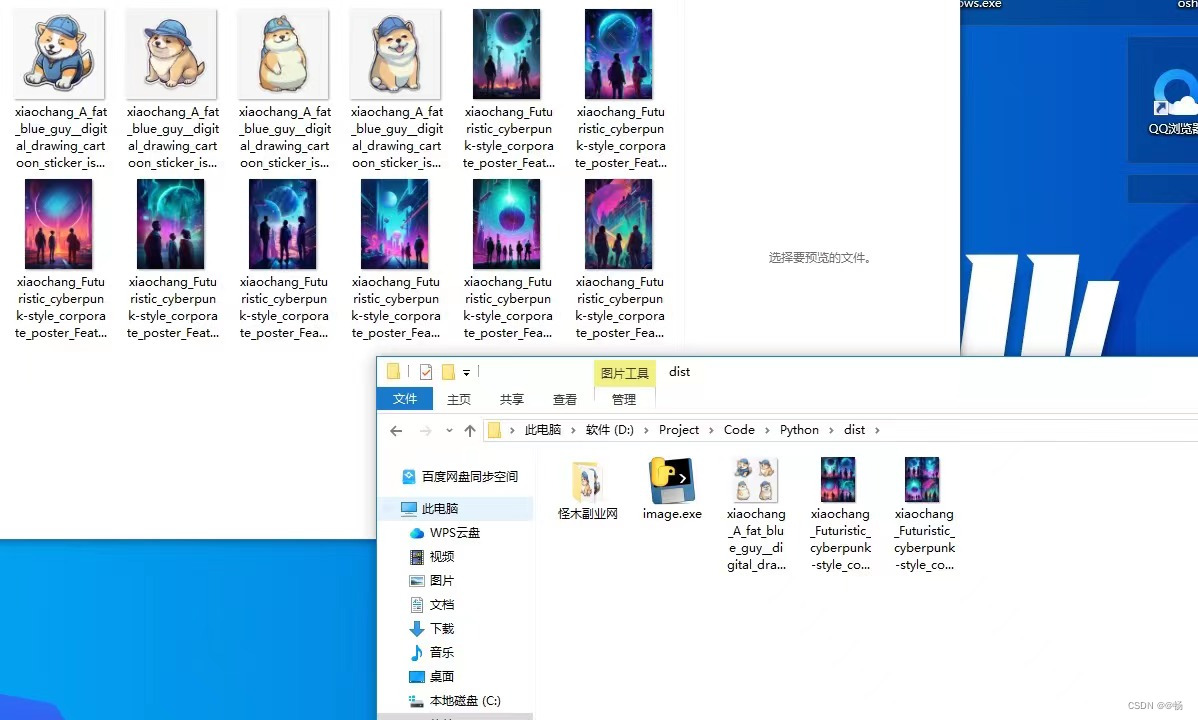
运行这个脚本,它将在启动时弹出一个提示框,然后处理当前目录下的JPG、WebP和PNG格式的图片,将它们二等分切割后保存到名为"怪木副业网"的文件夹中。最后,它将在默认浏览器中打开www.guaimu.com网站。
最终效果
本文来自互联网用户投稿,文章观点仅代表作者本人,不代表本站立场,不承担相关法律责任。如若转载,请注明出处。 如若内容造成侵权/违法违规/事实不符,请点击【内容举报】进行投诉反馈!