Taro+React+TS+Redux+Taro UI项目
Taro+React+TS+Redux+Taro UI项目
初始化搭建Taro项目
全局安装@tarojs/cli,或者直接使用 npx
这里是全局安装方法,终端输入命令:
# 使用 npm 安装 CLI
$ npm install -g @tarojs/cli# OR 使用 yarn 安装 CLI
$ yarn global add @tarojs/cli# OR 安装了 cnpm,使用 cnpm 安装 CLI
$ cnpm install -g @tarojs/cli
查看 Taro 全部版本信息
终端可以使用 npm info 查看 Taro 版本信息,在这里你可以看到当前最新版本
npm info @tarojs/cli
如下图: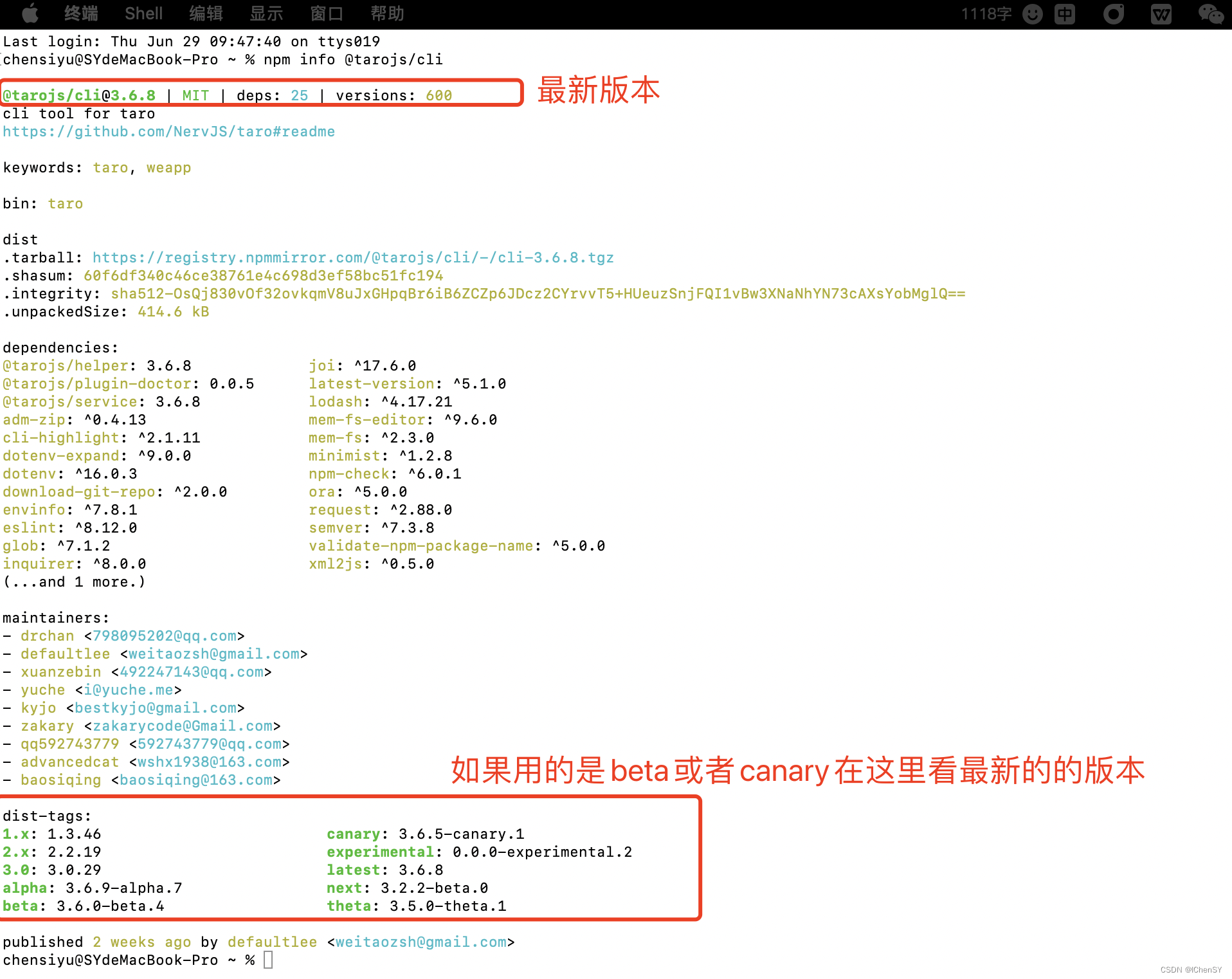
初始化项目
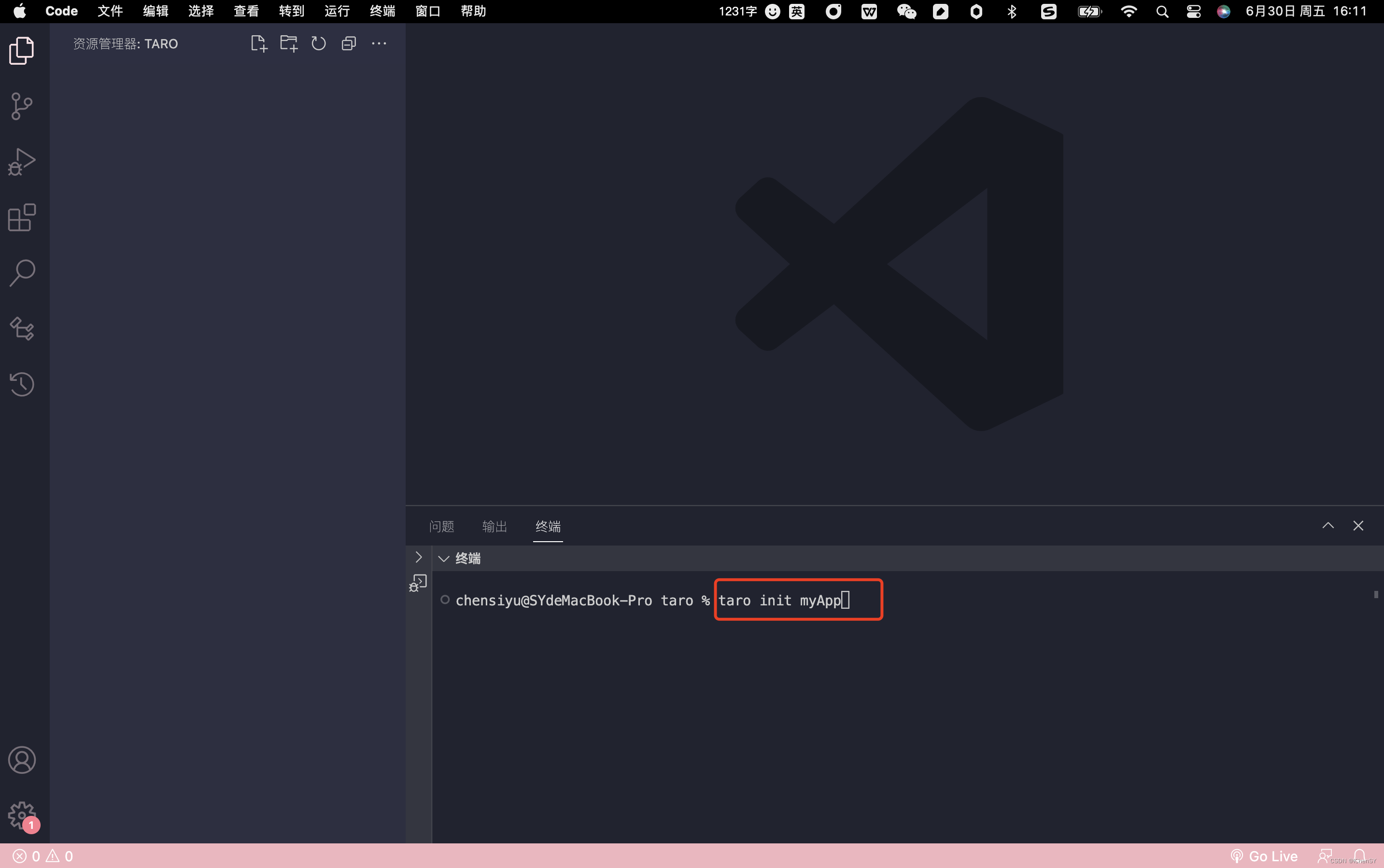
使用命令创建模板项目:
$ taro init myApp
如下图:
根据自己项目所需要,输入并选择相关内容
如下图:
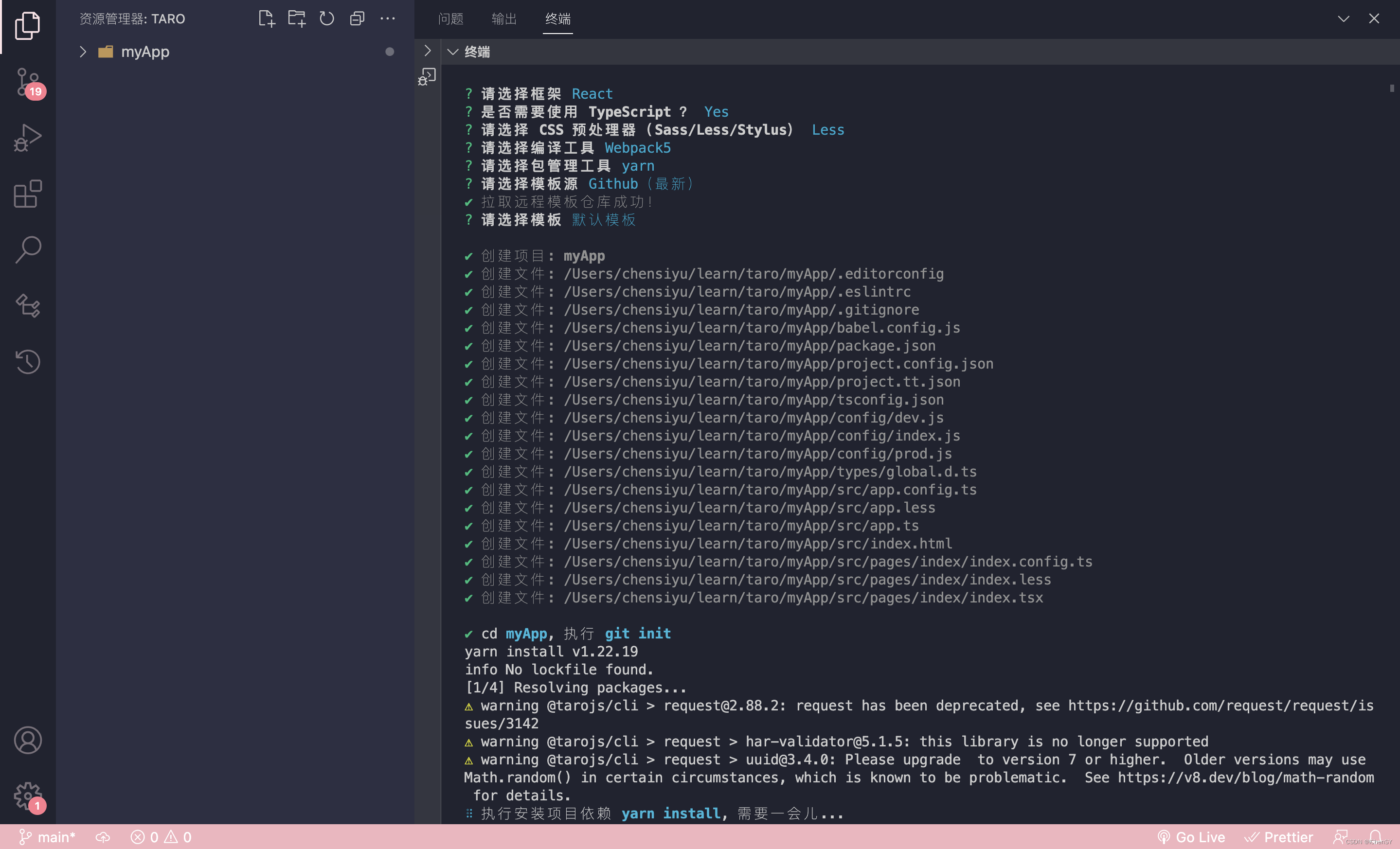
此时初始化项目成功
如下图:

补充:npm 5.2+ 也可在不全局安装的情况下使用 npx 创建模板项目:
$ npx @tarojs/cli init myApp
编译运行Taro项目
这里以微信小程序为例,其他平台请参考Taro文档
Taro文档编译运行地址:Taro文档编译运行
微信小程序编译命令
# yarn
$ yarn dev:weapp
$ yarn build:weapp# npm script
$ npm run dev:weapp
$ npm run build:weapp# 仅限全局安装
$ taro build --type weapp --watch
$ taro build --type weapp# npx 用户也可以使用
$ npx taro build --type weapp --watch
$ npx taro build --type weapp# watch 同时开启压缩
$ set NODE_ENV=production && taro build --type weapp --watch # CMD
$ NODE_ENV=production taro build --type weapp --watch # Bash
操作步骤
因为是微信小程序,所有要先下载微信开发者工具
打开微信开发者工具,选择小程序,选择导入,此时选择刚才我们初始化创建的Taro项目
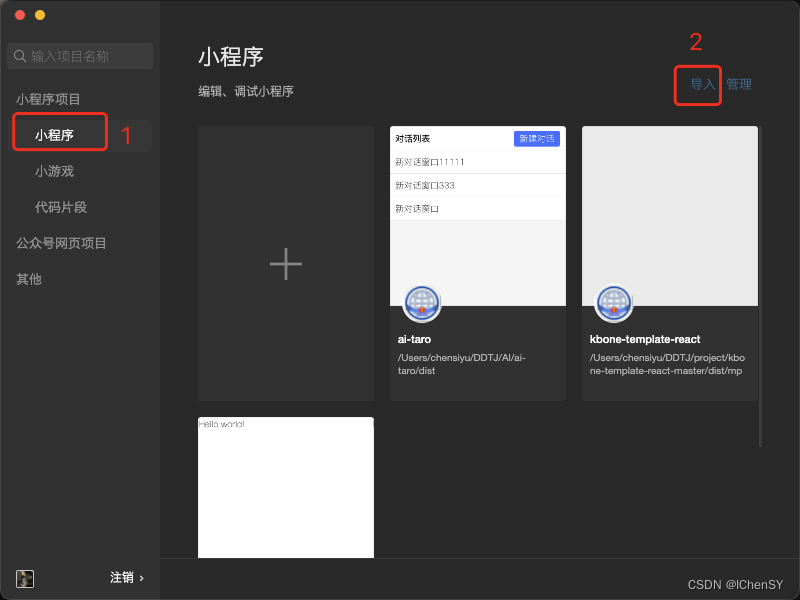
填写AppId,选择需求内容,勾选协议,点击确定
如下图:

此时微信开发者工具是这样的
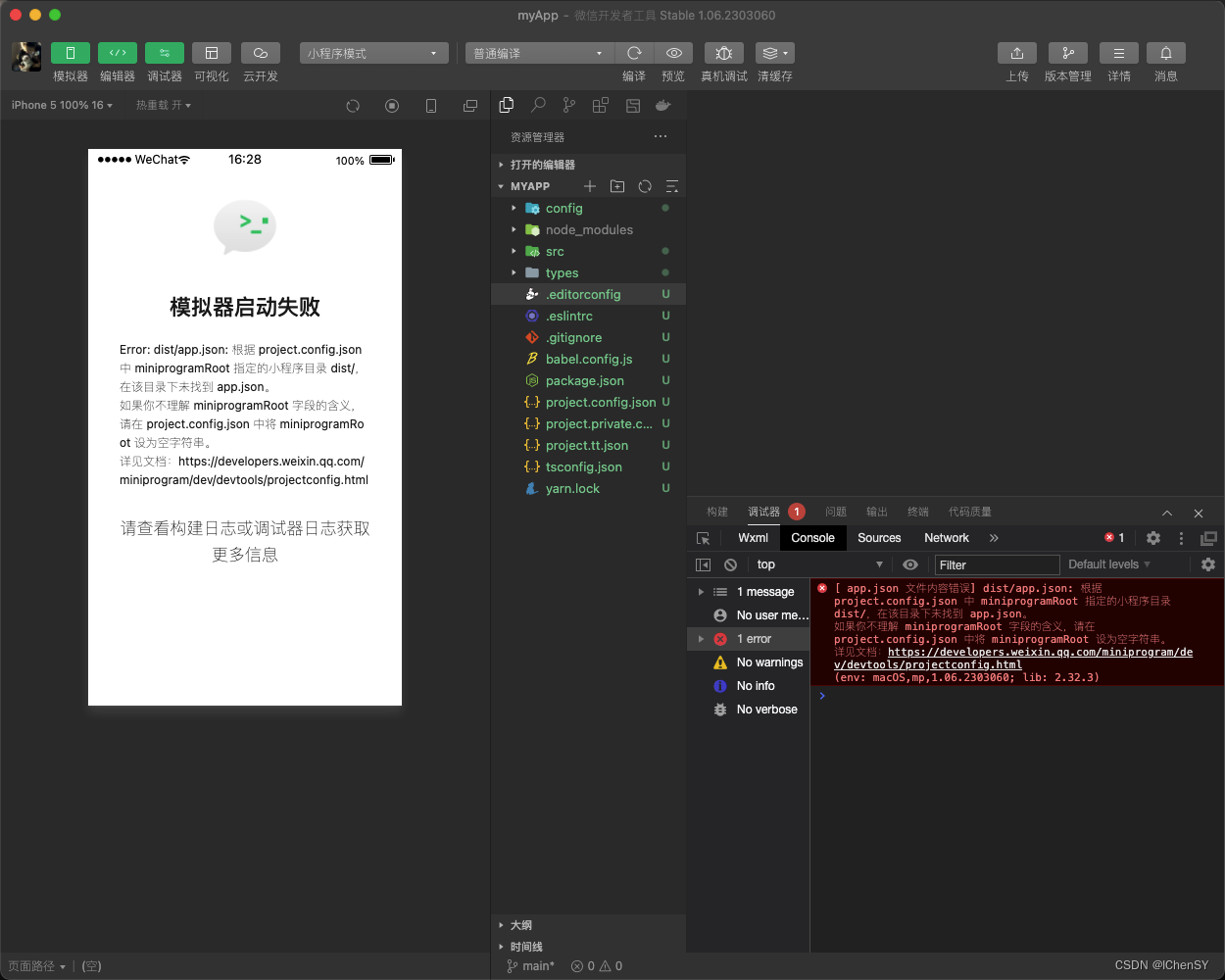
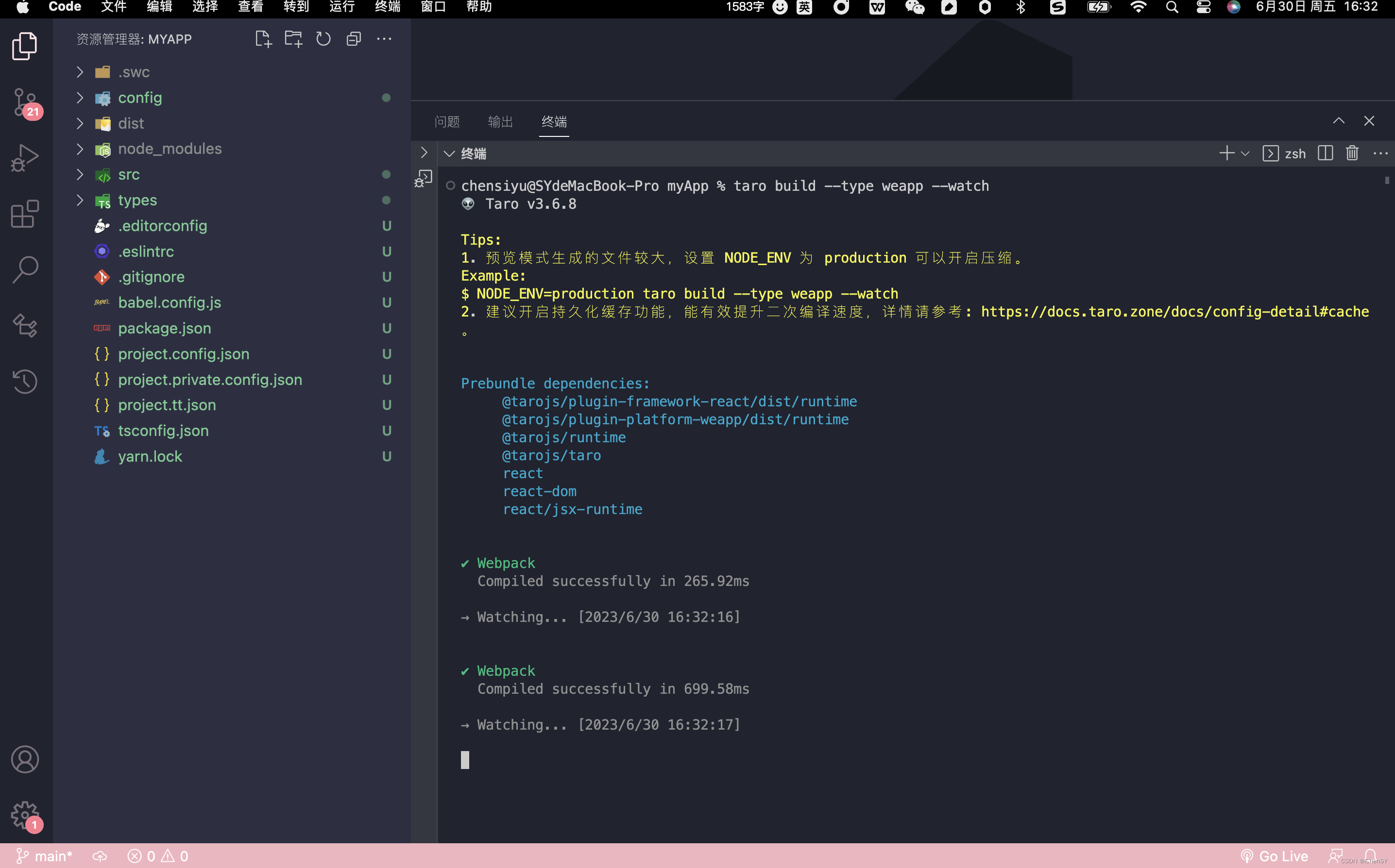
使用VSCode打开刚才创建的Taro项目,进入该文件夹下,打开终端输入命令运行项目
taro build --type weapp --watch
如下图:
VSCode
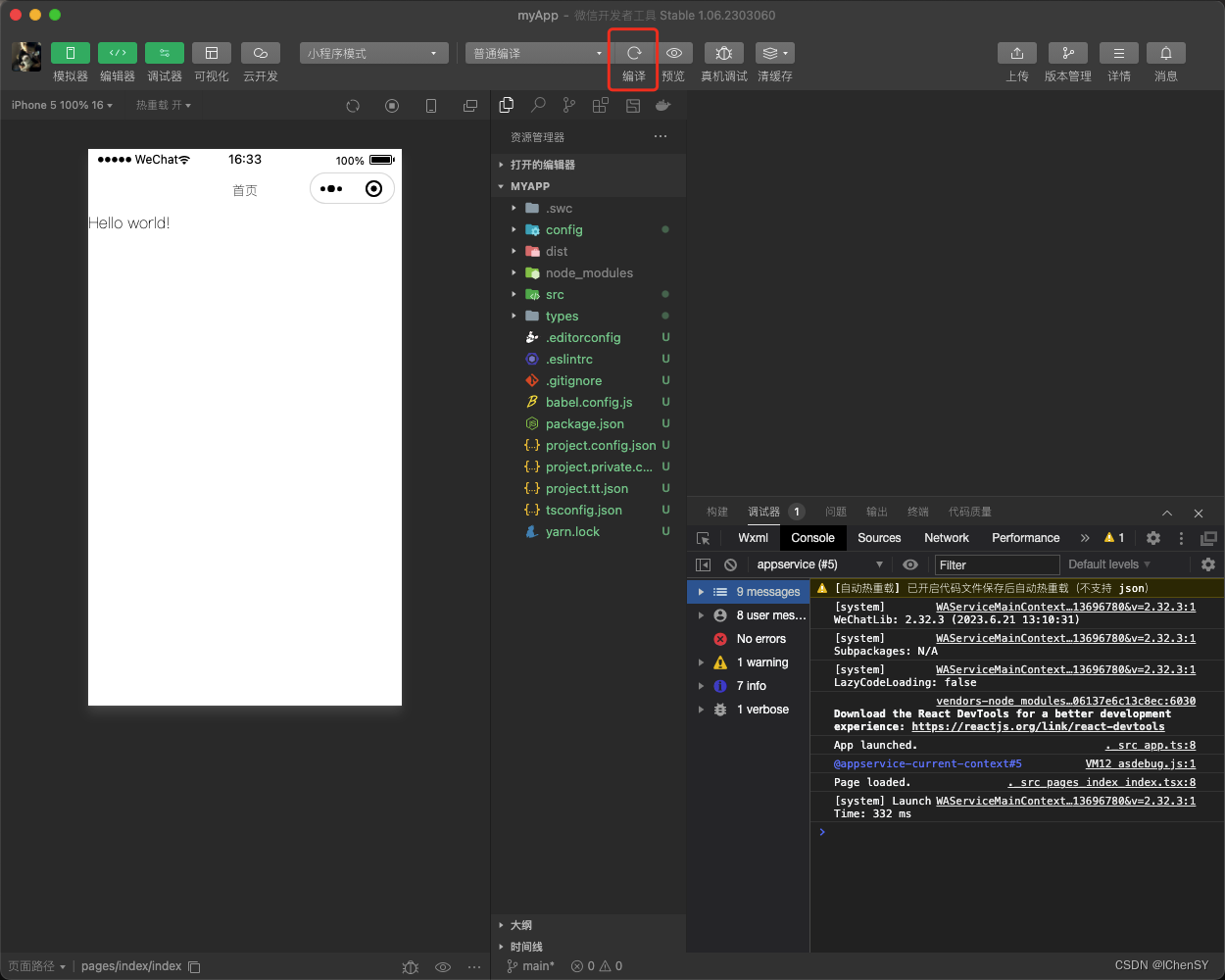
微信开发者工具
Taro项目配置Redux
想在Taro项目中使用Redux,以前写React项目用到一个很好用的插件,所以这次还是使用该方法,其他小伙伴想正常配置请移步Taro文档。
下载依赖
终端输入
yarn add @reduxjs/toolkit @tarojs/redux react-redux
创建redux文件夹
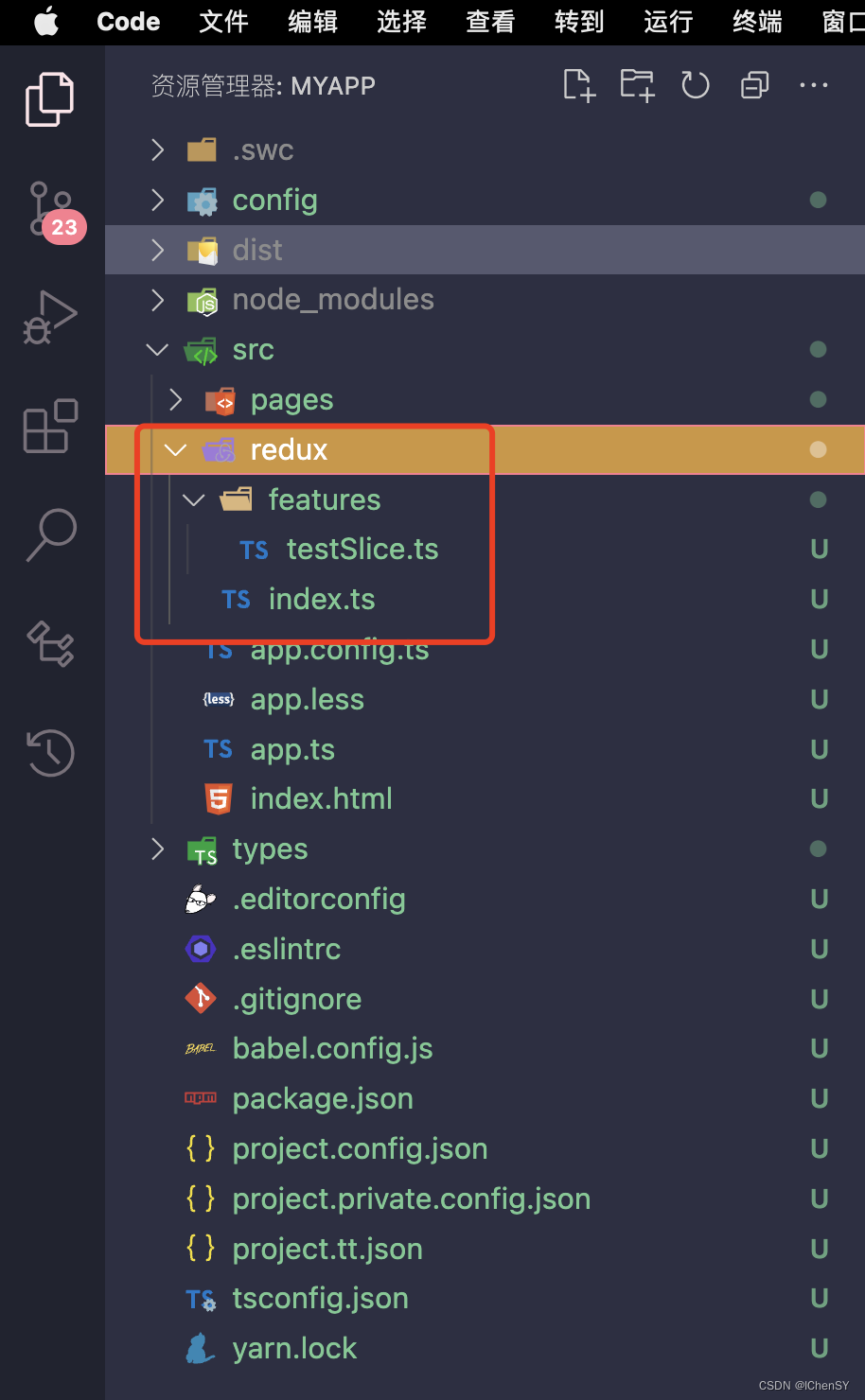
在src文件夹中创建redux文件夹
redux文件夹目录如下:
index.ts文件:
// 使用rtk(reduxToolKit)官方推荐写法,降低代码复制性,其中集成createAsyncThunk类似redux-thunk可进行接口异步调用
import { configureStore } from "@reduxjs/toolkit";
import testSlice from "./features/testSlice";// configureStore创建一个redux数据
const store = configureStore({// 合并多个Slicereducer: {test: testSlice,},
});export default store;
testSlice.ts文件:
//使用案例
import { createSlice, createAsyncThunk } from "@reduxjs/toolkit";export interface TestState {data: object;title: string;
}
const initialState: TestState = {data: [],title: "获取所有数据",
};//@ts-ignore
const getDataApi = () => getAllData().then((res: any) => res.json);
// thunk函数允许执行异步逻辑, 通常用于发出异步请求。
// createAsyncThunk 创建一个异步action,方法触发的时候会有三种状态:
// pending(进行中)、fulfilled(成功)、rejected(失败)
export const getData = createAsyncThunk("getAllData", async () => {const res = await getDataApi();return res;
});// 创建一个 Slice
export const testSlice = createSlice({// 命名空间,name会作为action type的前缀name: "test",// 初始化状态initialState,// 1、定义reducer更新状态的函数// 2、组件中dispatch使用的action函数reducers: {// 数据请求完触发loadDataEnd: (state, { payload }) => {state.data = payload;state.title = "获取到数据啦";console.log("数据请求完触发");},},// extraReducers 字段让 slice 可以处理在别处定义的 actions,// 包括由 createAsyncThunk或其他slice生成的actions。extraReducers(builder) {builder.addCase(getData.pending, (state) => {console.log("🚀 ~ 进行中!");}).addCase(getData.fulfilled, (state, { payload }) => {state.data = payload;state.title = "获取到数据啦fulfilled";console.log("🚀 ~ fulfilled", payload);}).addCase(getData.rejected, (state, err) => {console.log("🚀 ~ rejected", err);});},
});
// 导出action函数
export const { loadDataEnd } = testSlice.actions;
// 导出reducer,创建store
export default testSlice.reducer;
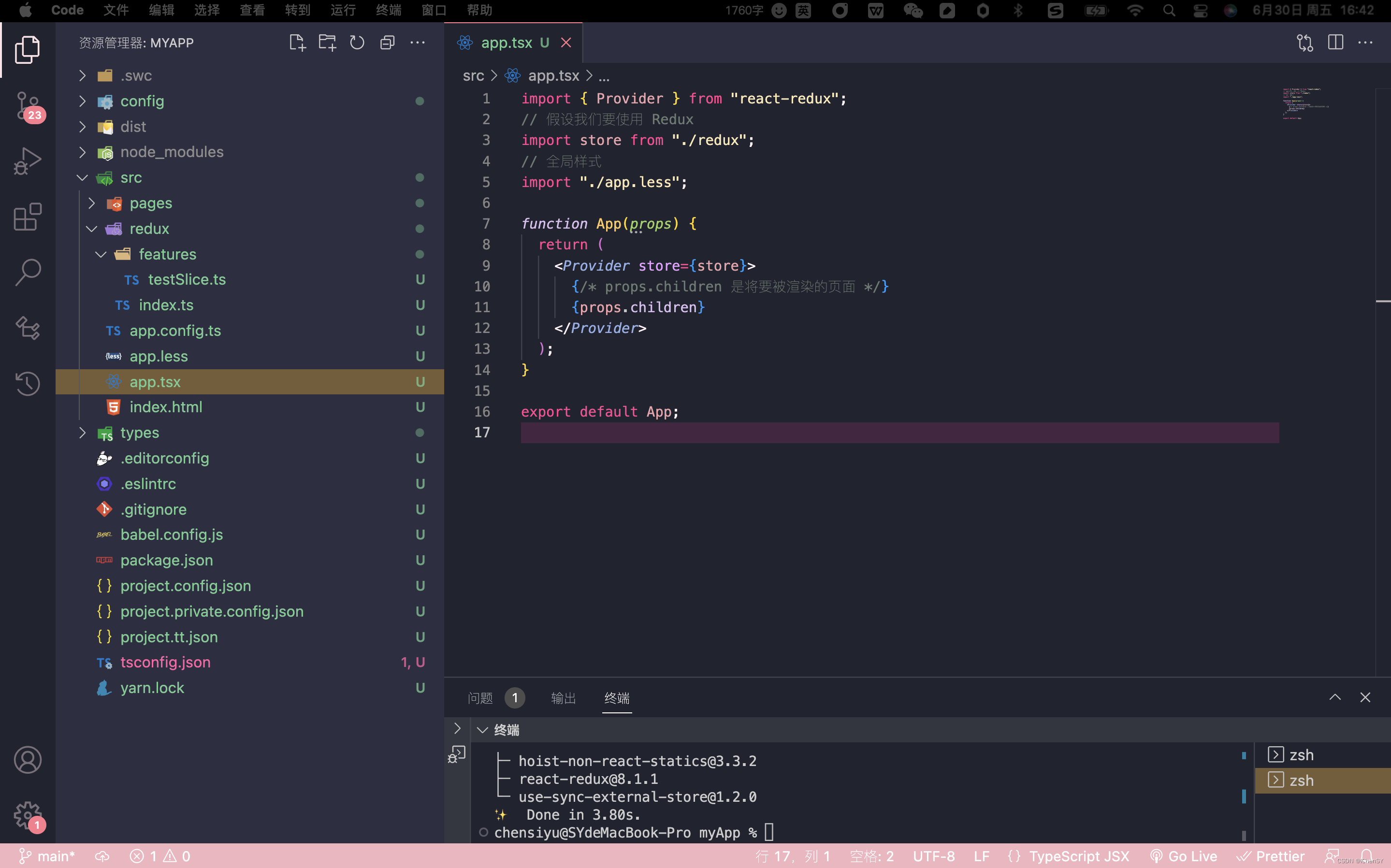
修改入口文件app.ts
import { Provider } from "react-redux";
// 假设我们要使用 Redux
import store from "./redux";
// 全局样式
import "./app.less";function App(props) {return ({/* props.children 是将要被渲染的页面 */}{props.children} );
}export default App;
如下图:
创建home页面,修改home页面内容:
import { useEffect } from 'react'
import { useDispatch, useSelector } from 'react-redux';
import { View, Text } from '@tarojs/components'
import './index.less'export default function Index() {// 获取reduxconst test: any = useSelector((state: any) => state);// 抛发const dispatch = useDispatch();useEffect(() => {console.log(test, "redux")}, [])return (home 如下图:
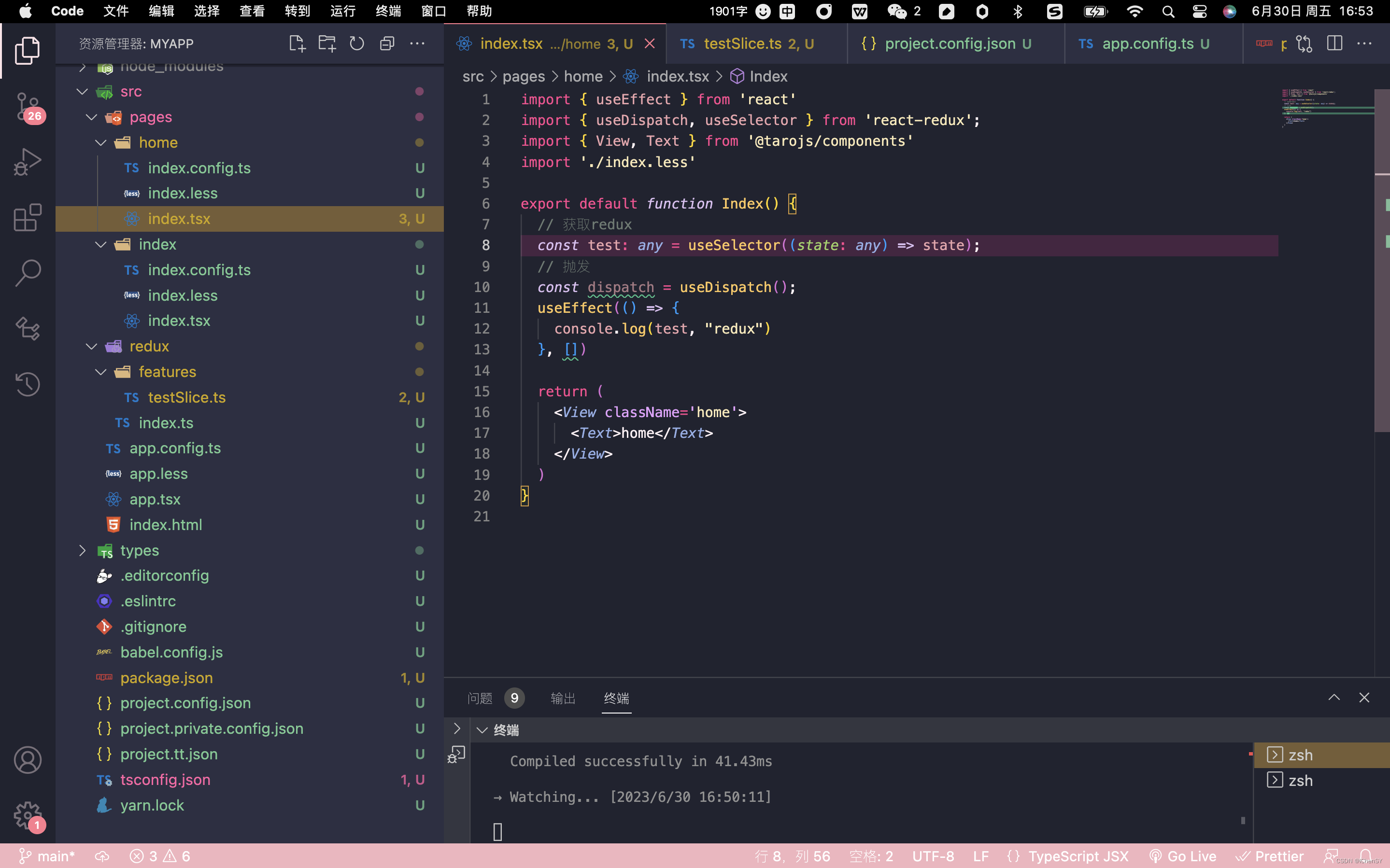
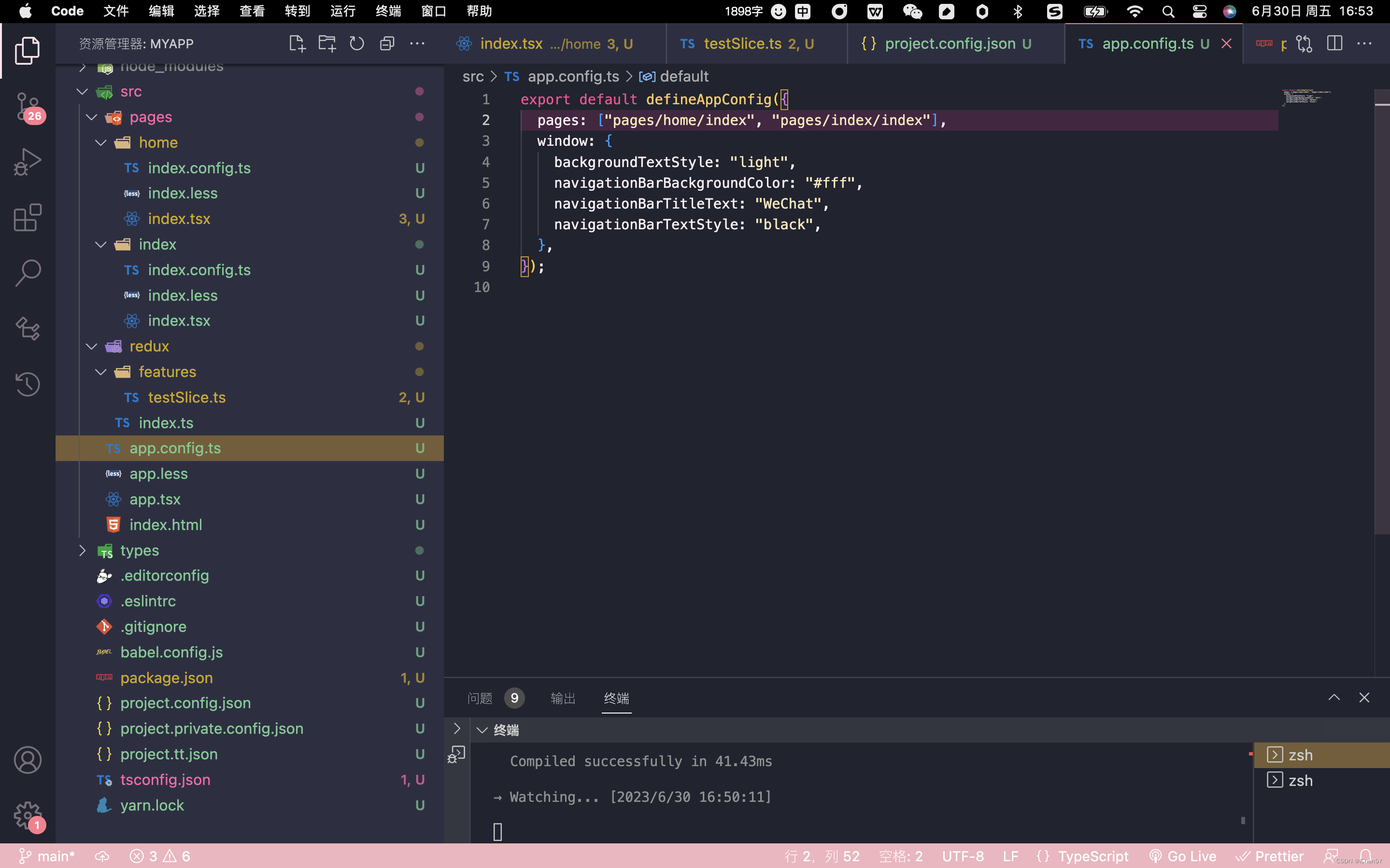
在app.config.ts文件下添加路径:
export default defineAppConfig({pages: ["pages/home/index", "pages/index/index"],window: {backgroundTextStyle: "light",navigationBarBackgroundColor: "#fff",navigationBarTitleText: "WeChat",navigationBarTextStyle: "black",},
});
如图:
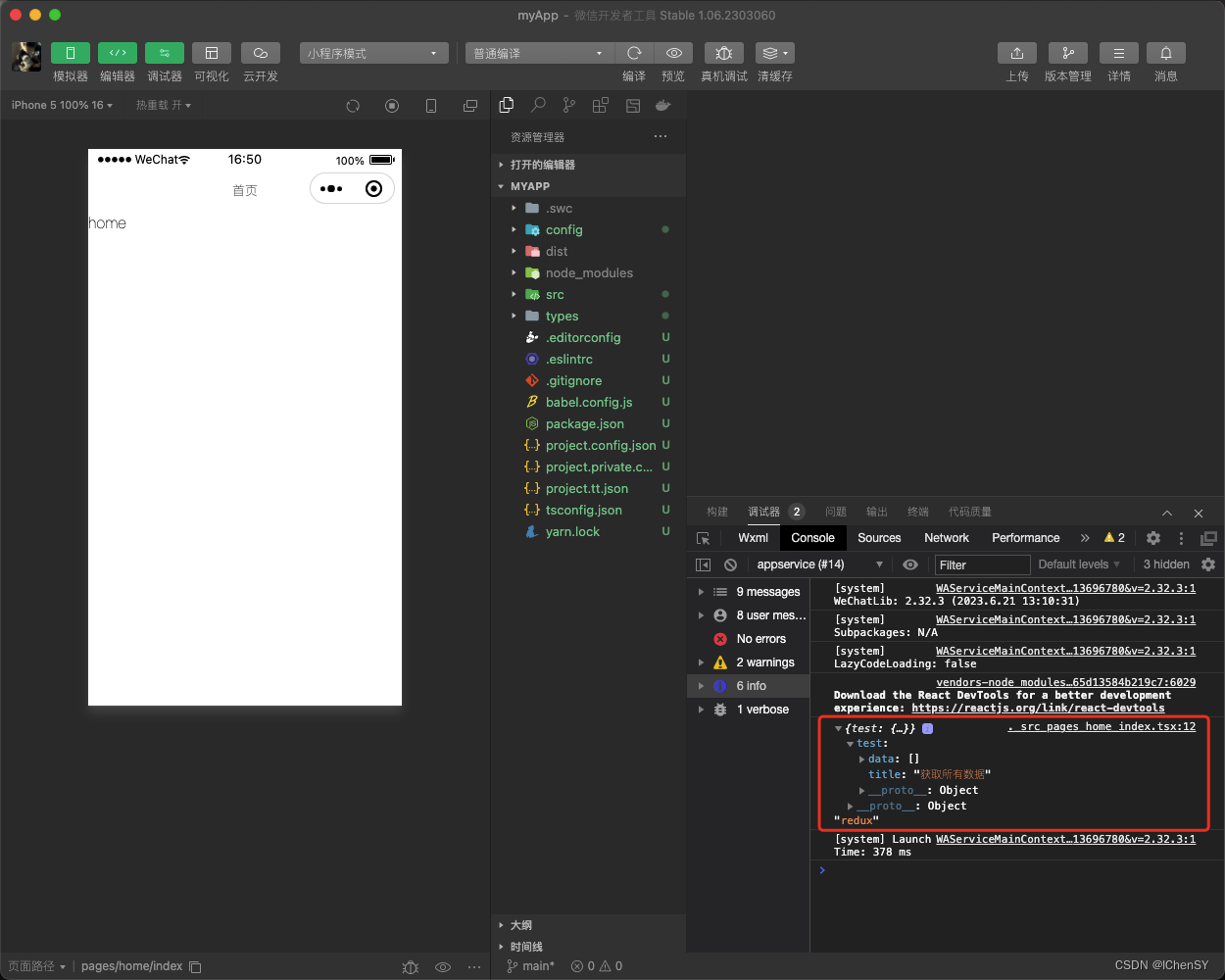
此时打印如下:
问题
配置Redux报错
第一次使用Taro,想要在Taro里使用redux,看文档配置了很多次入口文件,每次都是报同一个错误。
错误:“Provider”表示值,但在此处用作类型。是否指“类型 Provider”?
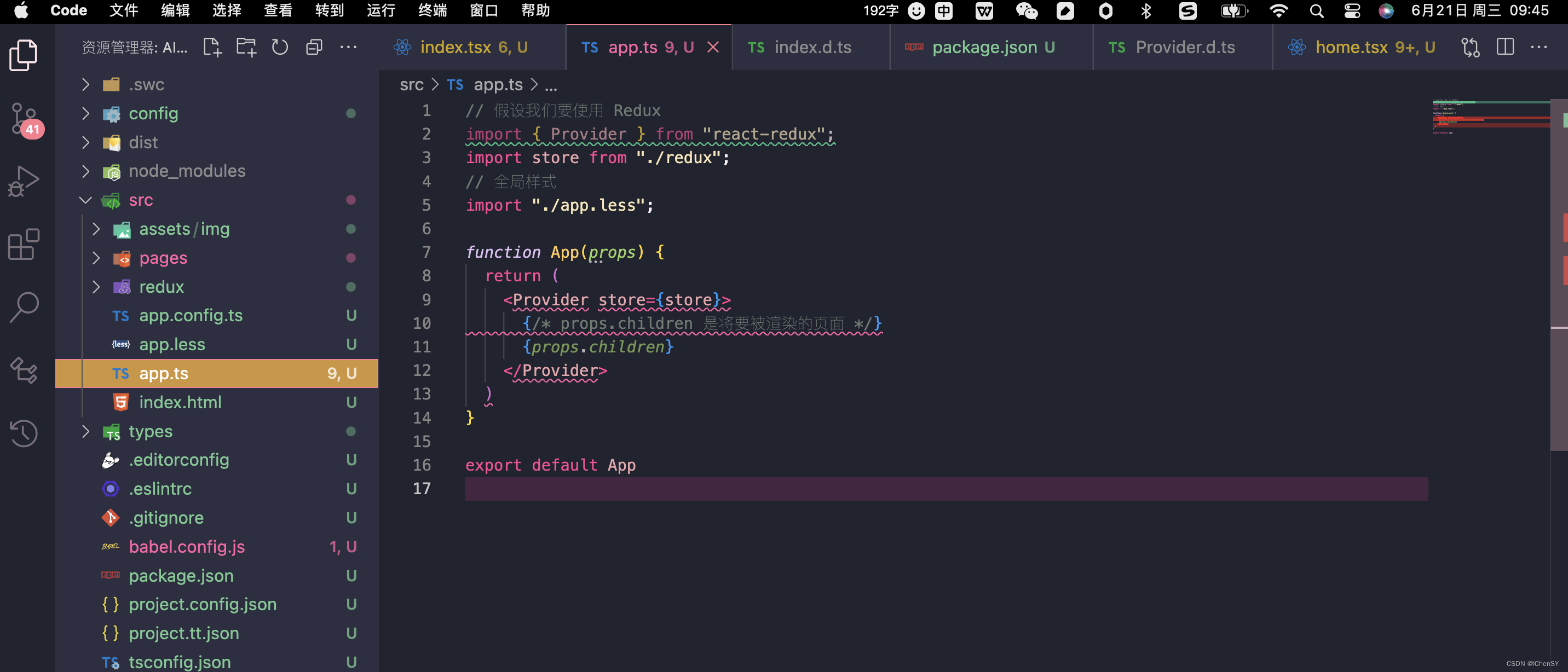

解决办法:将入口文件后缀名改成tsx
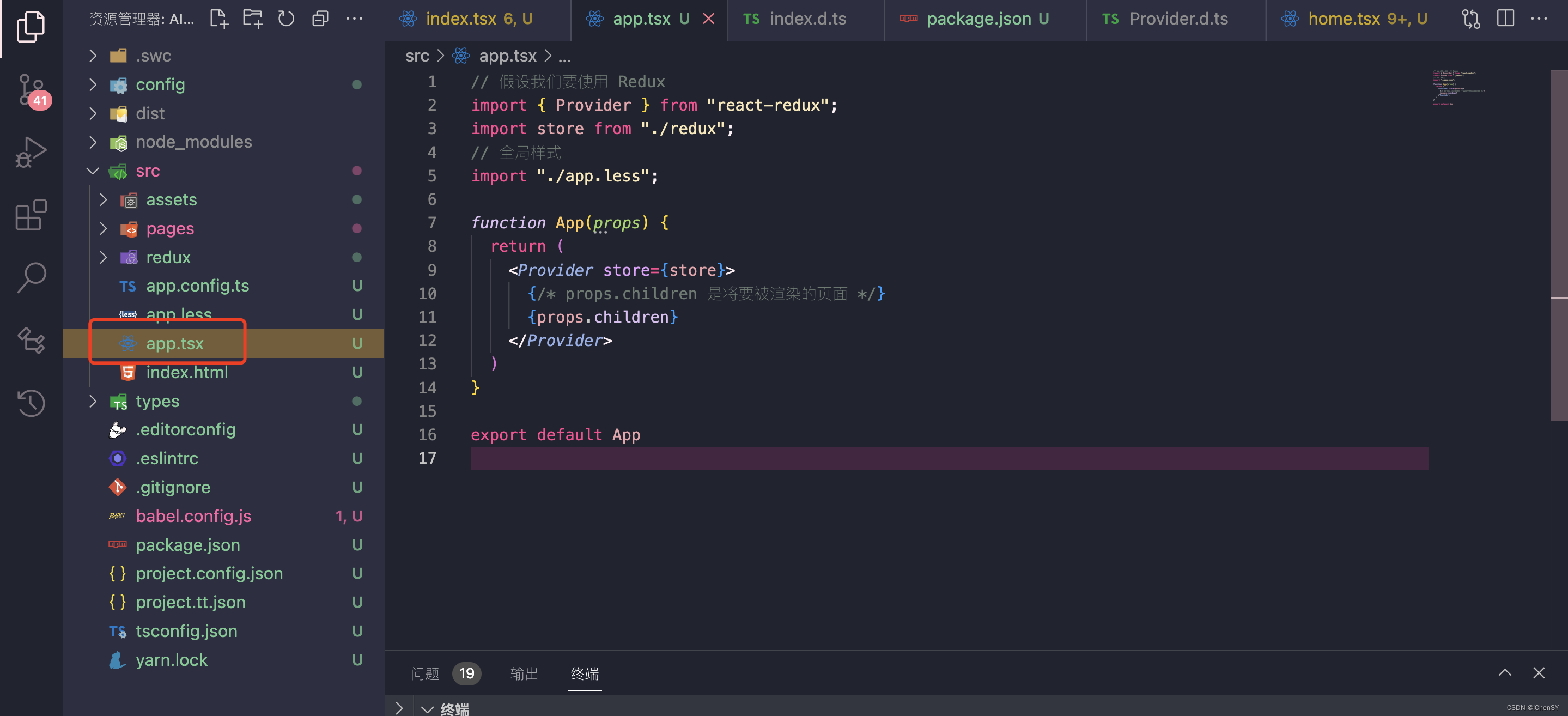
此时问题就解决了。
Taro项目配置Taro UI
Taro UI文档地址:Taro UI文档
安装Taro UI
命令:
npm install taro-ui
配置需要额外编译的源码模块
由于引用 node_modules 的模块,默认不会编译,所以需要额外给 H5 配置 esnextModules,在 taro 项目的 config/index.js 中新增如下配置项:
h5: {esnextModules: ['taro-ui']
}
Taro UI引入组件样式
入口文件App.tsx
import 'taro-ui/dist/style/index.scss' // 全局引入一次即可
import { Provider } from "react-redux";
// 假设我们要使用 Redux
import store from "./redux";
// 全局样式
import "./app.less";function App(props) {return ({/* props.children 是将要被渲染的页面 */}{props.children} );
}export default App;Taro UI引入组件案例
home.tsx文件:
import Taro from "@tarojs/taro";
import { useEffect } from "react";
import { useDispatch, useSelector } from "react-redux";
import { View, Text } from "@tarojs/components";
import { AtSwipeAction } from "taro-ui";
import "./index.less";export default function Index() {// 获取reduxconst test: any = useSelector((state: any) => state);// 抛发const dispatch = useDispatch();useEffect(() => {console.log(test, "redux");}, []);return (home AtSwipeAction 一般使用场景 预览内容如下:
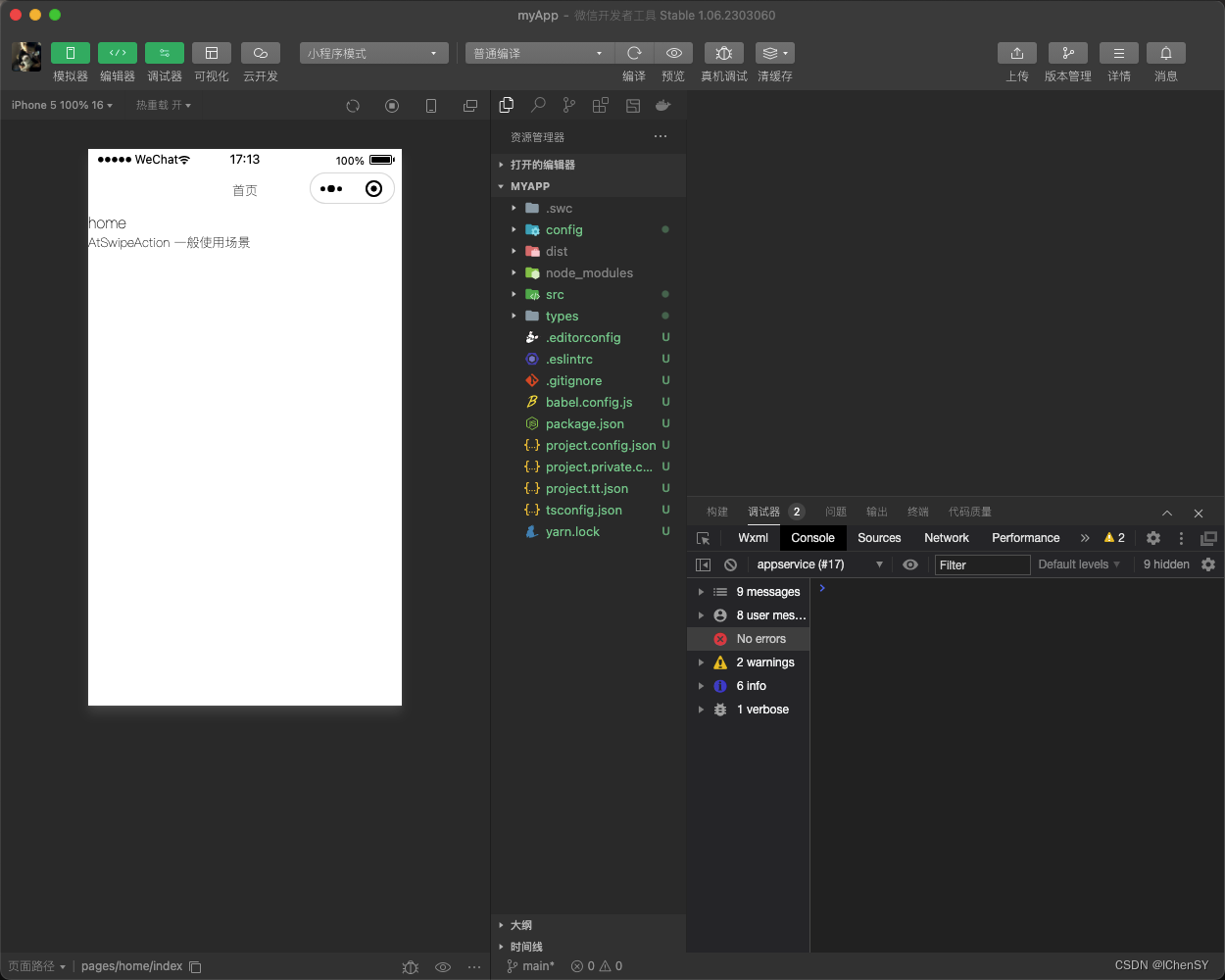
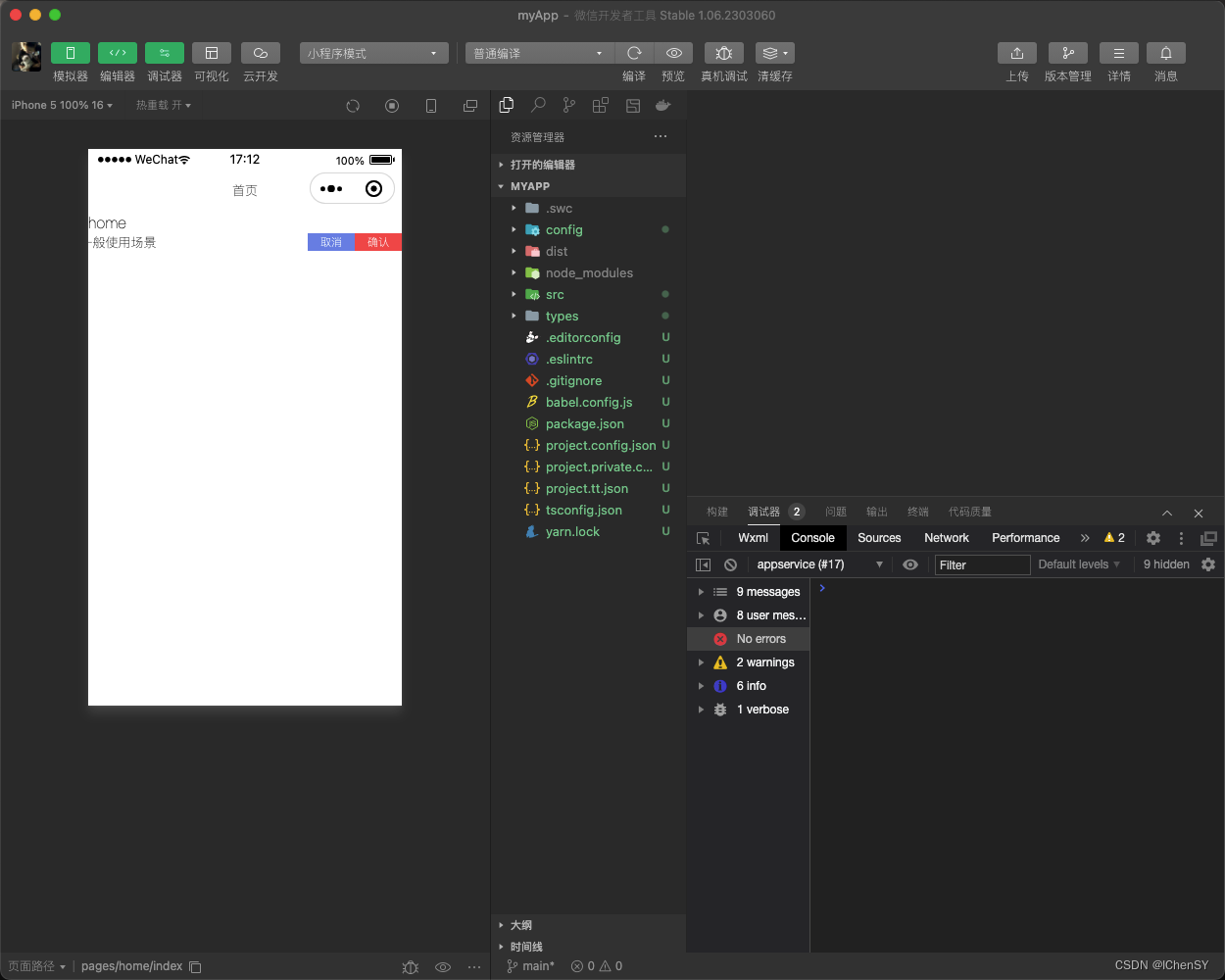
Taro UI引入组件问题
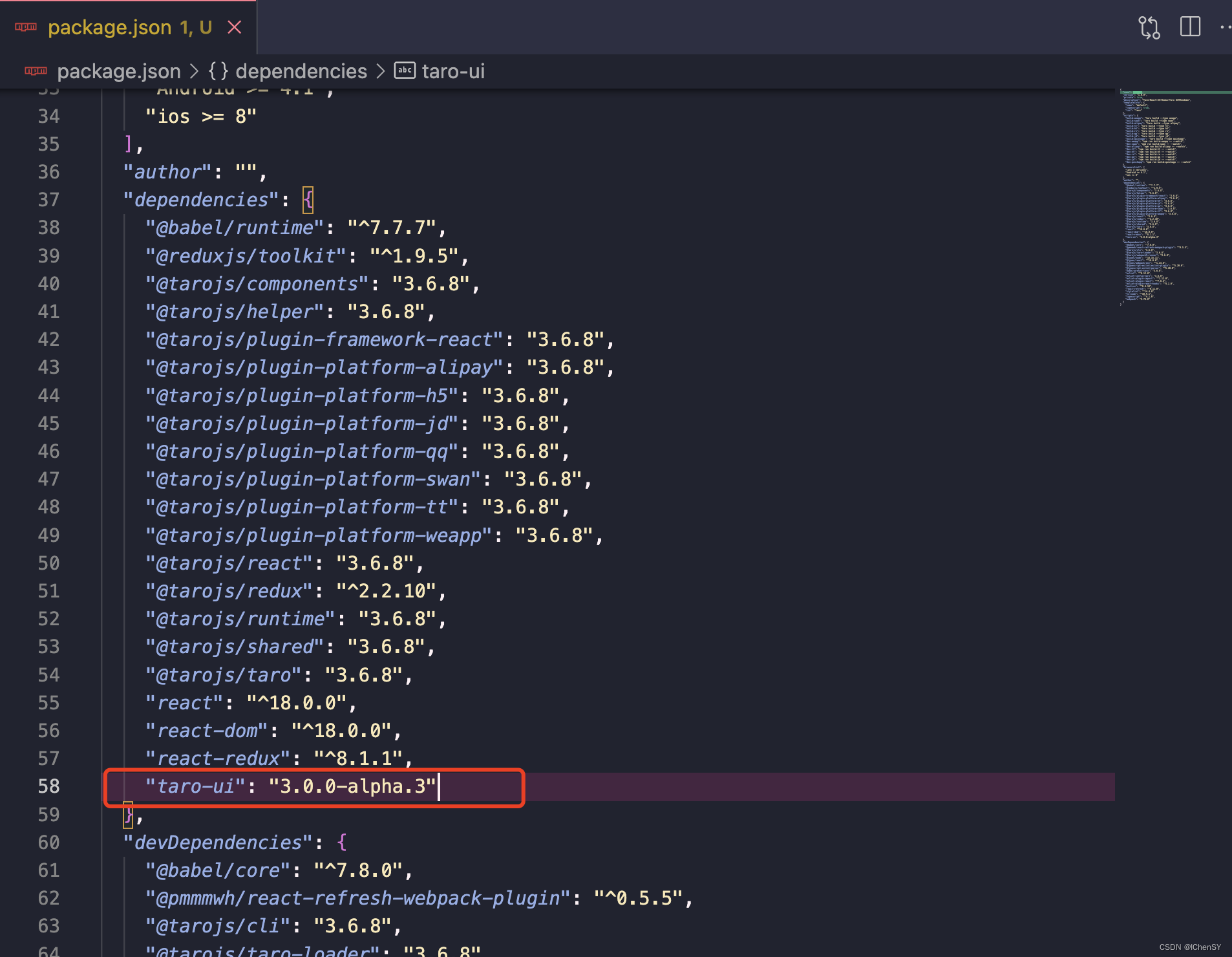
各位安装的时候一定注意版本问题!!!不然一定会报各种各样的错误,甚至没有错误组件却不会显示。
我的Taro版本是v3.6.8

下载的Taro UI版本是3.0.0-alpha.3
"taro-ui": "3.0.0-alpha.3"
本文来自互联网用户投稿,文章观点仅代表作者本人,不代表本站立场,不承担相关法律责任。如若转载,请注明出处。 如若内容造成侵权/违法违规/事实不符,请点击【内容举报】进行投诉反馈!