Linux安装 php5.6
Linux安装 php5.6.30
- 下载-解压-配置-安装
- 配置php
- 创建php-fpm.conf文件
- 创建www.conf文件
- 设置开机自动启动
- 常见错误
下载-解压-配置-安装
下载到 /usr/local
wget http://am1.php.net/distributions/php-5.6.30.tar.gztar -zxvf php-5.6.30.tar.gz cd php-5.6.30#编译配置
./configure --prefix=/usr/local/php  --with-curl=/usr/local/curl  --with-freetype-dir  --with-gd  --with-gettext  --with-iconv-dir  --with-kerberos  --with-libdir=lib64  --with-libxml-dir  --with-mysqli  --with-openssl  --with-pcre-regex  --with-pdo-mysql  --with-pdo-sqlite  --with-pear  --with-png-dir  --with-xmlrpc  --with-xsl  --with-zlib  --enable-fpm  --enable-bcmath  --enable-libxml  --enable-inline-optimization  --enable-mbregex  --enable-mbstring  --enable-opcache  --enable-pcntl  --enable-shmop  --enable-soap  --enable-sockets  --enable-sysvsem  --enable-xml  --enable-zip#编译安装
make && make install
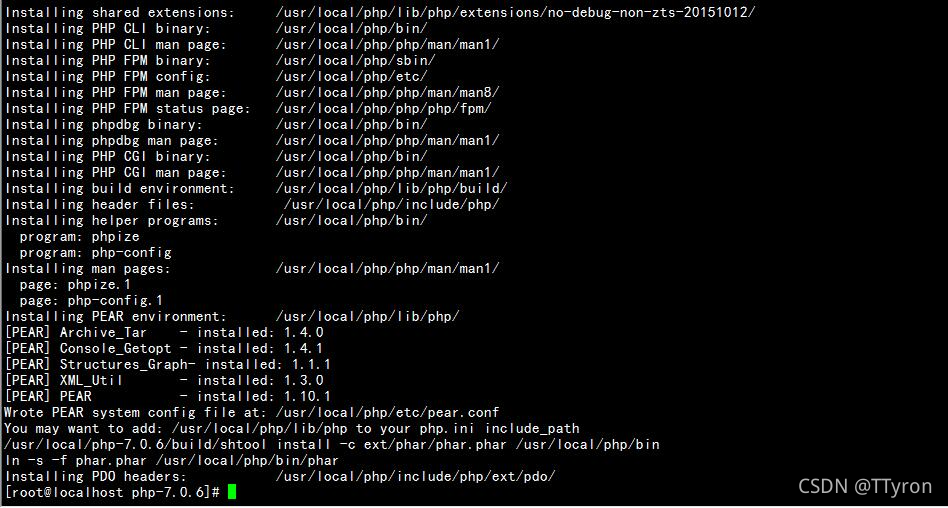
安装好之后的界面:
配置php
php.ini-development 适合开发测试,如本地测试环境, php.ini-production拥有较高的安全性设定,适合服务器上线运营当产品。一般修改php.ini-production为php.ini
cp php.ini-production /usr/local/php/etc/php.ini
创建php-fpm.conf文件
cp /usr/local/php/etc/php-fpm.conf.default /usr/local/php/etc/php-fpm.conf
创建www.conf文件
cp /usr/local/php/etc/php-fpm.d/www.conf.default /usr/local/php/etc/php-fpm.d/www.conf
设置开机自动启动
vim /lib/systemd/system/php-fpm.service
[Unit]
Description=The PHP FastCGI Process Manager
After=syslog.target network.target[Service]
Type=simple
PIDFile=/run/php-fpm.pid
ExecStart=/usr/local/php/sbin/php-fpm --nodaemonize --fpm-config /usr/local/php/etc/php-fpm.conf
ExecReload=/bin/kill -USR2 MAINPIDExecStop=/bin/kill−SIGINTMAINPID[Install]
WantedBy=multi-user.target
加入开机自动启动:
systemctl enable php-fpm.service
关闭开机自动启动:
systemctl disable php-fpm.service
常见错误
Created symlink from /etc/systemd/system/multi-user.target.wants/php-fpm.service to /usr/lib/systemd/system/php-fpm.service.
解决:
yum install -y yum-utils device-mapper-persistent-data lvm2
本文来自互联网用户投稿,文章观点仅代表作者本人,不代表本站立场,不承担相关法律责任。如若转载,请注明出处。 如若内容造成侵权/违法违规/事实不符,请点击【内容举报】进行投诉反馈!