微信小程序四种弹窗方式实例
微信小程序四种弹窗方式实例
一、wx.showToast(Object object)
显示消息提示框
wx.showToast({title: '内容', //提示的内容duration: 2000, //持续的时间icon: 'loading', //图标有success、error、loading、none四种mask: true //显示透明蒙层 防止触摸穿透})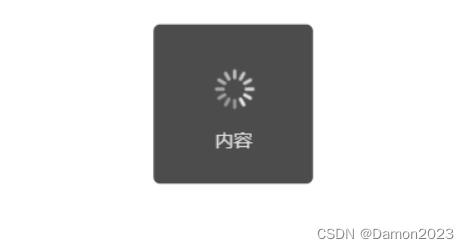
二 、wx.showModal(Object object)
显示模态对话框
wx.showModal({title: '我是标题', //提示的标题content: '我是内容', //提示的内容success: function(res) {if(res.confirm) {console.log('用户点击了确定')} else if (res.cancel) {console.log('用户点击了取消')}}})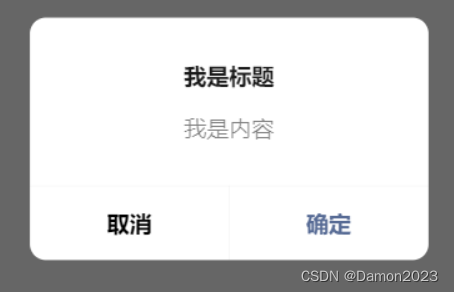
三、wx.showLoading(Object object)
显示 loading 提示框。需主动调用 wx.hideLoading 才能关闭提示框
wx.showLoading({title: '加载中',})setTimeout(function () {wx.hideLoading()}, 2000)|注意:
wx.showLoading 和 wx.showToast 同时只能显示一个wx.showLoading 应与 wx.hideLoading 配对使用
四、wx.showActionSheet(Object object)
显示操作菜单
wx.showActionSheet({itemList:['选项一','选项二','其它'], //文字数组success: (res) => {switch(res.tapIndex) {case 0:console.log('点击了 选项一')break;case 1:console.log('点击了 选项二')break; case 2:console.log('点击了 其它选项')break;}},fail (res) {console.log('取消选项')}})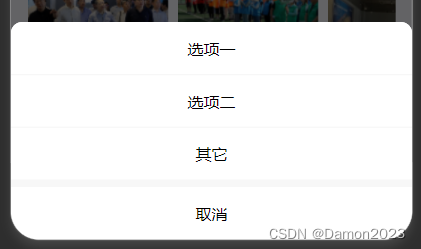
五、官方文档
具体参数可见官网:微信小程序弹窗
本文来自互联网用户投稿,文章观点仅代表作者本人,不代表本站立场,不承担相关法律责任。如若转载,请注明出处。 如若内容造成侵权/违法违规/事实不符,请点击【内容举报】进行投诉反馈!