Elasticsearch 搜索引擎安装 Logstash 数据同步 (一)
window 版Elasticsearch安装
参考地址:https://www.cnblogs.com/yangkangIT/p/9318949.html
Elasticsearch同步MySql数据库
ES 连接mysql 参考地址: https://www.cnblogs.com/yangkangIT/p/9318949.html
1.logstash-6.3.1\目录下Gemfile 文件 修改第一行 source
source "https://gems.ruby-china.org"
logstash-6.3.1\bin 目录下添加一个 lib 文件夹,放 mysql-connector-java-5.1.21.jar
2.配置数据库同步配置,logstash-6.3.1\bin 目录下新建logstash.conf 、jdbc.sql 文件
1. jdbc.sql 查询你需要同步的表 , select * from xxxx
2. logstash.conf
input {tcp {port=>5549}jdbc{# mysql 数据库链接,dianpingdb为数据库名jdbc_connection_string => "jdbc:mysql://127.0.0.1:3306/wosaitest?useSSL=false&characterEncoding=UTF-8&serverTimezone=UTC"# 用户名密码jdbc_user => "root"jdbc_password => "123456"# mysql包、连接驱动jdbc_driver_library => "lib\mysql-connector-java-5.1.21.jar"jdbc_driver_class => "com.mysql.jdbc.Driver"jdbc_paging_enabled => "true"# 最大分页50000jdbc_page_size => "50000"# 执行sql 文件statement_filepath => "jdbc.sql"# 定时任务执行schedule => "* * * * *"# 连接类型 jdbctype => "jdbc"}
}
output {elasticsearch {# es 数据库名index => "testdb"# jdbcdocument_type => "%{type}"#  数据库iddocument_id => "%{id}"# es服务地址hosts => ["localhost:9200"]}
}
3.启动 logstash-plugin.bat install logstash-input-jdbc 报错
配置 logstash错误修改
安装 logstash-plugin.bat install logstash-input-jdbc 报错
D:\elasticsearch\logstash-6.3.1\bin>logstash-plugin.bat install logstash-input-j
dbc
Validating logstash-input-jdbc
Unable to download data from https://gems.ruby-china.org - bad response Not Foun
d 404 (https://gems.ruby-china.org/latest_specs.4.8.gz)
ERROR: Installation aborted, verification failed for logstash-input-jdbc
修改 logstash-plugin.bat install --no-verify logstash-input-jdbc
D:\elasticsearch\logstash-6.3.1\bin>logstash-plugin.bat install --no-verify logstash-input-jdbc
Installing logstash-input-jdbc
Installation successful
运行logstash.bat -f logstash.conf
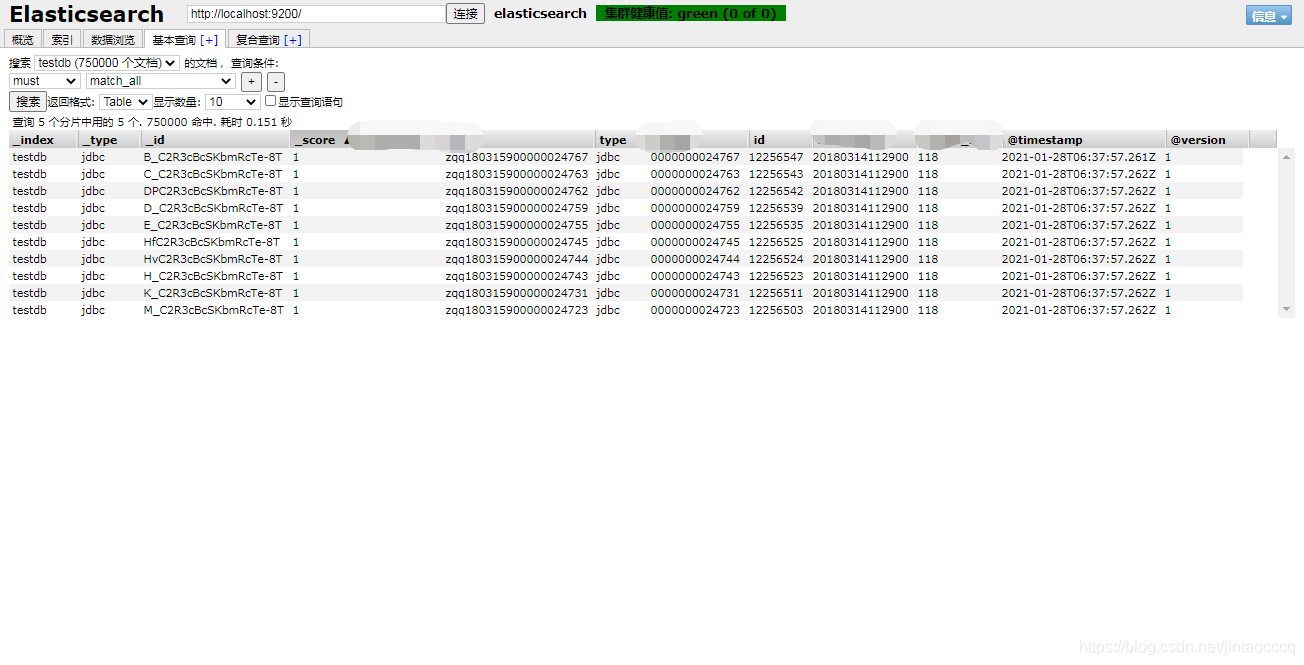
成功 同步数据完成
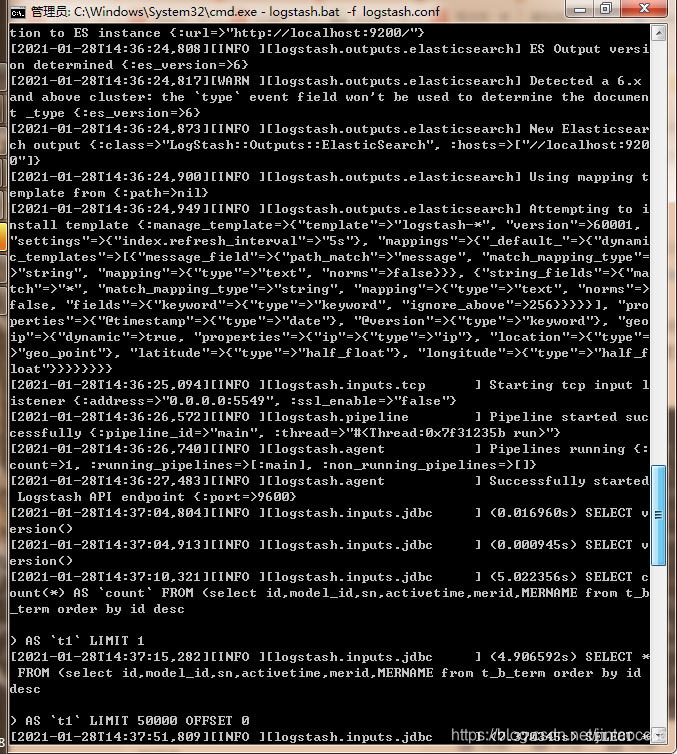
默认logstash 会增量更新,修改了数据库数据一分钟后会自动同步到ES搜索引擎持久化
ES 基本语法入门
参考地址 :https://blog.csdn.net/fujiakai/article/details/91971969
Elasticsearch搜索映射Mysql
参考地址:https://blog.csdn.net/weixin_33676492/article/details/92402159
本文来自互联网用户投稿,文章观点仅代表作者本人,不代表本站立场,不承担相关法律责任。如若转载,请注明出处。 如若内容造成侵权/违法违规/事实不符,请点击【内容举报】进行投诉反馈!