gitee上贡献度不显示
最近发现, 代码提交到gitee之后, gitee的贡献度不显示, 后来发现是邮箱设置的问题, 特此记录一下。
查看和配置个人信息
// 查看
git config --global -l
// 设置
git config --global user.name "your-username"
git config --global user.email "your-email@example.com"
邮箱可以到gitee的个人主页查看
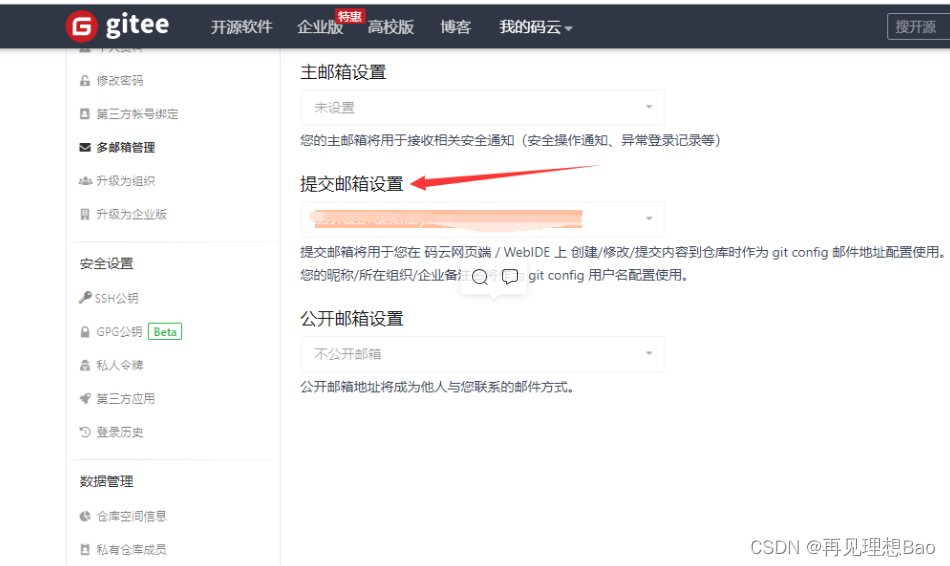
Git配置级别有以下3类:
1、仓库级别 local 【优先级最高】
2、用户级别 global【优先级次之】
3、系统级别 system【优先级最低】
git config --list 查看所有的配置信息,依次是系统级别、用户级别、仓库级别
Git Config 常用配置选项
git config -e 编辑配置文件
- git config --local -e 编辑仓库级别配置文件
- git config --global -e 编辑用户级别配置文件
- git config --system -e 编辑系统级别配置文件git config 修改配置项目
- git config --global user.email “you@example.com”
- git config --global user.name “Your Name”
-
git config 添加配置项目
- git config [--local|--global|--system] --add section.key valuegit config 获取配置项目
- git config [--local|--global|--system] --get section.keygit config 删除配置项目
- git config [--local|--global|--system] --unset section.key
本文来自互联网用户投稿,文章观点仅代表作者本人,不代表本站立场,不承担相关法律责任。如若转载,请注明出处。 如若内容造成侵权/违法违规/事实不符,请点击【内容举报】进行投诉反馈!