服务监控(六)之Prometheus接入mysqld_exporter使用Grafana监控MySQL

需准备的前置内容:
1、Prometheus安装配置
直通车:https://blog.csdn.net/wdy_2099/article/details/124204720
2、Grafana安装配置
直通车:https://blog.csdn.net/wdy_2099/article/details/124211397
使用Prometheus监控MySQL需要用到mysqld_exporter
要求:
Prometheus exporter for MySQL server metrics.
Supported versions:
MySQL >= 5.6.
MariaDB >= 10.2
一、下载&配置&启动 mysqld_exporter
1.1 下载mysqld_exporter
在这里找对应的版本下载: https://github.com/prometheus/mysqld_exporter/releases
[root@VM-0-2-centos srv]# wget https://github.com/prometheus/mysqld_exporter/releases/download/v0.14.0/mysqld_exporter-0.14.0.linux-amd64.tar.gz
--2022-04-18 14:16:57--  https://github.com/prometheus/mysqld_exporter/releases/download/v0.14.0/mysqld_exporter-0.14.0.linux-amd64.tar.gz
Resolving github.com (github.com)... 20.205.243.166
Connecting to github.com (github.com)|20.205.243.166|:443... connected.
HTTP request sent, awaiting response... 302 Found
Location: https://objects.githubusercontent.com/github-production-release-asset-2e65be/32075541/32c409af-b7bf-4f96-a811-72cf640f4ee4?X-Amz-Algorithm=AWS4-HMAC-SHA256&X-Amz-Credential=AKIAIWNJYAX4CSVEH53A%2F20220418%2Fus-east-1%2Fs3%2Faws4_request&X-Amz-Date=20220418T061657Z&X-Amz-Expires=300&X-Amz-Signature=a41a84aa2b30cc538ddf09aeef1f0ed6d305921e0e83bc416f81c07888cb014a&X-Amz-SignedHeaders=host&actor_id=0&key_id=0&repo_id=32075541&response-content-disposition=attachment%3B%20filename%3Dmysqld_exporter-0.14.0.linux-amd64.tar.gz&response-content-type=application%2Foctet-stream [following]
--2022-04-18 14:16:57--  https://objects.githubusercontent.com/github-production-release-asset-2e65be/32075541/32c409af-b7bf-4f96-a811-72cf640f4ee4?X-Amz-Algorithm=AWS4-HMAC-SHA256&X-Amz-Credential=AKIAIWNJYAX4CSVEH53A%2F20220418%2Fus-east-1%2Fs3%2Faws4_request&X-Amz-Date=20220418T061657Z&X-Amz-Expires=300&X-Amz-Signature=a41a84aa2b30cc538ddf09aeef1f0ed6d305921e0e83bc416f81c07888cb014a&X-Amz-SignedHeaders=host&actor_id=0&key_id=0&repo_id=32075541&response-content-disposition=attachment%3B%20filename%3Dmysqld_exporter-0.14.0.linux-amd64.tar.gz&response-content-type=application%2Foctet-stream
Resolving objects.githubusercontent.com (objects.githubusercontent.com)... 185.199.110.133, 185.199.111.133, 185.199.108.133, ...
Connecting to objects.githubusercontent.com (objects.githubusercontent.com)|185.199.110.133|:443... connected.
HTTP request sent, awaiting response... 200 OK
Length: 7450991 (7.1M) [application/octet-stream]
Saving to: ‘mysqld_exporter-0.14.0.linux-amd64.tar.gz’100%[=======================================>] 7,450,991   71.2KB/s   in 2m 44s 2022-04-18 14:19:53 (44.5 KB/s) - ‘mysqld_exporter-0.14.0.linux-amd64.tar.gz’ saved [7450991/7450991]
下载后解压:
[root@VM-0-2-centos srv]# tar -zxvf mysqld_exporter-0.14.0.linux-amd64.tar.gz
mysqld_exporter-0.14.0.linux-amd64/
mysqld_exporter-0.14.0.linux-amd64/LICENSE
mysqld_exporter-0.14.0.linux-amd64/NOTICE
mysqld_exporter-0.14.0.linux-amd64/mysqld_exporter
[root@VM-0-2-centos mysqld_exporter-0.14.0]# ls
LICENSE  mysqld_exporter  NOTICE
1.2 配置mysqld_exporter
在mysqld-exporter安装路径下,创建.my.cnf文件,内容如下:
[client]
host=127.0.0.1
user=mysqlexporter
password=mysqlexporter
在/lib/systemd/system目录下创建 mysqld_exporter.service
如下:/srv/mysqld_exporter-0.14.0/为mysqld_exporter的安装目录。
[Unit]
Descripton=mysqls_exporter server
Documentation=https://prometheus.io/docs/introduction/overview/
After=network.target[Service]
Restart=on-failure
ExecStart=/srv/mysqld_exporter-0.14.0/mysqld_exporter --config.my-cnf=/srv/mysqld_exporter-0.14.0/my.cnf[Install]
WantedBy=multi-user.target
1.3 启动mysqld_exporter
将mysqld_exporter.service 设置开机启动:
[root@VM-0-2-centos system]# systemctl enable mysqld_exporter.service
Created symlink from /etc/systemd/system/multi-user.target.wants/mysqld_exporter.service to /usr/lib/systemd/system/mysqld_exporter.service.
启动:
systemctl start mysqld_exporter.service
查看启动状态:
[root@VM-0-2-centos system]# systemctl status mysqld_exporter.service
● mysqld_exporter.serviceLoaded: loaded (/usr/lib/systemd/system/mysqld_exporter.service; enabled; vendor preset: disabled)Active: active (running) since Mon 2022-04-18 14:29:38 CST; 13s agoDocs: https://prometheus.io/docs/introduction/overview/Main PID: 1255 (mysqld_exporter)Tasks: 5Memory: 1.9MCGroup: /system.slice/mysqld_exporter.service└─1255 /srv/mysqld_exporter-0.14.0/mysqld_exporter --config.my-cnf=/srv/mysqld_exporter-0.14.0/my.cnfApr 18 14:29:38 VM-0-2-centos mysqld_exporter[1255]: ts=2022-04-18T06:29:38.557Z caller=mysqld_exporter.go:277 level=info msg="Starting mysqld_exporter" version="(version=0.14.0, branch=HEAD, revision=ca1b9af82a471c849c529eb8aadb1aac73e7b68c)"
Apr 18 14:29:38 VM-0-2-centos mysqld_exporter[1255]: ts=2022-04-18T06:29:38.557Z caller=mysqld_exporter.go:278 level=info msg="Build context" (gogo1.17.8,userroot@401d370ca42e,date20220304-16:25:15)=(MISSING)
Apr 18 14:29:38 VM-0-2-centos mysqld_exporter[1255]: ts=2022-04-18T06:29:38.558Z caller=mysqld_exporter.go:293 level=info msg="Scraper enabled" scraper=slave_status
Apr 18 14:29:38 VM-0-2-centos mysqld_exporter[1255]: ts=2022-04-18T06:29:38.558Z caller=mysqld_exporter.go:293 level=info msg="Scraper enabled" scraper=global_status
Apr 18 14:29:38 VM-0-2-centos mysqld_exporter[1255]: ts=2022-04-18T06:29:38.558Z caller=mysqld_exporter.go:293 level=info msg="Scraper enabled" scraper=global_variables
Apr 18 14:29:38 VM-0-2-centos mysqld_exporter[1255]: ts=2022-04-18T06:29:38.558Z caller=mysqld_exporter.go:293 level=info msg="Scraper enabled" scraper=info_schema.innodb_cmp
Apr 18 14:29:38 VM-0-2-centos mysqld_exporter[1255]: ts=2022-04-18T06:29:38.558Z caller=mysqld_exporter.go:293 level=info msg="Scraper enabled" scraper=info_schema.innodb_cmpmem
Apr 18 14:29:38 VM-0-2-centos mysqld_exporter[1255]: ts=2022-04-18T06:29:38.558Z caller=mysqld_exporter.go:293 level=info msg="Scraper enabled" scraper=info_schema.query_response_time
Apr 18 14:29:38 VM-0-2-centos mysqld_exporter[1255]: ts=2022-04-18T06:29:38.558Z caller=mysqld_exporter.go:303 level=info msg="Listening on address" address=:9104
Apr 18 14:29:38 VM-0-2-centos mysqld_exporter[1255]: ts=2022-04-18T06:29:38.558Z caller=tls_config.go:195 level=info msg="TLS is disabled." http2=false
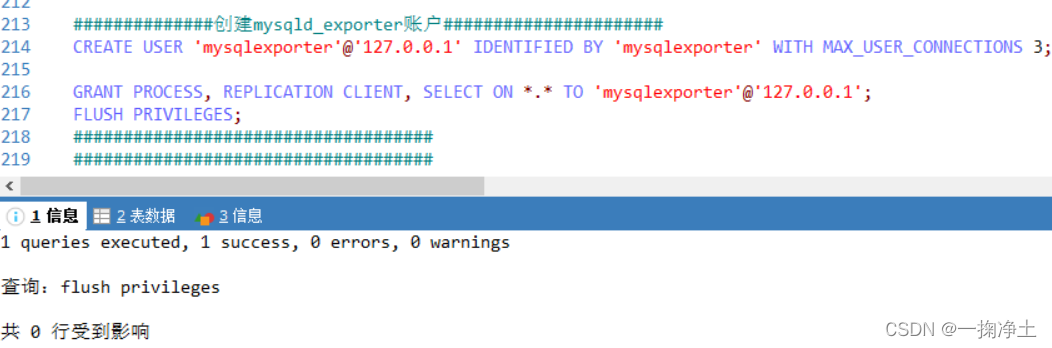
二、创建MySQL账户
注意:用户名密码是上述(1.2 配置mysqld_exporter)配置的哈
CREATE USER 'mysqlexporter'@'127.0.0.1' IDENTIFIED BY 'mysqlexporter' WITH MAX_USER_CONNECTIONS 3;
授权:
GRANT PROCESS, REPLICATION CLIENT, SELECT ON *.* TO 'mysqlexporter'@'127.0.0.1';
flush privileges;
三、配置Prometheus
3.1 修改prometheus.yml文件,添加mysql监控的job
在同一台机器所以用localhost,mysqld_exporter默认端口为9104
- job_name: "mysqld_exporter"static_configs:- targets: ['localhost:9104']
3.2 重启Prometheus
也可以热重启
./prometheus --config.file=prometheus.yml &
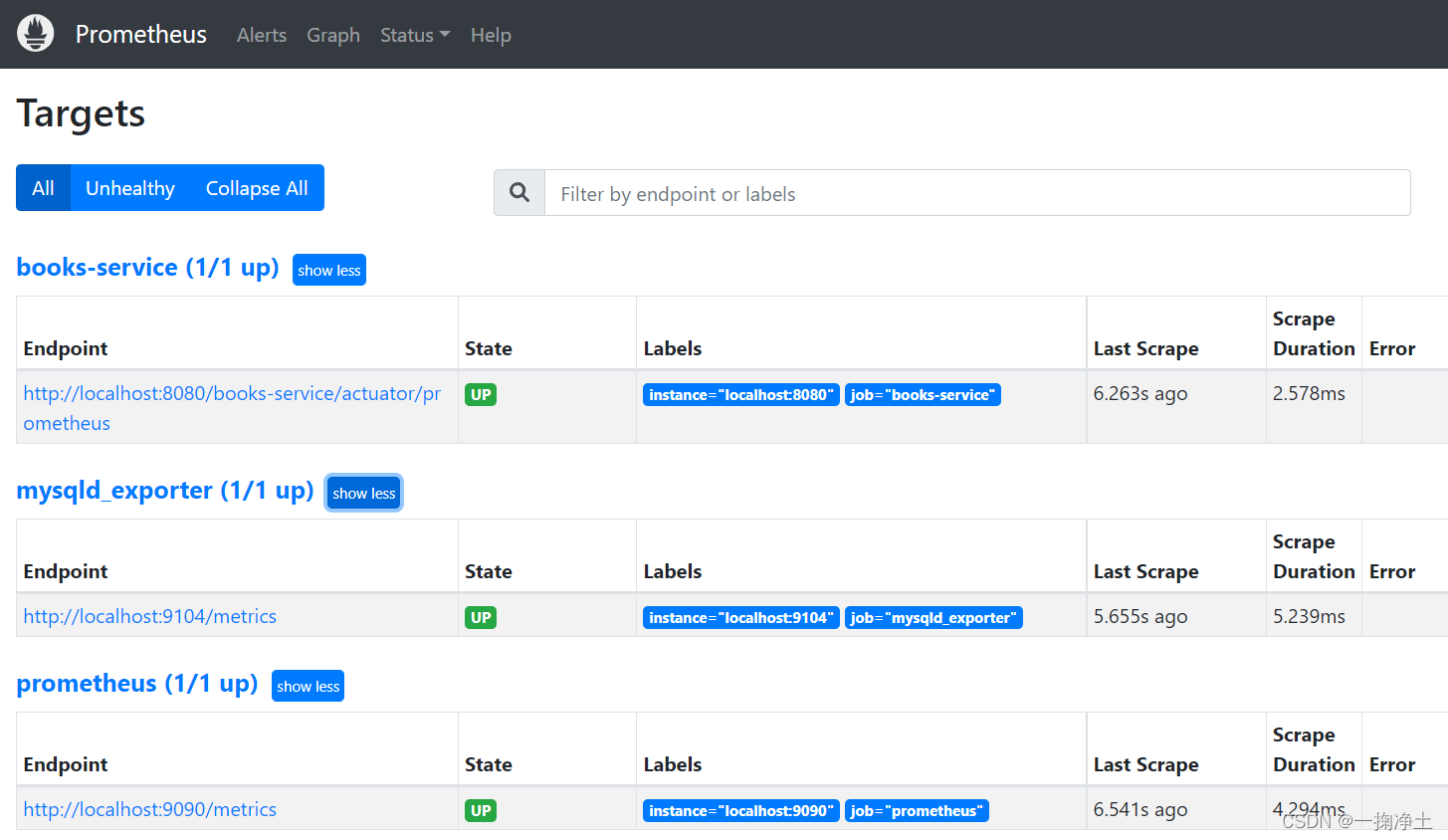
3.3 重启后,查看启动结果Targets
mysqld_exporter (1/1 up) 的状态UP。
四、配置Grafana监控可视化
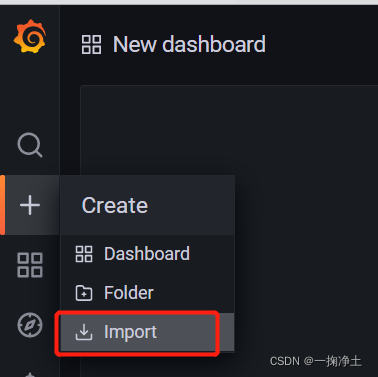
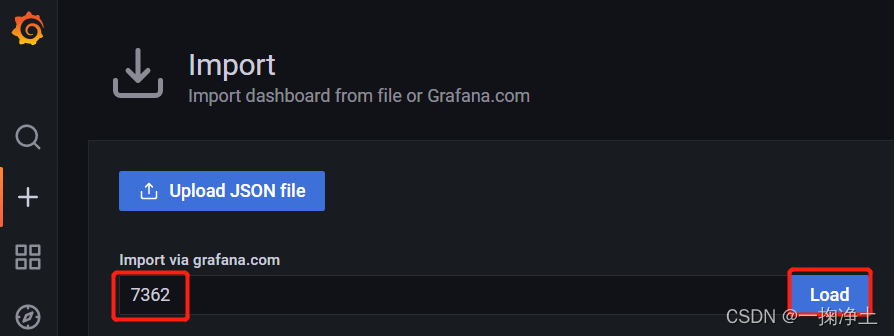
4.1 导入MySQL监控模板
使用14057和7362都可以哈
访问这里,可以找到自己想要的dashboard https://grafana.com/grafana/dashboards/
4.2 导入后,即可查看对应Dashboard
发现没有数据:
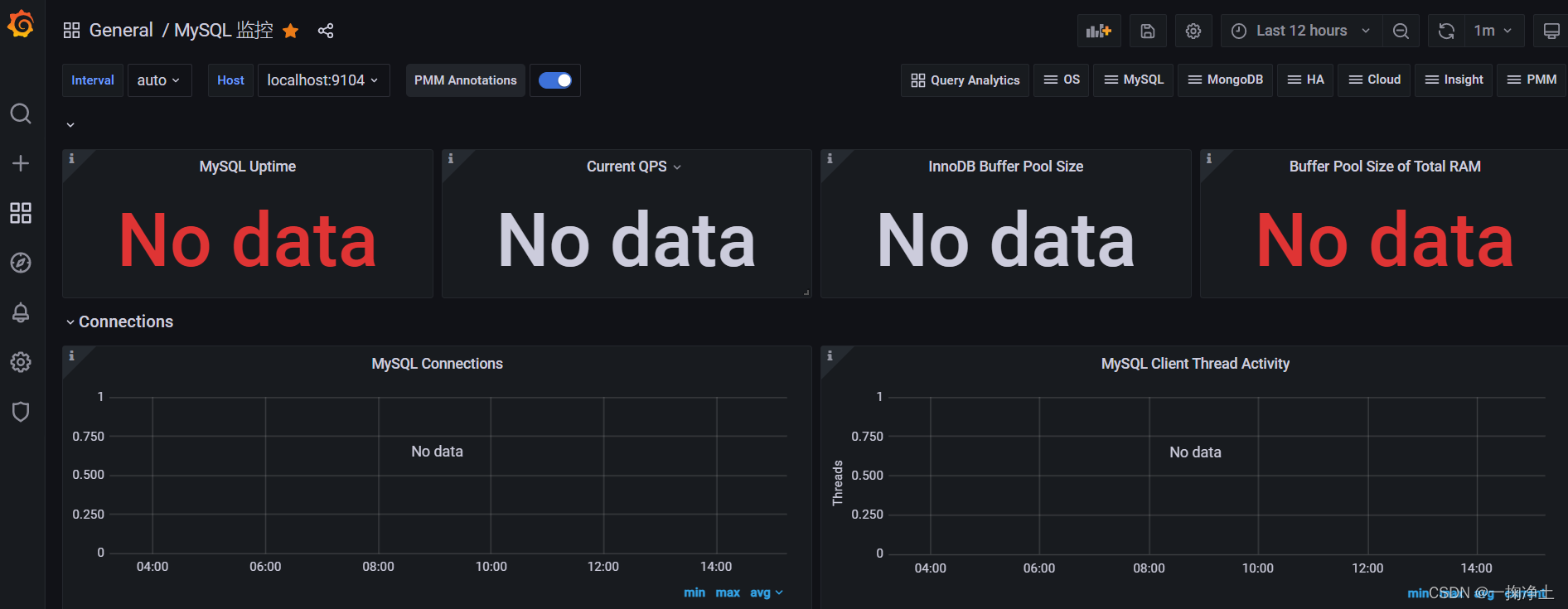
查看mysqld_exporter的日志发现:授权有问题:
ts=2022-04-18T07:14:47.541Z caller=tls_config.go:195 level=info msg="TLS is disabled." http2=false
ts=2022-04-18T07:14:50.140Z caller=exporter.go:149 level=error msg="Error pinging mysqld" err="Error 1045: Access denied for user 'mysqlexporter'@'172.18.0.1' (using password: YES)"
ts=2022-04-18T07:15:05.138Z caller=exporter.go:149 level=error msg="Error pinging mysqld" err="Error 1045: Access denied for user 'mysqlexporter'@'172.18.0.1' (using password: YES)"
ts=2022-04-18T07:15:20.139Z caller=exporter.go:149 level=error msg="Error pinging mysqld" err="Error 1045: Access denied for user 'mysqlexporter'@'172.18.0.1' (using password: YES)"
ts=2022-04-18T07:15:35.140Z caller=exporter.go:149 level=error msg="Error pinging mysqld" err="Error 1045: Access denied for user 'mysqlexporter'@'172.18.0.1' (using password: YES)"
解决:实际就是mysql用户权限的问题.
在my.cnf中配置host为授权时用的ip,加完用户,一定要登录验证一下。没问题再开始下一步。
然后查看Dashboard,如下:
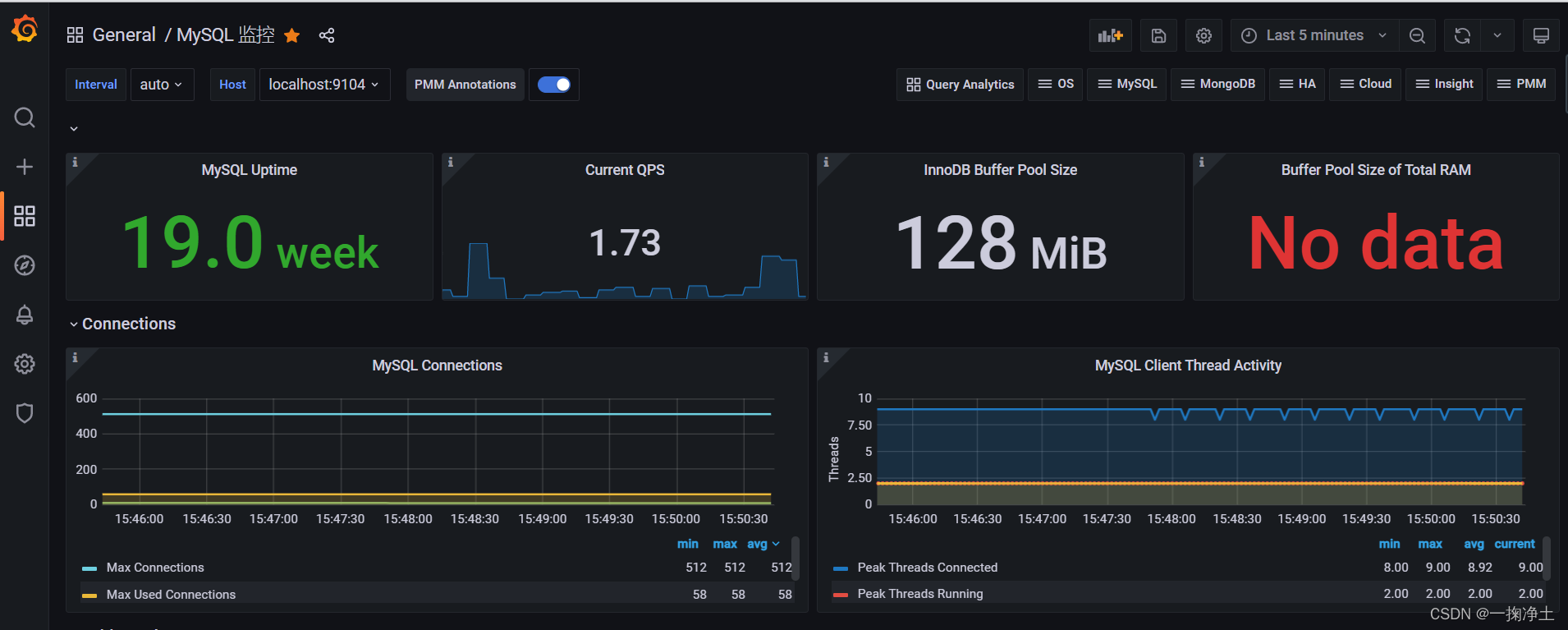
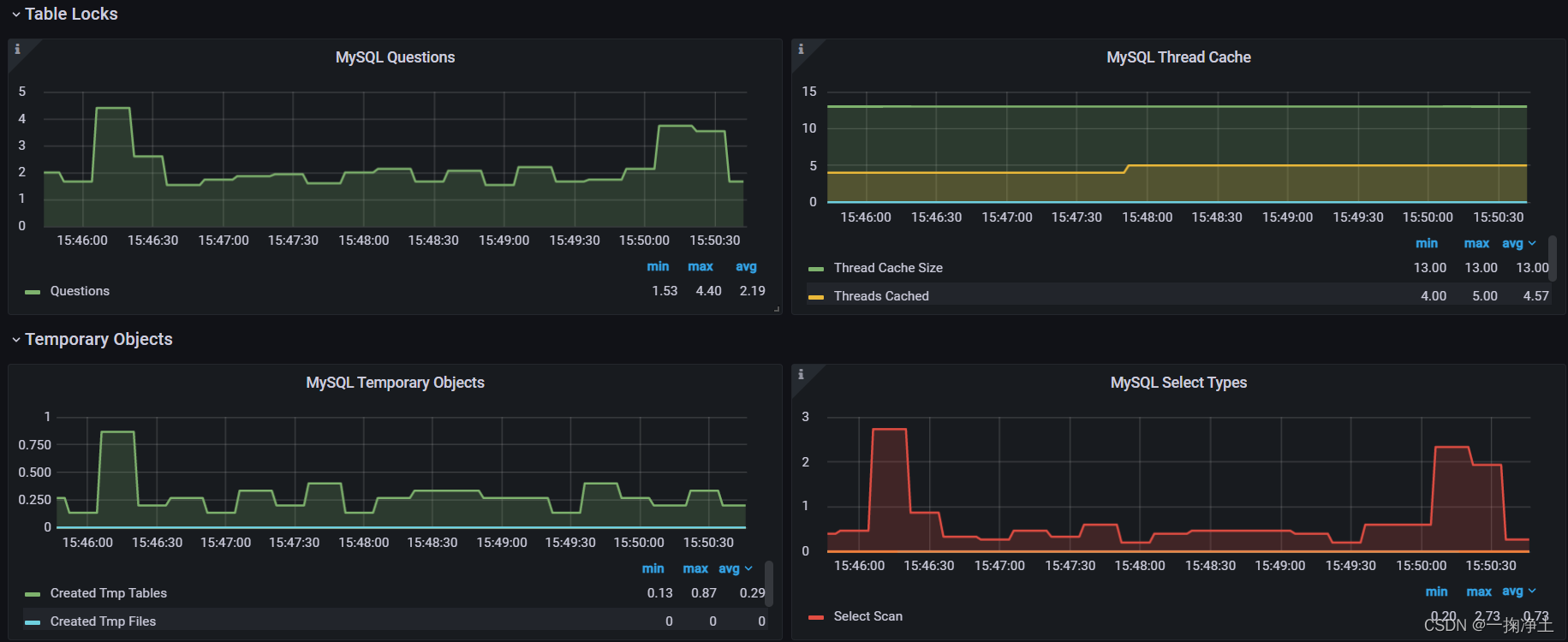
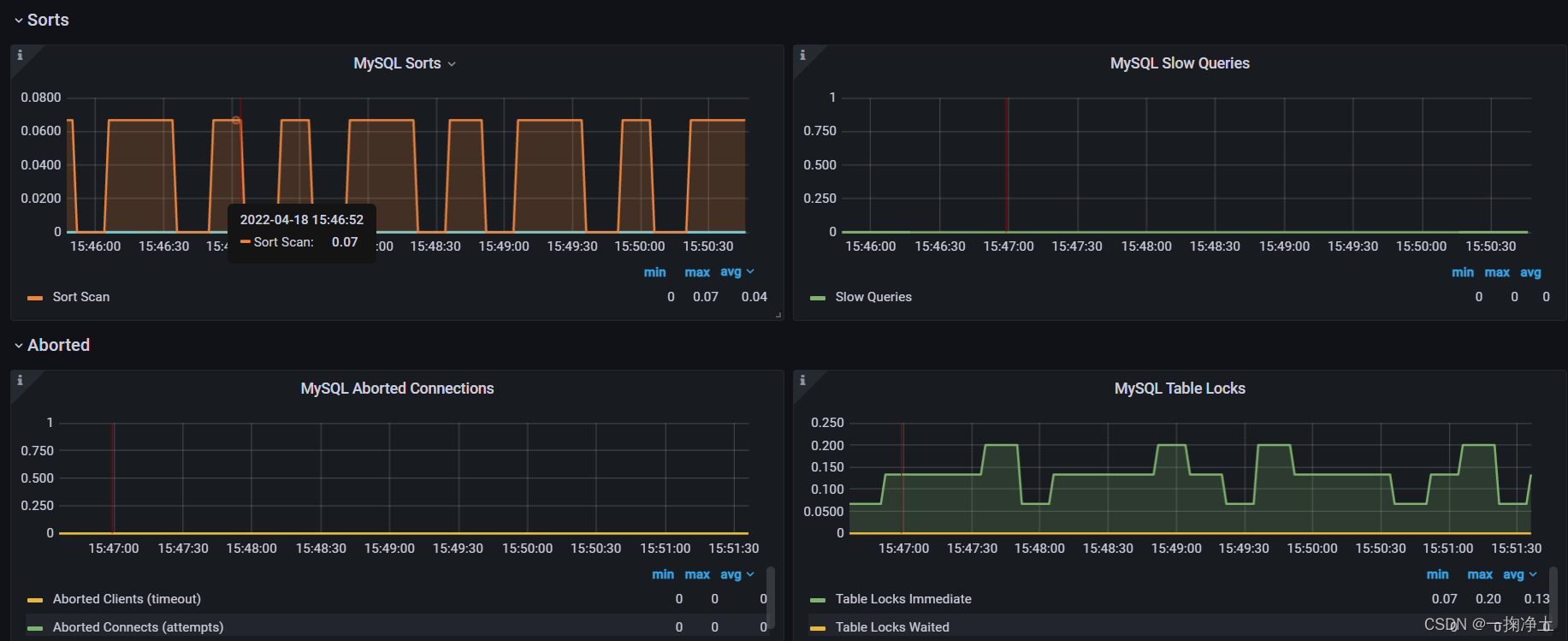
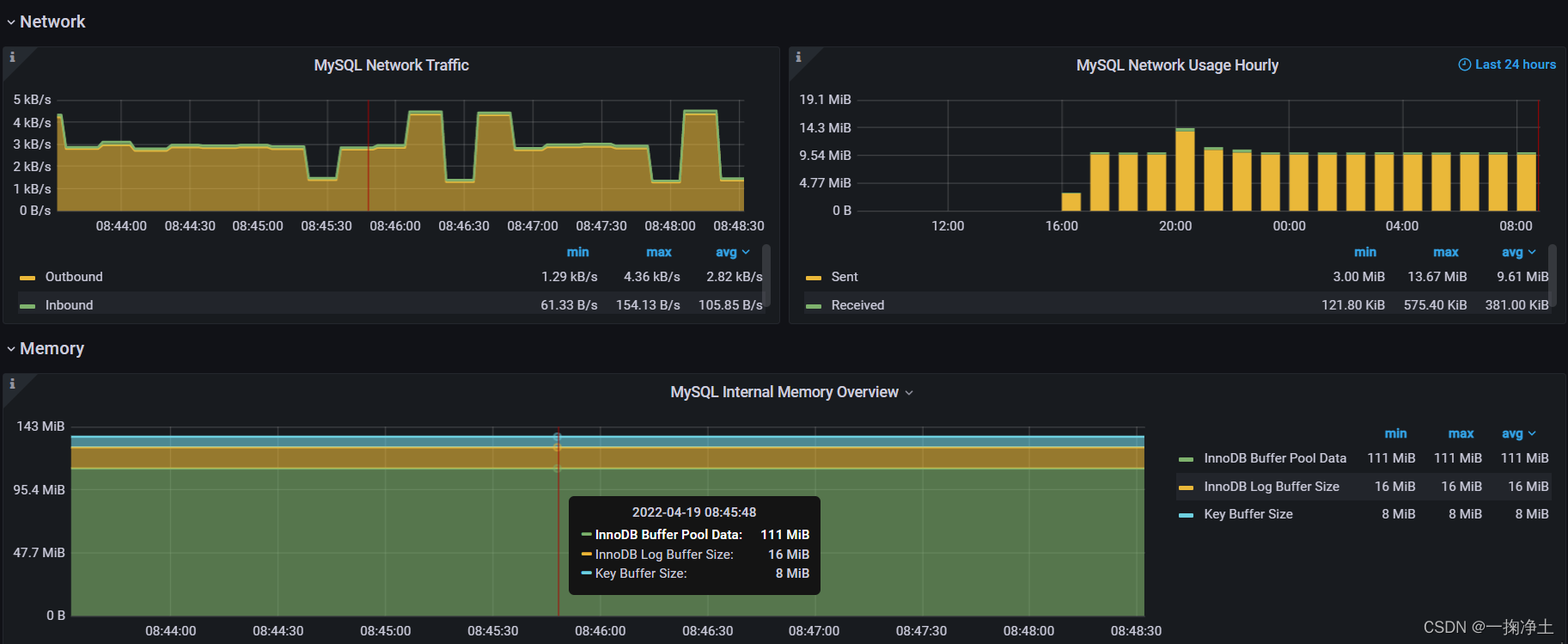
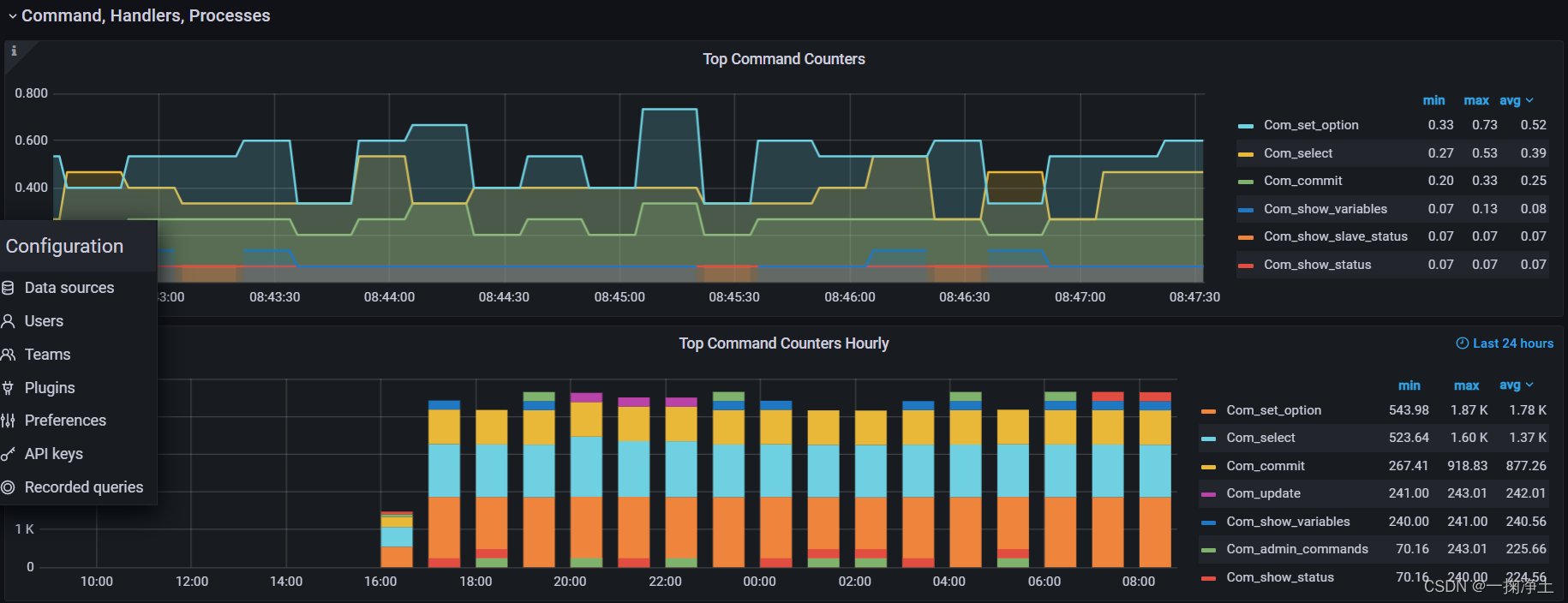
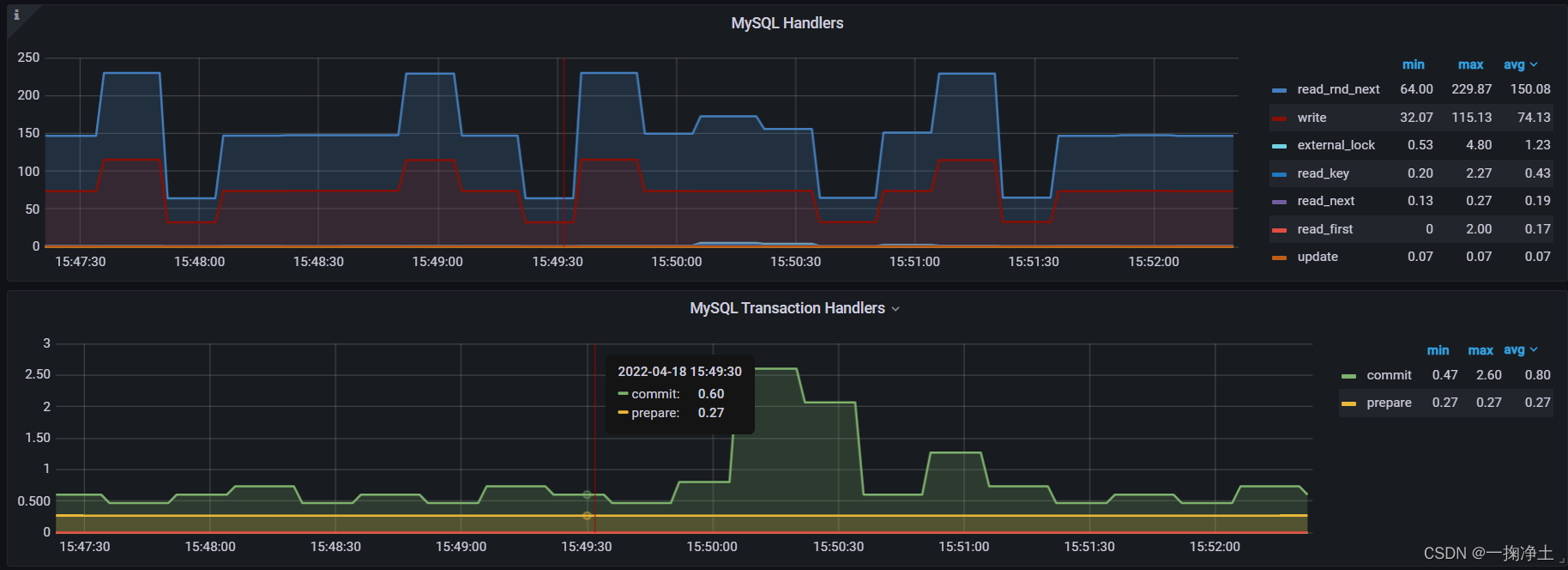
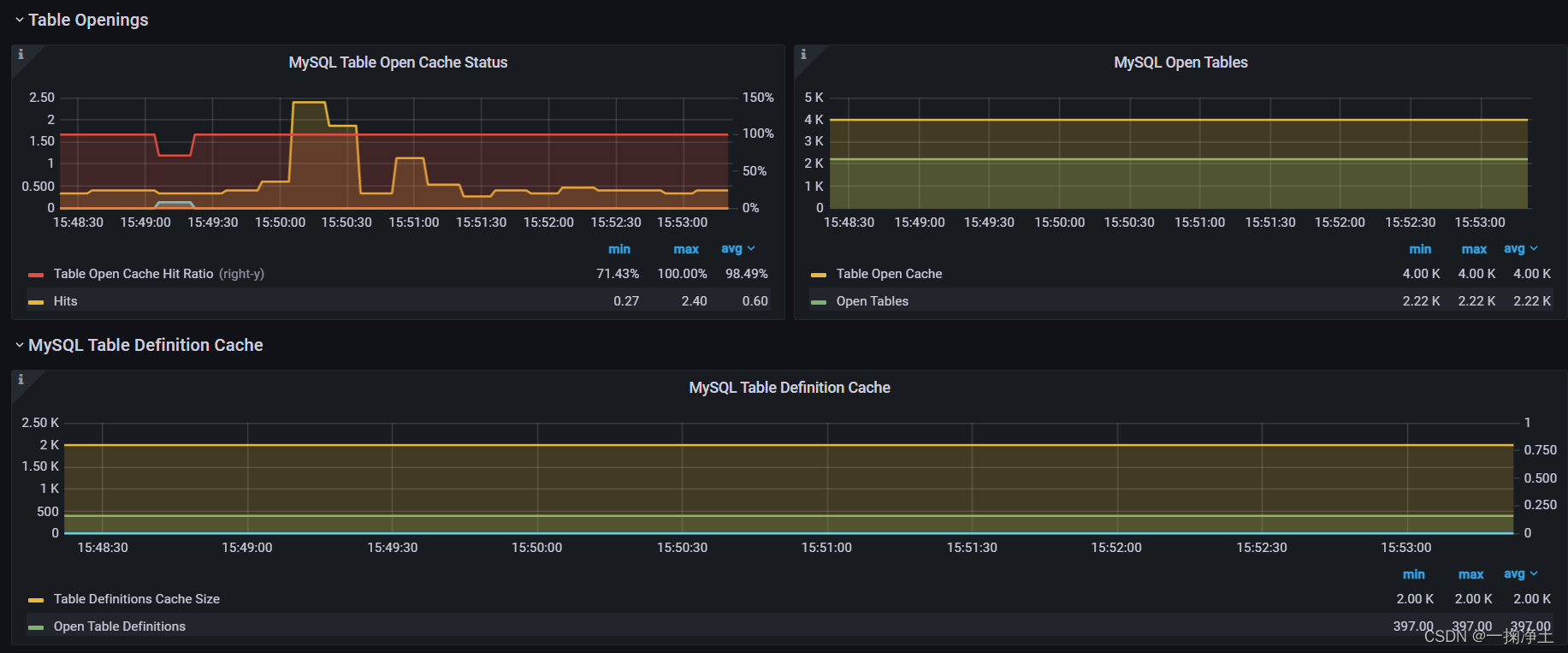
各位实际操作下吧,如对您有用,请一键三连(点赞,收藏,评论)
END Please One Key Three Connect (One button three connections)Thanks!
本文来自互联网用户投稿,文章观点仅代表作者本人,不代表本站立场,不承担相关法律责任。如若转载,请注明出处。 如若内容造成侵权/违法违规/事实不符,请点击【内容举报】进行投诉反馈!