C#访问MySQL数据库的方法
(1)首先需要下载C#访问MySQL数据库的ADO.NET驱动程序
下载地址为:
http://dev.mysql.com/downloads/connector/net/6.0.html
我下载的版本为: mysql-connector-net-6.3.8.msi
下载地址如下url:
http://dev.mysql.com/downloads/mirror.php?id=405442
或者去我的CSDN资源中下载:
http://download.csdn.net/detail/guomutian911/8304975
(2)安装mysql-connector-net
然后直接在Windows操作系统安装 mysql-connector-net-6.3.8.msi
默认是安装在C盘:
C:\Program Files\MySQL\MySQL Connector Net6.3.8\Assemblies
v2.0
v4.0
安装完后我选择的是v2.0版本的
然后在应用工程中引用组件MySQL.Data.dll,具体方法如下图所示:
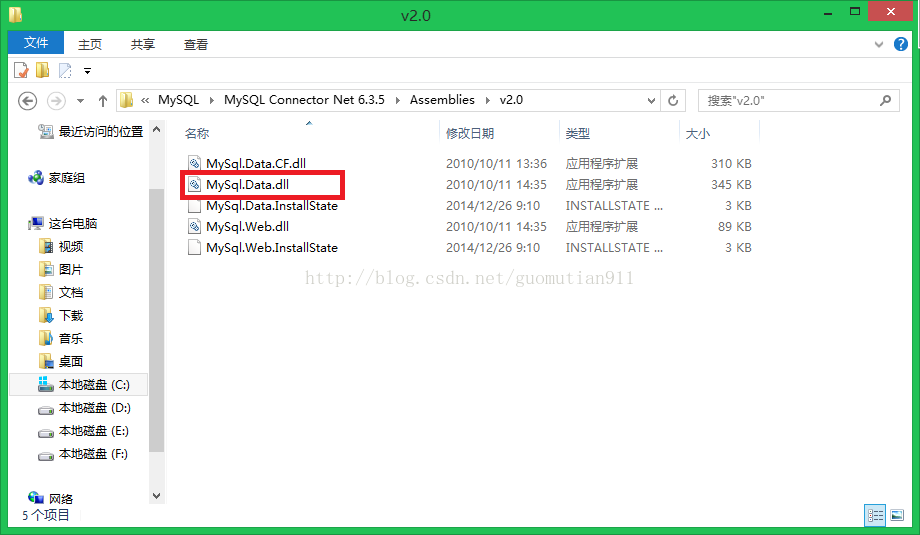
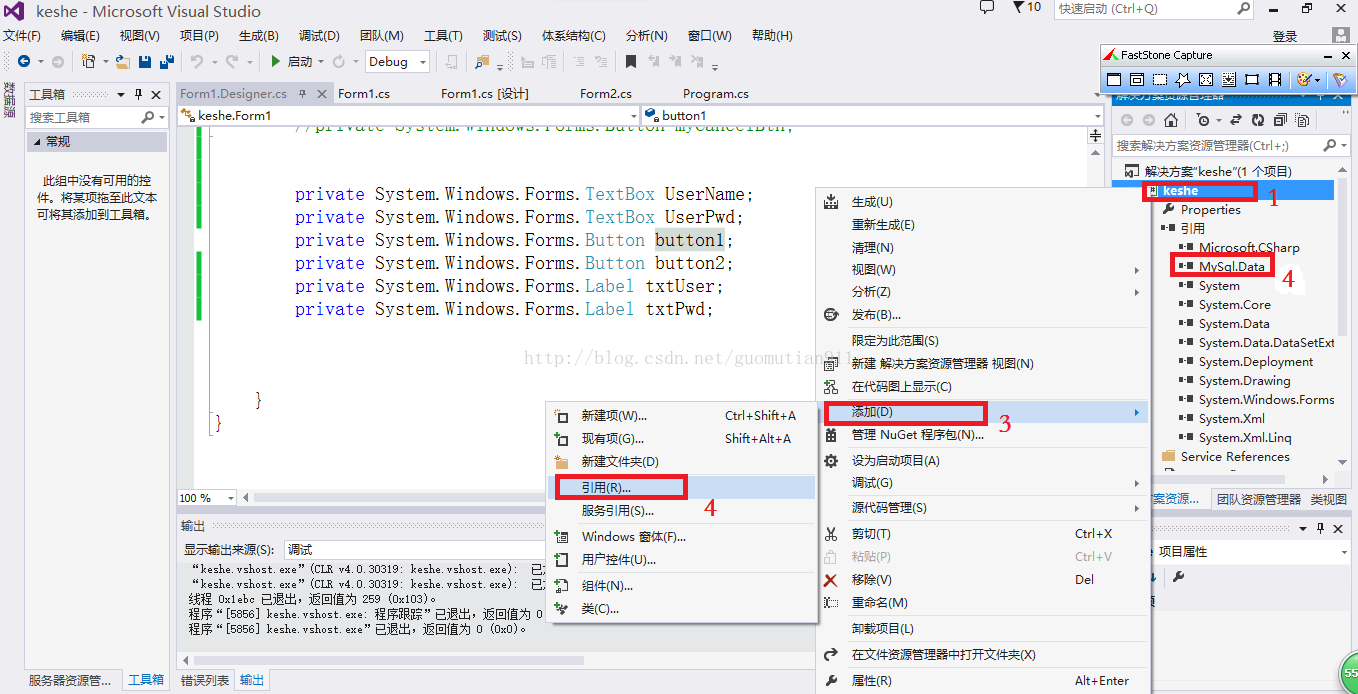
图1为msi安装后的目录,需要将红色的dll加入工程引用中
按图示步骤加入引用,当如数字4处,出MySqlData则表明引用dll成功,即已经加载了mysql驱动
(3)程序中数据库操作代码如下:
//using System;
//using System.Collections.Generic;
//using System.ComponentModel;
//using System.Data;
//using System.Drawing;
using System.Linq;
using System.Text;
using System.Threading.Tasks;
using System.Windows.Forms;
using System.Data.SqlClient;
using System.Collections.Generic;
using System.Text;  using MySql.Data.MySqlClient;
using System.Data;
using System.Data.Common;
using System;
using System.Collections.Generic;
using System.Text;using MySql.Data.MySqlClient;
using System.Data;
using System.Data.Common; namespace keshe
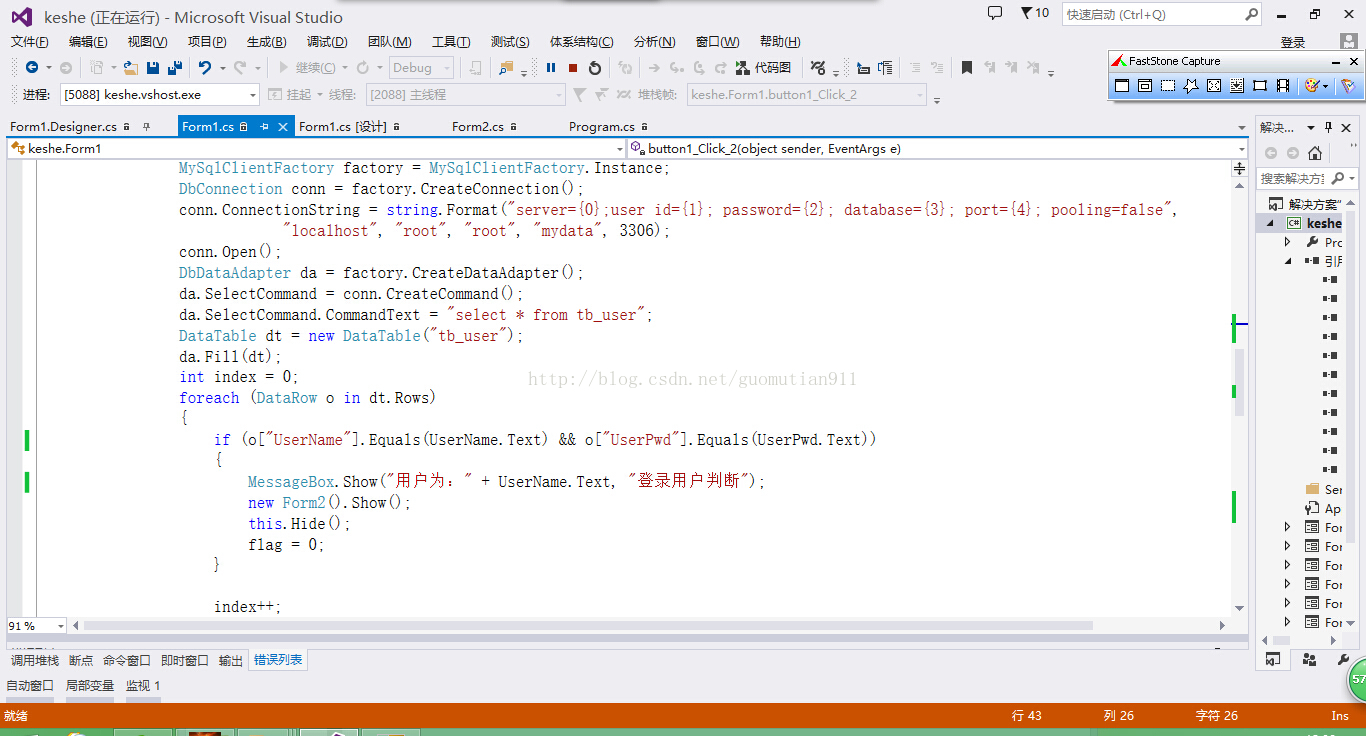
{public partial class Form1 : Form{public Form1(){InitializeComponent();}private void button1_Click(object sender, EventArgs e){}private void button2_Click(object sender, EventArgs e){}private void label1_Click(object sender, EventArgs e){}private void Form1_Load(object sender, EventArgs e){//switch (power)//{//    case "0":ToolStripStatuesIt//}}private void button1_Click_1(object sender, EventArgs e){int flag = 1;if (txtName.Text == "" || txtPwd.Text == ""){MessageBox.Show("信息不完整!", "提示");return;}//if (txtName.Text != "1" && txtPwd.Text != "1")//{//    MessageBox.Show("用户名或密码不正确!", "提示");//}//else//{//    new Form2().Show();//    this.Hide();//}try{MySqlClientFactory factory = MySqlClientFactory.Instance;DbConnection conn = factory.CreateConnection();conn.ConnectionString = string.Format("server={0};user id={1}; password={2}; database={3}; port={4}; pooling=false","localhost", "root", "root", "mydata", 3306);conn.Open();DbDataAdapter da = factory.CreateDataAdapter();da.SelectCommand = conn.CreateCommand();da.SelectCommand.CommandText = "select * from tb_user";//da.DeleteCommand = conn.CreateCommand();//da.DeleteCommand.CommandText = "delete from t12345 where id = @id";//DbParameter param = factory.CreateParameter();//param.ParameterName = "@id";//param.DbType = DbType.Int32;//param.SourceColumn = "id";//param.SourceVersion = DataRowVersion.Current;//da.DeleteCommand.Parameters.Add(param);//da.DeleteCommand.UpdatedRowSource = UpdateRowSource.None;DataTable dt = new DataTable("tb_user");da.Fill(dt);//MessageBox.Show("ok", "okk");int index = 0;foreach (DataRow o in dt.Rows){if (o["UserName"].Equals(txtName.Text) && o["UserPwd"].Equals(txtPwd.Text)){MessageBox.Show("用户为:" + txtName.Text, "登陆用户判断");// Console.WriteLine(String.Format("index={0}, to delete id = 4, col2 = {1}", index, o["col2"]));//break;new Form2().Show();this.Hide();flag = 0;}//else//{//    MessageBox.Show("非法登陆");//}index++;}if (flag == 1){MessageBox.Show("非法登陆");}//dt.Rows[index].Delete();//da.Update(dt);//dt.AcceptChanges();//da.Dispose();//conn.Close();}catch (Exception ex){//Console.WriteLine(ex.Source + " "//    + ex.Message + " "//    + ex.StackTrace);}  }private void button2_Click_1(object sender, EventArgs e){txtName.Clear();txtPwd.Clear();}}
}(4)简单运行效果:
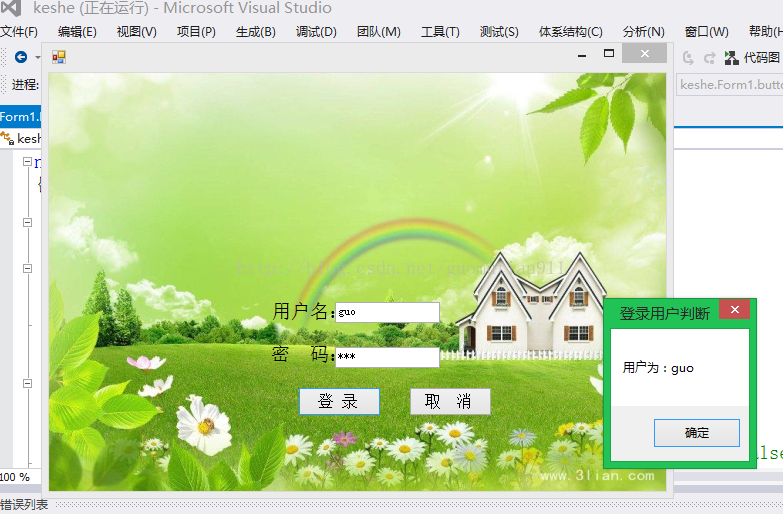
首先将用户输入与数据库查询比对,如果有则显示用户名,并提示登录成功

111用户名在数据库不存在
********************************************************************************************

本文来自互联网用户投稿,文章观点仅代表作者本人,不代表本站立场,不承担相关法律责任。如若转载,请注明出处。 如若内容造成侵权/违法违规/事实不符,请点击【内容举报】进行投诉反馈!