php好看的按钮,分享三款美观的html按钮样式

样式如下:
按钮样式一:
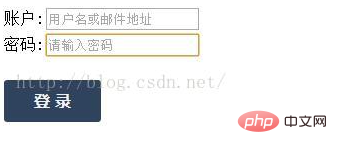
#login_click{ margin-top:32px; height:40px;}
#login_click a
{
text-decoration:none;
background:#2f435e;
color:#f2f2f2;
padding: 10px 30px 10px 30px;
font-size:16px;
font-family: 微软雅黑,宋体,Arial,Helvetica,Verdana,sans-serif;
font-weight:bold;
border-radius:3px;
-webkit-transition:all linear 0.30s;
-moz-transition:all linear 0.30s;
transition:all linear 0.30s;
}
#login_click a:hover { background:#385f9e; }
账户:
密码:
登 录
按钮样式二:
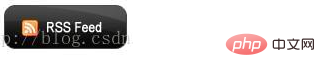
a.button { background:url(rss-feed-img.png) repeat 0px 0px; width: 123px; height: 44px; display: block; }
a.button span { display: none; }
a.button:hover { background: url(rss-feed-img.png) repeat 0px -44px; }
RSS Feeds
按钮样式三:
body { padding: 20px; font-size: 0.85em; font-family: georgia, serif; }
.btn { display: block; position: relative; background: #aaa; padding: 5px; float: left; color: #fff; text-decoration: none; cursor: pointer; }
.btn * { font-style: normal; background-image: url(btn2.png); background-repeat: no-repeat; display: block; position: relative; }
.btn i { background-position: top left; position: absolute; margin-bottom: -5px; top: 0; left: 0; width: 5px; height: 5px; }
.btn span { background-position: bottom left; left: -5px; padding: 0 0 5px 10px; margin-bottom: -5px; }
.btn span i { background-position: bottom right; margin-bottom: 0; position: absolute; left: 100%; width: 10px; height: 100%; top: 0; }
.btn span span { background-position: top right; position: absolute; right: -10px; margin-left: 10px; top: -5px; height: 0; }
* html .btn span,
* html .btn i { float: left; width: auto; background-image: none; cursor: pointer; }
.btn.blue { background: #2ae; }
.btn.green { background: #9d4; }
.btn.pink { background: #e1a; }
.btn:hover { background-color: #a00; }
.btn:active { background-color: #444; }
.btn[class] { background-image: url(shade.png); background-position: bottom; }
* html .btn { border: 3px double #aaa; }
* html .btn.blue { border-color: #2ae; }
* html .btn.green { border-color: #9d4; }
* html .btn.pink { border-color: #e1a; }
* html .btn:hover { border-color: #a00; }
p { clear: both; padding-bottom: 2em; }
form { margin-top: 2em; }
form p .btn { margin-right: 1em; }
textarea { margin: 1em 0;}
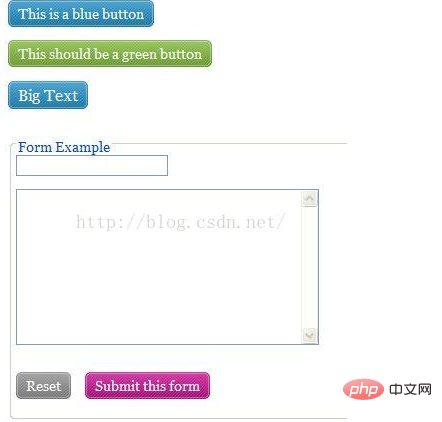
This is a blue button
This should be a green button
Big Text
Form Example
本文来自互联网用户投稿,文章观点仅代表作者本人,不代表本站立场,不承担相关法律责任。如若转载,请注明出处。 如若内容造成侵权/违法违规/事实不符,请点击【内容举报】进行投诉反馈!