2023 — Java课程设计
Java课程设计——个人博客
目录
- Java课程设计——个人博客
- 一、设计思路
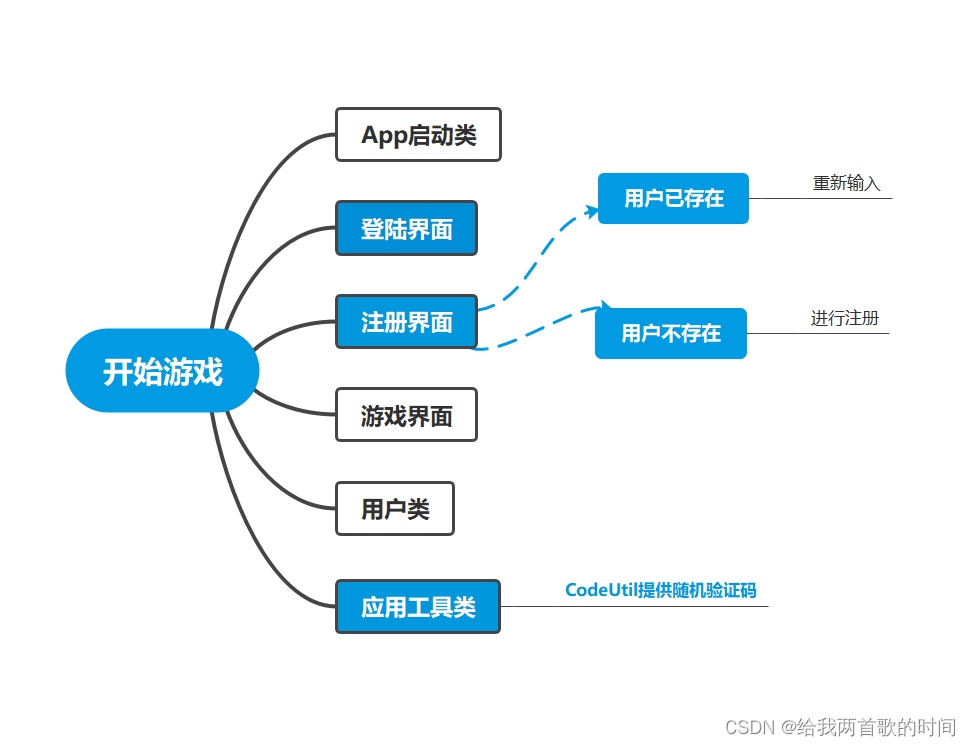
- 二、功能架构图(蓝色文底是个人负责模块)
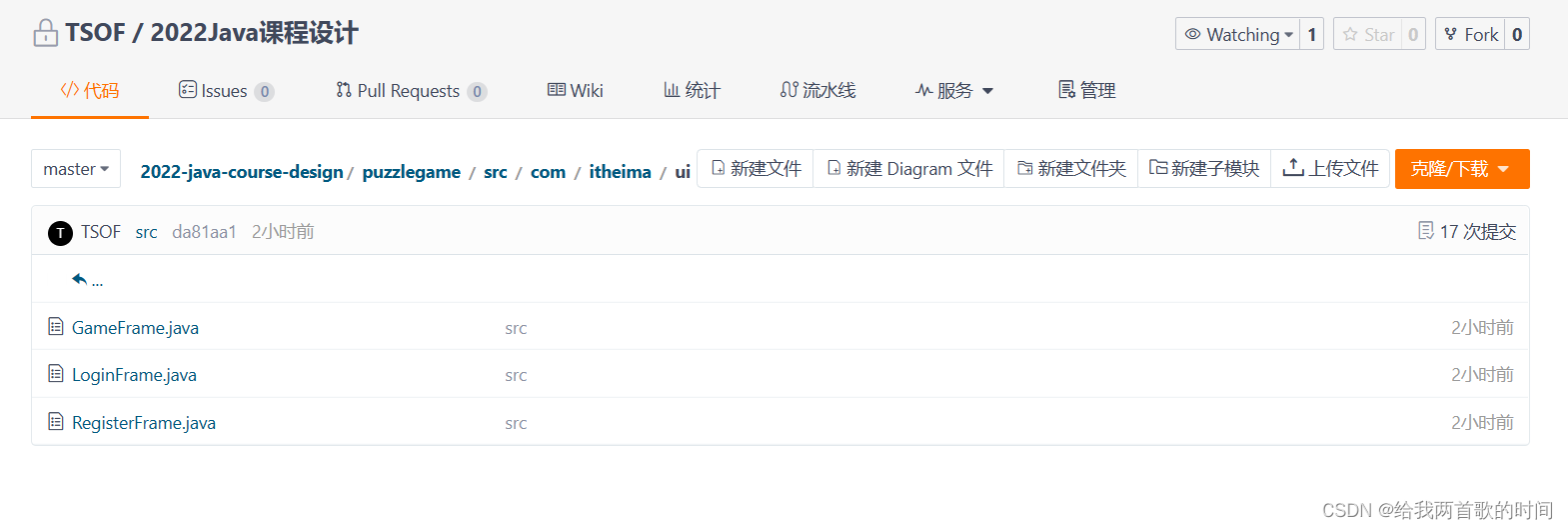
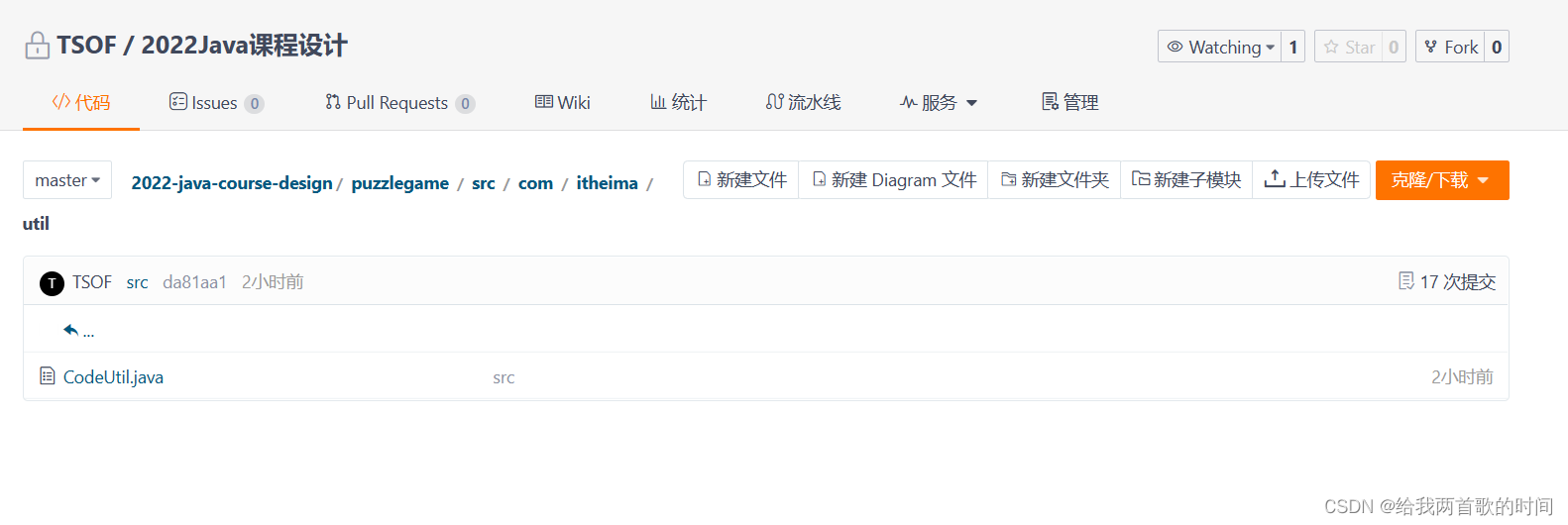
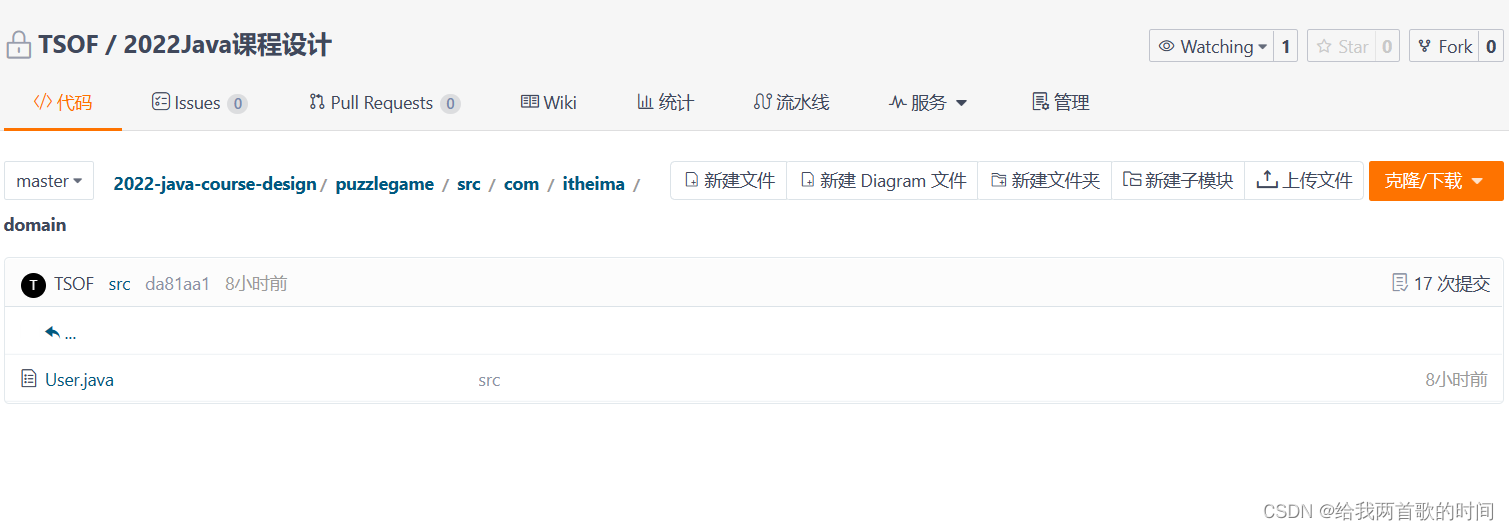
- 三、Gitee上的一些提交记录
- 四、主要代码简述
- 4.1登录界面LoginFrame
- 4.2注册界面RegisterFrame
- 4.3应用工具类codeUtil
- 五、课程设计感想
一、设计思路
LoginFrame类先先定义方法(接口)public LoginFrame,在该方法下分别建立初始化窗体、窗体里面的展示内容、以及让当前窗体展示出来,该接口的核心是窗口建立和内容添加这两个模块。初始化登录窗体主要包括窗口的名字、窗口的大小及位置、窗口的关闭模式以及窗口的内容布局模式这几方面。而窗体内容的方法主要围绕登录界面所需要的各种标签及输入框还有按钮以及我们的登录背景这几方面。同时我们还需要一个存储用户信息的集合ArrayList
RegisterFrame类与LoginFrame类的总体流程相近,增加了一些新内容,比如对注册用户进行一个用户信息的文本写入,同时也还要判断该用户名是否已注册。
CodeUtil类为一个应用工具类,任务为负责验证码的生成,显示在登录界面上。
二、功能架构图(蓝色文底是个人负责模块)
三、Gitee上的一些提交记录
四、主要代码简述
4.1登录界面LoginFrame
    /**添加登录窗体内容*/public void initView() {/*1. 添加用户名文字*/JLabel usernameText = new JLabel(new ImageIcon("image\\login\\用户名.png"));usernameText.setBounds(116, 135, 47, 17);this.getContentPane().add(usernameText);/*2.添加用户名输入框*/username.setBounds(195, 134, 200, 30);this.getContentPane().add(username);/*3.添加密码文字*/JLabel passwordText = new JLabel(new ImageIcon("image\\login\\密码.png"));passwordText.setBounds(130, 195, 32, 16);this.getContentPane().add(passwordText);/*4.密码输入框*/password.setBounds(195, 195, 200, 30);this.getContentPane().add(password);/*验证码提示*/JLabel codeText = new JLabel(new ImageIcon("image\\login\\验证码.png"));codeText.setBounds(133, 256, 50, 30);this.getContentPane().add(codeText);/*验证码的输入框*/code.setBounds(195, 256, 100, 30);this.getContentPane().add(code);String codeStr = CodeUtil.getCode();/*设置内容*/rightCode.setText(codeStr);/*绑定鼠标事件*/rightCode.addMouseListener(this);/*位置和宽高*/rightCode.setBounds(300, 256, 50, 30);/*添加到界面*/this.getContentPane().add(rightCode);/*5.添加登录按钮*/login.setBounds(123, 310, 128, 47);login.setIcon(new ImageIcon("image\\login\\登录按钮.png"));/*去除按钮的边框*/login.setBorderPainted(false);/*去除按钮的背景*/login.setContentAreaFilled(false);/*给登录按钮绑定鼠标事件*/login.addMouseListener(this);this.getContentPane().add(login);/*6.添加注册按钮*/register.setBounds(256, 310, 128, 47);register.setIcon(new ImageIcon("image\\login\\注册按钮.png"));/*去除按钮的边框*/register.setBorderPainted(false);/*去除按钮的背景*/register.setContentAreaFilled(false);/*给注册按钮绑定鼠标事件*/register.addMouseListener(this);this.getContentPane().add(register);/*7.添加背景图片*/JLabel background = new JLabel(new ImageIcon("image\\login\\background.png"));background.setBounds(0, 0, 470, 390);this.getContentPane().add(background);}/**设置登录窗体*/public void initJFrame() {this.setSize(488, 430);/*设置宽高*/this.setTitle("拼图游戏 V1.0登录");/*设置标题*/this.setDefaultCloseOperation(3);/*设置关闭模式*/this.setLocationRelativeTo(null);/*居中*/this.setAlwaysOnTop(true);/*置顶*/this.setLayout(null);/*取消内部默认布局*/}/**鼠标点击相关动作*/@Overridepublic void mouseClicked(MouseEvent e) {if (e.getSource() == login) {System.out.println("========点击了登录按钮!!!=======");/*获取两个文本输入框中的内容*/String usernameInput = username.getText();String passwordInput = password.getText();/*获取用户输入的验证码*/String codeInput = code.getText();/*创建一个User对象*/User userInfo = new User(usernameInput, passwordInput);System.out.println("========用户输入的用户名为" + usernameInput + "========");System.out.println("========用户输入的密码为" + passwordInput + "========");if (usernameInput.length() == 0 || passwordInput.length() == 0) {/*校验用户名和密码是否为空*/System.out.println("========用户名或者密码为空!!!========");/*调用showJDialog方法并展示弹框*/showJDialog("用户名或者密码为空!");} else if (codeInput.length() == 0) {/*校验验证码是否为空*/System.out.println("========验证码不能为空!!!========");/*调用showJDialog方法并展示弹框*/showJDialog("验证码不能为空!");} else if (!codeInput.equalsIgnoreCase(rightCode.getText())) {/*校验验证码是否输入正确*/showJDialog("验证码输入错误!");} else if (contains(userInfo)) {System.out.println("========用户名和密码正确可以开始玩游戏了!!!========");/*关闭当前登录界面*/this.setVisible(false);/*打开游戏的主界面*//*需要把当前登录的用户名传递给游戏界面*/new GameFrame();} else {System.out.println("========用户名或密码错误========");showJDialog("用户名或密码错误!");}} else if (e.getSource() == register) {System.out.println("========点击了注册按钮!!!========");new RegisterFrame();this.dispose();} else if (e.getSource() == rightCode) {System.out.println("========更换验证码!!!========");/*获取一个新的验证码*/String code = CodeUtil.getCode();rightCode.setText(code);}}/**判断用户在集合中是否存在*/public boolean contains(User userInput){//利用迭代器遍历Arraylist集合/*Iterator iterator = users.iterator();while(iterator.hasNext()){user rightInfo = (user) iterator.next();if(userinfo.getUsername().equals(rightInfo.getUsername())&&userinfo.getPassword().equals(rightInfo.getPassword())){return 1;}}return 0;*//*User user = new User();*/for (User rightUser : users) {/*User rightUser = users.get(i);*/if(userInput.getUsername().equals(rightUser.getUsername())){return true;/*有相同的代表存在,返回true,后面的不需要再比*/}}return false;/*循环结束之后还没有找到就表示不存在*/}/**读入文件*/public void fileReader(){try {FileReader file=new FileReader("output\\userInfo.txt");BufferedReader br = new BufferedReader(file);while( br.readLine() != null) {//readLine()读入一行后会自动换行String str1=br.readLine();String str2=br.readLine();System.out.println(str1 + "  " + str2);users.add(new User(str1,str2));}br.close();}catch(IOException e){e.printStackTrace();}}
}
介绍:登录界面类LoginFrame里创建users动态数组来进行对用户信息的存储,功能实现主要是借助Javax.swing.*包下的JButton、JTextField、JLable、JPasswordField类进行一个对象创建,添加背景,按钮等各种内容。最后添加鼠标相关的MouseEvent类相关操作。
4.2注册界面RegisterFrame
    /**注册窗体*/public void initJFrame() {this.setSize(488, 430);/*this.setVisible(true);*//*设置界面的标题*/this.setTitle("拼图游戏V1.0  注册");/*设置界面的标题*/this.setAlwaysOnTop(true);/*设置界面置顶*/this.setLocationRelativeTo(null);/*设置界面置顶*/this.setDefaultCloseOperation(WindowConstants.EXIT_ON_CLOSE);/*设置关闭模式*/this.setVisible(true);}/**对话框窗体*/public void showJDialog(String content) {/*创建一个弹框对象*/JDialog jDialog = new JDialog();/*给弹框设置大小*/jDialog.setSize(250, 200);//200  150/*让弹框置顶*/jDialog.setAlwaysOnTop(true);/*让弹框居中*/jDialog.setLocationRelativeTo(null);/*弹框不关闭永远无法操作下面的界面*/jDialog.setModal(true);/*创建JLabel对象管理文字并添加到弹框当中*/JLabel pointer = new JLabel(content);pointer.setBounds(250, 125, 200, 200);pointer.setHorizontalAlignment(SwingConstants.CENTER);/*使弹框中的标签文字居中*/jDialog.getContentPane().add(pointer);/*让弹框展示出来*/jDialog.setVisible(true);}public void initView() {/*1. 添加注册用户名名字*/JLabel usernameText = new JLabel(new ImageIcon("image\\register\\注册用户名.png"));usernameText.setBounds(105, 135, 83, 17);//47this.getContentPane().add(usernameText);/*2.添加用户名输入框*/RegisterUserName.setBounds(195, 134, 200, 30);this.getContentPane().add(RegisterUserName);/*3.添加密码文字*/JLabel passwordText = new JLabel(new ImageIcon("image\\register\\注册密码.png"));passwordText.setBounds(120, 195, 66, 16);//32this.getContentPane().add(passwordText);/*4.密码输入框*/RegisterPassword.setBounds(195, 195, 200, 30);this.getContentPane().add(RegisterPassword);/*5.再次输入密码文字*/JLabel twiceInputText = new JLabel(new ImageIcon("image\\register\\再次输入密码.png"));twiceInputText.setBounds(86, 256, 100, 30);//50this.getContentPane().add(twiceInputText);/*6.再次输入密码框*/twiceInput.setBounds(195, 256, 200, 30);this.getContentPane().add(twiceInput);/*7.添加注册按钮*/Register.setBounds(123, 310, 128, 47);Register.setIcon(new ImageIcon("image\\register\\注册按钮.png"));/*去除按钮的边框*/Register.setBorderPainted(false);/*去除按钮的背景*/Register.setContentAreaFilled(false);/*给登录按钮绑定鼠标事件*/Register.addMouseListener(this);this.getContentPane().add(Register);/*8.添加重置按钮*/Reset.setBounds(256, 310, 128, 47);Reset.setIcon(new ImageIcon("image\\register\\重置按钮.png"));/*去除按钮的边框*/Reset.setBorderPainted(false);/*去除按钮的背景*/Reset.setContentAreaFilled(false);/*给注册按钮绑定鼠标事件*/Reset.addMouseListener(this);this.getContentPane().add(Reset);/*9.添加背景图片*/JLabel background = new JLabel(new ImageIcon("image\\register\\background.png"));background.setBounds(0, 0, 470, 390);this.getContentPane().add(background);}/**点击*/public void mouseClicked(MouseEvent e) {if (e.getSource() == Register) {System.out.println("========点击了注册按钮!!!=======");/*获取三个文本输入框中的内容*/String usernameInput = RegisterUserName.getText();String passwordInput = RegisterPassword.getText();String againInput = twiceInput.getText();/*System.out.println("========用户输入的注册用户名为" + usernameInput + "========");*//*System.out.println("用户输入的注册密码为" + passwordInput + "========");*/if(usernameInput.length() == 0){System.out.println("=======用户名不能为空!!!========");showJDialog("用户名不能为空!");}else if (passwordInput.length() == 0) {/*校验注册密码是否为空*/System.out.println("========密码为空!!!========");/*调用showJDialog方法并展示弹框*/showJDialog("密码为空!");}else if (!passwordInput.equals(againInput)) {System.out.println("========两次密码输入不一致!!!========");showJDialog("两次密码输入不一致!");}else if (againInput.length() == 0) {System.out.println("========请输入验证码!!!========");showJDialog("请输入验证码!");}else if(passwordInput.equals(againInput)&&usernameInput.length() != 0){System.out.println("========注册成功!!!========");/*这边就差一个将我注册用户名和注册密码都正确输入后,我要将用户信息存储起来*//*User user = new User();*//*user.addUser(usernameInput,passwordInput);*/User user = new User(usernameInput,passwordInput);if(contains(user)){System.out.println("========用户已注册!!!========");showJDialog("用户已注册!");} else {fileWriter(usernameInput,passwordInput);users.add(user);showJDialog("注册成功!");this.dispose();new LoginFrame();}}} else if(e.getSource() == Reset){RegisterUserName.setText("");RegisterPassword.setText("");twiceInput.setText("");showJDialog("重置成功!");System.out.println("========重置成功!!!========");}}/**写入文件*/public void fileWriter(String str1,String str2) {try {FileWriter write = new FileWriter("output\\userInfo.txt",true);BufferedWriter bw = new BufferedWriter(write);//换行bw.write("\r\n");bw.write(str1);bw.write("\r\n");bw.write(str2);bw.write("\r\n");bw.close();write.close();}catch(IOException e){e.printStackTrace();}}/**读取文件*/public void fileReader(String str1,String str2) {try {FileReader file = new FileReader("output\\userInfo.txt");BufferedReader br = new BufferedReader(file);//readLine()读入一行后会自动换行str1=br.readLine();str2=br.readLine();br.close();}catch(IOException e){e.printStackTrace();}}/**判断用户是否存在*/public boolean contains(User userInput){/*有相同的代表存在,返回true,后面的不需要再比*/for (User rightUser : users) {if (userInput.getUsername().equals(rightUser.getUsername())) {return true;/*有相同的代表存在,返回true,后面的不需要再比*/}}return false;/*循环结束之后还没有找到就表示不存在*/}/*User userInfo = new User(username,password);Users.add(userInfo);String path = "D:\\SoftInstall\\IntelliJ_IDEA\\puzzlegame\\userinfo.txt";File f = new File(path);Writer out = null;try{out = new FileWriter(f);}catch (IOException e){e.printStackTrace();}try {out.write(String.valueOf(userInfo));}catch (IOException e){e.printStackTrace();}try{out.close();}catch (IOException e){e.printStackTrace();}*/
}
介绍:注册界面类RegisterFrame,首先实现对LoginFrame里users动态数组的一个调用,目的是为了检索新注册用户不能与老用户重复。同样,也借助了Javax.swing.*包下的JButton、JTextField、JLable进行一个对象的创建,添加背景,按钮等各种内容。最后运用MouseEvent和MouseListener包下的方法添加按钮的点击实现、按压操作内容以及监听事件
4.3应用工具类codeUtil
public static String getCode(){//1.创建一个集合ArrayList<Character> list = new ArrayList<>();//52 索引的范围:0 ~ 51//2.添加字母 a - z A - Zfor (int i = 0; i < 26; i++) {list.add((char)('a' + i));//a - zlist.add((char)('A' + i));//A - Z}//3.打印集合//System.out.println(list);//4.生成4个随机字母String result = "";Random r = new Random();for (int i = 0; i < 4; i++) {//获取随机索引int randomIndex = r.nextInt(list.size());char c = list.get(randomIndex);result = result + c;}//System.out.println(result);//长度为4的随机字符串//5.在后面拼接数字 0~9int number = r.nextInt(10);//6.把随机数字拼接到result的后面result = result + number;//System.out.println(result);//ABCD5//7.把字符串变成字符数组char[] chars = result.toCharArray();//[A,B,C,D,5]//8.在字符数组中生成一个随机索引int index = r.nextInt(chars.length);//9.拿着4索引上的数字,跟随机索引上的数字进行交换char temp = chars[4];chars[4] = chars[index];chars[index] = temp;//10.把字符数组再变回字符串String code = new String(chars);//System.out.println(code);return code;}介绍:应用工具类CodeUtil,首先建立ArrayList集合实现对验证码信息里的字母进行一个添加存储,Random类提供一个随机索引,使得每次生成的长度为五的字符串都不相同。
五、课程设计感想
我主要负责这个拼图游戏的界面ui设计还有一个工具类util设计,本次的课程设计让我对JavaGUI编程有一个更加充分的认识,比如JavaGUI的各种实现类主要要调用Javax.swing.*包下的一些实现类,GUI界面上的各种操作的背后都需要代码的支持,包括鼠标的点击以及鼠标的释放就需要借助MouseEvent包下的一些实现类对鼠标操作进行一个添加。总之,这次课程设计让我对GUI这一个模块有了一个更深的认识。
本文来自互联网用户投稿,文章观点仅代表作者本人,不代表本站立场,不承担相关法律责任。如若转载,请注明出处。 如若内容造成侵权/违法违规/事实不符,请点击【内容举报】进行投诉反馈!