Web前端复习:程序设计题
Web前端复习:程序设计题
表单设计
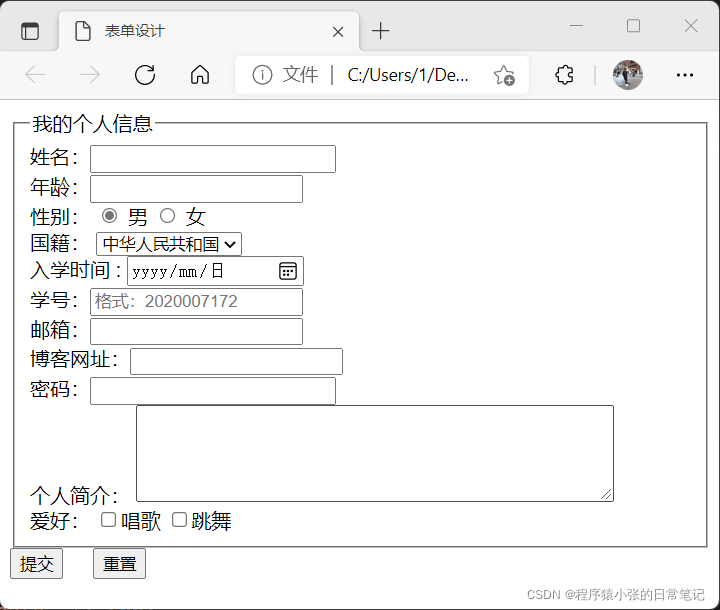
DOCTYPE html>
<html>
<head><meta charset="UTF-8"><title>表单设计title>
head>
<body><form><fieldset><legend>我的个人信息legend>姓名:<input type="text" name="name" size= "24" required><br/>年龄:<input type="number" name="age" maxlength="3"><br/>性别:<input type="radio" name="radio1" checked> 男 <input type="radio" name= "radio1"> 女 br>国籍:<select name="national"><option value="1" selected>中华人民共和国option><option value="2">其它option>select>br>入学时间 : <input type="date" /> <br>学号:<input type="text" name="xuehao" maxlength="10" pattern="^2020[0-9]{6}" placeholder="格式:2020007172" required><br/>邮箱:<input type="email" name="email">br>博客网址:<input type="url" name="url">br>密码:<input type ="password" name ="mima" size="24">br>个人简介:<textarea cols="50"   rows="5" wrap="hard">textarea>br>爱好:<input type="checkbox" name="checkbox1" >唱歌<input type="checkbox" name="checkbox1" >跳舞fieldset><input type="submit" value="提交">   <input type="reset" value="重置">form>
body>
html>
日期对象
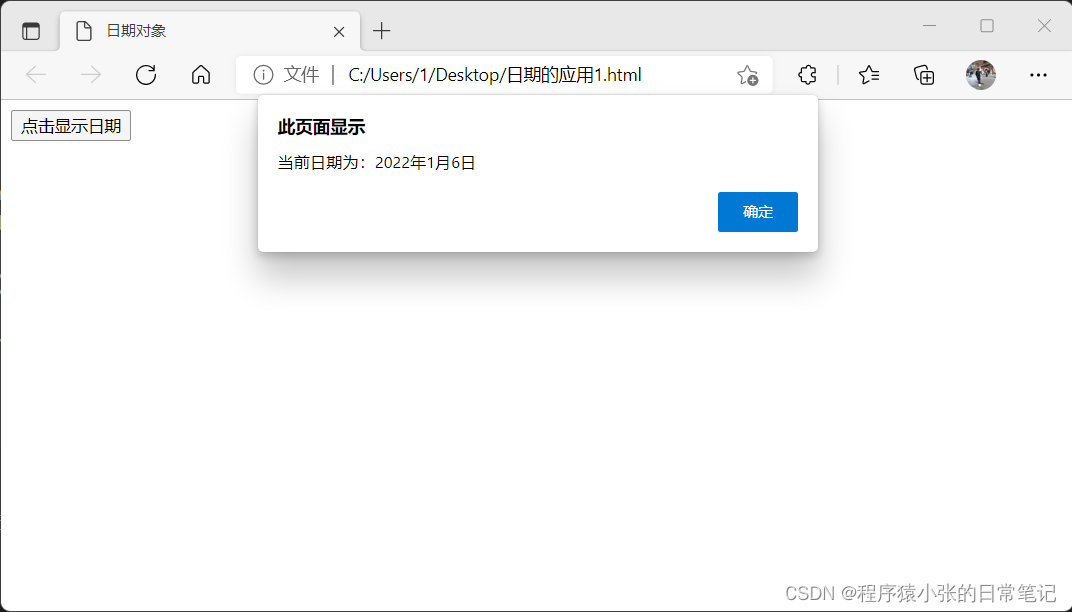
DOCTYPE html>
<html>
<head><meta http-equiv="Context-Type" content="text/html; charset= UTF-8"><title>日期对象title><script type="text/javascript">function Datedemo(){var date = new Date();var year = date.getFullYear();var month = date.getMonth();month = month + 1;var day = date.getDate();//document.write("当前日期为:"+year+"年"+month+"月"+day+"日");alert("当前日期为:"+year+"年"+month+"月"+day+"日");}   script>head>
<body><button onclick="Datedemo()">点击显示日期button>
body>
html>
最后一门专业课!!!
一切顺利
本文来自互联网用户投稿,文章观点仅代表作者本人,不代表本站立场,不承担相关法律责任。如若转载,请注明出处。 如若内容造成侵权/违法违规/事实不符,请点击【内容举报】进行投诉反馈!